EN
EN
MoreLogin and BlueStacks both let you use Android apps from a computer. That is where most of the similarity ends.
BlueStacks runs Android instances on the user’s computer. It is best known as a way to play Android games and open mobile apps on a larger screen. MoreLogin provides cloud hosted Android environments that users access remotely. It focuses on persistent mobile workspaces, profile management, team access, proxy configuration, and automation.
BlueStacks is often the simpler option for gaming and light personal use. MoreLogin makes more sense when Android environments need to remain organized across accounts, projects, or team members.
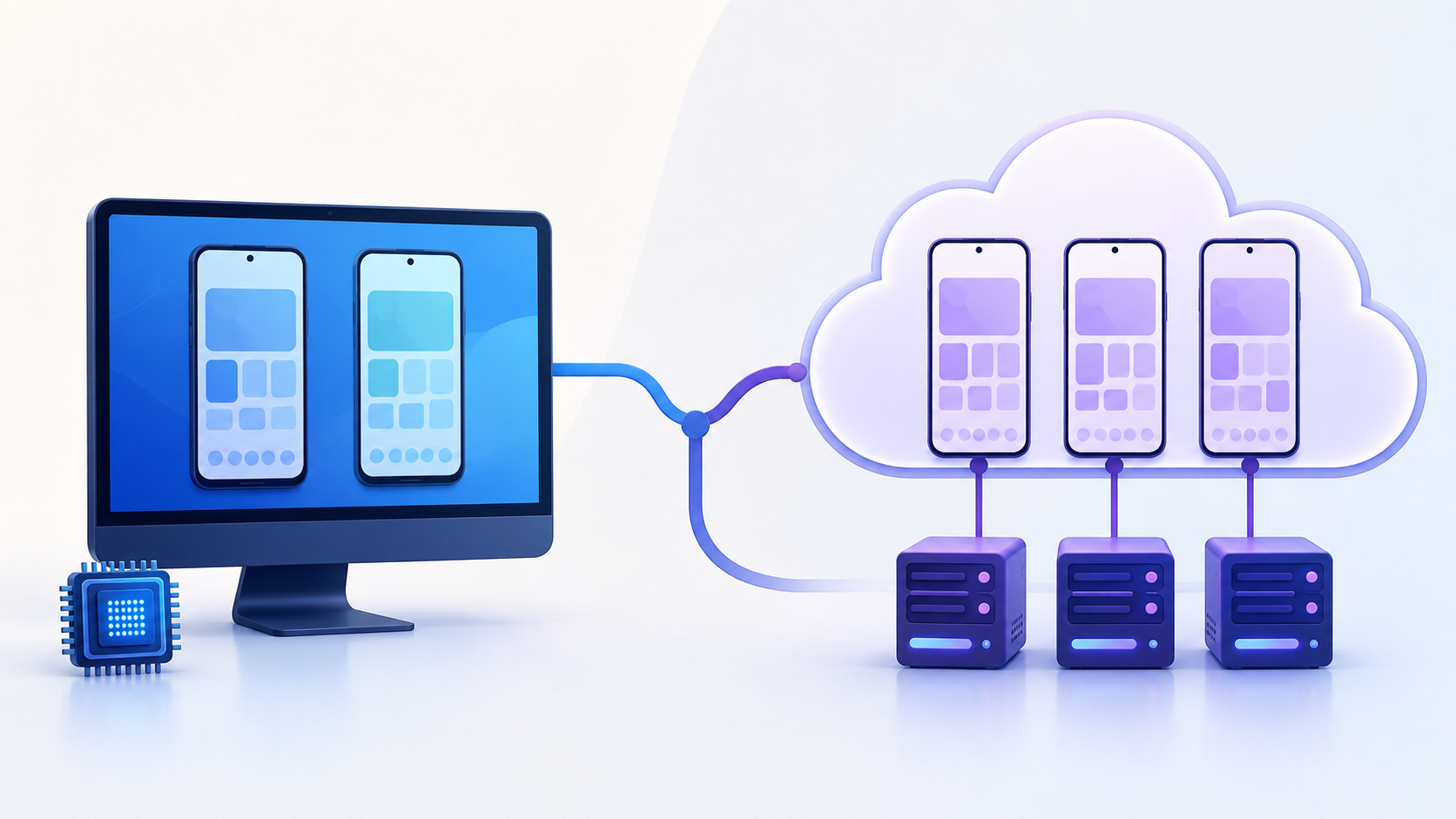
The distinction follows the broader difference between a cloud phone and an Android emulator. One moves the Android workload to remote infrastructure. The other runs it on the user’s computer.
This comparison is based on public product documentation reviewed in September 2026. It is not a controlled performance test. Actual performance and app compatibility depend on hardware, network quality, Android version, and the app being used.
Choose BlueStacks when you want to:
Play Android games on a Windows PC or supported Mac
Open a few Android apps on one computer
Control every instance yourself
Use keyboard mapping and gaming controls
Avoid paying for ongoing cloud device time
Keep the Android environment on your own machine
Choose MoreLogin when you need to:
Maintain several persistent Android environments
Organize mobile environments by account, client, or project
Give team members controlled access
Configure proxies at the Cloud Phone profile level
Use Synchronizer, RPA, ADB, or API workflows
Access Android environments from different locations
Reduce dependence on one computer for the Android workload
Developers building and debugging Android applications may prefer Android Studio. It offers testing features that neither a gaming emulator nor an account operations platform is designed to replace.
Both products can open Android apps. The more useful question is who needs to control the environment, where it should run, and how long its state needs to remain available.
BlueStacks provides local Android app players for desktop users. BlueStacks 5 is the Windows product, while BlueStacks Air serves supported Mac devices. Both run Android environments on the user’s computer rather than on remotely hosted cloud phone infrastructure.
Gaming is a major part of the BlueStacks product. Its tools include keyboard mapping, game controls, graphics settings, performance modes, and gamepad support. It can also run many general Android apps, so it is not limited to games.
BlueStacks gives users control over each instance. Its settings include CPU allocation, memory allocation, screen resolution, pixel density, graphics rendering, device profiles, and Android Debug Bridge access.
The official BlueStacks 5 system requirements list 4 GB of RAM and 5 GB of free storage as minimum requirements. BlueStacks recommends at least 8 GB of RAM, an SSD, a supported graphics processor, and enabled virtualization for a better gaming experience.
These figures apply to BlueStacks 5 on Windows. BlueStacks Air has its own compatibility and hardware requirements.
The published requirements also do not show how many active instances a particular computer can handle. That depends on the apps, instance settings, workload, and available hardware.
MoreLogin Cloud Phone provides Android environments that run on cloud based ARM infrastructure. Users open and control them from a computer, while the Android workload runs remotely.
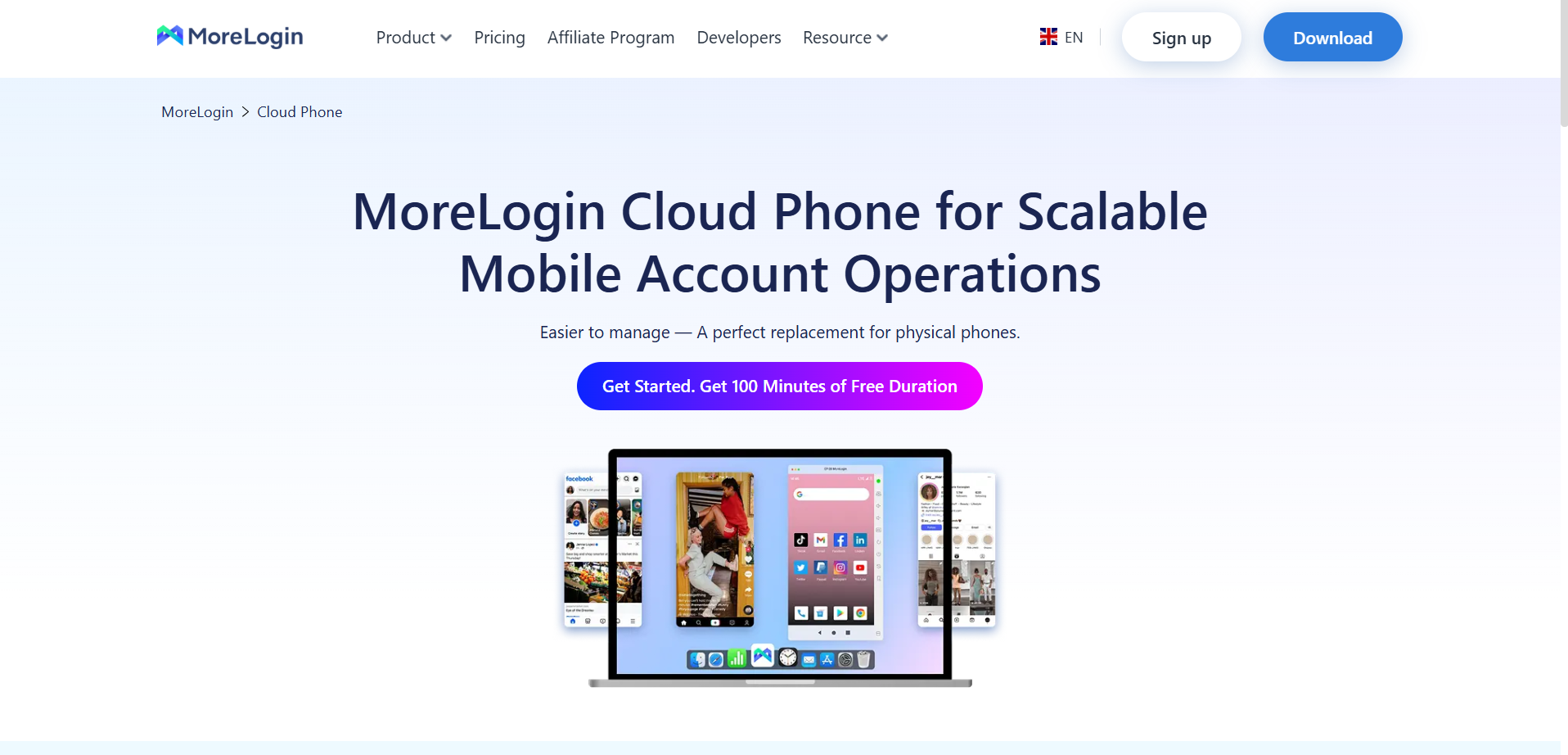
Each Cloud Phone can act as a persistent workspace. Apps, app data, files, login state, and device settings remain connected to that environment. Teams can name and group Cloud Phones, then assign access according to a project or role.
At the time of review, MoreLogin documentation lists Cloud Phone configurations for Android 12, 13, 14, and 15. Available models may change, so users should confirm the current options in the MoreLogin client.
MoreLogin is not built as a gaming emulator. It works as an Android emulator alternative for tasks that need remote Android access, separate environments, team management, and automation.
The product still needs a reliable internet connection. Opening several Cloud Phone windows also uses local memory and network bandwidth. Moving Android processing to the cloud reduces dependence on local hardware, but it does not make the local computer irrelevant.
BlueStacks runs Android locally. MoreLogin runs the Android environment remotely.
With BlueStacks, the computer is responsible for the emulator. Each active instance needs a share of the available CPU, memory, storage, and graphics resources. The user also manages Android versions, virtualization settings, drivers, and local instance files.
This local model reflects how an Android emulator works. It creates a virtual Android system and asks the host computer to provide the resources needed to run it.
With MoreLogin, remote infrastructure handles the Android workload. The local computer displays the device screen and sends control input. Local hardware becomes less central, while network stability becomes more important.
For BlueStacks, adding instances means asking one computer to run more Android environments. For MoreLogin, adding profiles means adding remotely hosted environments to a managed workspace.
Local execution is practical when one person needs a small number of instances. Cloud execution becomes more useful when environments need to remain available to a team or become part of an ongoing process.
BlueStacks performance is tied to the host computer.
A user can assign CPU cores and memory to each instance. BlueStacks also provides performance settings, Eco Mode, and graphics options. These tools help balance emulator performance against the resources needed by other programs.
The tradeoff becomes more visible when several instances run at the same time. Each instance still needs local resources. Apps, media, cached data, and Android system files also use local storage.
BlueStacks has dedicated tools for running multiple instances. The practical limit is still set by the computer and workload.
Local hardware dependency is an important factor when selecting an Android emulator for Windows. A tool that works well for one app may become less practical when several Android instances need to remain active.
MoreLogin moves the Android workload away from the local machine. That can be useful on a standard office computer or when a team does not want one workstation to hold every Android environment.
Network quality matters more in this model. A weak connection can cause delayed input, slow screen updates, or disconnections. Teams should check their normal working network before moving an important process to any cloud phone service.
BlueStacks supports multiple Android instances through its Multi-instance Manager.
Users can:
Create a fresh instance
Clone an existing instance
Select different Android versions
Allocate CPU and memory
Adjust resolution and DPI
Start or stop several instances
Sort instances into folders
Search and rearrange instances
Use batch operations
This is a capable setup for one person running several games or apps on the same computer.
MoreLogin uses Cloud Phone profiles rather than local emulator instances. A profile can be named for a client, market, account, or workflow. It can also be placed in a group and assigned to a team member.
Both tools can create several Android environments. The difference is how those environments are managed.
BlueStacks organizes instances on the host computer. MoreLogin organizes remote Android environments inside a shared workspace.
That difference matters when work changes hands. A local instance usually remains tied to the computer where it was created. A cloud profile can remain associated with the project while access moves from one approved operator to another.
Network setup is another practical difference.
BlueStacks was not designed as a centralized proxy management platform. Users who need a separate network route for each instance may need Android proxy settings, proxy apps, host level routing, or other tools. The available method depends on the protocol and the apps involved.
MoreLogin lets users add proxy information when they create a Cloud Phone profile. Time zone, language, and location settings can also be configured according to the actual project.
This reduces the number of separate steps during initial setup. It does not remove the need to verify the connection.
Before using an important account, check:
Whether the proxy connects
Which IP address the Android environment shows
Whether the location matches the intended region
Whether the time zone and language make sense
Whether the connection remains stable after a restart
Whether the target app works with that network
A cloud phone is not the same as a proxy. MoreLogin provides the Android environment and a profile level proxy configuration process. Users still need a suitable proxy unless the selected service or plan states otherwise.
No proxy, cloud phone, or emulator can guarantee account approval. Platforms may consider account history, network quality, content, behavior, ownership, and their own policies.
BlueStacks supports Android apps through Google Play and APK installation. Users can also select device profiles and ABI settings when an app needs a different configuration.
This is convenient for popular games and general Android apps. Compatibility still varies. An app may require a newer Android version, a specific processor architecture, Google services, or a hardware feature that the emulator does not reproduce.
MoreLogin supports application installation through its app tools, Google Play, and installation packages. Apps can remain installed inside the assigned Cloud Phone profile. Approved applications can also be prepared for selected groups instead of being handled separately on every device.
MoreLogin uses ARM based infrastructure, which provides a suitable architecture for many mobile apps. ARM support does not guarantee that every app will run.
Factors affecting cloud Android app compatibility include:
Android version
Google Play Services
Device certification
Play Integrity requirements
Root detection
Regional availability
Camera and microphone access
SIM functions
NFC
Biometrics
DRM
App specific device policies
An APK that installs successfully may still fail during login, payment, video upload, or another protected action.
Complete the intended task on one environment before adding more profiles. Installation alone is not a useful compatibility test.
BlueStacks does have automation features. Any comparison that ignores them would be misleading.
Its Macro Manager can record and replay sequences of clicks and keyboard input. Macros can repeat for a fixed number of runs or for a selected duration. They can also be scheduled. BlueStacks supports ADB for users who need more technical control.
BlueStacks also offers Sync Operations. Actions performed in one primary instance can be repeated across selected active instances. This includes typing, app launches, and in-app actions.
These tools are useful for gaming and repeated local actions.
MoreLogin approaches cloud phone automation as part of a wider profile management workflow.
Its main options include:
Synchronizer for copying live actions across selected Cloud Phones
RPA for workflows built from predefined steps
Scheduled tasks for routines that run at a chosen time
ADB for external Android control tools
API access for creating and managing Cloud Phones programmatically
BlueStacks automation works around local emulator instances. MoreLogin combines automation with cloud profiles, app management, files, proxies, and team permissions.
Technical teams can use the MoreLogin Cloud Phone API to manage devices, apps, files, proxies, schedules, and supported ADB workflows.
Automation should follow a stable manual process. If an app shows different popups, languages, or login checks across devices, copying the same action may produce different results.
Start with one environment. Confirm the complete workflow. Add automation only after the steps are predictable.
BlueStacks is mainly designed around the person using the host computer. A user can organize several instances, but the product does not turn those instances into a team permission system.
A remote teammate may need access to the computer running BlueStacks. That can involve a separate remote desktop tool or another internal arrangement. Access is often given at the computer level rather than the individual Android environment level.
MoreLogin is structured around profiles and members. A team can assign selected Cloud Phones to selected people. The Android workspace can remain with the client or project when the operator changes.
This is useful for agencies and distributed teams. It reduces the need to keep project apps and files on an employee’s personal phone.
Every mobile workspace should have:
A named owner
An approved operator
A documented recovery method
A clear project or client label
A process for granting access
A process for removing access
A record of which account belongs in the environment
MoreLogin permissions do not replace the access controls provided by Meta, TikTok, Google, or another platform. Official business permissions should remain the source of truth wherever they cover the task.
Social media teams often compare these products because many platform features still work best inside mobile apps.
For one person handling a small number of accounts, BlueStacks may be enough. The user can create separate instances, install the apps, and manage the work from one computer.
The decision changes when several people need access.
Consider an agency where one operator prepares content, another reviews it, and a manager handles urgent changes. If the Android environment exists only on one local computer, every handoff depends on that machine.
A cloud phone gives the project a persistent Android workspace. The next approved operator can open the same environment with the apps, files, and login state still in place.
This does not mean every social media task belongs in a cloud phone. Official platform tools are often better for permissions, advertising, analytics, and scheduled publishing.
An Instagram cloud phone workflow may use the Android app for mobile content checks while keeping official permissions inside Meta Business Suite. A team can also manage TikTok accounts with a cloud phone when the work genuinely depends on the mobile app.
A practical setup may use:
Meta Business Suite for official Facebook and Instagram permissions
TikTok Business Center for business assets
A browser for advertising dashboards and reports
A cloud phone for tasks that still require the Android app
Use the simplest tool that completes the task. Adding a cloud phone to a process that already works well in an official business platform only creates another system to maintain.
BlueStacks and MoreLogin use different cost models.
BlueStacks runs on hardware supplied by the user. The computer provides the processing power, memory, graphics, and storage. This model is easy to justify when one person uses a small number of instances.
MoreLogin charges for cloud device usage. Its Android cloud phone pricing includes usage based and fixed duration options. Proxy costs and other services may be separate.
The cheaper option depends on the situation.
BlueStacks may be more economical when:
One person needs one or two instances
The computer already meets the requirements
The work is occasional
Team access is not needed
Local setup and maintenance are manageable
MoreLogin may provide better operational value when:
Several people need controlled access
The environments must remain available between operators
Local hardware has become a constraint
Proxy and profile settings need centralized management
Repeated tasks need RPA or API support
Physical phone and workstation maintenance take too much time
Do not compare only the price of one emulator instance with the price of one Cloud Phone. Compare the complete workflow, including hardware, setup, access, maintenance, and operator time.
Prices and plan limits change. Check current product information before publishing fixed figures.
Performance depends on the host computer
Multiple active instances share local resources
Local storage grows as apps and data accumulate
Team access is not a core feature
Proxy management may require additional setup
The product is primarily optimized around gaming and personal app use
It requires a reliable internet connection
Cloud device use has an ongoing cost
It is not designed as a gaming focused emulator
Local display and control still use computer resources
App and hardware compatibility must be checked
A small personal workflow may not need its team and automation features
Local emulators are practical for many users. Cloud phones solve a different set of operational problems.
Teams that need consistent device settings, synchronization, remote access, and API support should use those factors to choose a cloud phone.
BlueStacks is a strong option for gaming, individual app use, and a small number of Android instances on one computer. It offers multi-instance management, Sync Operations, macros, device settings, and ADB access.
MoreLogin is better suited to work that needs persistent cloud Android environments, profile level proxy settings, team access, centralized organization, and several forms of automation.
Choose BlueStacks when the Android environment belongs to one person and one computer. Choose MoreLogin when the environment needs to belong to a project, client, or team workflow.
Before moving important work, create one Cloud Phone, install the required app, verify the connection, and complete the full task. Expand only after the setup works as expected.
See How MoreLogin Cloud Phone Works
Is MoreLogin an Android emulator?
MoreLogin is not a traditional local Android emulator. It provides cloud hosted Android environments that run on ARM based infrastructure. Users access and control those environments remotely from a computer.
Is BlueStacks a cloud phone?
No. BlueStacks runs Android environments on the user’s computer. BlueStacks 5 serves Windows users, while BlueStacks Air is available for supported Mac devices.
Which is better, MoreLogin or BlueStacks?
BlueStacks is usually better for gaming and light personal app use. MoreLogin is better suited to persistent Android environments, team access, profile level proxy settings, and cloud automation. The best choice depends on the task.
Can BlueStacks manage multiple accounts?
BlueStacks can create multiple Android instances. Each instance can hold different apps or account sessions. Local multi-instance management is different from centralized team permissions and remotely hosted profile management.
Is MoreLogin a BlueStacks alternative?
MoreLogin can be a BlueStacks alternative for users who need cloud Android environments, remote access, team management, or automation. It is not a direct replacement when the main purpose is Android gaming.
Does MoreLogin use local CPU and RAM?
Yes. The MoreLogin client and open device windows use local resources. The main Android workload runs remotely, so the computer does not need to host the full Android system for every Cloud Phone.
Can every Android app run on MoreLogin or BlueStacks?
No. Compatibility depends on the Android version, processor architecture, Google services, device certification, hardware requirements, regional availability, and the app developer’s policies.
Can MoreLogin or BlueStacks prevent account bans?
No. Neither product can guarantee account approval or prevent restrictions. Account results may depend on ownership, behavior, content, network quality, account history, and platform policies.

 EN
EN