EN
EN
When a website decides whether to treat a visitor as a regular user, the IP address alone is no longer enough. A website may check the IP's reputation, network type, geolocation, WebRTC, browser parameters, time zone, language, and other characteristics.
Therefore, having a good IP is only part of the solution. Using a high-quality residential proxy together with a properly configured browser profile can significantly reduce the number of suspicious signals.
In this article, we will look at how to improve your IP Score using residential proxies from Node Proxy and the anti-detect browser MoreLogin.
IP Score is a general assessment of how trustworthy an IP address appears to different online services. The overall assessment may be affected by:
the IP's reputation and history;
whether the IP belongs to a residential or datacenter network;
country and region;
signs of VPN or proxy usage;
how frequently the IP address changes;
whether the IP has been associated with other suspicious activity.
It is important to understand that there is no universal IP Score used by every website in the same way. Different services use their own risk assessment systems.
That is why it is better to check a proxy using several different tools. As an example, we will use https://ipfighter.com/.
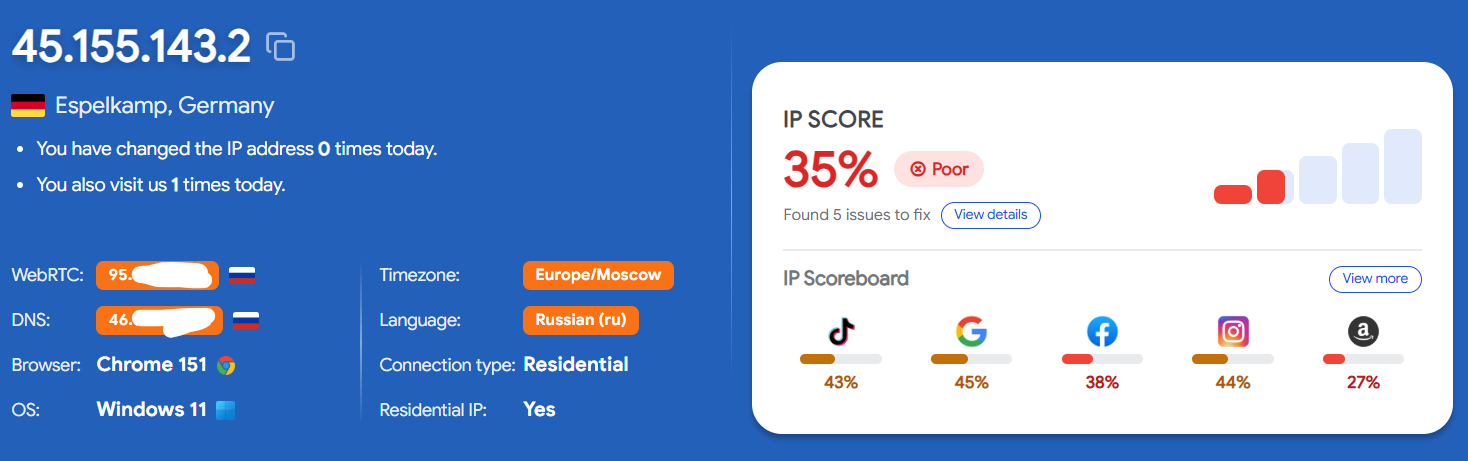
Imagine that you have obtained a high-quality residential IP from the country you need, but the browser reports a completely different time zone to the website. On top of that, WebRTC exposes your real IP address, while the browser language does not match the selected region.
For anti-fraud systems, this already creates several inconsistencies. That is why a proxy and a browser profile should be treated as a single system.
Node Proxy provides residential proxies for tasks where IP quality and connection flexibility matter.
You can choose the GEO you need, use HTTP or SOCKS5 protocols, and configure IP rotation depending on your use case. Proxies are charged based on the traffic you actually use, so there is no need to purchase a fixed number of IPs in advance.
Use the promo code MORELOGIN to get 20% off. Try Node Proxy here: https://node-proxy.com/
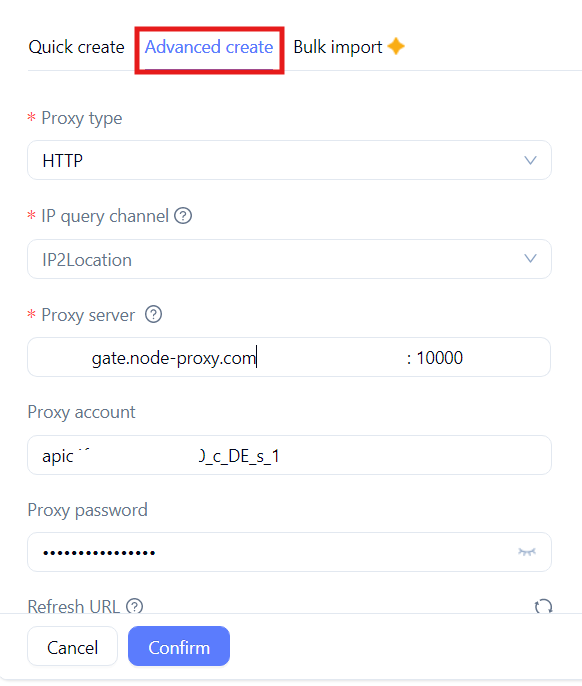
To begin the setup, create a new profile in MoreLogin. For more flexible configuration, use Advanced Create, where you can specify proxy and browser profile parameters.
In the Proxy section, enter your proxy details:
connection type — HTTP or SOCKS5;
Host;
Port;
username;
password.
Then use MoreLogin's built-in connection test. If the proxy is configured correctly, the profile will launch using the selected IP address.
After connecting the proxy, it is important to check not only the IP address itself but also the browser environment.
For example, if you are using an IP address from Germany, it makes sense to check whether:
the time zone matches the region;
the browser language matches the selected locale;
the real IP address is not exposed through WebRTC;
there are no obvious inconsistencies in the device parameters.
At the same time, you should not manually change every parameter without a specific reason. The more unrelated values you introduce, the greater the chance of creating new inconsistencies.
Now launch the newly created MoreLogin profile and open BrowserScan.
BrowserScan analyzes several layers at once, including network characteristics, leaks, parameter consistency, signs of automation, and browser fingerprint characteristics. Therefore, it is more useful to treat its results not simply as an assessment of one IP address, but as a check of the entire IP + browser + environment combination.
Pay particular attention to the IP address and WebRTC. BrowserScan can detect whether your real IP is being exposed through WebRTC even when the main traffic is routed through a proxy. We will perform the check using https://www.browserscan.net/.
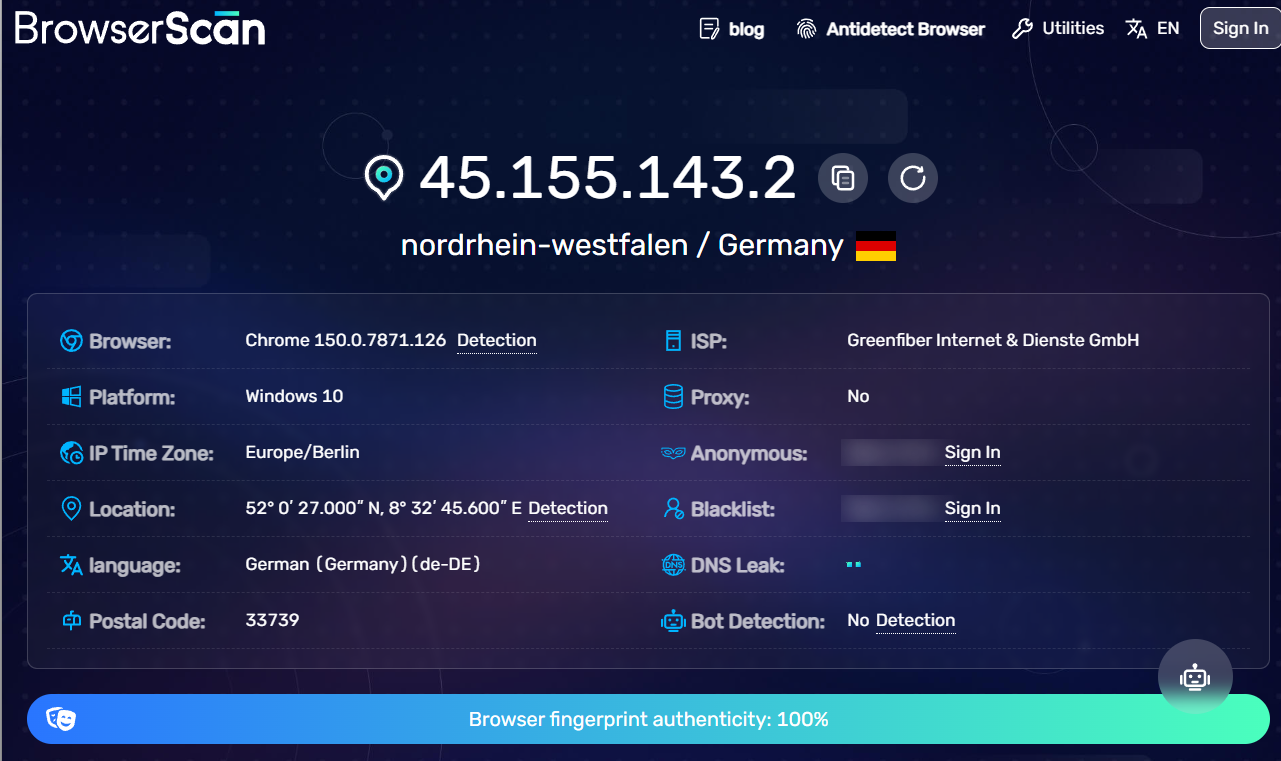
You should not simply try to artificially increase the score. The goal is to make the profile consistent and coherent.
If a WebRTC issue is detected, check the corresponding setting in your MoreLogin profile. If the time zone does not match, align it with the region of the IP address you are using. If the browser reports one operating system while other parameters appear characteristic of another, review the profile settings.
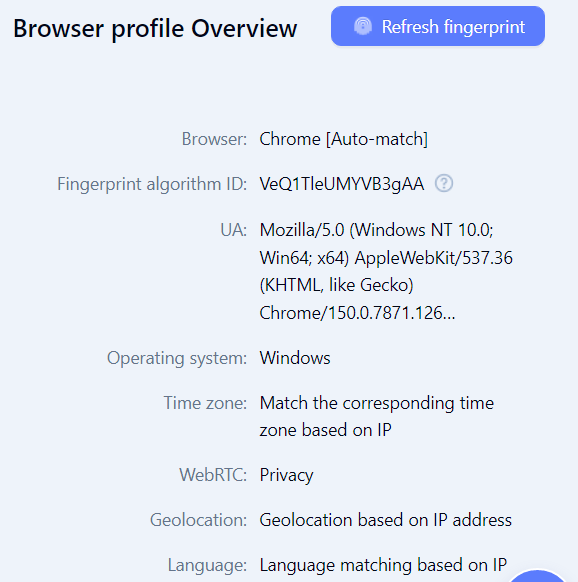
After changing the parameters, open IP-Score and BrowserScan again.
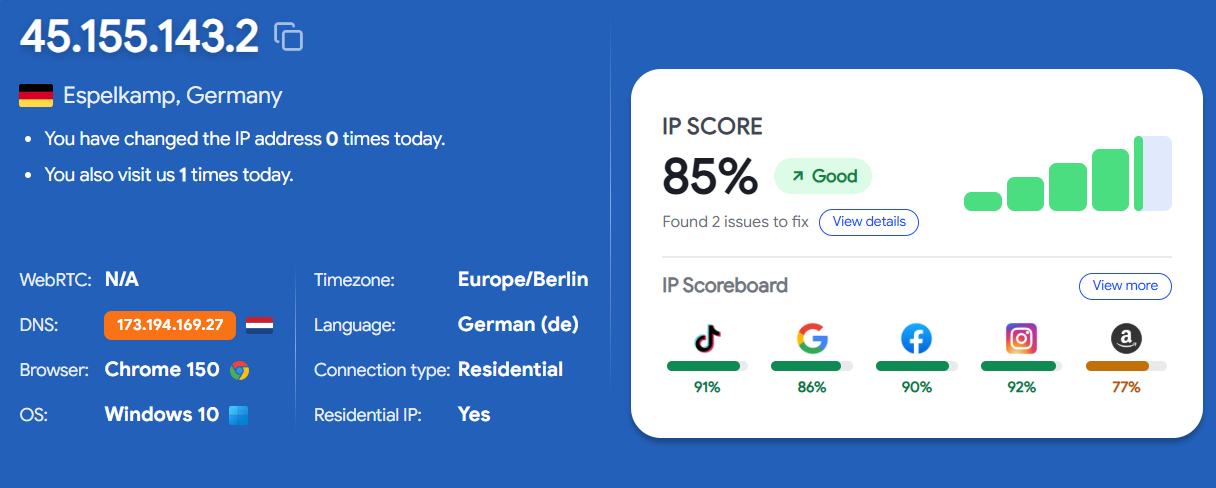
Building trust with a website is not just about having a good IP address. A website's perception of a connection is based on a combination of different signals.
The optimal setup looks like this: high-quality residential proxy + consistent browser profile + no leaks + result verification.

 EN
EN