- Product

- Pricing
- Affiliate Program
- Developers
- Resource
 EN
EN
Every media buyer knows the feeling: a new offer, a fresh budget and no idea which angle will convert. Testing blind burns money fast. A Facebook ads spy tool shortcuts that process, because it shows which ads competitors have been running for weeks, and an ad that keeps running is usually an ad that pays.
In this Tyver review we look at what the tool does, which filters matter, what it costs, and then walk through a practical guide to finding winning creatives step by step.
Tyver is an ad spy tool focused on Facebook and the wider Meta ecosystem. It collects ads into a searchable database that is updated every day, and lets you filter them by GEO, vertical, format, link parameters, app, Fan Page and run time.
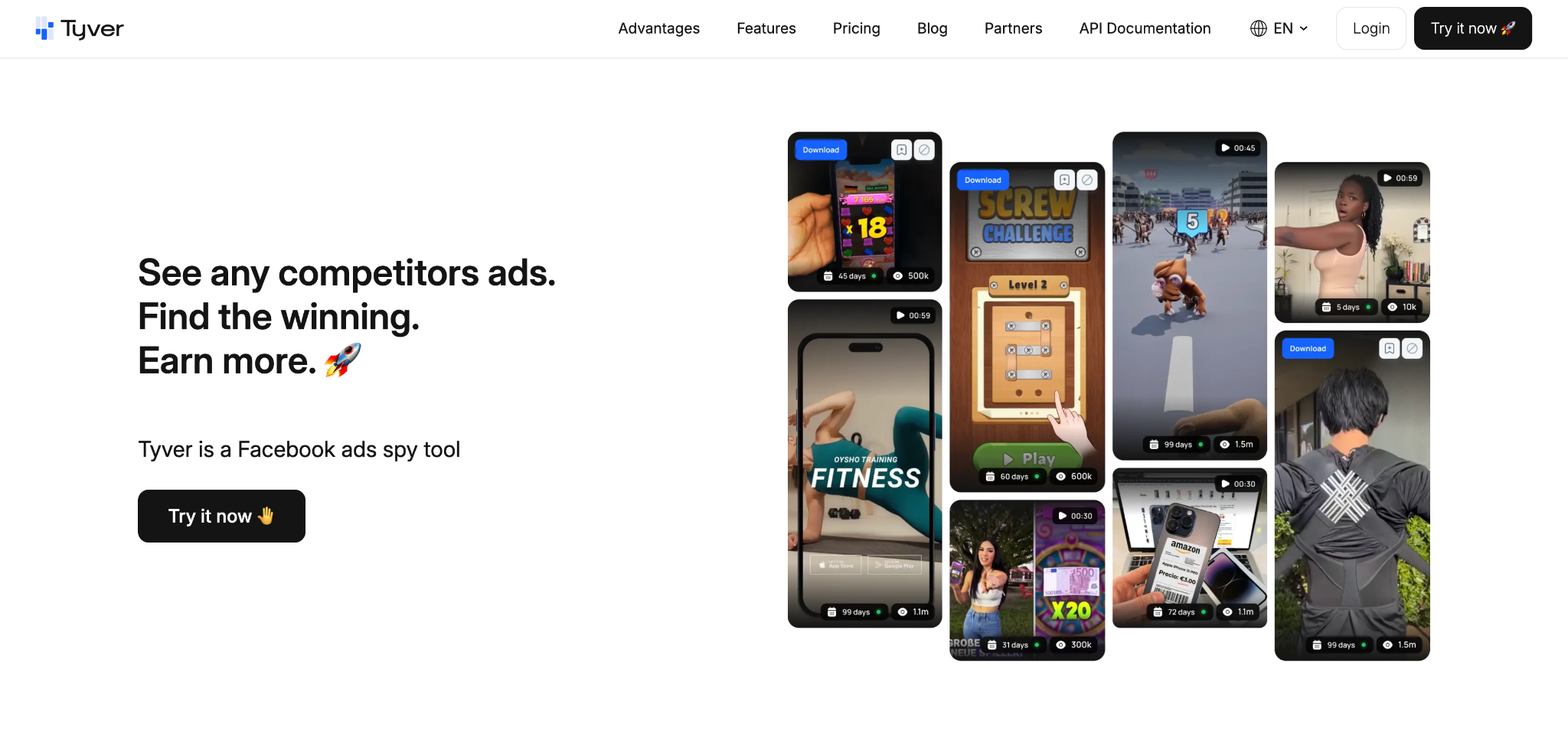
Key numbers from the Tyver website:
Up to 91%+ of all Facebook ads are covered by the database
140+ countries available for search, with more being added
Daily updates, with 4M+ new ads collected every day
Ready-made categories: Gambling, Nutra, Sweepstakes, Dropshipping & COD, Apps and E-commerce
20+ advanced filters to narrow down searches by keywords, GEO, formats, CTA, domains, and more
Webmasters tracking to explore advertising activity through connected Pixels, Domains, and Fan Pages
Similar ads search by domain or Fan Page to discover related creatives and competitor campaigns
Team mode with employee access controls to manage collaboration and restrict data visibility
Tyver is built for affiliates, media buyers, agencies and e-commerce teams who want to see what already works before spending on tests.
Search ad copy by any word or phrase in any language. This is the starting point for most research: offer names, bonus wording, product benefits or local slang that your target audience actually uses.
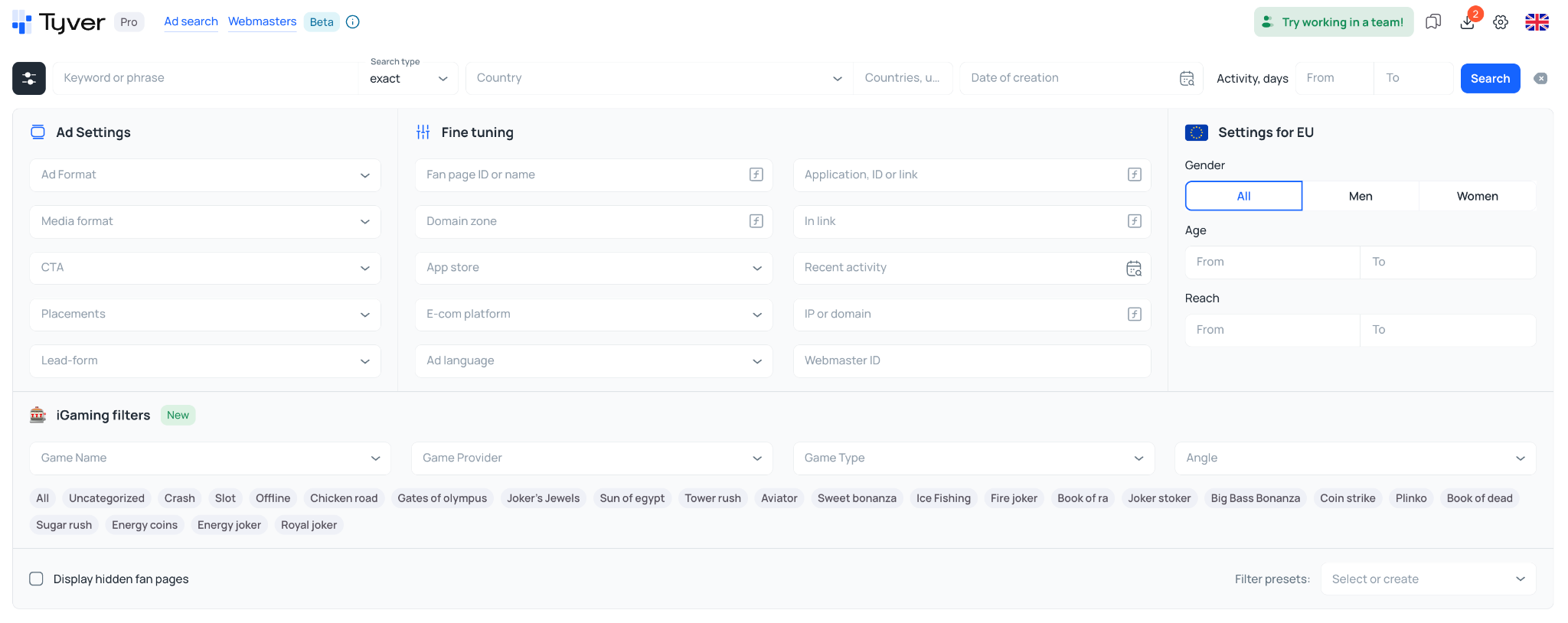
This is the feature affiliates love most. Tyver lets you search for fragments inside ad links, such as sub1=, pixel=, utm_source=, campaign_id= or flow=. These markers come from trackers and affiliate networks, so they help you separate real affiliate campaigns from brand advertising and see whole funnels behind a single tracker setup.
Sort and filter ads by how long they have been running. Ads stopped after one day are usually failed tests. Ads running for 7, 14 or 30+ days are the strongest signal of a winning ad.
Narrow results by country, media type (image or video), call-to-action button and other parameters. Combining GEO and format is the fastest way to find video creatives for a specific Tier 3 market, for example.
Found one strong ad? The Similar Ads section shows related creatives, and the By FB Page tab shows everything the same Fan Page is running. Domain search does the same for pre-landers and landing pages on one domain.

The Apps, ID or Link field finds ads that promote specific Google Play or App Store apps, which is essential for gambling apps, PWA campaigns and utility apps.
For ads targeting EU countries, Tyver shows reach plus gender and age breakdowns. That tells you not just what is running, but who is seeing it.
You can download creatives, apply basic edits (rotate, crop, generate variations), save ads to favorites and share collections with your team. Team plans add separate accounts for media buyers and custom viewing limits. Pro and Team plans also include public API access.
Annual billing saves about 40%. Prices from tyver.io, October 2026.
Below is the workflow we use for any vertical. The examples use gambling and nutra, but the same steps work for crypto, sweepstakes and e-commerce.
Start with the category filter (for example, Gambling or Nutra) and the country you plan to run. Work with one GEO at a time: angles that win in Brazil rarely work in Germany.
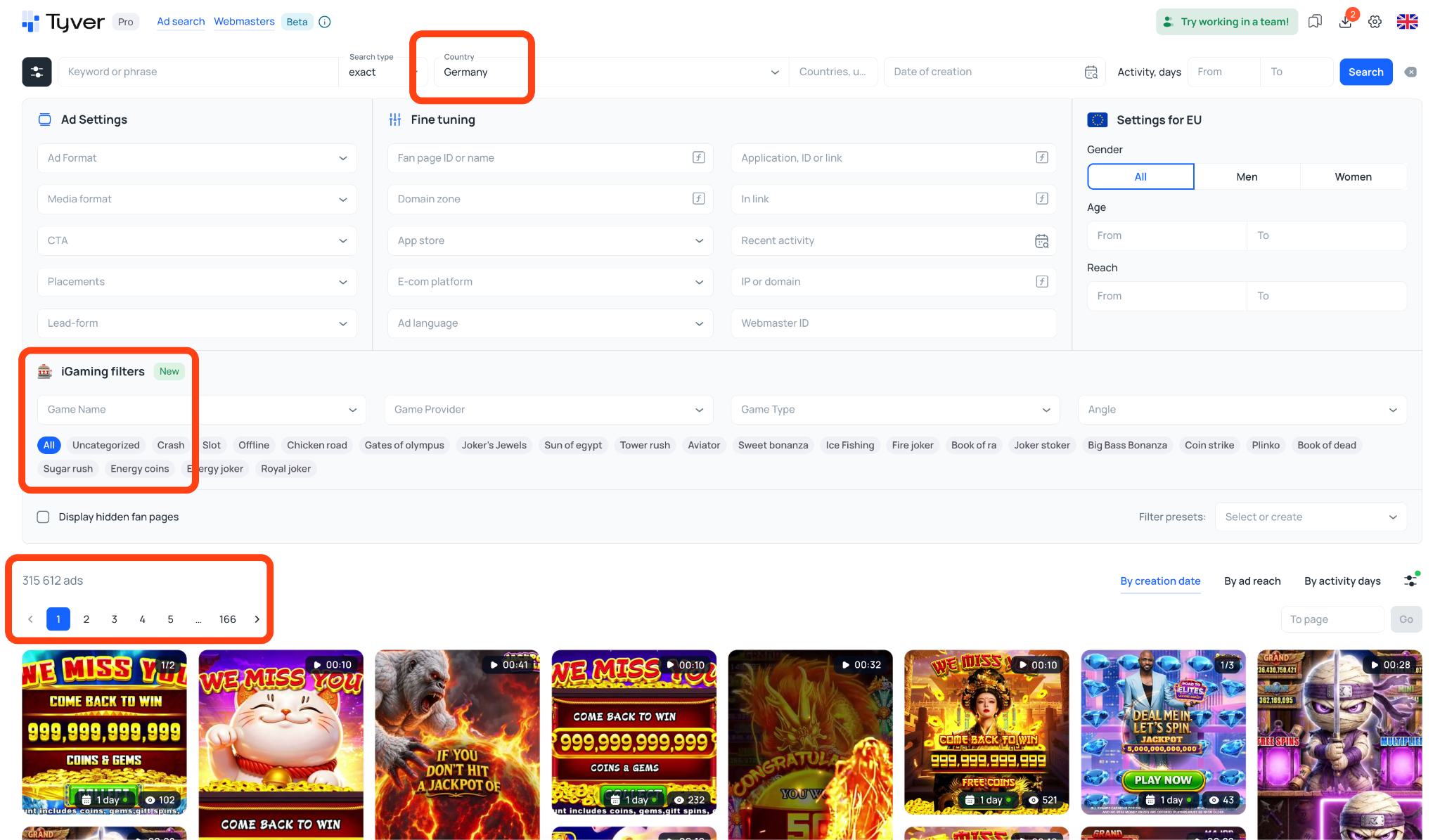
Use keywords that people in your target GEO actually use in ads and offers. For Brazilian gambling, try phrases like jogo que paga (a game that pays) or pagamento confirmado (payment confirmed). For nutra, test terms related to the problem, the promised benefit, and the product itself, such as joint pain, weight loss, or better sleep.
Combine local-language keywords with broader terms and compare the results. This helps uncover creatives tailored to a specific market that you might miss with English-only searches. Keep in mind that keyword choice should reflect the niche and local advertising conventions.
Filter by Active Days to find creatives that have remained active for several days or longer. You can start with a minimum of 3–5 days, then increase the threshold to focus on longer-running ads.
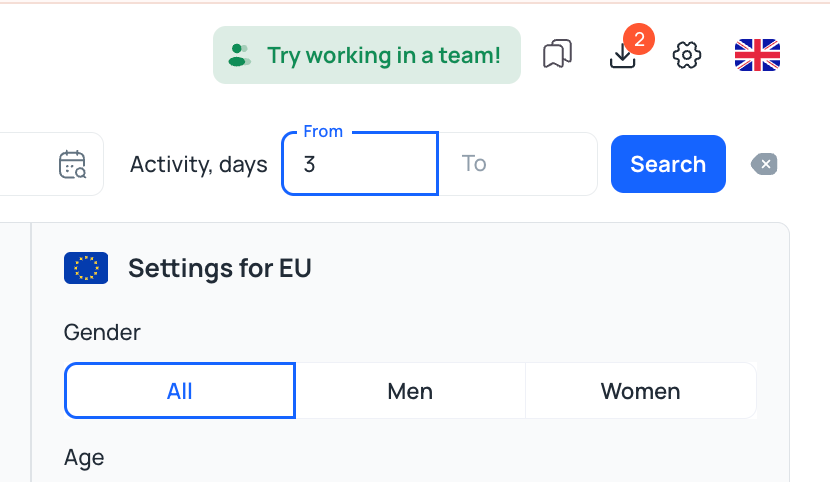
Treat this as a research signal, not proof of success. Ads may stay active for reasons unrelated to profitability, and newly launched creatives can also perform well. Open the most relevant results and compare their messaging, offers, landing pages, and variations before drawing conclusions.
Use the In Link field to search for relevant URL fragments or tracking parameters, such as sub1= or utm_source=, when they appear in the ads' destination links.
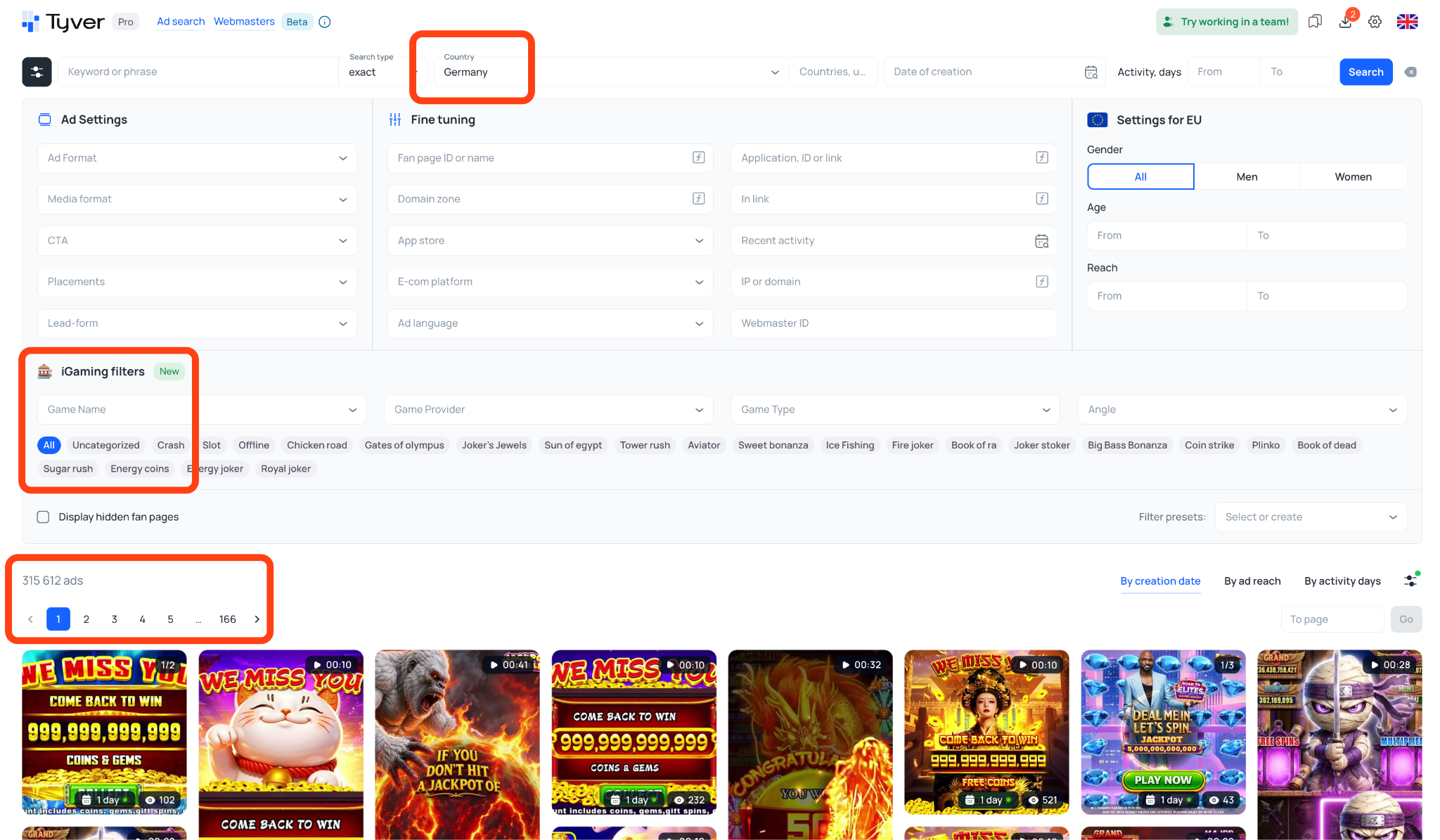
This can help you discover campaigns that use affiliate tracking and identify links worth investigating. However, these parameters are not exclusive to affiliate marketing, and some affiliate links may not expose recognizable tracking patterns.
Open the available destination links to examine the funnel: check whether the ad leads directly to an offer, a pre-lander, or another intermediate page. Compare the ad's promise with the landing page's message, CTA, and offer structure to understand how the campaign is put together.
When you find an interesting ad, check Similar Ads and the By FB Page view to look for related creatives, variations, and other ads associated with the same Fan Page.
Multiple variations can indicate that an advertiser is testing different hooks, formats, or messages. Similar creatives appearing across several Fan Pages may suggest a broader campaign or distribution strategy, but they do not automatically prove that the ads belong to the same team or are profitable.
Look for several signals together: repeated creative concepts, consistent offers, multiple variations, and activity over time. This gives you a more useful picture than relying on a single ad's duration.
For supported EU GEOs, use available reach and demographic data to understand how an ad is distributed and which age and gender groups it reaches.
For example, if a creative has substantial reach among men aged 35–54, treat that as a clue about its observed audience, not a guaranteed targeting recommendation. Compare several creatives in the same niche and GEO to see whether similar patterns emerge.
Remember that reach does not reveal profitability, conversion rates, or the advertiser's exact targeting settings. Use demographic insights alongside the creative, offer, landing page, and other available signals to develop and test your own hypotheses.
Do not copy. Analyze. For each winning ad, write down:
Hook: what happens in the first 3 seconds or the first line of text
Format: UGC video, slideshow, static image, fake news screenshot, app gameplay
Angle and trigger: fast payout, social proof, fear of missing out, doctor or celebrity authority, before and after
Funnel: direct link, pre-lander, quiz, app store or PWA
Save the best ads to a favorites collection and share it with your team. Download the creatives and use Tyver's editing tools or your designer to build your own variations with the same hook and angle. Launch 3 to 5 variations, keep the winner and repeat the research every week.
Follow competitors, not just keywords. Once you find a promising Fan Page, revisit it regularly to spot fresh creatives and new campaign angles.
Look beyond your niche. E-commerce ads can inspire nutra creatives, while app gameplay formats can spark ideas for sweepstakes campaigns.
Use filters to narrow your search. Combine GEO, keywords, Active Days, formats, and other parameters to find relevant ads faster.
Analyze patterns, not isolated creatives. Compare multiple ads from the same advertiser to identify recurring hooks, offers, and creative approaches.
Automate research with the API. Integrate ad data into your own dashboards and workflows to streamline competitor monitoring.
Organize your findings. Save promising creatives, group them into folders, and share useful discoveries with your team.
Keep your ad operations secure. Researching competitors is only one part of the process. Use appropriate account security practices, isolated browser profiles, and reliable proxies when managing multiple advertising accounts.
Pros:
Large Facebook ad database with 4M+ new ads collected daily across 140+ countries
Advanced In Link search using tracker parameters to find relevant campaigns
Active Days, Similar Ads, and Fan Page tools to identify promising creatives and track competitors
Ready-made categories for Gambling, Nutra, Sweepstakes, Dropshipping & COD, Apps, and E-commerce
Reach and demographic insights for supported EU GEOs
API access and team features with customizable employee permissions
Free plan available to explore the platform before upgrading
Cons:
Focused on Meta advertising, so TikTok and Google Ads research requires separate tools
Reach and demographic data are available only for supported EU GEOs
Full database access and favorites require a paid plan
Affiliates and media buyers in gambling, nutra, crypto and sweepstakes who need proven angles before launching tests.
Affiliate teams that want shared collections, separate accounts and limits for each buyer.
E-commerce and dropshipping stores looking for products and creatives that already sell.
Agencies and SaaS developers who need ad data through an API.
Yes, there is a free plan with limited access to the database but a full set of filters. The Pro and Team plans unlock access to the entire database, the "Favorites" feature, the API, and more.
Ads from Facebook and the Meta ecosystem in 140+ countries, updated daily.
Look for a long run time, several variations or Fan Pages running the same creative, and high reach where reach data is available.
Tyver is a focused, practical Facebook ads spy tool for affiliates and media buyers. Its strongest side is the combination of link-parameter search, Active Days and Similar Ads, which together let you go from a keyword to a complete, proven funnel in a few minutes.
Use the eight steps above as your weekly routine: choose a GEO, search in the local language, filter by run time, follow affiliate links, check scaling, break down the hook and test your own variations. That is how winning creatives are found in 2026: by learning from what the market has already proven.
Start finding winning creatives with Tyver -> https://tyver.io

 EN
EN