- Product

- Pricing
- Affiliate Program
- Developers
- Resource
 EN
EN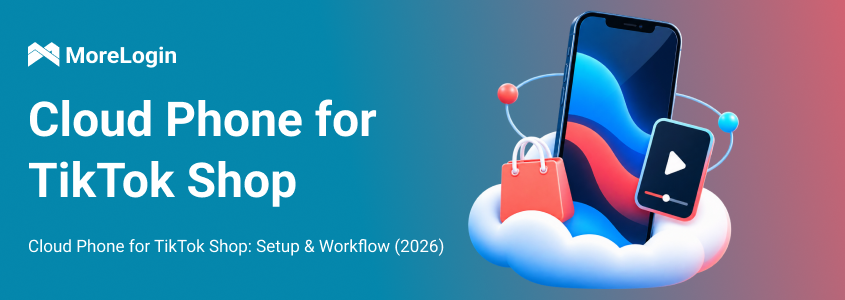
TikTok Shop operations become difficult when mobile work spreads across several phones, accounts, and team members. A video stays on an employee’s personal phone, a login request reaches someone who is off duty, or an operator publishes from the wrong account. These mistakes usually come from a weak operating structure rather than a lack of tools.
A MoreLogin Cloud Phone gives the TikTok app and its related files a fixed Android workspace. The login state, device settings, and uploaded media remain with the project, so an authorized team member can continue the work without taking possession of a physical phone.
This does not mean every TikTok Shop task belongs on a cloud phone. Seller Center is still better for products, orders, fulfillment, and reports. Business Center should remain the source of truth for official permissions. A cloud phone is useful when the workflow still depends on the TikTok Android app, remote device access, or repeatable mobile tasks.
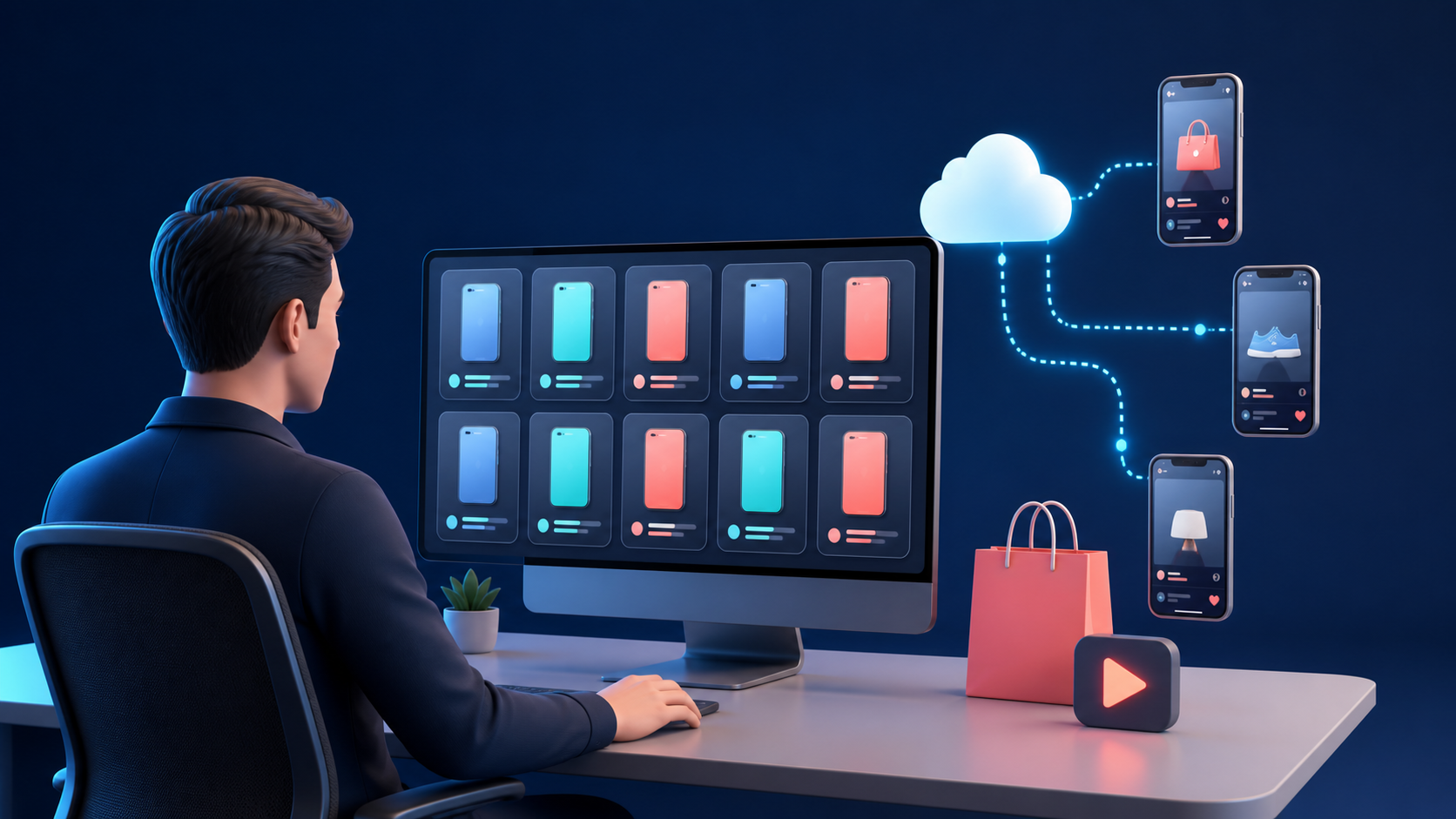
Physical phones work well when one person manages one Shop. The same setup becomes difficult to control when several people share the work across locations or shifts. Someone must buy, label, charge, update, store, and repair every device, and the phone often remains with one employee instead of staying with the account.
The larger risk is operational ownership. Client files may remain on personal devices, recovery details may be known by only one person, and different markets may share the same settings. When the employee is unavailable, the next operator may have the password but still lack the device, files, proxy, or verification method needed to continue.
Cloud phones remove much of the hardware handoff, but they do not replace a clear process. A poorly named cloud phone list can become just as confusing as a drawer full of unlabeled devices. The company still needs to decide who owns each account, who may operate it, and how access will be removed.
A useful structure keeps three things separate:
TikTok owns the rules for Shop and account access
The company owns the account and recovery structure
MoreLogin holds the Android workspace used for mobile tasks
This separation makes handoffs easier and reduces the chance that an account becomes dependent on one employee.
Seller Center, Business Center, cloud phones, and physical phones solve different problems. Forcing every task into one environment adds friction without improving control.
A TikTok Business Center organizes official business assets and team permissions. The cloud phone handles work that needs Android, such as mobile publishing, creator features, app notifications, and customer facing Shop checks.
These permissions should not be confused. MoreLogin access does not grant access to a TikTok Shop asset, while TikTok access does not automatically grant access to the cloud phone where the app session is stored. An employee may need one type of access without needing the other.
Cloud phones are most useful for persistent mobile work. A content operator can prepare a product video during one shift, and a reviewer can open the same Android workspace later to check the account, caption, product, and draft. A broader TikTok account management workflow also keeps each account tied to its owner, device, operator, and recovery process.
Back office work should remain in the browser. Products, reports, advertising data, and Shop settings are easier to inspect on a larger screen. Running a cloud phone only when a mobile task requires it also keeps the operating cost under control.
Do not begin by creating a large number of cloud phones. Begin with the accounts, markets, and people behind the operation.
A TikTok Shop workflow may include an Official Account, Marketing Accounts, independent Affiliate Creators, brand accounts for different markets, and client accounts managed by an agency. These accounts do not have the same ownership, permissions, products, or commission relationships.
In the US, TikTok Shop allows one Official Account and up to four Marketing Accounts under its Official and Marketing Account rules. The Official Account represents the Shop, while Marketing Accounts can promote products through their Showcases. Limits and linking processes can differ in other markets.
Affiliate Creators follow a separate structure. The current US TikTok Shop Creator Eligibility Policy distinguishes between Official Shop Creators, Marketing Creators, and Affiliate Creators. A cloud phone provides the Android environment, but it does not change the account type or grant access to creator commerce features.
Create an operating sheet before building the devices. It should include:
Shop name
TikTok account
Account type
Brand or client
Target market
Legal owner
Recovery contact
Cloud phone name
Proxy
Content category
Assigned operator
Reviewer
Current status
The legal owner should control the registration email, phone number, two step verification, and recovery method. The operator may use the account for approved daily tasks without owning all recovery details. This distinction becomes important when an employee changes roles or leaves the company.
TikTok verification should also be completed before the device setup is expanded. The US TikTok Shop setup and verification requirements cover business information, tax records, warehouse details, products, and the linked Official Account. Other markets may request different information, but the underlying point remains the same. More devices will not solve an incomplete or rejected Shop application.
The first device should prove the operating process. It should not become a template until the account, network, app, file, and handoff steps all work.
Use a name that tells the next operator what belongs inside the workspace. A practical format combines the market, brand, purpose, and number.
Examples include:
US Beauty Shop 01
UK Fashion Affiliate 02
PH Electronics Content 03
Names such as Phone 12 or Device B provide no useful context once the team manages dozens of profiles. Add the device to a clear group and include the account owner and intended task in the notes.
To create a MoreLogin Cloud Phone, select the billing method, Android version, profile name, and group. Short checks and occasional publishing have different runtime needs from daily content operations, so the plan should follow actual use rather than the number of accounts in a spreadsheet.
Android compatibility matters more than choosing the lowest priced option. Select a version that supports TikTok and any other required apps. Start with one device and copy the configuration only after the full workflow has been tested.
Proxy quality affects TikTok loading, video uploads, product pages, login consistency, and mobile market checks. A working IP address is not enough if the connection is slow or unstable.
When you configure the cloud phone proxy, add the host, port, username, and password, then run Network Detection. The detected location should match the account’s real operating market. The time zone, language, and device location should also make sense together.
Random regional settings make the device harder to maintain. They also make troubleshooting more difficult because another operator cannot tell which values were intentional. If the network is unstable, fix it before signing in to TikTok.
MoreLogin supports app installation through its application market, Google Play, and supported installation packages. A TikTok Shop workspace may need TikTok, TikTok Seller, an authenticator, an approved file storage tool, and a team communication app.
Adding unrelated apps creates more updates, permissions, notifications, and failure points. Keep each device focused on its assigned workflow.
Android version, Google Play Services, account region, and device requirements all affect cloud Android app compatibility. The useful test is not whether TikTok opens. The team needs to confirm that the required Shop, creator, upload, notification, camera, and microphone functions work.
Run the first test from login through handoff:
Open the cloud phone and launch TikTok.
Confirm the active account.
Open the Shop or creator features used by the team.
Upload one approved video.
Add the correct caption and product.
Save the work as a draft or use an appropriate test process.
Restart TikTok and the cloud phone.
Confirm that the account and files remain available.
Ask a second approved operator to open the same workspace.
This test reveals whether the setup can survive a real shift change. If the second operator cannot identify the account, file, and next action without asking the original operator, the process is not ready to scale.
Keep the account owner available during the first login because TikTok may request a code, approval, or security review. TikTok’s account security recommendations include verified contact methods, two step verification, passkeys, and trusted device reviews. Recovery codes should not be stored in an open operations sheet or shared with every operator.
A cloud phone fleet should remain understandable to someone who did not create it. The easiest way to achieve that is to keep a fixed relationship between the account, device, files, and responsible people.
Assigning one cloud phone to one account or one clearly defined project is an operating recommendation, not a TikTok rule. It makes login checks, app updates, content errors, and access reviews easier to trace. Rotating unrelated accounts through the same device may save a small amount of runtime, but it also makes ownership and troubleshooting less clear.
Every publishing task should identify:
Target account
Cloud phone
Product
Video file
Caption
Required disclosure
Planned date
Operator
Reviewer
Status
File names should remain clear outside the content calendar. A format such as Market Account Product Date Version is easier to audit than final.mp4 or final new 2.mp4.
A practical team structure separates four roles. The account owner controls legal ownership, registration, recovery, and official TikTok permissions. The MoreLogin administrator creates devices, assigns access, and monitors usage. The operator handles approved daily work, while the reviewer checks the account, product, disclosure, and content against the TikTok Shop Content Policy before publishing.
TikTok’s Business Center roles and permissions should control TikTok assets. MoreLogin’s team roles and permissions should control the Android workspaces. Removing someone from one system does not remove access from the other.
When a team member leaves, the administrator should remove MoreLogin access, revoke device permissions, review Business Center and Seller Center access, check trusted devices, and reassign unfinished work. Shop ownership and advertising access should stay inside TikTok’s Seller Center permission controls, not in a shared password document.
Automation is useful after the manual workflow is clear. If the team has not decided which account receives which file, automation will only distribute the mistake faster.
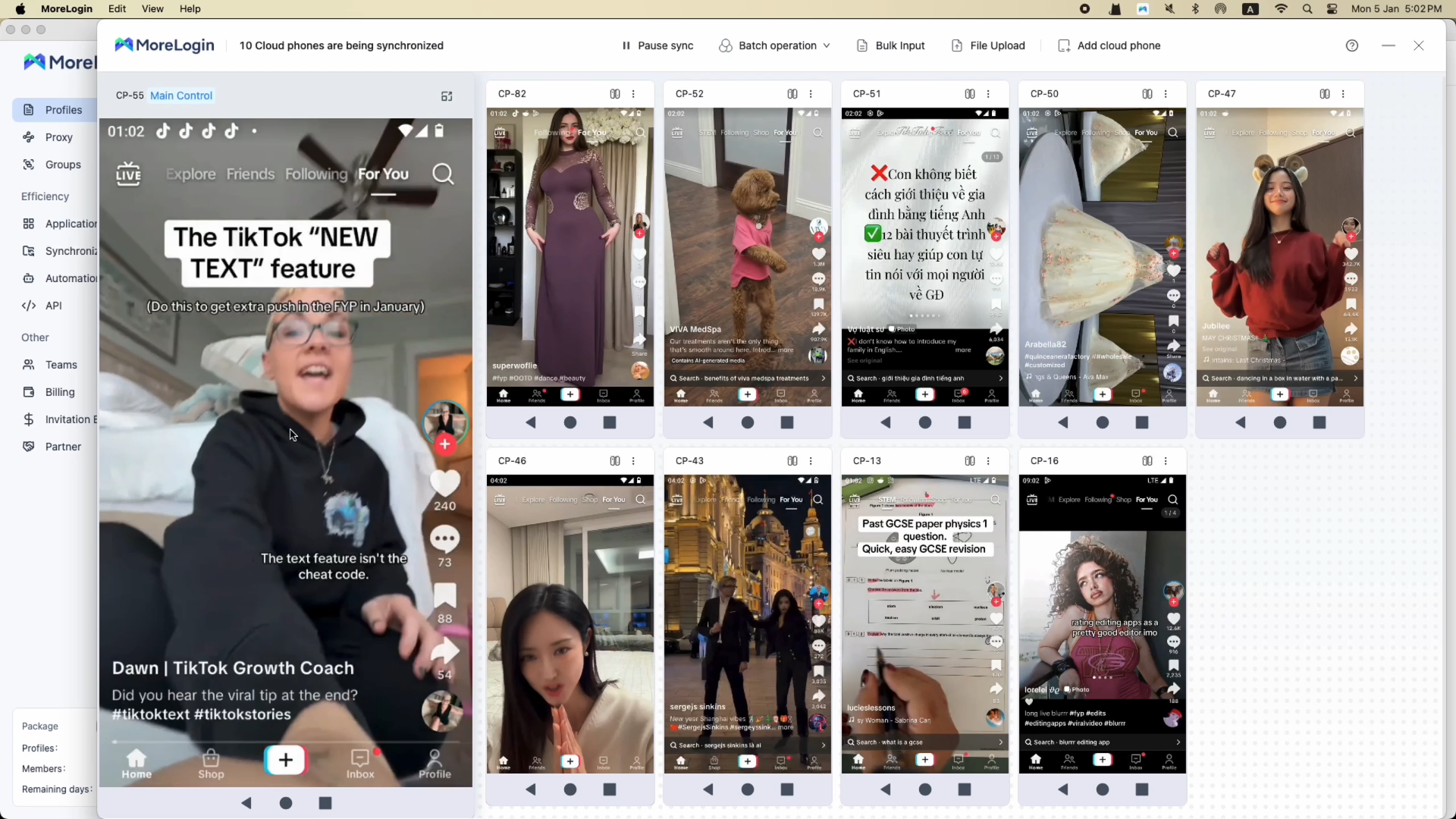
MoreLogin supports three levels of cloud phone automation. Synchronizer handles live and supervised actions. RPA repeats a stable sequence. The API manages devices, files, apps, proxies, and schedules.
The MoreLogin Cloud Phone Synchronizer can launch apps, upload files, and enter text across selected devices. It works well when every phone begins on the same page and someone is watching the screens.
The method becomes unreliable when one account shows a login check, another has an update prompt, or a popup covers a button. If the screens stop matching, pause synchronization and resolve the exceptions before continuing. One wrong click repeated across twenty devices is not an efficiency gain.
Batch text input is useful when the navigation is the same but each account needs a different caption, product name, disclosure, or campaign code. Prepare the values in a sheet and keep each row tied to one device. Do not push one generic caption across every account simply because the feature makes it possible.
MoreLogin Cloud Phone RPA fits routines with a stable sequence of taps, text input, waits, and page checks. Build the flow only after completing the task manually and documenting the expected starting state.
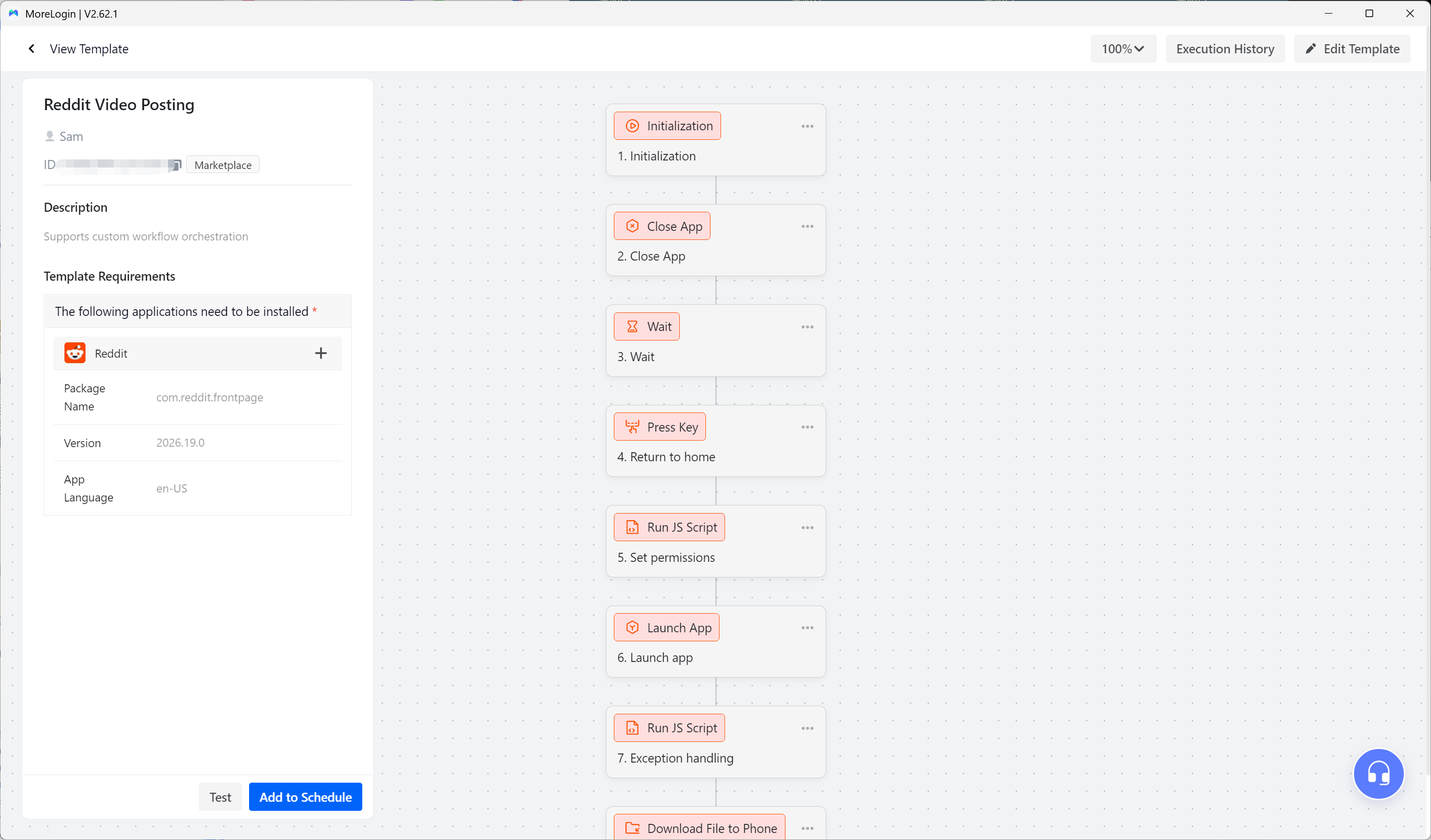
Test the workflow on one device, review every failure, and then try a small group. TikTok updates can move buttons, change loading times, or introduce new permission screens, so an RPA flow that worked yesterday may require changes after an app update.
Keep a human checkpoint before public posting, deletion, payment, or another sensitive action. Stable preparation can be automated, but final decisions should remain visible to a responsible operator.
Technical teams can manage device creation, power, files, apps, proxies, schedules, and ADB access through the MoreLogin Cloud Phone API. These controls are useful for preparing device groups, moving approved files, checking status, and collecting task results.
The API changes how the device receives instructions. It does not change what TikTok permits. Bulk account registration, fake engagement, spam, misleading product claims, and attempts to avoid restrictions should not be part of the workflow.
TikTok restricts bulk account operations, spam, fake engagement, and platform manipulation under its Integrity and Authenticity rules. The most useful automation is usually less dramatic. It prepares devices, moves files, enters approved data, and reports exceptions while keeping accountability with the team.
Selected MoreLogin models provide camera, microphone, and Cloud Phone live streaming capabilities. Technical support alone does not make every streaming method suitable for TikTok Shop.
TikTok Shop’s video and LIVE requirements call for real time interaction, dynamic visuals, clear product demonstrations, and compliant audio. The policy restricts low effort prerecorded content and non real time interaction.
Before using a cloud phone for LIVE, confirm that the account has access, test the selected device model, and check the camera, microphone, network, and proxy. The host should interact in real time and demonstrate the product shown in the linked listing. A physical phone should remain available as a backup.
Do not treat prerecorded video streaming as a general unattended TikTok Shop LIVE solution. MoreLogin’s technical capability and TikTok Shop’s content rules answer different questions. For an important sales event, a tested physical phone may still be the safer production choice.
The device plan is only one part of the operating cost. The team also needs to consider proxies, saved device storage, concurrency, team access, automation resources, and the staff time required to review results.
When comparing Android cloud phone pricing, focus on the complete workflow rather than the lowest device price. A team that opens a few devices for short daily checks has different needs from one that runs several phones at the same time for content production.
Saved devices and active devices are also different numbers. A team may maintain many account workspaces but only need a small group online at once. Controlled batches can reduce concurrency needs, while campaigns that require several devices at the same time need more active capacity.
Measure actual runtime during the first test period. Record how long login checks, file uploads, publishing, reviews, and handoffs take. The right plan should come from that data rather than the number of accounts in the device list.
A cloud phone can reduce internal device mistakes, but it cannot guarantee account status. TikTok may still review verification state, account history, login changes, content quality, product claims, customer experience, fulfillment performance, and policy compliance.
Phone verification also remains separate from the Android environment. MoreLogin’s current public materials do not state that every Cloud Phone includes active SMS, calling, or eSIM service. The account owner still needs a verification method accepted by TikTok, and the team should know who will receive a code outside normal working hours.
Features that depend on hardware require individual testing. Android version, Google Play Services, device certification, camera access, physical SIM requirements, and integrity checks can all affect the workflow. Installing TikTok does not prove that every required feature will work.
A physical phone may still be better for filming original content, running important LIVE events, recovering an account, and completing tasks that depend on a real SIM or better camera hardware. The strongest setup often uses cloud phones for persistent app work and remote handoffs, while keeping physical phones for tasks that depend on hardware.
Cloud phone problems can come from the operator’s network, the cloud connection, the proxy, Android, or TikTok itself. Changing the device without identifying the failing layer wastes time.
If the remote screen responds slowly, test the connection between the operator and the cloud phone service. If the interface responds normally but TikTok pages load slowly, inspect the proxy used inside Android.
Slow uploads may come from file size, video format, proxy upload speed, storage, or the app version. Compression can help, but the product still needs to remain clear on a mobile screen.
If TikTok is missing from Google Play, check the Android version, Google account region, device profile, and store availability. An official installation package may solve a store listing issue, but it will not solve an unsupported hardware or account requirement.
Repeated login checks should trigger an account review rather than repeated environment changes. Check recent proxy, region, password, recovery, and device changes, then let the account owner complete TikTok’s official verification process.
When Synchronizer loses alignment, stop the task and return every device to the same page. When RPA fails after an update, test the workflow on one phone and look for moved buttons, new prompts, permission requests, or longer loading times before running it on the full group.
A TikTok Shop cloud phone makes sense when mobile work has become difficult to assign, repeat, or hand over. It is a strong fit for teams that need persistent Android sessions, remote operators, separate client workspaces, organized content files, and supervised automation.
It is probably unnecessary when one person operates one Shop, Seller Center covers most daily work, and the physical phone is always available. It is also the wrong investment when the team expects a cloud phone to solve verification, eligibility, weak content, or policy problems.
Start with one authorized account and one complete task. Test the proxy, app, upload, draft, restart, handoff, and recovery process. Measure the time and operating effort, then expand only if the workflow remains clear under real use.
Teams can try MoreLogin Cloud Phone with the available free usage allowance before committing to a larger device pool.
Can I use a cloud phone for TikTok Shop?
Yes. A cloud phone can support Android app tasks such as content preparation, mobile checks, authorized account access, and team handoffs. Seller Center remains the better environment for Shop administration.
Can I manage several TikTok Shop accounts with cloud phones?
You can manage Shops and accounts that you own or are authorized to operate. Each Shop must still meet TikTok’s ownership, eligibility, verification, and linked account rules.
Does each TikTok Shop account need a separate cloud phone?
TikTok does not require one cloud phone per account. A fixed workspace for each account or project is an operating choice that makes files, permissions, and troubleshooting easier to control.
Do I need a proxy?
MoreLogin Cloud Phones require a usable network configuration. The proxy should fit the account’s legitimate operating market and provide enough stability for app access and video uploads.
Can a MoreLogin Cloud Phone receive TikTok verification codes?
Do not assume that it can. A cloud phone may display device or carrier information without providing an active phone number. Prepare a verification method accepted by TikTok and controlled by the account owner.
Can MoreLogin automate TikTok Shop tasks?
MoreLogin supports Synchronizer, batch file upload, text input, RPA, scheduling, and APIs. Use automation for approved and repeatable work, and keep human review before public publishing or another sensitive action.

 EN
EN