- Product

- Pricing
- Affiliate Program
- Developers
- Resource
 EN
EN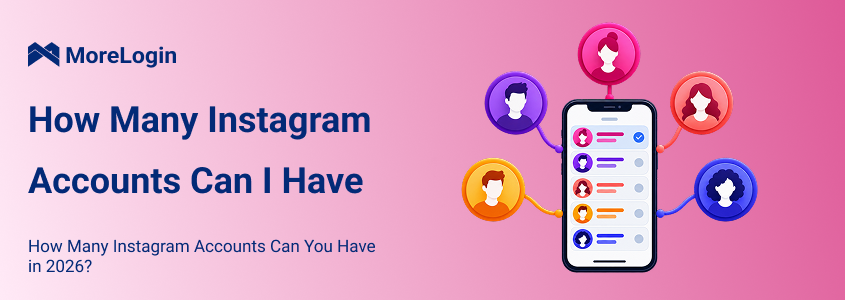
Instagram lets you add and switch between up to five accounts in its mobile app. This is an app login limit. It is not a clear limit on how many Instagram accounts you may own in total.
The number five works well for most personal users. It becomes restrictive when a social media manager handles several brands or client accounts.
Email addresses, phone numbers, Accounts Center, and team permissions also follow different rules. This guide separates those limits and explains what changes after the fifth account.

According to the Meta Help Center, Instagram users can keep up to five accounts available without logging out and signing in again.
A sixth account creates a management issue. It does not create a new ownership rule.
Instagram does not publish a fixed maximum number of accounts that one person may own.
The limit it does explain is the number of accounts that can stay available in the mobile app. You can add up to five profiles and move between them from the account switcher.
One person may have:
A personal account
A private account for friends
A business account
A photography account
A local community account
All five can stay in the same app.
You can still own or manage another account. You may need to log out of one of the five, use another device, or move part of the work to a different account management setup.
Multiple accounts are common among creators, businesses, and agencies. They are not permission to use false identities, send spam, or ignore Instagram rules.
You can add up to five Instagram accounts to the mobile app on one device. This applies to the normal account switching experience on iPhone and Android.
Each account keeps its own:
Username
Profile
Posts
Followers
Messages
Notifications
Settings
The accounts remain separate from a content and audience perspective. The app simply makes them easier to access from one phone.
The exact menu may change across app versions, but the basic process is similar:
Open Instagram and go to your profile.
Tap your username or open the profile menu.
Select Add account.
Choose Create new account or Log into existing account.
Complete the registration or login process.
Return to the profile menu when you want to switch accounts.
Before publishing, check the username and profile picture. This takes a few seconds and prevents posts from going to the wrong brand or client account.
The web version also supports account switching. However, opening another tab does not create a separate browser environment.
Tabs in the same browser profile share cookies, local storage, and login states. This becomes awkward when several accounts need to stay open at the same time.
Private browsing can handle an occasional second login. It is less useful for daily work because the session may disappear when the window closes.
For regular desktop access, separate profiles are easier to organize. A multi account browser keeps cookies, storage, login states, and settings in reusable browser profiles.
You can access a sixth account, but it cannot take another permanent slot in the five account switcher.
The main options are:
Log out of one account and replace it
Use another phone or tablet
Use separate browser profiles
Use Meta Business Suite for supported business tasks
Use a remote Android workspace when the work requires the Instagram app
Choose the lightest option that covers the job. One occasional login does not justify a complex setup. Daily work across many client accounts usually does.
Instagram does not publish one universal number for how many accounts can use the same email address.
The confusion comes from the role of the email. It may be used for:
Creating an account
Receiving security notices
Resetting a password
Recovering account access
Managing connected Meta services
Instagram also offers more than one account setup path. A user may register an account separately, add a profile from the app, or connect accounts through Accounts Center.
This is why claims such as one account per email and five accounts per email do not apply cleanly to every setup.
Follow the options Instagram provides during account creation. Then check which email, phone number, or connected account can recover each profile.
Do not assume that access to one profile will always restore access to another. Record the recovery details while the accounts are working.
A shared email setup often creates more trouble than it saves.
Suppose an agency manages four clients. If every account depends on one employee's private email, that employee becomes the recovery point for four separate businesses.
A better setup gives each client or company control of its recovery details. The agency can handle daily work without taking ownership of the account.
For each business account, record:
The account owner
The recovery email
The recovery phone number
The two factor authentication method
The location of recovery codes
The people approved to access the account
This information is especially important during a staff change. A client account should not become inaccessible because a former employee controlled the recovery email.
Instagram does not publish a reliable universal limit for how many accounts can use one phone number.
A phone number may be used for:
Registration
Login verification
Account recovery
Two factor authentication
Suspicious login checks
A number that works during one process may not work the same way during another. Instagram may also change the verification flow based on the account, location, device, and recent activity.
For business accounts, avoid using one employee's private number as the recovery method for every profile. Daily access can be assigned to a team. Recovery control should stay with the account owner.
An authentication app may be easier to manage than sending every code to one phone. Keep recovery codes in an approved password manager.
Accounts Center manages connected experiences across Instagram, Facebook, WhatsApp, and other Meta services. It may control login connections, contact details, preferences, and shared settings.
It is not the same as Instagram's five account switcher. Accounts Center manages connections across Meta services. The switcher controls which Instagram accounts are ready to open in the app.
In April 2026, Meta announced an updated Meta Account experience. The rollout builds on Accounts Center. Some users may see different names, menus, or security options as the update becomes available.
To add another account:
Open Instagram and go to your profile.
Tap your username or open the profile menu.
Select Add account.
Choose Create new account or Log into existing account.
Enter the required information.
Complete any security check.
Return to the profile menu to switch accounts.
If you create a new account, add current recovery information before using it for business. Do not wait until the account is locked to find out who controls the email or phone number.
If Instagram adds the profile to Accounts Center, review the connected login settings. Make sure the setup matches the account's real owner.
Five login slots are enough for many people. They are not enough for an agency that manages ten clients or a business that operates separate regional profiles.
At that point, the real questions are:
Who can access each account
Where each login session is stored
Who controls recovery
Which device handles mobile tasks
How access is removed after a project ends
How the team avoids posting from the wrong account
Different tools solve different parts of the problem.
Start with Instagram's own tools.
If one person manages three profiles, the account switcher may be enough. If the team only needs publishing, messages, comments, and analytics, Meta Business Suite may cover most of the work.
Separate browser profiles are useful when daily work happens on a computer. Each account can keep its own cookies, login state, and browser storage. The operator can return to the same session without logging in again.
A cloud phone for Instagram is useful when the workflow still depends on the Android app. This may include checking Stories, reviewing Reels, testing a mobile screen, or handing an app based task to another operator.
Cloud phones also keep client sessions and media files away from employees' personal devices.
Before adding tools, define how the accounts should be organized.
A basic team setup can follow these steps:
Assign an owner to every account.
Record the approved recovery email and phone number.
Decide whether the work needs browser access, Android access, or both.
Name each workspace by client, brand, and market.
Give access only to approved team members.
Test login, publishing, and recovery.
Confirm that access can be removed.
When managing multiple Instagram accounts on a computer, MoreLogin can place each account in a reusable browser profile. Teams can group profiles by client or project and assign them to the right operators.
For mobile work, MoreLogin Remote Phone provides separate Android workspaces that teams can access remotely. The app state and files remain with the workspace instead of one employee's phone.
A remote device does not replace account ownership or approval rules. The owner still needs recovery control. The operator still needs permission to use the account.
Owning multiple accounts does not automatically violate Instagram rules. The platform provides an account switcher because personal users, creators, and businesses often need several profiles.
Problems are more likely to come from how an account is used.
Common risk areas include:
Repetitive or spam like activity
Unauthorized automation
Impersonation
Weak password practices
Unclear account ownership
Too many people sharing credentials
Sudden login changes
Content that violates Instagram rules
Aggressive following or messaging
Account management tools cannot make prohibited behavior acceptable.
The same applies to network tools. A residential proxy can provide a different network route. It cannot fix poor account behavior, weak recovery details, or policy violations.
If Instagram stops working on one network, first identify the problem. It may be an account restriction, login review, app error, or network issue. Changing the IP is not the right response to every login problem.
Every business or client account needs a named owner. That person or company should control recovery.
Old emails and abandoned phone numbers can turn a simple password reset into a serious problem. Review them regularly.
Choose a method the organization can maintain. Keep recovery codes in an approved password manager.
Client accounts should not depend on an employee's private email or phone number.
A name such as Client A US Instagram tells the operator what belongs there. A name such as Profile 07 does not.
Use browser profiles for desktop sessions. Add a remote phone only when the Instagram app is required.
Remove access when a contractor leaves or a campaign ends. Test the process before a real offboarding is needed.
No account management tool can guarantee permanent access. Content, behavior, account history, and policy compliance still matter.
You can add and switch between up to five Instagram accounts in the mobile app. Instagram does not publish a fixed total number of accounts that one person may own.
The practical challenge begins when a business or agency moves past five. More accounts require clear ownership, reliable recovery details, controlled permissions, and organized workspaces.
MoreLogin helps teams keep browser sessions and Android workspaces under company control. If your setup has outgrown Instagram's account switcher, you can try MoreLogin free with a small number of authorized accounts before expanding.
Can I have more than five Instagram accounts?
Yes. The five account rule applies to accounts that can stay available in the mobile app at the same time. Instagram does not publish a fixed total ownership limit. A sixth account requires another access method or replacing one of the five active accounts.
How many Instagram accounts can I have on one phone?
You can add up to five accounts to the Instagram app on one phone. Other accounts can be accessed by logging out, using another device, or moving part of the workflow to a separate browser or mobile workspace.
Can I have two Instagram accounts with the same email?
Instagram does not publish one number that applies to every setup. The result may depend on how the accounts are created or connected. For business accounts, separate recovery emails make ownership and handoffs easier to manage.
Can I use one phone number for multiple Instagram accounts?
Instagram does not publish a reliable universal limit. A phone number may be used for registration, verification, recovery, or two factor authentication. Important business accounts should not all depend on one employee's private number.
Is the five account limit per phone or per person?
It is mainly a limit on the number of accounts that can stay available in the Instagram app on one device. It is not a published limit on how many accounts one person may own.
Can Instagram restrict me for having multiple accounts?
Multiple accounts alone do not automatically cause a restriction. Spam, impersonation, prohibited content, weak security, suspicious login activity, and unauthorized automation can still create problems.
Can I merge two Instagram accounts?
Instagram does not provide a complete account merge feature. If you want to consolidate two profiles, you need to move the audience and content manually, notify followers, and decide what to do with the old account.
How can a team manage more than five Instagram accounts?
Use the Instagram switcher for small setups. Use Meta Business Suite for supported publishing and permission tasks. Use separate browser profiles for desktop sessions and remote Android workspaces when the team still needs the Instagram app.

 EN
EN