- Product

- Pricing
- Affiliate Program
- Developers
- Resource
 EN
EN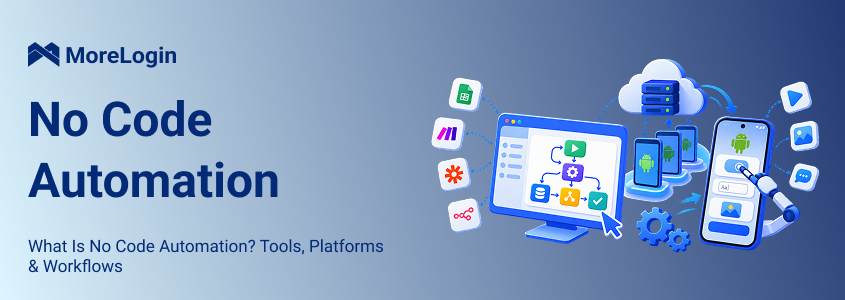
Automation used to mean writing scripts, calling APIs, and asking developers to maintain every workflow. That is no longer the only practical route. Many routine processes can now be built through visual interfaces where users choose what starts a task, what happens next, and how the workflow should respond to different conditions.
This is what no code automation is designed for. It works particularly well when a process moves information between forms, spreadsheets, CRMs, email platforms, databases, and other online services.
The picture changes when part of the work has to happen inside an Android app. A workflow may know what it needs to do, but it still needs somewhere to open the app, tap controls, enter text, upload files, or move through mobile screens.
That difference between building a workflow and giving it somewhere to run matters when mobile apps become part of the process.
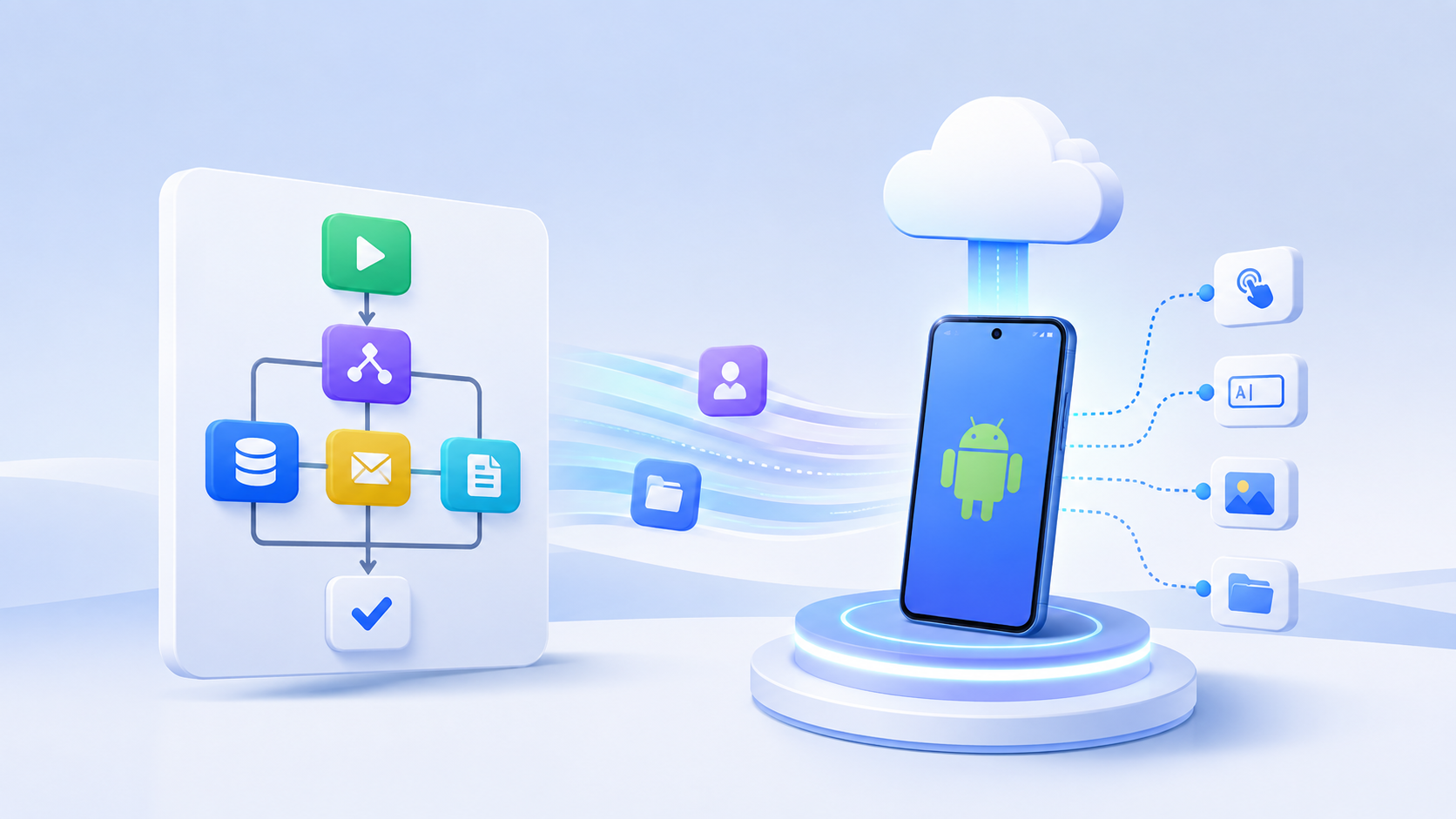
No code automation allows people to build automated workflows without writing traditional programming code. Instead of creating each step in a programming language, users work with visual components for triggers, actions, conditions, loops, delays, and integrations.
The code has not disappeared. It is handled by the platform behind the visual interface. The person building the workflow can focus on the process itself rather than programming syntax.
A basic sales workflow, for example, could follow four steps:
A customer submits a form.
The contact is added to a CRM.
The sales team receives a notification.
A follow up task is created automatically.
That type of workflow is relatively straightforward because each system can exchange data directly.
Mobile workflows introduce another requirement. If the next step is to open an Android app, select an image, enter information, or move through several screens, the automation needs access to an Android environment. The workflow logic and the execution environment are two different parts of the setup.
Most no code automation tools use the same basic logic even when their interfaces look different. A workflow normally starts with a trigger, runs one or more actions, checks any conditions, exchanges data with other systems, and records what happened.
The trigger is the event that starts the workflow. It should match the way the real process begins rather than adding an unnecessary manual step.
Common triggers include:
A new form submission
A spreadsheet update
A scheduled time
An incoming webhook
A new file
A manual command
A mobile workflow can start in exactly the same way. A spreadsheet update, for example, may trigger a process that later continues inside an Android environment.
Actions are the tasks that happen after the trigger.
In a web based workflow, an action might create a CRM record, update a spreadsheet, move a file, or send a notification. In an Android workflow, the action may involve opening an app, tapping a control, entering text, selecting media, or moving to another screen.
The order matters because later steps often depend on earlier ones. If a workflow tries to upload media before the required file is ready, the process will fail regardless of how simple the visual builder is to use.
Real processes do not always follow one fixed route. Conditions give the workflow a way to respond when something changes.
For example, a workflow may stop if required data is missing. It may move a failed task to manual review. It may also follow a different path based on the status of a record or the screen displayed in an app.
Loops are useful when the same process has to be repeated across several records, files, or device environments. This is where no code automation becomes more useful than a basic macro because the workflow can respond to context instead of repeating one rigid sequence.
A large part of no code automation is integration. One platform receives data, another processes it, and a third may handle the next step.
A form might update a spreadsheet. The spreadsheet might trigger a webhook. That webhook may then start a separate process.
This becomes more interesting when the workflow moves from a web service into a mobile environment. A process built with Make automation, for example, can begin with a spreadsheet, form, or webhook and then pass the task into MoreLogin when Android interaction is required.
The web platform manages the trigger and data. The mobile environment handles the actions that need to happen inside the app.
This part is easy to overlook.
For SaaS automation, execution usually happens through cloud services and APIs. The platforms exchange information directly, so nobody needs to open the applications on a screen.
Mobile automation works differently. If a workflow needs to launch an Android app, type into a mobile field, tap a button, or upload a file from the device, it needs access to an Android environment.
A visual workflow can define the process. It cannot perform mobile actions without an execution layer that supports them.
No code, low code, and traditional development can all automate repetitive work. The difference is mainly how much control the builder needs and how complex the process becomes.
No code makes sense when the process already follows stable rules. Low code becomes useful when most of the workflow fits a visual builder but certain steps require custom logic. Traditional development is still the better option when a process involves unusual data handling, deep integrations, or logic that becomes difficult to maintain visually.
RPA can fall into either the no code or low code category. Some platforms allow the entire process to be built visually. Others let users add scripts or APIs when more control is required.
For mobile processes that follow stable steps such as tapping, typing, waiting, looping, and checking conditions, visual Cloud Phone RPA can keep the workflow accessible to operations teams without closing off more technical options later.
No code automation tools are often grouped together even though they solve very different problems. The more useful way to compare them is by the type of work they are built to automate.
Zapier, Make, and n8n are strongest when the main task is moving information between services. They can receive form data, update records, call webhooks, move files, and connect applications that already expose useful integrations.
These platforms are usually best understood as orchestration tools. They decide when a process starts and how information moves through the workflow.
RPA becomes useful when a process depends on an interface rather than a direct API connection. A visual workflow can click controls, enter information, wait for an element, repeat a sequence, and respond to conditions.
This makes RPA practical for stable operational processes that still involve visible interface actions. The process does not need to become a development project simply because a few steps cannot be completed through an API.
Mobile automation adds another requirement because the workflow needs access to a phone environment. Depending on the task, it may need to open an Android app, swipe, enter text, upload media, install an APK, or navigate through several screens.
Different Android automation tools solve different parts of this problem. Some are designed for developers and QA teams. Others focus on visual workflows and routine mobile operations.
The tool choice should come down to what the process actually needs to control. A platform that is excellent at connecting SaaS applications may still be unable to operate an Android interface.
AI is changing how some workflows are created. Traditional no code automation asks the user to define the steps in advance. An AI based system can sometimes start with a broader goal and decide how to complete part of the task.
That is useful when every situation does not follow exactly the same path, but structured workflows still matter. Mobile apps can show unexpected screens, request permissions, or change after an update. Important actions may also need human review.
For many teams, AI works better as another layer within the automation process rather than a replacement for predictable workflow logic.
There is no useful answer to the question of which no code automation platform is best until the task itself is clear.
If a team only needs to move lead data from a form into a CRM, a mobile environment adds unnecessary complexity. If the process needs to open Android apps, upload files, repeat UI actions, or coordinate several mobile environments, a standard integration platform alone is not enough.
This is why the number of available integrations should not be the first comparison point. Start with where the task happens. The right category of platform usually becomes obvious after that.
Traditional no code platforms work very well when the whole process can run through APIs and web integrations. Make can detect an updated spreadsheet row. Zapier can pass the same data into another service. n8n can transform that data before sending it elsewhere.
None of those steps requires a mobile interface.
Now consider a workflow where an approved content item appears in a spreadsheet, but the next step requires an Android app. The process needs to open the app, select prepared media, enter information into mobile fields, and move through several screens before reaching a review point.
The orchestration platform can still trigger the process and provide the data. What it cannot do by itself is perform the Android interaction unless it has access to a suitable mobile environment.
That is the practical boundary between orchestration and execution. One layer decides what should happen. The other provides somewhere for the action to happen.
When a workflow has to continue inside Android, it needs a mobile environment that can be reached and controlled by the automation system. A cloud phone provides that Android environment on remote infrastructure instead of relying on a physical handset beside the operator.
A typical setup can be viewed as three parts:
Orchestration: A schedule, webhook, spreadsheet, Make, Zapier, or n8n starts the process.
Workflow logic: RPA steps, conditions, loops, templates, or AI instructions define what needs to happen.
Mobile execution: The cloud phone opens the Android app and performs the required actions.
For example, a task could begin when a new approved row appears in a spreadsheet. Make detects the row and starts a predefined workflow. A cloud phone then opens the required Android app, enters the supplied data, and stops at a review point.
The different tools are not competing for the same role. The web automation platform handles triggers and data. The mobile environment handles Android execution.
Once more devices and more complex workflows are involved, cloud phone automation can include visual RPA, synchronization, scheduling, APIs, ADB, and external workflow platforms. A simple repeated process may only need one of those methods, while a larger setup may combine several.
A cloud phone should also not be confused with an Android emulator. Emulators are widely used for development, testing, gaming, and running Android locally. Cloud phones are more relevant when a team needs remote Android environments, centralized access, or workflows that run across multiple mobile instances.
Mobile automation makes the most sense when there is a clear handoff between ordinary business systems and an Android app. The process often begins outside the phone and only moves into the mobile environment when an app specific step is required.
Content planning usually happens before anyone opens a mobile app. Images may be stored in a shared folder, captions approved in a spreadsheet, and publishing details tracked in a project tool.
Once the content reaches the mobile stage, automation can handle repeatable preparation such as:
Opening the required app
Selecting approved media
Entering prepared text
Moving the task to a defined review point
This is more practical than treating the whole content process as one unattended workflow. Repetitive steps can be automated while decisions that need judgment remain under human control.
E commerce workflows often combine web based preparation with mobile specific tasks. Product information may already exist in a spreadsheet or management system, but certain uploads, checks, or app specific operations still need to happen on Android.
The useful split is simple. The web workflow manages data and approvals. The mobile workflow handles the steps that only make sense inside the app.
Some testing processes repeat the same path many times. A basic workflow might include:
Install or open the application.
Complete the onboarding flow.
Navigate to the target screen.
Enter test data.
Capture the required result.
Reset or prepare the environment for the next run.
Dedicated testing frameworks are still the right choice for many engineering scenarios. Visual mobile automation is more useful for repeatable UI checks and operational testing that does not justify building a full test framework.
Repeated configuration work becomes expensive when the same steps have to be completed manually on every device. Routine actions such as installing required files, opening apps, entering standard settings, and navigating to the correct screen are better candidates for automation.
When the same process has to run across a larger pool of phones, phone farm automation introduces another layer of coordination. Device level tasks need to be scheduled, distributed, and monitored instead of completed one phone at a time.
Some of the strongest use cases involve several systems rather than one automation platform.
A workflow could look like this:
Google Sheets → Make → MoreLogin → Cloud Phone → Android App → Review
The spreadsheet stores the task information. Make handles the trigger. MoreLogin runs the mobile workflow. The Android app completes the device side step. A person reviews the result where necessary.
Each part has a clear responsibility, which usually makes the workflow easier to maintain.
No code automation lowers the technical barrier, but it does not make a complicated process simple.
A visual workflow with a few clear branches is easy to understand. A visual workflow with dozens of nested conditions can become harder to maintain than a small amount of well written code. Mobile automation also has to deal with interfaces that may change after an app update.
Common problems include:
Buttons or fields moving after an update
Unexpected popups or permission requests
Login screens interrupting a workflow
Integrations that do not expose the required action
Difficult error handling in large visual flows
Custom calculations that do not fit visual nodes
Processes that still require human judgment
These are not reasons to avoid no code automation. They are reasons to choose the right tasks.
A stable process with clear rules is a good candidate. A process that changes every week or depends heavily on judgment is not.
When a visual workflow starts to require custom logic, deeper integrations, or device level control, developer tools such as APIs and ADB become more appropriate. No code should make a process easier to maintain, not become a restriction that prevents the team from using code when code is the better tool.
A long feature checklist can make two platforms look similar even when they are built for very different jobs. A better way to choose is to work through the process itself.
Where does the task happen?
Decide whether the process lives in web applications, Android apps, or both.
What starts the workflow?
Identify the real trigger, such as a schedule, webhook, spreadsheet change, form submission, or manual command.
Does the process need Android UI access?
If it needs taps, swipes, text input, file selection, or app navigation, mobile execution is part of the requirement.
How complicated is the logic?
Simple branches fit visual builders well. Complex calculations and unusual integrations may eventually need scripts or APIs.
How much needs to run at once?
A workflow on one device is different from a process that has to run across several cloud phones.
What happens when something fails?
The workflow needs a clear response, whether that means retrying, stopping, recording an error, sending an alert, or moving the task to manual review.
These questions are more useful than starting with which platform has the longest feature page. Once the execution environment and workflow logic are clear, platform selection becomes much easier.
MoreLogin becomes relevant when a workflow reaches the point where actions have to happen inside Android. Its visual RPA can handle common mobile steps such as clicks, swipes, text input, loops, conditions, and scheduled tasks, while external automation platforms can continue to manage triggers and data.
A typical setup might divide the work like this:
A spreadsheet stores task data.
Make starts the workflow.
MoreLogin handles the mobile sequence.
A person checks the result when review is required.
That division is usually easier to manage than forcing one platform to control every stage of the process.
The same approach is useful when teams need access to a remote phone rather than a physical handset tied to one operator. A remotely accessible Android environment can become part of a larger workflow without requiring the device to remain on a particular desk.
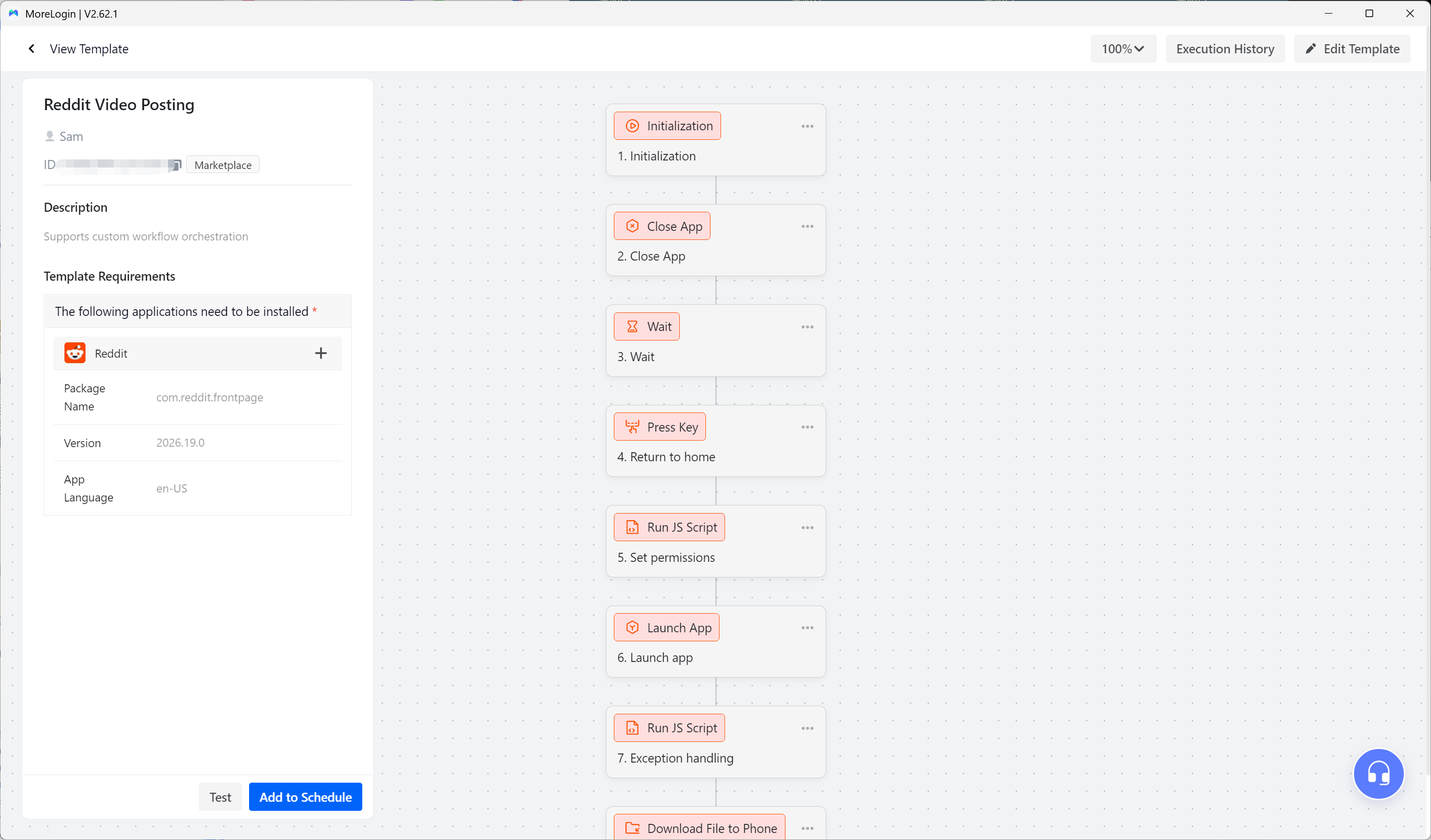
The best first automation is usually a small one. Choose a repetitive Android task with stable steps. Document the process, build the workflow, test the common failure cases, and run it on a limited number of cloud phones before scaling it further.
No code automation works best when the process is already clear. The tool should make that process repeatable, not hide uncertainty behind a visual interface.
No code automation gives teams a practical way to automate clear, repeatable processes without turning every workflow into a development project. For web based systems, that often means connecting applications and moving data between them.
Android workflows need one more piece. If the process has to open an app, interact with the interface, or perform device level actions, it needs a mobile execution environment as well as workflow logic.
Cloud phones can provide that execution layer while platforms such as Make, Zapier, and n8n continue to handle triggers and data flow. The useful question is not which automation platform is best overall. It is which combination fits the process that actually needs to run.
What is no code automation?
No code automation is the process of building automated workflows through visual tools instead of traditional programming. Users define triggers, actions, conditions, and integrations while the platform handles the technical work behind those steps.
What are no code automation tools?
No code automation tools let users build workflows with little or no traditional coding. They include SaaS integration platforms, visual RPA systems, mobile automation tools, and AI automation platforms.
What is the best no code automation platform?
The best no code automation platform depends on the workflow. Zapier and Make are well suited to SaaS integrations, while n8n offers more technical flexibility. If the process has to interact directly with Android apps, a platform with mobile execution is more relevant.
Is RPA the same as no code automation?
Not always. RPA describes automation that interacts with software interfaces and repetitive processes. Some RPA tools are fully visual, while others allow scripts, APIs, or custom development when more control is needed.
Can you automate Android apps without coding?
Yes. Visual RPA and mobile automation platforms can handle actions such as taps, swipes, text input, file uploads, navigation, loops, and scheduled tasks without traditional programming. Complex workflows may still require APIs, ADB, or custom code.
What is the difference between no code automation and AI automation?
No code automation usually follows a workflow defined in advance. AI automation can interpret a broader goal and decide how to complete some parts of the task. In practice, structured workflow logic and AI can work together rather than replacing one another.

 EN
EN