- Product

- Pricing
- Affiliate Program
- Developers
- Resource
 EN
EN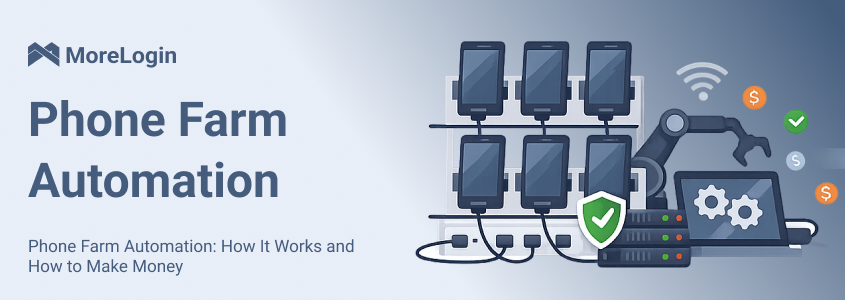
In real work, a phone farm only makes sense when it supports a repeatable mobile workflow. If there is no clear workflow, you are just paying for devices, proxies, power, software, and maintenance. That is not a business. That is clutter.
For digital marketing agencies, affiliate marketers, e-commerce sellers, social media managers, Web3/crypto projects, and any team that needs to run multiple accounts or mobile apps in isolated environments, phone farm automation is useful when it helps with real work: mobile account management, app testing, e-commerce checks, content workflows, affiliate link testing, and repeated mobile operations. The value comes from selling useful work, reducing mistakes, and saving serious time—not from owning a pile of phones.
This guide explains how phone farm automation works, where it can make money, how tools like APIs and RPA fit into the workflow, what to avoid when scaling, and why cloud phones are becoming a cleaner option than physical hardware.
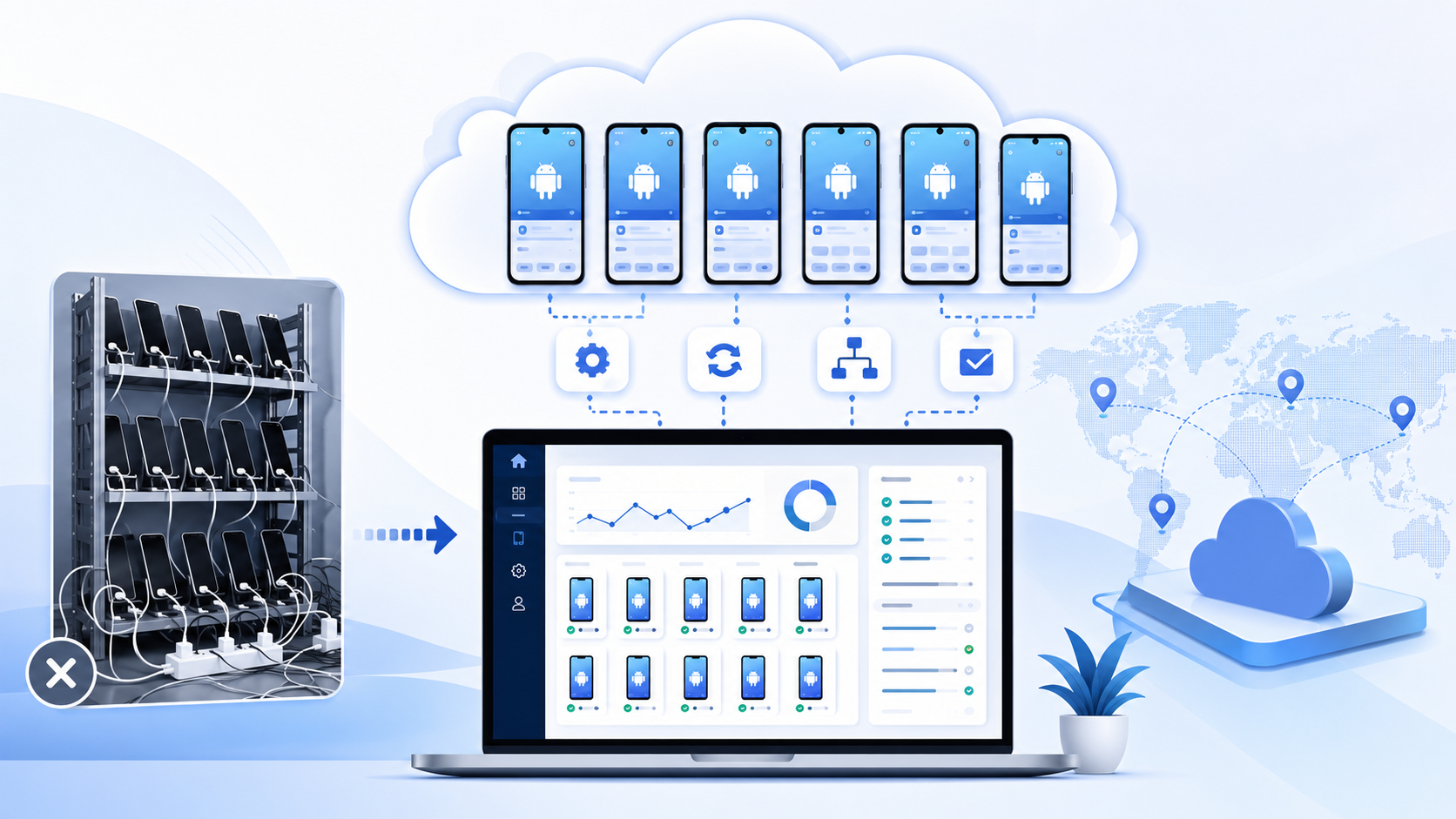
Phone farm automation means using multiple mobile devices or cloud phone environments to run repeated mobile tasks with less manual work.
A basic phone farm usually means many phones running at the same time. Some people use real Android phones on racks. Some use phone boxes. Some use cloud based Android environments. The goal is similar: run mobile tasks in separate environments instead of doing everything on one device.
Automation adds the control layer.
Instead of tapping every screen by hand, you use tools like RPA, sync control, scripts, or API workflows. These tools can repeat actions such as opening apps, entering text, uploading content, checking pages, installing apps, or collecting screenshots.
The better way to think about phone farming is not volume. It is structure.
A useful setup normally has:
A clear task for each phone environment
Separate app data and login state
A stable network setup
A way to repeat boring steps
A way to check failures
A reason to scale
Without those pieces, phone farm automation becomes messy fast. More devices will not fix a bad workflow. They just make the bad workflow harder to manage.
Most phone farm automation setups have three parts.
The first part is the mobile environment. This can be a physical phone or a cloud phone, which can also simulate real user behavior for marketing workflows. Each environment should act like its own device. It should keep its own app data, login state, cache, and device signals, and cloud phone isolation can also improve privacy and security for account management.
This matters because overlap is where problems start. If many accounts share the same device, same app state, or same network pattern, the whole setup becomes fragile.
The second part is the control method. Once a setup grows to roughly 10–50 devices, centralized control becomes mandatory. At that point, centralized control with network discipline is also mandatory, because scaling breaks fast without both. A small operator may use a synchronizer to repeat actions across several phones. A larger team may use RPA or API based workflows. A technical team may connect cloud phones with internal dashboards, task queues, or reporting systems.
Common automated actions include:
App installation
Account setup steps
Text input
Content upload preparation
Mobile page checks
Login flow testing
Screenshot collection
Routine account review
The third part is monitoring. This is where a lot of beginners fail.
Automation does not mean you stop watching the system. You still need to know which tasks failed, which accounts need manual review, how much each workflow costs, and whether the result is worth the time.
This is one reason many teams compare cloud phone vs phone farm before buying hardware. Physical devices can work, but they create more things to manage. Batteries age. Phones heat up. Some use phone boxes, and box farms use hardware control boxes for device management. Cables get messy. A team member needs access, but the phone is sitting somewhere else.

Cloud phones do not remove every problem. They do remove a lot of hardware noise.
This is the section that needs the most honest answer.
Yes, phone farm automation can make money. But the easy money version is mostly noise. If the plan is to run random apps, fake activity, or chase loopholes, the setup usually breaks sooner than expected.
The stronger path is to attach phone farm automation to a real service. Businesses pay for outcomes. They pay for testing, account operations, workflow speed, reporting, and fewer mistakes.
Here are the use cases that make more sense.
This is one of the most practical ways to use phone farm automation.
Many agencies, creators, sellers, and small teams manage several social media accounts. The work sounds simple until you do it every day.
They need to log in, check notifications, prepare posts, upload content, switch accounts, test links, review mobile display, and keep client accounts separated. Doing this manually across many accounts is slow. Doing it on one device is also risky and confusing.
A phone farm automation setup can help turn this into a service.
For example, each client account can sit inside its own mobile environment. Routine tasks can be handled with sync tools or RPA. A team member can check account status, prepare content, or run a repeated setup flow without touching a physical device.
This is where the money is.
Not fake likes. Not fake comments. Not fake views.
The real service is account operation. You help a client manage mobile workflows without mixing accounts or wasting hours on repeated steps.
Good clients do not pay for tricks. They pay because the work is organized and reliable.
App testing is a cleaner use case than most people expect.
Mobile apps can behave differently across Android versions, device types, locations, and network conditions. A sign up page may work on one device and fail on another. A checkout page may look fine on desktop but break inside a mobile app. A push notification may appear on one phone and not another.
Manual testing takes time. It also gets boring.
Phone farm automation can help QA teams run repeated checks across several mobile environments. The work can include:
Login testing
App onboarding checks
Checkout flow testing
UI review
Push notification checks
Regional content checks
Screenshot collection
App update checks
This can become a paid service for app developers, SaaS teams, e-commerce teams, and agencies.
The value is simple. You help them find problems faster. You also give them a repeatable test process instead of a one time manual check.
This is one of the few mobile farming use cases that does not need hype. If your report helps a team fix bugs before users complain, the work has value.
E-commerce teams often work across multiple stores, regions, roles, and apps. Some teams use seller apps. Some need buyer side checks. Some run ads and need to inspect mobile landing pages. Some need to monitor product pages from different locations.
Phone farm automation can support this work when it is used for real operations.
Useful workflows include:
Checking product pages on mobile
Testing mobile checkout steps
Reviewing regional page display
Monitoring seller app notifications
Preparing account specific workflows
Checking app based customer messages
Reviewing ad landing pages on Android
This is not about avoiding platform rules. That is a weak angle. The better angle is operational separation.
If a team handles different brands, stores, or regions, it needs cleaner environments. A how to build a phone farm guide may help explain the old hardware logic, but many teams do not need to start by buying devices. They need to test whether the workflow is worth scaling first.
That is where automation can make money. You can offer mobile checks, account operation support, or repeated workflow setup for sellers who do not want to manage the device side themselves.
Affiliate work often depends on mobile behavior.
A landing page may redirect by location. A tracking link may behave differently on Android. A deep link may open the wrong app screen. A payment page may show a different layout on mobile. These small issues can waste ad spend.
Phone farm automation can help affiliate teams test the path before they scale traffic.
Useful checks include:
Mobile landing page review
Tracking link verification
Geo based redirect checks
App deep link testing
Android page load checks
Offer page comparison
Screenshot proof for campaigns
This is not traffic fraud. It is workflow testing.
A good affiliate team does not need fake traffic. It needs to know whether the path from click to conversion works as expected. If automation helps find broken redirects or weak mobile pages, it can save money.
That saving is where the business value sits.
Some businesses do not care about the term phone farm automation. They just have repeated mobile work that nobody wants to do by hand.
That is an opportunity.
You can build services around tasks like:
Batch app setup
Mobile account preparation
Routine page checks
Content upload workflows
Mobile form filling
Screenshot collection
App behavior checks
Daily account review
Basic report generation
This can be sold as a project or a monthly service.
The best version is not complicated. Find a repeated mobile task that takes a team too much time. Turn it into a process. Charge for the time saved.
That is much stronger than chasing reward apps or loopholes. It also survives longer because it is tied to a real need.
This use case is not flashy, but it is useful.
Brands often publish content across many platforms. They need to know how the content looks on mobile. They need to check links, app previews, landing pages, ad pages, and region based display.
A phone farm setup can support:
Social post checks
Mobile landing page review
Ad preview checks
Campaign link testing
Regional content checks
App based content review
This is the kind of work that prevents small mistakes from becoming expensive mistakes.
A broken link, wrong region page, bad mobile layout, or failed app redirect can hurt a campaign. If automation catches it early, the setup is doing real work.
That is the point.
Phone farm automation should not be judged by how many phones it runs. It should be judged by whether it creates useful output.
There is a line that should not be blurred.
Phone farm automation should not be used for fake clicks, fake installs, fake reviews, fake engagement, spam messaging, ad fraud, or platform manipulation.
Those use cases may look profitable for a short time. They are also the reason phone farms have a bad reputation. They can violate platform rules. In some cases, they can create legal risk. They also tend to collapse once detection improves.
I would not build a serious business on fake activity. The risk is too high and the shelf life is too short.
There is also a practical problem. Bad workflows poison the whole setup. Accounts get banned. Devices get flagged. Proxies get burned. Clients lose trust. Then every new account starts from a weaker position.
Before scaling any phone farm automation workflow, ask:
Does this solve a real business problem?
Would a client still pay for it if fake metrics were removed?
Can the workflow run without violating platform rules?
Can it survive account reviews or manual checks?
Is the output useful enough to justify the cost?
If the answer is no, the workflow is probably not worth scaling.
MoreLogin Cloud Phone is built for teams that want mobile workflows without physical phone racks.
The old phone farm model creates too much overhead. You buy phones. You charge them. You cool them. You label them. You fix them. You hand them to team members. At some point, device management becomes the work.
A cloud phone setup changes that. You manage Android environments from a dashboard instead of managing hardware on a shelf.
With MoreLogin Phone Farm, teams can create cloud based Android environments, keep sessions, assign access, and automate repeated mobile workflows. This makes it easier to test a workflow before spending money on hardware.
Here is how I would use it in a real setup.
Do not start with 50 environments.
Start with one workflow. Social media account management. App testing. Mobile page checks. E-commerce operations. Pick one and prove it works.
A small working system is better than a big unstable one.
MoreLogin Cloud Phone lets teams create separate cloud phone environments. Each environment can support one account, one client, one region, or one workflow.
This keeps the setup easier to understand.
When something fails, you know where to look. When one account needs review, you do not touch the rest. That sounds basic, but it matters when the team grows.
Repeated login is a hidden cost.
Every login takes time. It also adds friction to account work. A stable cloud phone environment can keep app data and session history, so teams do not need to rebuild the same setup again and again.
This is useful for account operations, testing, content checks, and routine mobile workflows.
Multi Phone Sync is useful for repeated setup tasks, letting one person operate multiple devices more efficiently. These sync workflows usually run from a pc.
It can help with:
Handling the same install steps across connected phones
Entering repeated text
Opening the same page
Preparing account settings
Checking the same workflow
Repeating simple configuration steps
This is not about doing reckless automation. It is about removing repetitive setup work that wastes time.
RPA should not be the first step. A broken manual process becomes a broken automated process.
Start by running the workflow manually. Find the repeated steps. Then automate the boring parts.
MoreLogin built in RPA workflows can support tasks like app opening, form input, content preparation, routine checks, and simple mobile processes to achieve smoother repeated execution once the process is stable.
Good automation is usually boring. That is a good sign.
Technical teams may need more control than a dashboard can provide.
MoreLogin supports API, CLI, MCP, SKILL, code workflows, and AI Agents. This gives teams room to connect cloud phones with their own tools, reporting systems, or automation platforms.
Physical phones are awkward for teams.
Someone needs the phone. Someone else has it. Passwords get shared. Work gets mixed.
MoreLogin includes team access management, so teams can assign access and manage permissions from one place. This is useful for agencies, e-commerce teams, QA teams, and operations teams that do not want to pass devices around.
Scaling should be earned.
Start with a few cloud phones. Run the workflow. Track the cost. Check the failure rate. Measure the time saved. A DIY box phone farm may look cheaper at first, but it gets harder to scale cleanly. Then decide whether more environments make sense, whether you run dozens of phones now or even hundreds over time.
MoreLogin gives teams 2 free Cloud Phone profiles forever and 100 free Cloud Phone minutes to test the setup first. That is enough to validate a workflow before turning it into a larger operation.
This is the right order.
Test the process first. Scale after the process proves itself.
Phone farm automation can make money, but not because phones magically produce income.
It works when there is a real mobile task behind it. Social media operations, app testing, e-commerce checks, affiliate workflow testing, mobile content review, and repeated mobile services are practical areas. They have customers. They have pain points. They have measurable value.
The weak version of phone farming is chasing fake numbers.
The stronger version is building mobile workflows that save time and reduce mistakes.
For teams that want that second version, MoreLogin offers a cleaner way to run cloud phone automation without buying racks of devices first.
What is phone farm automation?
Phone farm automation uses multiple phones or cloud phone environments to run repeated mobile tasks with tools like RPA, sync controls, scripts, or APIs.
Can you make money with phone farm automation?
Yes, but the realistic money comes from useful services. Examples include social media account management, app testing, e-commerce mobile checks, affiliate workflow testing, and repeated mobile workflow services.
Is phone farming legal?
Phone farming itself is not automatically illegal. The risk depends on the use case. Testing, account operations, and workflow automation can be legitimate. Fake clicks, fake installs, fake reviews, spam, and ad fraud can violate platform rules or laws.
What should phone farm automation not be used for?
It should not be used for fake engagement, fake traffic, fake installs, fake reviews, spam messaging, ad fraud, or platform manipulation.
Can cloud phones replace physical phone farms?
For many teams, yes. Cloud phones reduce hardware work, charging problems, device handoff, and maintenance. Physical setups often depend on a hardware box and ongoing device upkeep at the site, while cloud options avoid that burden. They also make it easier to manage mobile environments from one dashboard.
What is the safest way to start phone farm automation?
Start with one clear use case and a small number of environments. Test the workflow. Track cost, failure rate, and session stability. Scale only after the process works.
How does MoreLogin help with phone farm automation?
MoreLogin Cloud Phone provides cloud based Android environments, Multi Phone Sync, RPA workflows, team permissions, and developer tools such as API, CLI, MCP, SKILL, and AI Agents. Users access it through a website over the internet instead of managing a physical box setup. It helps teams run mobile workflows without physical phone racks.

 EN
EN