- Product

- Pricing
- Affiliate Program
- Developers
- Resource
 EN
EN
Instagram usually breaks at the worst time.
You open it on school Wi-Fi. Nothing loads. You check it at work. Blocked. You connect to hotel Wi-Fi while traveling. The feed opens, but Reels and Stories keep failing.
Then you search for Instagram unblocked and get the same mix of VPN ads, proxy pages, mirror sites, and quick fixes. Some can help. Some are not worth touching.
The real question is not only how to open Instagram. The better question is why Instagram is blocked in your case.
This guide keeps things practical. It explains what unblocked Instagram means, which access methods are worth trying, why free unblock sites can be risky, and when tools like cloud phones or antidetect browsers start to make sense.
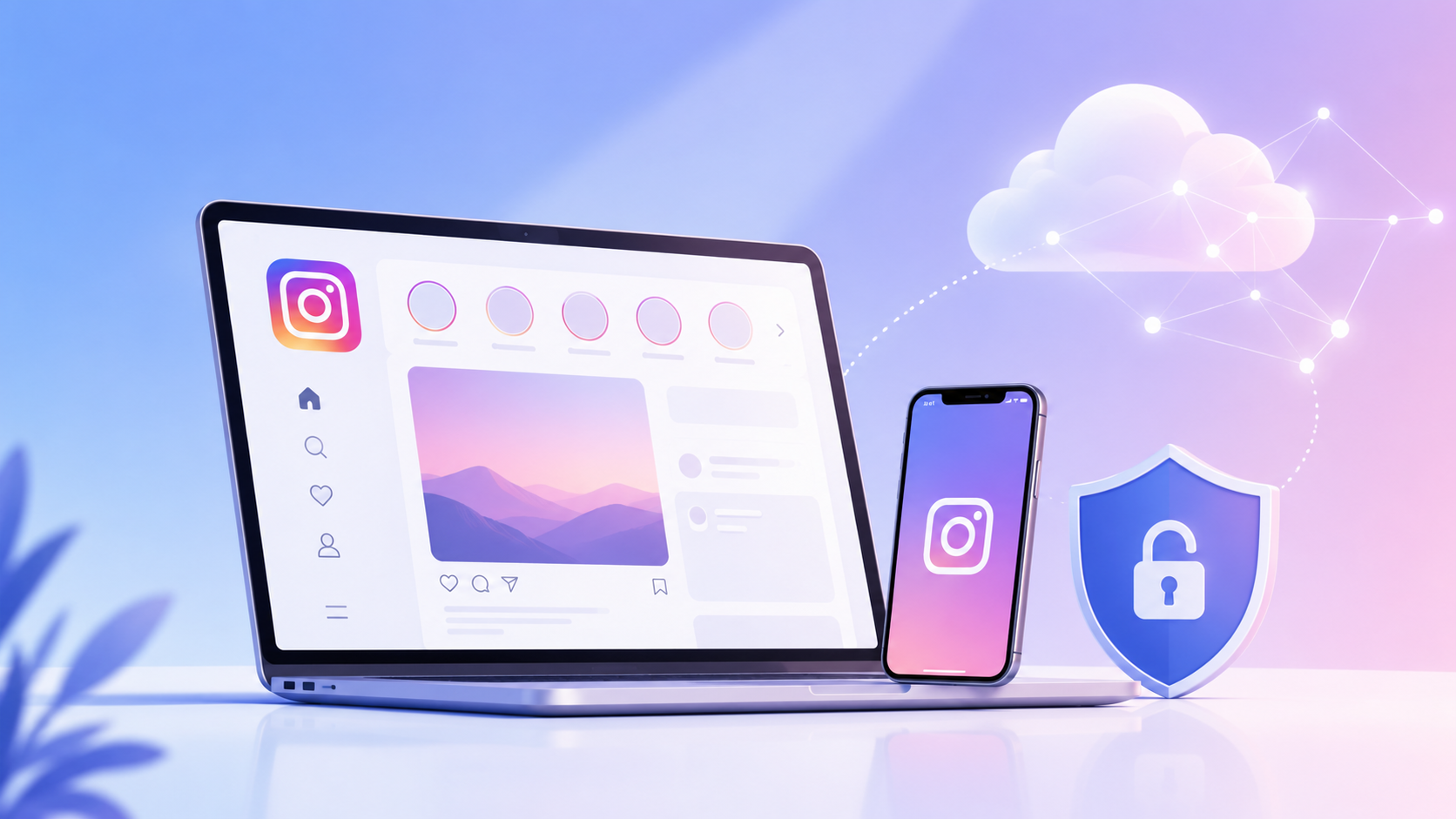
Instagram unblocked means Instagram becomes accessible again after a network, device, region, browser, or account rule stops it from working.
That sounds simple, but the cause can be different.
Instagram will not open at all. This often points to a network block.
Instagram opens, but Reels or Stories fail. This may be bandwidth, app, or connection related.
Instagram works on your phone, but not on a school or work laptop. That may be a device rule.
Instagram loads, but you cannot log in. That may be an account check, IP issue, or unusual device signal.
This is why one-click advice is usually weak.
A VPN may help with a Wi-Fi block. It will not fix a locked school device. A proxy can change the IP route. It will not clean up a messy browser profile. A cloud phone can help with mobile app workflows. It is not needed if you only want to view one public post.
Before choosing a tool, find out what is actually blocked.
There is no single best method for every case. Start with the lightest option. Move to advanced tools only when your work involves logins, client accounts, mobile app tasks, or long-term account management.
Do this before installing anything.
Switch from Wi-Fi to mobile data. Open Instagram again. If it works on mobile data but fails on Wi-Fi, the local network is probably the issue.
Try both the Instagram app and the web version. If the app fails but the website works, the problem may be the app, device, or local settings. If both fail, the network is more likely involved.
Check other websites too. If everything is slow, Instagram may not be blocked. Your connection may just be poor.
Also look at the login screen. If Instagram asks for phone verification, email confirmation, or suspicious login review, that is not the same as a blocked website.
This step is basic, but it saves time. Many people jump straight to a VPN when the real issue is a managed browser, bad Wi-Fi, or account verification.
This is the first method I would try for a simple Wi-Fi block.
If Instagram is blocked on school Wi-Fi, office Wi-Fi, hotel Wi-Fi, or a public network, leave that network. Use mobile data. You can also use your phone as a hotspot and connect your laptop.
This works well when the restriction belongs to the local Wi-Fi. Your mobile carrier may not use the same filtering rules.
It is also cleaner than using a random proxy page. You are not sending your Instagram session through an unknown website.
The downside is obvious. Instagram can burn data fast, especially with Reels, Stories, and uploads. Signal quality also matters. If your mobile connection is weak, the app may still feel broken.
For one-time access, this method is often enough. If a weak signal makes hotspot use unreliable, Speedify is one solution that combines multiple internet connections for faster access and better speed. For team work, it becomes messy fast. Nobody wants to run daily social media operations from personal hotspots.
A VPN can help when a network blocks Instagram by URL, category, or traffic rule. A trusted VPN creates an encrypted connection for Instagram traffic and sends it through another server, so the local network does not see the direct Instagram request in the same way.
This is why VPNs show up in most Instagram unblocked guides. They are easy to understand. They often work for school Wi-Fi, office networks, public Wi-Fi, and travel situations.
But I would be careful with free VPNs. Some are slow. Some are unstable. Some show too many ads. Reputable services also keep your connection protected from prying eyes on public networks. Some are unclear about how they handle data.
A VPN is useful when your main problem is access. It can help open the site or app. It can also add privacy on weak public Wi-Fi. Some services use AES-256 encryption to secure internet connections through an encrypted tunnel and mask online activity from local observers.
But a VPN does not solve account environment problems.
It does not create separate cookies. It does not give each Instagram account its own browser profile. It does not fix a messy login pattern. It does not make several accounts look clean just because the IP changed.
For casual browsing, a VPN may be enough. For account work, it is only one piece of the setup.
A proxy routes instagram traffic through another IP address. This can help when Instagram access depends on location, IP reputation, or regional testing. Tor Browser routes internet traffic through multiple nodes for anonymity, but that is a different setup from using a standard proxy for Instagram access.
For example, a marketer may need to see how a profile looks from another country. A team may need to manage client accounts tied to different regions. A proxy can help route each account through a more suitable IP location.
But changing IP is not the same as cleaning the whole environment.
Your browser still has cookies. It still has local storage. It still has browser fingerprint signals like screen size, fonts, timezone, language, WebGL, Canvas, and device details.
If you put five Instagram accounts in one normal browser and only change the proxy, the setup is still weak.
I would also avoid logging in through free web proxy pages. Viewing a public page is one thing. Entering your username, password, and session data through an unknown proxy website is another.
For one account, a trusted proxy may be enough. For several accounts, you need both proxy control and profile separation.
A cloud phone is useful when Instagram work depends on the mobile app in a phone-like mobile environment, not only the website.
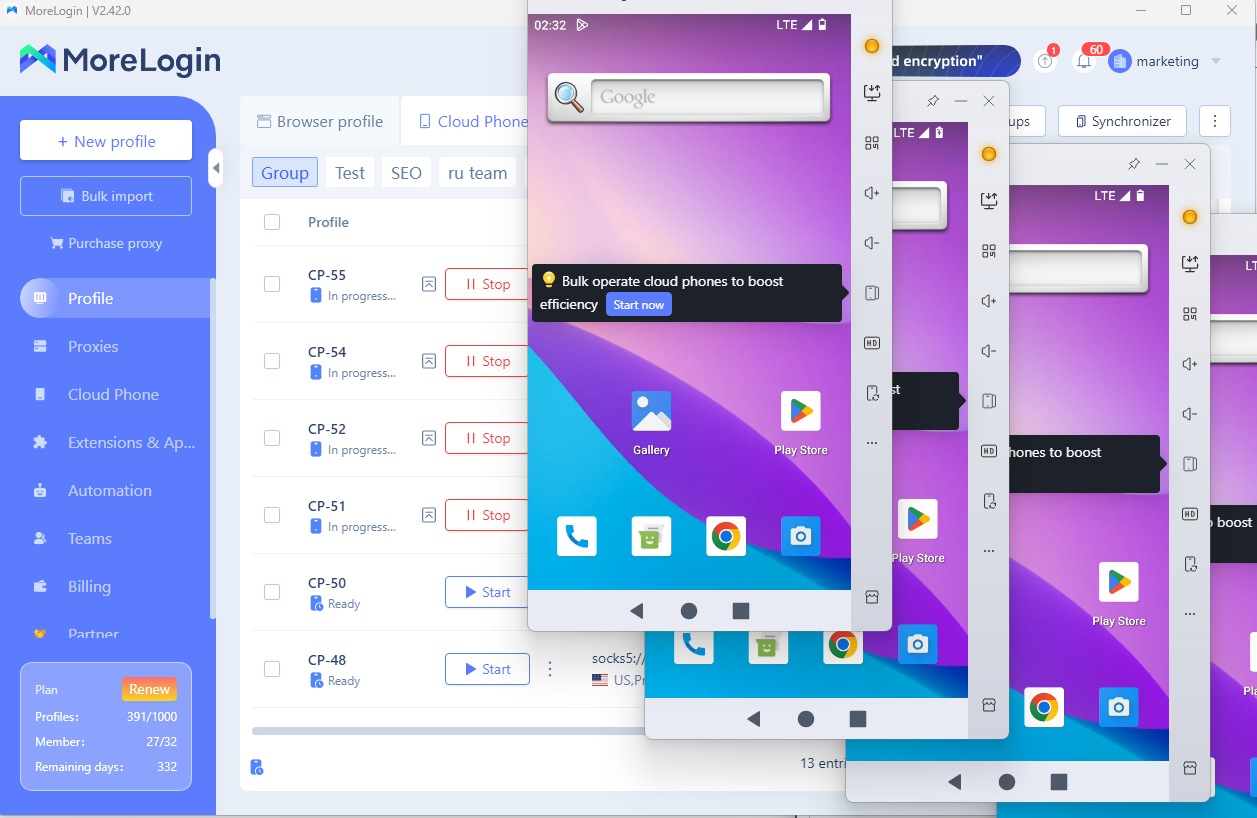
This matters more than some people expect. A lot of Instagram work still feels different on mobile. Reels, Stories, DMs, app login checks, content reviews, and profile actions may not behave exactly like the desktop version.
For a normal user, a cloud phone is probably too much, though it can help if you need an Instagram smartphone workflow without using a personal device. If you only want to check your feed, use mobile data or a trusted VPN.
For a team, the picture changes.
If several people manage Instagram accounts, personal phones get messy. Accounts mix. App data overlaps. Team access becomes hard to control. Nobody knows which phone holds which client login. Testing different workflows from one physical device also gets uncomfortable.
A cloud phone gives you a remote Android environment for mobile app work. You can run Instagram in a separate mobile environment without putting every account on a personal phone.
For Instagram operations, it can help with:
App-side account checks
Reels and Stories review
messages workflow separation
Client account management
Regional testing
Team access without passing phones around
The value is not magic access. The value is a cleaner operating structure.
When Instagram becomes daily work, this matters. You need to know where each account lives, who can access it, and which mobile environment is being used.
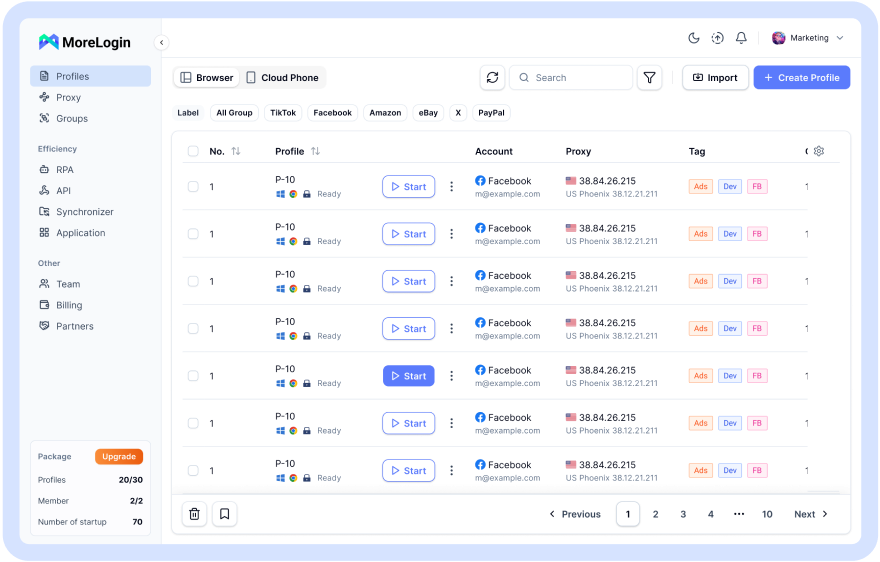
An antidetect browser makes more sense as a platform for account management when Instagram access depends on long-term profile separation.
This is where normal browsers start to feel weak.
If you log in to several Instagram accounts from one browser, those accounts may share cookies, cache, local storage, extensions, and browser environment data. Even if you clear cookies, the setup is still not ideal for long-term work.
Private browsing is not enough either. It is fine for a quick clean session. It is not built for managing many account environments.
An antidetect browser lets you create separate browser profiles. Each profile can keep its own cookies, local storage, fingerprint settings, and proxy. Advanced browser fingerprinting technology helps create distinct environments for anonymity and bypassing restrictions. That makes it easier to assign one environment to one Instagram account.
For example:
One profile for a brand account
One profile for a client account
One profile for a test account
One profile for another region
One profile for a backup workflow
This does not mean risk disappears. Bad proxies, aggressive automation, unstable logins, and careless account behavior can still cause problems. Tools in this category can also integrate with various proxy services for account management.
The point is simpler. Account work needs separation.
If your goal is only to get Instagram unblocked once, an antidetect browser may be more than you need. If your goal is long-term Instagram account management, it is much more practical than one shared browser. A legitimate company in the Netherlands operating under the EU's GDPR framework also adds clarity around data protection.
Free Instagram unblocked sites look tempting. You open a page, paste a link, and hope Instagram loads, and some may even push you toward downloading something, which is risky on unknown unblock pages.
For public browsing, the risk may be lower. If you only want to view a public profile or check whether Instagram is reachable, it may work.
But I would not log in through a random unblock site.
That is the line.
You do not know how the site handles traffic, cookies, scripts, redirects, or session data, and your traffic may not even be properly encrypted. Some free proxy pages add pop-ups, fake buttons, forced notifications, or extension prompts. Some send you through several pages before anything loads.
Watch for these signs:
Too many pop-ups
Fake download buttons
Requests to allow notifications
Browser extension prompts
Slow or broken page loading
Random redirects
Login pages that feel off
Pages asking for extra permissions
The biggest red flag is a login request. If you care about the account, do not enter Instagram credentials through an unknown proxy page, especially for private conversations with friends or family because you cannot verify who can see the session.
There is also a second issue. A proxy page may change the route to Instagram, but it does not give you a clean browser environment. Your device, browser, cookies, timezone, language, and other signals may still leak context.
If your goal is only to view public profiles, read this guide on Instagram profile viewer before trusting random unblock sites. Sometimes you do not need to log in at all.
For account work, free unblock sites are the wrong tool. They are quick hacks, not safe workflows.
Getting Instagram unblocked is only step one. Keeping the account stable is harder.
Here are the rules I would follow:
Do not change countries every time you log in
Keep your proxy location close to the account location
Avoid logging in from unknown proxy pages
Do not mix personal, client, and test accounts in one browser
Use separate browser profiles for different accounts
Keep device and browser settings consistent
Turn on two-factor authentication
Use strong and unique passwords
Avoid aggressive automation
Do not connect too many third-party apps
Watch for checkpoint prompts and login warnings
Give new or recovered accounts time to warm up
The common mistake is treating access as a one-time problem. People fix the block, log in from a strange environment, switch IPs again, change device again, and then wonder why Instagram asks for checks.
If Instagram keeps blocking access from the same network or location, read this guide on Instagram IP ban. It explains why IP-level problems can affect access and login.
A safer setup does not mean nothing can go wrong. It means you remove sloppy signals and avoid careless moves.
That is already a big improvement.
Instagram unblocked is not one problem. It can mean a network block, device restriction, regional issue, browser problem, account check, or user-level block.
For casual access, start simple. Try mobile data, a personal hotspot, a trusted VPN, DNS changes, or a reliable proxy. Do not overbuild the setup if you only need to view one public post.
For anything involving login, be stricter. Free unblock sites are not the place to enter Instagram credentials.
For teams, agencies, and multi-account operators, the bigger issue is not opening Instagram once. It is keeping accounts, sessions, proxies, browser profiles, and mobile workflows separated.
That is where MoreLogin fits better than random quick fixes. It gives teams a more structured way to manage browser profiles, proxy settings, cloud phone workflows, and account environments without putting everything into one messy browser or one personal phone.
Access matters. Clean access matters more.
What does Instagram unblocked mean?
Instagram unblocked means Instagram becomes accessible again after being limited by a network, region, device, browser rule, or account setting. The cause matters because each problem needs a different fix.
How can I get Instagram unblocked at school or work?
You can try mobile data, a personal hotspot, a trusted VPN, DNS changes, or a reliable proxy. You should also follow your school or workplace rules, especially on managed devices.
Are free Instagram unblocked sites safe?
They may be fine for low-risk public viewing, but they are not a good place to log in. Avoid sites with pop-ups, fake buttons, forced notifications, extension prompts, or strange redirects.
Is a VPN enough to unblock Instagram?
A VPN can help with many network blocks. It does not separate cookies, browser fingerprints, or multiple account environments. For casual access, it may be enough. For account workflows, it is limited.
Can an antidetect browser help with Instagram access?
Yes, when the goal is account separation. An antidetect browser can keep different Instagram accounts in separate profiles with different cookies, fingerprint settings, and proxies.
How do you unblock people from Instagram?
Open Instagram, go to Settings and privacy, find blocked accounts, choose the account, and tap Unblock. This is different from getting Instagram unblocked on a restricted network.
Why Is Instagram Blocked on Some Networks?
Instagram gets blocked for practical reasons. Most blocks are not mysterious.
Schools may block Instagram to reduce distractions. Offices may block it to protect productivity, bandwidth, or internal policy. Public Wi-Fi providers may limit social apps because video-heavy traffic costs bandwidth.
Some restrictions are location-based. In certain regions, Instagram access may be limited by local rules, ISP controls, or broader network policies. Some governments also impose censorship or broad access controls on social platforms. China has long blocked Instagram, and Russia enforced a nationwide ban on Instagram in 2022.
Device rules can also cause problems. A managed school laptop, work computer, locked browser, parental-control device, or security extension may block Instagram even when the network allows it.
Then there are account checks. Instagram may ask for verification when it sees a login from a new device, new region, unusual IP, or unfamiliar browser environment. Instagram still matters because over 1 billion people use it every month, and 500 million instagram users are active daily.
A mobile hotspot can help with a local Wi-Fi block. It will not remove a rule inside a managed laptop. A VPN can help with many network restrictions. It will not fix an account security checkpoint. A proxy can change your IP. It will not separate browser profiles by itself.
Know the block first. Then choose the tool.
What About How to Unblock Someone on Instagram?
When people search how to unblock someone on Instagram, they may not mean network access. They may mean they blocked another user and now want to reverse it.
The basic steps are:
Open Instagram.
Go to your profile.
Open Settings and privacy.
Find the blocked accounts section.
Select the person you want to unblock.
Tap Unblock.
If you are asking how do you unblock people from Instagram, that is usually the path.
It can get harder if the person changed their username, deleted the account, disabled the account, or blocked you too. In that case, you may not be able to find the profile easily.
And if someone else blocked you, you cannot force your way back into their account view. That is not an Instagram unblocked network issue. It is a user privacy setting.
So if you are asking how can you unblock someone from Instagram, check whether you mean a blocked website or a blocked person. The answer is completely different.

 EN
EN