- Product

- Pricing
- Affiliate Program
- Developers
- Resource
 EN
EN
YouTube usually works until the day it does not.
You open a tutorial at school. Blocked. You check a video at work. Blocked. You connect to hotel Wi-Fi while traveling. Some videos load, others do not. Then you search for youtube unblocked and get a page full of proxy sites, mirror links, and tricks that all sound too easy.
Some of them can work. Some are not worth touching.
This guide is for people who want to unblock YouTube without VPN. Not because VPNs are bad, but because many users cannot install one on a school device, work laptop, public computer, or locked browser.
The real question is not only how to open YouTube. The better question is which method fits your situation, and when a quick fix becomes a privacy risk.
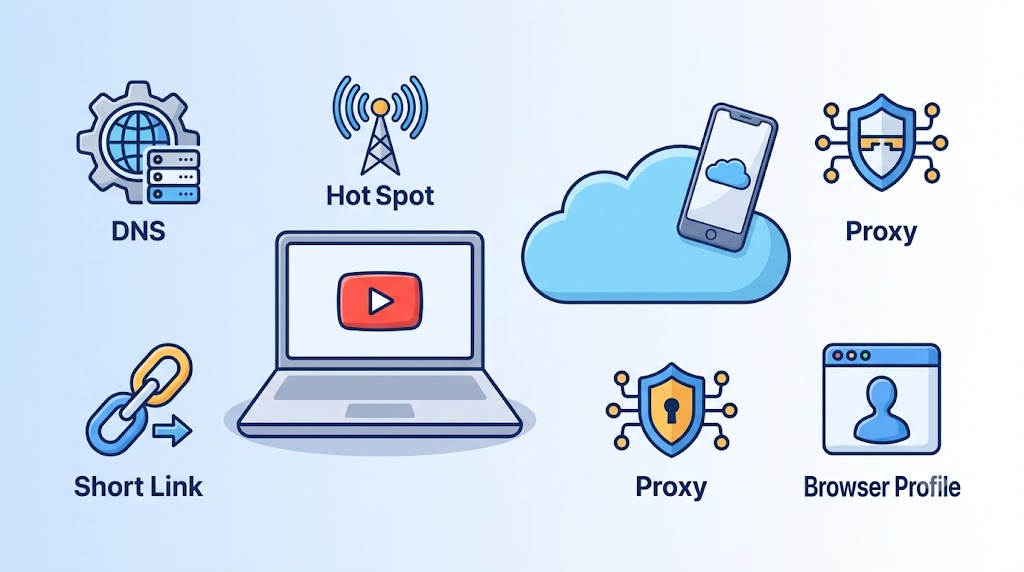
YouTube unblocked means YouTube is accessible again after being restricted by a network, device, region, browser rule, or account setting.
It does not always mean the same thing.
Sometimes youtube will not open at all. That usually points to a network block. Sometimes the homepage works, but only specific videos are unavailable. That may be a region, age, copyright, or account issue. Sometimes YouTube works on your phone but not on a school laptop. That points to device management or browser rules.
This matters because the fix changes with the cause.
A web proxy may help with a simple Wi-Fi block. It will not fix a managed Chromebook policy. A shortened link may beat a lazy URL filter. It will not beat a real firewall. A cloud phone may help with mobile account workflows. It makes no sense if you only want to watch one public video.
So when people search for unblocked YouTube, they are not always looking for the same answer. Some want quick viewing. Some want privacy. Some want account access. Some are running YouTube channels or Shorts workflows across several accounts.
Those are very different needs.
Here is the honest version. These are proven methods, but they come with different tradeoffs. Some are quick hacks. Some are better for privacy. Some are only useful for account or mobile workflows.
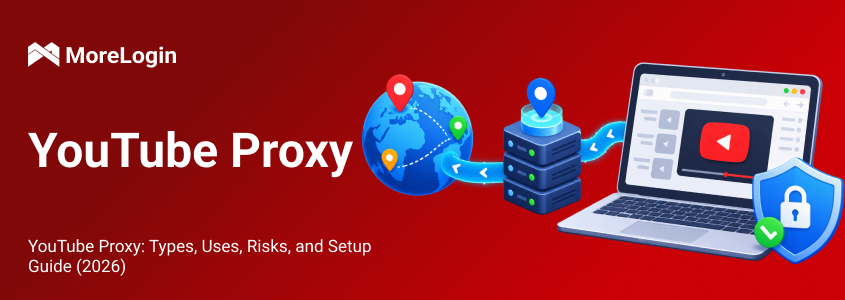
A web proxy is the first thing many people try. You open the proxy site, paste a YouTube link, and the proxy loads the page through its own server. In simple terms, a proxy server acts as an intermediary between your browser and websites.
This is why proxy sites rank for youtube unblocked searches. They are easy. No installation required, no additional software, and usually minimal effort. No admin rights needed.
For basic viewing, this can be enough. If a school or office network blocks youtube at the domain level, a proxy page may get around that block. Some proxy services use SOCKS5, which can carry web traffic and other internet traffic beyond HTTP and HTTPS, but that can create security risks if the traffic is not encrypted.
But I would not use a random proxy to log into a Google account.
That is the line. Watching a public video is low risk. Entering your account details through an unknown proxy is not. You do not really know how the proxy handles cookies, scripts, redirects, or session data. Some free proxies also add ads, pop-ups, and fake buttons around the page.
Use a web proxy for temporary access only. Treat it like a quick tool, not a trusted browser.
DNS changes are worth trying when the block is basic.
Some networks block YouTube by controlling how domain names resolve. If that is the case, switching to a public DNS provider may help. Common examples include Google DNS and Cloudflare DNS.
This method is cleaner than using a random proxy. You are not loading YouTube through an unknown website. You are only changing how your device looks up addresses.
The catch is simple. DNS changes only help with DNS-level blocking.
If the network uses firewall rules, traffic inspection, IP blocking, or managed device policies, DNS changes will not do much. Many schools and companies already use stronger controls.
I would try this when YouTube fails on one network, but the block feels basic. I would not expect it to solve heavy restrictions.
This is often the simplest fix.
If YouTube is blocked on Wi‑Fi, leave the Wi‑Fi. Use mobile data, or turn your phone into a hotspot and connect your laptop to establish a different internet connection on a restricted network.
This works well when the restriction belongs to the local network. School Wi‑Fi, office Wi‑Fi, hotel Wi‑Fi, and public networks often have their own filter rules. Your mobile carrier may not share those rules, and the same approach can help mobile devices access YouTube or watch youtube videos away from filtered Wi‑Fi.
It is also safer than using a random proxy. You are not passing your traffic through a third-party proxy page.
The downside is obvious. Video burns data fast. Signal quality can affect playback. Some plans throttle hotspot traffic. And if the block is tied to your account, device, region, or app setting, mobile data will not fix it.
Still, for quick access, this is one of the least messy options.
This is a small trick, not a real solution.
Some weak filters look for the full YouTube URL. If the filter only checks the visible link, a shortened URL may slip through. That can happen with very basic URL blocking.
It is quick to test. You do not need an app. You do not need browser settings. You only need a shortened version of the video link.
For example, a normal YouTube link may look like this:
https://www.youtube.com/watch?v=exampleid
After shortening, it may look like this:
https://bit.ly/example
https://tinyurl.com/example
https://is.gd/example
But do not expect much.
Modern school and office filters often expand shortened links before allowing them. Some block popular shortener domains directly. A shortened link also does nothing for privacy. It does not change your IP. It does not change your browser profile. It does not hide your device signals. It does not help with geo restrictions.
Use this only when the block looks lazy. For anything stronger, move on.
Google Translate can sometimes act as a makeshift youtube unblocker through its translation feature. Users paste a YouTube URL into the website translation box and try to load the page from there.
This may work on light filters because the request appears to pass through a Google service. It can help access YouTube on restricted sites, but it is not reliable for regular viewing.
The experience is rarely smooth. Video pages may break. Comments may not load. Playback may fail. Some networks already block this trick. Others allow the page but stop the video player.
I see this as a test method, not a viewing method.
It is useful when you want to check whether a page can open. It is not a good option for long videos, logged-in YouTube sessions, or anything you need to rely on.
An antidetect browser is not for someone who only wants to watch one blocked video. That would be overkill.
It makes more sense when YouTube access is part of account work.
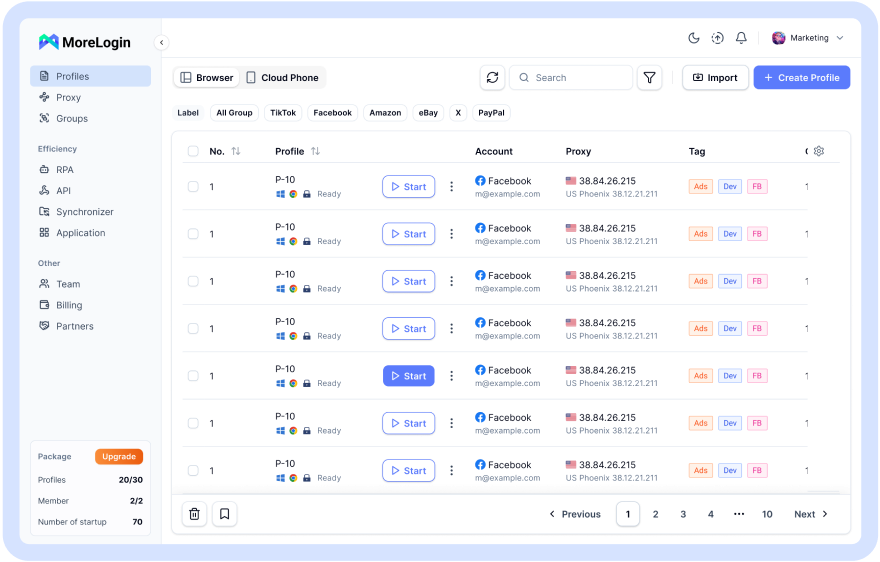
For example, you may manage several YouTube accounts. You may test content across regions so a profile appears to come from a different location when paired with a proxy. You may separate brand accounts from testing accounts. You may work with proxies and need each account to stay in its own clean browser profile.
A normal browser is not built for that. It keeps cookies, cache, storage, extensions, and browser signals in one shared environment. Logging in and out does not fully separate everything.
An antidetect browser gives each profile its own environment. Cookies stay separate. Local storage stays separate. Fingerprint settings can be managed by profile. Proxy settings can also be assigned per profile.
This helps reduce account mixing. It also gives teams a cleaner way to manage YouTube sessions, with better safety for account workflows than logging in through random proxy pages.
Do not think of it as a magic unblock tool. Think of it as an environment separation tool. That is where it has real value.
A cloud phone is for mobile workflows, not casual browsing.
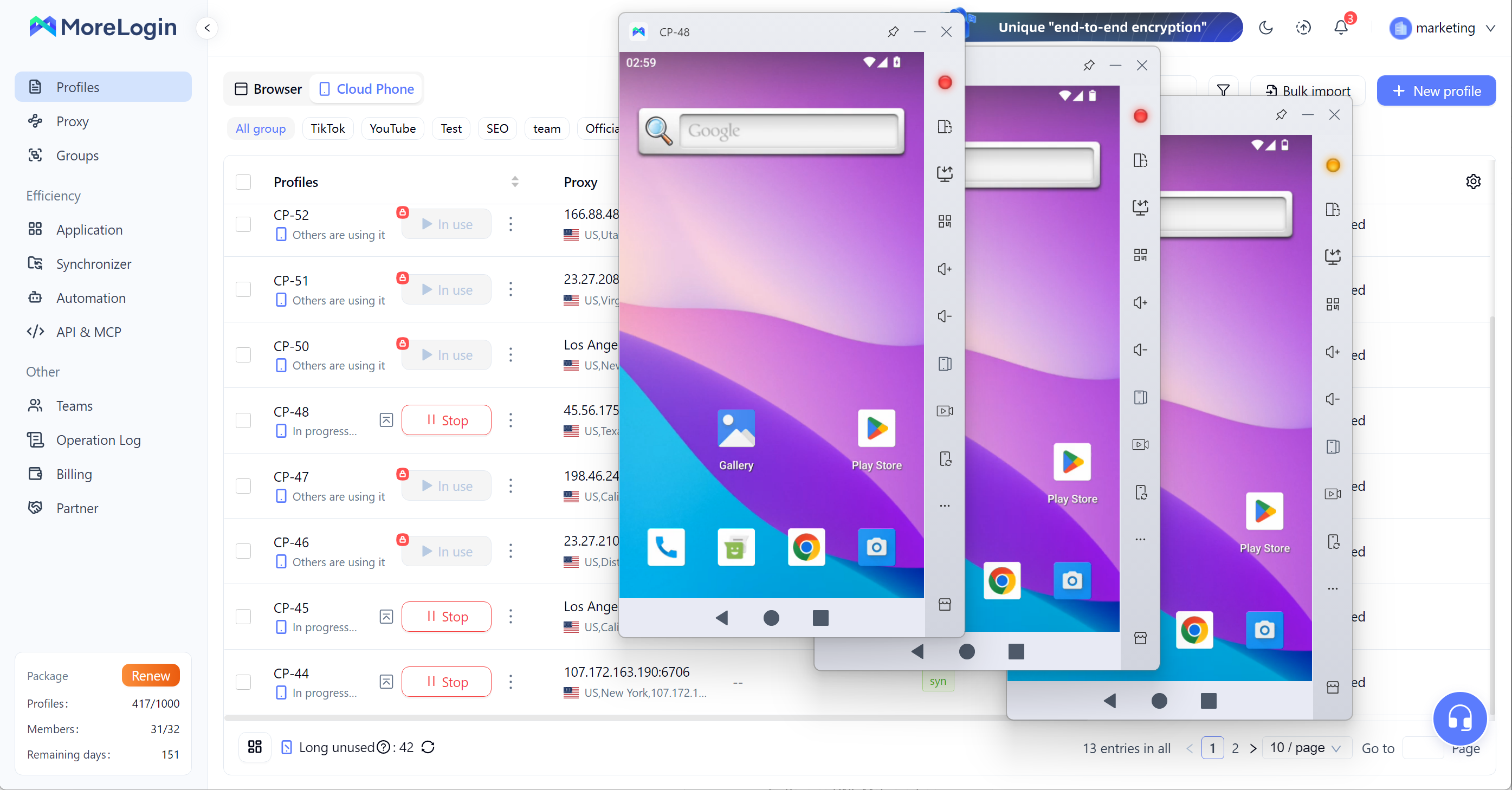
This matters because a lot of YouTube work now happens on mobile. Shorts checking, app-based login, mobile posting, mobile content review, and cross-platform social workflows often need an Android environment, especially when restricted devices do not allow local apps or system changes.
Using your personal phone for all of this gets messy fast. Accounts mix. Apps share device signals. Team access becomes hard to manage. Testing different regions or profiles from one phone is not clean.
A cloud phone gives you a remote Android environment. You can run mobile apps without using your own device. For teams, this is more practical than passing around phones or using one shared account setup, and they can still watch YouTube or review YouTube videos there when local access is limited.
Again, this is not the right tool for watching one video at lunch. Use mobile data or a proxy for that.
But for repeated YouTube mobile work, especially Shorts or multi-account operations, a cloud phone is much easier to control.
YouTube gets blocked for a few common reasons. You do not need to know every technical detail, but you should know which bucket your problem falls into.
This is the most common case.
Schools, offices, libraries, hotels, and public Wi-Fi networks often block YouTube on the internet to save bandwidth, enforce policy, or boost productivity. The block may come from DNS filtering, firewall rules, content category filters, network level blocks, or other admin controls that filter internet traffic.
You can usually spot this type of block fast. YouTube fails on that Wi-Fi, but works on mobile data. Or it works at home, but not at school or work.
For this case, mobile hotspot, DNS changes, web proxies, or Google Translate tricks may help. The success rate depends on how strict the network is.
Geo restrictions are different. YouTube may open, but a video is not available in your region, which often affects users in certain regions or certain countries.
This can happen because of licensing agreements, demands from rights holders, local rules, creator settings, or other content restrictions. A basic proxy may sometimes load the page, but video playback can still fail. Some proxies are too slow. Others are already blocked by YouTube or the local network.
This is where many free youtube unblocked sites oversell themselves. They may open a page, but that does not mean they can stream every video smoothly.
Some blocks have nothing to do with the Wi-Fi.
You may be using restricted devices such as a managed school Chromebook, a school computer, work laptop, parental-control device, or other locked hardware or browser. YouTube Restricted Mode may be enabled. Browser extensions may block video sites. Some content may need age checks or Google account approval.
In these cases, a proxy is often the wrong tool. The restriction sits inside the device, browser, or account. Changing the path to YouTube may not remove the rule.
Unblocked YouTube sites are useful in one clear case. You need quick access, and the network block is not very strong.
That is it.
They can help you open YouTube through another server. They can work in a normal browser, but any claim of secure access is limited. They are mainly for quick checks on websites blocked by lighter filters. They can be useful on shared devices where you cannot install software. They are easy enough for a one-time check. A free web or free web proxy tool often promises more privacy than it actually provides.
But they are not full privacy tools.
A proxy site may hide the direct YouTube URL from a local filter, but that does not mean your whole session is safe. It may not protect your login. It may not stop tracking. It may not give stable video quality. It may not work tomorrow.
Some proxy sites are simple and usable. Others are stuffed with ads and fake buttons. The ugly ones are easy to spot. They ask you to allow notifications. They push extensions. They open new tabs. They show download buttons that have nothing to do with your video.
Leave those sites.
The practical rule is simple. Use proxy sites only for low-risk viewing. Do not use them for your main Google account, channel dashboard, creator tools, or payment-related pages.
When your YouTube use becomes account-based, proxy sites stop being the right answer.
Free proxy sites feel harmless because they do not ask for payment. That does not make them safe.
The risk is not only malware. The more common problem is sloppy traffic handling, aggressive ads, hidden redirects, and weak privacy. Weak proxy tools can also expose your browsing activity and online activity to trackers or other third parties.
Watch for these signs:
Too many pop-ups
Fake play buttons
Forced notification requests
Prompts for browser extensions
Random premium buttons
Slow or broken playback
Pages that ask for Google login
Redirects before the video loads
The Google login part is the biggest red flag. If you care about the account, do not sign in through a random proxy site.
There is another issue that many users miss. IP address is only one signal. Your browser fingerprint can also expose your browser environment.
A website can read details like screen size, fonts, WebGL, Canvas, time zone, language, OS, and browser settings. A proxy may change the IP path, but it does not automatically clean your local browser profile.
That is why people who manage accounts should care about more than access. A page opening successfully does not mean the session is clean.
For casual viewing, the risk is smaller. For account work, it matters a lot.
MoreLogin fits best when YouTube is part of a workflow, not when someone only wants to open one blocked video.
A single viewer can try mobile data, DNS, or a basic proxy. That is fine.
A team managing YouTube accounts has a different problem. They need clean sessions. They need separate cookies. They need proxy control. They need browser profiles that do not bleed into each other. They may also need mobile environments for Shorts or app-based checks.
MoreLogin helps by separating browser profiles. Each profile can keep its own cookies, local storage, fingerprint settings, and proxy. This makes daily YouTube account work cleaner than using one browser for everything.
For example, one profile can be used for a brand account. Another can be used for testing. Another can be used for a different region. The setup is easier to review, easier to hand off, and less likely to mix account signals.
The cloud phone side matters for mobile work. If a team handles YouTube Shorts, TikTok, Instagram, or other app-based workflows, remote Android environments are easier to manage than personal phones.
This is the real use case. MoreLogin is not just about getting a page open. It is about keeping accounts, sessions, devices, and team workflows separated.
That is a better long-term setup than jumping between random YouTube unblocked proxy sites.
There are ways to unblock YouTube without VPN. A reputable VPN is often the strongest option when you are allowed to use one. It can get around most blocks because it encrypts internet traffic and hides your IP address. In most countries, that is generally legal, but local laws and geo blocks still matter. Some are quick. Some are rough. Some only work on weak filters.
For simple viewing, start with the low-friction options. Try mobile data, DNS, a web proxy, a shortened link, or Google Translate. Do not expect every method to work on every network.
For anything involving your Google account, be stricter. Free proxy sites are not the place to log in. If a proxy page looks noisy, asks for notifications, or pushes downloads, close it.
For YouTube account work, Shorts workflows, or team operations, the goal is no longer just youtube unblocked. The goal is clean separation.
That means separate browser profiles, controlled proxies, clean cookies, and mobile environments when needed. This is where MoreLogin makes more sense than another random unblock trick. Tor Browser is a more anonymous alternative that routes traffic through multiple servers, but it often has slow speeds.
1. What does YouTube unblocked mean?
It means YouTube can be accessed again after network, device, account, browser, or geographic restrictions are removed.
2. How can I unblock YouTube without VPN?
You can try a web proxy, DNS change, mobile data, hotspot, shortened link, Google Translate, an antidetect browser, or a cloud phone. The right option depends on the block, since some methods mainly help you access YouTube on restricted networks, while others are better suited to unblock YouTube videos affected by regional or filtering limits.
3. Are YouTube unblocked proxy sites safe?
Some are usable for quick viewing. Many proxy pages let people watch videos quickly, but safety depends on the site. Many are not safe for login. Avoid proxy sites with pop-ups, redirects, fake buttons, extension prompts, or Google sign-in requests.
4. Can I log into my Google account on a YouTube proxy site?
I would not do it. A random proxy site is not a trusted place for your main Google account, channel dashboard, or creator tools.
5. Why does YouTube still not work after using a proxy?
The block may involve firewall rules, IP filtering, device management, account restrictions, age checks, or region limits, and it may affect the whole site, the player, or page elements used to load the video. A proxy only helps with some access problems.
6. What is the safer option for managing multiple YouTube accounts?
Use isolated browser profiles with separate cookies, storage, fingerprints, and proxies. For mobile YouTube workflows, use a cloud phone to keep app environments separated. This matters even more in certain countries with government censorship.

 EN
EN