EN
EN
Opening TikTok Ads Manager is easy. Getting ownership and access right is where teams lose time.
A company starts with one ad account. Then an agency joins. A second market needs its own budget. Finance needs invoices. A content manager needs access to the TikTok profile. Before long, nobody is quite sure who owns what.
TikTok Business Center is built for this stage.
It keeps ad accounts, TikTok profiles, tracking assets and permissions under the business. Ads Manager still handles campaigns. Business Center handles the people and assets around those campaigns.
If one person runs one ad account, the extra setup may not feel urgent. If several people, brands or clients are involved, it is worth setting up the structure early.
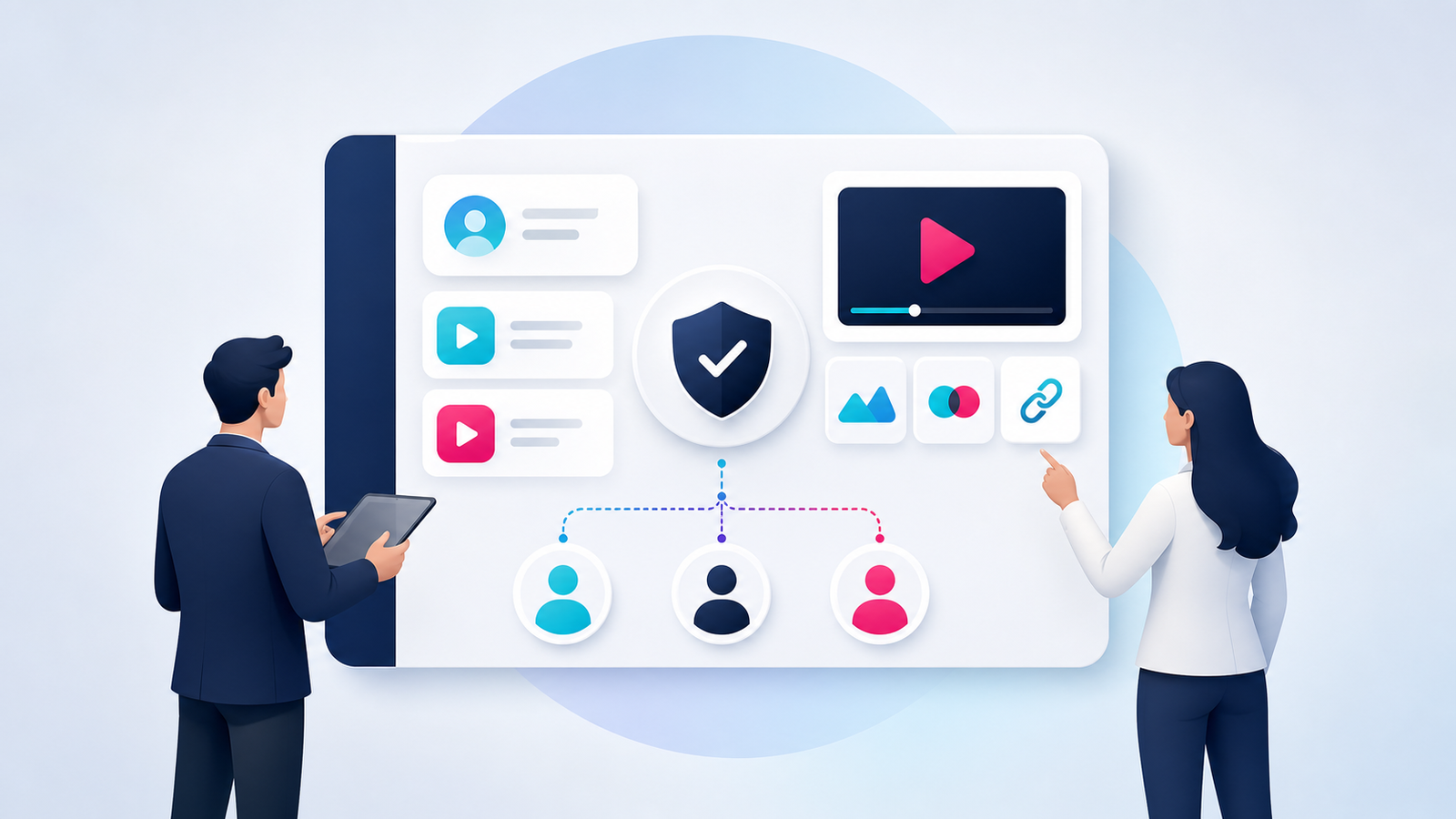
TikTok Business Center is the management layer for TikTok business assets.
It can hold or manage access to:
TikTok ad accounts
TikTok accounts
TikTok Shops
Pixels
Product catalogs
Audiences
Leads
Members
External partners
Billing and finance information
If more than one person works on your TikTok advertising, Business Center should sit under the company rather than one employee’s personal login.
That distinction matters. Employees leave. Agencies change. The company still needs access to its ad accounts, data and billing records.
Business Center and Ads Manager do different jobs.
Use Business Center when you need to add a member, connect a TikTok account or share a Pixel.
Use Ads Manager when you need to set a budget, choose an audience or upload an ad.
A user may have access to Business Center but still see no campaigns. That often means the user was invited but was not assigned to an ad account.
A TikTok Business Account is the public profile people see in the TikTok app. It publishes videos, receives comments and shows organic performance data.
TikTok Business Center is a separate management platform. It controls access to business assets behind the profile.
The two can be connected. A brand can add its TikTok account to Business Center and grant specific permissions to employees or agencies.
This does not mean every advertiser needs full control of the organic account. A media buyer may only need ad delivery permission. A social media manager may need content and message access but no billing permission.
Business Center makes sense when you:
Manage several TikTok ad accounts
Work with an advertising agency
Have more than one employee running campaigns
Need separate marketing and finance access
Share Pixels, catalogs or audiences
Advertise for different regions
Manage client-owned assets
Need to remove access without changing the main password
Most brands do not need a separate Business Center for every ad account.
One verified Business Center with separate ad accounts is usually easier to manage when ownership stays the same. Create another Business Center when the legal entity, client relationship or asset ownership is genuinely different.
Agencies have a different concern. Clients should normally keep ownership of their own ad accounts. The agency can request access and manage campaigns without taking over the asset.
Collect the company information before opening the registration page.
You may need:
A company email address
The registered business name
The registration country
A company website
Business registration documents
A certificate or registration number
Legal representative information
The correct time zone
The correct billing currency
A phone for security checks
Use information that matches the legal documents.
A shortened brand name may look better on a dashboard. It should not replace the registered company name during verification.
Open the TikTok Business Center website.
Select Sign up if the company does not have a TikTok for Business login. Use an email address the company controls. TikTok will send a verification code to that address.
Select Log in if the company already uses TikTok for Business.
TikTok for Business is the login identity. Business Center is the workspace created under that login.
Use a company email when possible. An account tied to a former employee’s private email is difficult to recover and awkward to hand over.
TikTok asks whether the company is an advertiser or an agency.
Choose Advertiser when the company promotes its own brands, products or services.
Choose Agency when the company manages advertising for clients.
Agency is not a higher permission level. It describes the business model. Pick the option that matches how the company actually operates.
A freelancer working for one brand may not need an Agency Business Center. A marketing company managing several client accounts usually does.
TikTok may request:
Company name
Business Center name
Industry
Country or region
Website
Contact details
The company name should match the registered legal entity.
The Business Center name is the name shown in the account list. Make it clear enough for administrators who can access several workspaces.
Useful names include:
Northstar Commerce Ltd.
Northstar Global Marketing
Northstar Agency Operations
Avoid vague names such as Main Account or New Business Center. They become confusing once several accounts appear in the same login.
Do not rush this screen.
The country should match the real business registration and account eligibility.
The time zone controls how days appear in reports. It is easy to overlook during setup. It becomes annoying when yesterday’s spend does not match the client’s report.
The currency affects budgets, billing and financial records.
Some settings may be difficult to change later. Check them before creating the account.
Open the Verification section after creating the Business Center.
The exact fields depend on the registered country and business type. A typical process looks like this:
Select the entity type.
Enter the registered company information.
Upload an accepted business document.
Add the certificate or registration number.
Enter the legal representative information if required.
Submit the information.
Check the Verification page for updates.
TikTok accepts different business verification documents based on the country and entity type.
Check the current document list before uploading a file. The company name and registration number should match the submitted document.
Minor differences can slow down the review. Common examples include an abbreviated company name, an outdated address or a registration number entered in the wrong field.
Do not use borrowed or misleading documents. Verification is meant to identify the real business behind the advertising account.
Open Business Settings and review the security controls.
Enable two-step verification for administrators. Ask other team members to protect their accounts as well.
Keep at least two trusted administrators where possible. A company should not depend on one person’s phone or inbox for access.
Before adding assets, check that:
The correct business type was selected
The legal name matches the company documents
The country is correct
The time zone is correct
The currency is correct
Verification has been submitted
Two-step verification is active
A backup administrator has been added
A new Business Center does not automatically contain an ad account or TikTok profile.
The next action depends on who owns the asset.
A brand can create a new ad account inside Business Center if its account type and region support it.
An agency should normally request access to the client’s existing ad account.
This keeps ownership clear. It also lets the client remove the agency without rebuilding the account.
To add an ad account:
Open Accounts.
Select Advertiser accounts.
Click Add advertiser account.
Choose Create New or Request Access.
Enter the account information or Ad Account ID.
Confirm the request.
Assign the account to the relevant members.
Only eligible administrators can create ad accounts in Business Center. Availability may depend on the Business Center type and registered region.
The Ad Account ID is usually available from the account menu in Ads Manager.
Requesting access does not transfer ownership. The original business remains the owner and can revoke the request later.
A connected TikTok account can provide the identity used for organic account management or ad delivery.
The usual connection process is:
Open Accounts.
Select TikTok accounts.
Click Add a TikTok account.
Choose the required permission type.
Generate the authorization QR code.
Open the TikTok app on a phone.
Check which TikTok profile is active.
Scan the QR code.
Review and approve the request.
Return to Business Center and refresh the page.
The QR code step looks simple. It still causes avoidable mistakes.
Check the username before approving the request. Scanning the code from the wrong TikTok profile can create a tedious cleanup job.
TikTok may offer account management access, ad delivery permission or both.
Account management access can cover organic tasks such as content, messages, leads and analytics.
Ad delivery permission allows an ad account to use the TikTok identity or eligible content in advertising.
Choose the permission based on the work.
An agency running paid campaigns may only need ad delivery permission. A social media team may need content access. A finance employee probably needs neither.
Giving everyone full access may solve a permission problem in five minutes. It creates a much larger access problem later.
Business Center can also organize:
TikTok Pixels
Product catalogs
Audiences
TikTok Shops
Leads
TikTok One accounts
Adding an asset does not always make it available to every ad account.
After adding a Pixel or catalog, assign it to the correct ad account. Then assign it to the employees who need to use it.
For a single brand, the structure may look like this:
Brand Business Center
├── US Ad Account
├── UK Ad Account
├── Main TikTok Account
├── Website Pixel
├── Product Catalog
└── Marketing and Finance Members
An agency may use this structure:
Agency Business Center
├── Partner Access to Client A
├── Partner Access to Client B
├── Media Buyer Group A
├── Media Buyer Group B
└── Finance and Reporting Team
Once a team starts managing 100 TikTok Ads accounts, naming rules, ownership records, proxy assignments and permission groups become part of the daily workflow.
Do not wait until the account list becomes unreadable. Use clear names from the beginning.
TikTok Business Center has two permission layers.
The first controls access to Business Center. The second controls access to individual accounts and assets.
Inviting someone does not automatically give that person access to an ad account.
If a new employee can open Business Center but sees nothing useful, check the asset assignment before changing the role.
An Admin can manage much of the Business Center structure.
Depending on the account configuration, an Admin may be able to:
Add or remove members
Add or remove partners
Create or request access to accounts
Assign accounts and assets
Manage Business Center settings
Handle verification
Control security settings
A Standard member works with assigned assets.
This is the better role for most media buyers, analysts and content employees. They do not need control over the whole company workspace.
Do not give Admin access because one ad account is missing. Assign the missing ad account.
Finance roles can be added when someone needs access to billing data or payment functions.
A Finance Analyst normally focuses on viewing and downloading financial information.
A Finance Manager can have broader finance permissions.
TikTok separates Business Center roles and permissions into basic access and additional finance access.
Campaign operators do not automatically need access to invoices or payment settings. Keep finance permissions with the people responsible for that work.
Members are usually people inside the company.
Partners are outside organizations that have their own Business Center.
Use Member access for:
Employees
In-house media buyers
Internal analysts
Company finance staff
Use Partner access for:
Advertising agencies
External marketing companies
Client and agency relationships
Other business partners
A freelancer may be added as a limited member or through a partner organization. The right choice depends on the working relationship and the access required.
Clients should normally own their Business Center or ad account.
The agency requests access and manages the campaigns. The client keeps the asset, billing history and campaign data.
Creating every client account under the agency may feel faster at first. Ownership becomes messy when the contract ends.
A practical agency policy should include:
Use TikTok’s native permissions
Avoid sharing the main account password
Keep client assets under the client’s business entity
Give users the minimum access required
Record who owns each ad account and Pixel
Review access when responsibilities change
Remove former employees and partners
Permission reviews are not exciting work. They become urgent when an employee leaves and nobody knows which accounts still use that person’s email.
Business Center manages platform access. It does not separate the browser sessions used by a team.
A media buyer may have valid access to ten client accounts. Those sessions can still become mixed in a normal browser. Cookies, account menus, bookmarks and saved logins all sit in the same place.
That creates simple but expensive mistakes. Someone opens the wrong Ads Manager account. A report is exported from the wrong client. A team member logs out of a session another person still needs.
Use TikTok Business Center for ownership and permissions. Add separate browser workspaces when client sessions become difficult to control.
A MoreLogin browser profile keeps its own cookies, local storage and session data.
Create one profile for each client or brand. Do not use one profile as a general TikTok browser for the whole agency.
A clear naming format is:
Platform Client Market PurposeExamples include:
TikTok ClientA US Ads
TikTok ClientB UK Reporting
TikTok OwnBrand DE Shop
Add the responsible employee, target market and account status as tags or notes.
The setup can follow this order:
Create a MoreLogin browser profile.
Name it after the client and market.
Add tags and ownership notes.
Configure the approved network connection.
Open TikTok Business Center.
Log in with the assigned member account.
Keep the session inside that profile.
Assign the profile to the responsible employee.
A browser fingerprint can include the browser version, operating system, screen size, language, time zone and graphics behavior.
These signals are separate from cookies. Clearing browser data does not create a completely new working environment.
The aim is not to make an account invisible. The practical goal is to keep each client environment separate and stable.
Treat each browser profile as a fixed client workspace.
Do not move unrelated clients through the same profile. Avoid changing network settings without a business reason. Keep the account notes updated when responsibility changes.
The IP location, time zone and language should make sense for the account’s legitimate operating context.
When teams use proxies with MoreLogin, they can assign network settings to individual browser profiles or configure several profiles in bulk.
A proxy does not replace verification. It does not fix policy violations. It is one part of the working environment.
Free proxies are usually a poor choice for business accounts. Their history, ownership and reliability can be difficult to check.
Use the same client map in both systems.
TikTok Business Center gives a media buyer access to the client’s ad account.
MoreLogin gives that person access to the matching browser profile.
With MoreLogin team management, administrators can authorize specific browser profiles for each employee and reclaim that access when responsibilities change.
The employee should receive access to the same client in TikTok Business Center. This keeps the platform permission and browser workspace aligned.
When someone leaves, remove both permissions. Revoking only one side leaves an incomplete handover.
Business Center and Ads Manager handle most advertising work in the browser.
Some actions still require the TikTok app. These may include:
Scanning an authorization QR code
Approving a TikTok account connection
Checking the active TikTok profile
Managing mobile-only account functions
Keeping a separate Android app session
Teams can manage TikTok accounts with a cloud phone when a task requires the TikTok app, mobile authorization or a persistent Android workspace.
A team creating a legitimate profile for a new brand can register TikTok in MoreLogin Cloud Phone and keep the mobile session in its assigned workspace.
The registration details should belong to the real account owner. New profiles still need to meet TikTok’s current verification and account requirements.
For teams that do not want to maintain a large collection of physical devices, a MoreLogin Cloud Phone can provide a dedicated Android workspace for app-based TikTok tasks.
Do not add a cloud phone to every workflow by default. Use it where the TikTok app is genuinely required.
Consider an agency with ten clients.
Each client owns its TikTok Business Center or ad account. The agency requests access through its own Business Center. Each media buyer receives access only to assigned client assets.
The agency then creates a separate MoreLogin profile for each client.
The workflow is straightforward:
The client creates or owns the TikTok assets.
The agency requests access in Business Center.
The client approves the request.
The agency creates a named browser profile.
The client session stays inside that profile.
The profile is assigned to the responsible media buyer.
Mobile authorization uses the assigned phone environment.
Both permissions are removed when the relationship ends.
Business Center remains the source of truth for ownership. MoreLogin keeps the daily sessions organized.
Go to business.tiktok.com and log in with the company’s TikTok for Business credentials.
If the login can access several Business Centers, select the correct workspace from the account page.
A missing Business Center often means the invitation was sent to a different email. Check which email accepted the invitation.
TikTok does not normally charge a separate subscription fee for Business Center.
Ad spend, taxes and payment costs are separate. Tools used by the agency or marketing team may also have their own fees.
A solo advertiser with one ad account may be able to work directly from Ads Manager.
Business Center becomes useful when the company adds employees, agencies, several ad accounts or shared assets.
Some TikTok products and regional account types may have their own requirements.
TikTok currently allows one TikTok for Business user to create more than one Business Center. Its setup documentation currently lists a limit of up to 30.
That number may change.
Do not create extra Business Centers just because the option exists. Use another workspace when ownership, legal entities, clients or business units are different.
Check these common causes:
The current user is not an Admin
The Ad Account ID is incorrect
The owner has not approved the request
The account belongs to another Business Center
The region does not support the requested action
The ad account has a status issue
Start with the user role and account ID. Those are the quickest checks.
A Business Center invitation does not include automatic access to every account.
Open the member settings and assign the required ad account. Then select the correct account-level role.
Also check that the employee logged in with the email address that accepted the invitation.
The authorization may not have been completed in the TikTok app. The QR code may also have expired.
Check which TikTok profile is active on the phone. Generate a new code if necessary. Then approve the request from the correct profile.
An eligible administrator can deactivate a Business Center after the required billing, balance and account conditions have been resolved.
Deactivating Business Center is different from closing an ad account.
Review the remaining balance, active partners, connected assets and billing status before starting. Some managed accounts may need help from a TikTok representative.
A manageable TikTok setup is not complicated.
Use one Business Center when ownership is the same. Separate ad accounts by brand or market. Let clients keep their assets. Give employees access to the accounts they actually use.
Add separate browser and mobile workspaces when several client sessions make a normal browser hard to control.
That structure takes a little longer on the first day. It saves far more time when the team, client list and advertising budget begin to grow.

 EN
EN