EN
EN
Choosing between MoreLogin and GeeLark starts with the work you need to finish. A team opening each phone for half an hour has a different bill from one keeping devices online all day. A publishing schedule needs different tools from a live session where an operator controls several phones.
Both products provide Android cloud phones, automation and team access. MoreLogin has a lower default runtime cost under its current billing rules. Its browser controls also deserve attention when the same team handles mobile apps and sensitive web accounts. GeeLark offers social media templates, AI content tools and several ways to pay for device use.
MoreLogin runtime figures use the current billing interface confirmed on October 29, 2026. GeeLark rates and plan requirements follow its published pricing.
A profile allowance tells you how many environments you can keep. Runtime tells you how long the cloud phones operate. Concurrency describes how many run together. These numbers affect different parts of the bill.
Suppose you manage 50 accounts but open only five phones at once. You need room for 50 environments. You do not necessarily need 50 devices running throughout the day.
GeeLark separates its profile subscription from cloud phone usage. For example, the Pro configuration with 20 profiles in its billing interface lists $19 per month before device runtime. That subscription unlocks features and profile capacity. It does not cover unlimited use of every phone.
Build your budget from the resources your task requires:
The subscription needed for your profile count and tools
Device runtime or fixed rentals
Any concurrency package
Proxy service and traffic
AI generation and other paid services
Count each covered period once. A fixed rental that already includes runtime should not have the same minutes added again.
The table below compares default runtime charges before subscriptions, proxies, AI, taxes, bonus minutes and package discounts. Each device follows the same schedule on both platforms.
The last row assumes all 30 days fall within one MoreLogin monthly cap period. Its uncapped charge would be $33.60. GeeLark reaches its $1.20 daily cap during each session lasting four hours.
MoreLogin has the lower runtime charge in these examples. Longer sessions also justify comparing fixed rentals. GeeLark lists a monthly device rental of $29.90, which is below its $36 capped runtime total for the third scenario.
For a larger fleet, compare time packages before buying minutes at the default rate. The number of profiles and required subscription can also change which option costs less overall.
GeeLark sells Parallels at $39.90 per slot per month. A slot can cover different phones as you close one and open another. This can suit teams that rotate through many devices.
Its Parallels billing rules distinguish manually opened phones from automation sessions. Automated tasks are still charged by the minute. That distinction matters if most of your device time comes from scheduled RPA.
MoreLogin also offers concurrency and duration packages. Compare their current purchase terms against the number of phones you need online together. A package designed for frequent simultaneous use may add little value to occasional short sessions.
AI needs its own budget. Compare the same model, output length, resolution and number of generations. A credit amount on one platform cannot be compared directly with a dollar price on the other without the conversion rate.
A synchronizer suits work where an operator needs to see the screen and decide the next action. Open an app on the main phone, repeat supported actions across the others, then pause when something needs attention.
GeeLark makes its Synchronizer available with Pro. A team that needs live batch control should include that plan requirement in its budget.
MoreLogin supports cloud phone synchronization, including batch app operations, text input and file uploads. Its Cloud Phone Synchronizer documentation limits those batch operations to Model X. Select a device that supports the actions you actually need.
Live synchronization works best when the phones show similar screens. A login prompt on one device can put it out of step with the others. The operator still needs to watch the group and handle exceptions.
Both platforms offer templates, custom workflows and scheduling. The practical question is how much work remains between selecting a template and completing your task.
Take a video publishing routine. Each account needs the correct video, caption and run time. The workflow must open the app, find the file, enter the text and complete the required steps. Loading screens and unexpected prompts need handling too.
A useful review follows the whole process:
Select the cloud phones and confirm the intended accounts.
Match each device with its media and text.
Configure the workflow and schedule.
Inspect the execution status.
Check the result inside the app before retrying a failed task.
MoreLogin supports visual workflows with actions, conditions and debugging through its custom template tools. GeeLark also provides a visual RPA builder with reusable steps and workflow logic. For daily work, the value of cloud phone automation depends on whether the flow handles your files, app screens and exceptions reliably.
Start with the closest existing template. Build a custom flow when the task needs different steps or decisions. This keeps a simple publishing job from becoming a maintenance project.
Creating a video and operating an Android app are separate jobs. Both platforms can help with content creation, but the next step still needs planning.
MoreLogin Creator Center provides image and video generation. Generated files are saved to Cloud Storage, where they can be reviewed and reused. GeeLark offers image generation, video generation and editing tools connected with its Library and publishing workflows. Its current AI feature information includes access on the Free plan, with usage charges and allowances handled separately.
For either platform, review the output before assigning it to an account. Product details, captions and the correct file version matter more than how quickly a generation finishes.
MoreLogin adds an instructed execution path through Commander. An operator selects an online cloud phone with @ and describes the task. If an interruption blocks progress, Commander can request help before continuing.
This is useful when a task is easier to describe than to arrange as fixed steps. A stable daily routine may still be easier to maintain as RPA. Choose the method around how often the task changes and how much supervision it needs.
API access becomes useful when work starts outside the cloud phone interface. Your own system may need to create a device, upload a file, start a task or check its status.
MoreLogin provides a Local API for workflows running alongside its client and a remote Open API for supported cloud phone operations. The Cloud Phone API covers device management, apps, files and scheduling.
GeeLark includes API access from Base and provides integration options for device and automation workflows. Compare the operations your system needs, the subscription requirement and how it reports completion. An accepted request is only the start of a task.
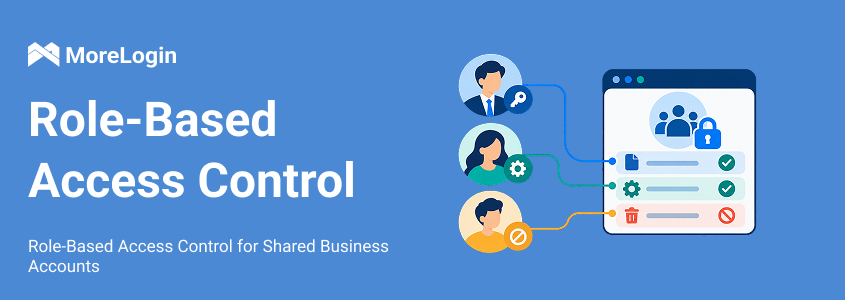
Both products support team permissions. GeeLark lets administrators control access to profiles and functions such as automation, proxies and billing. MoreLogin also provides roles and environment assignments.
Begin with the job. A publishing operator may need assigned phones and approved files. That person may have no reason to delete environments, change proxies or manage subscriptions.
For an agency, organize access by client. Give the operator the environments needed for that project. When someone takes over, pass along the pending tasks, approved assets and recovery contact. This makes cloud phone team management part of the daily workflow rather than an invitation sent once and forgotten.
Mobile publishing often sits beside work in a browser. A team may use Android apps for content and a web dashboard for orders, customer support or finance.
MoreLogin provides controls for this browser side of the job. Administrators can apply security templates to selected browser profiles and members. URL policies define which pages a person can visit. Element restrictions can hide sensitive information on supported webpages.
For example, a finance role may need order and reporting pages, while product editing belongs to operations. A support role may need customer service pages without access to unrelated account areas. Organizing access around those duties gives each person a clearer scope of work.
These policies apply to browser profiles and webpages. Android app actions still need the appropriate platform roles and device access settings.
When a person changes jobs, review more than the device list. Check assigned environments, browser policies, scheduled tasks and account recovery methods together.
Operation logs help explain who accessed or changed an environment. Publishing and messaging results belong in the app or task record. Keeping those records together helps the next operator continue without repeating completed work.
Both interfaces offer multiple Android versions. The right choice is the version that supports your app and required tools.
Run a complete task on one device before creating a fleet. Install the app, sign in, upload a file and finish the intended action. Restart the phone and check what remains available. This reveals more about cloud phone app compatibility than an installation check alone.
Also confirm that the selected device supports the batch operations you plan to use. A newer Android option does not automatically include every automation feature.
App updates can change buttons and page layouts. Login checks can stop a workflow. A slow connection can leave an upload unfinished.
Give each recurring task a clear owner and a way to inspect failure. Before running it again, check whether the previous attempt already completed the final action. That small check prevents duplicate posts and repeated messages.
MoreLogin deserves a close look when an account belongs to the business but several people need to work through it. This applies to a single store with finance, support and operations staff as much as an agency managing many clients.
Start by dividing responsibilities. Decide which environments each person can open, which credentials they need to use and which browser pages belong to their job. Then configure access around those responsibilities.
MoreLogin supports this through several connected controls:
Assign browser and cloud phone environments to the appropriate members.
Protect saved browser passwords from viewing or export through supported password protection settings.
Apply URL access rules to keep browser work within the required pages.
Use browser security templates and element restrictions for the relevant roles and profiles.
Review access when an employee, contractor or client assignment changes.
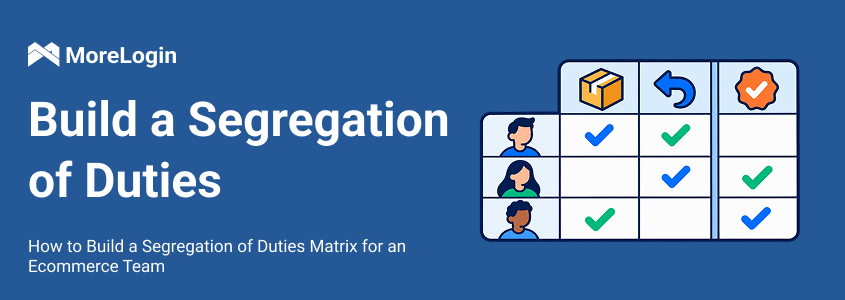
Consider an ecommerce team where an operator prepares mobile content, support staff handle customer inquiries and finance reviews reports. They may work for the same business, but they need different access. MoreLogin gives the administrator tools to organize those differences while keeping the working environments under team management.
The same approach helps with handoffs. Keep the environment tied to the client or business task. Give the next operator the required access and files, then remove permissions the outgoing person no longer needs. The account owner should retain recovery methods and platform administration rights throughout the change.
If your team runs mobile publishing and a shared store dashboard, these browser access controls belong in the buying decision. The current runtime rate adds another reason to consider MoreLogin for phones used in short daily sessions.
GeeLark is worth considering when its existing templates cover much of your publishing process. Its AIGC tools, Library and automation workspace can suit a team that creates media and distributes it through recurring mobile tasks.
Its team collaboration tools also support roles, profile access and feature permissions. Include the required plan in your comparison, especially if live synchronization is part of the routine.
Choose around a complete task. Compare the media preparation, device setup, execution steps, failure handling and total monthly cost. A template that closely matches your work can save configuration time, while a poor fit can leave you rebuilding much of the process.
To assess MoreLogin Cloud Phone, start with one account task and the member who will perform it. Confirm the result and access settings before adding more devices.
Is MoreLogin cheaper than GeeLark?
MoreLogin has the lower default runtime charge in the scenarios above. The complete bill also depends on subscriptions, device rentals, packages, proxies and AI usage. Compare those costs for the features and device count you need.
Does GeeLark require Pro for automation?
Its current Free plan includes RPA automation. Synchronizer requires Pro, while API access is included from Base. The required plan depends on the method you use.
Do both products support AI content generation?
Yes. Both provide image and video tools. Compare generation costs using the same output settings, then check how approved files reach the correct device and task.
Do GeeLark Parallels cover automated tasks?
GeeLark states that automation sessions are billed by the minute. Parallels mainly cover manually opened cloud phones, so scheduled RPA needs a separate runtime calculation.
Can MoreLogin browser policies control Android app buttons?
Browser URL policies, security templates and webpage element restrictions apply to browser work. For Android apps, manage device access and use the roles provided by the app or platform.

 EN
EN