EN
EN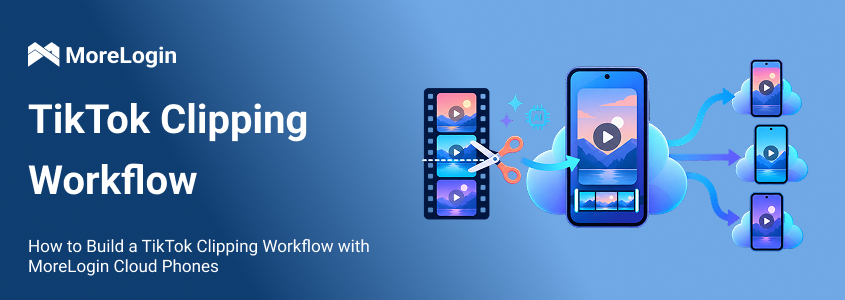
AI has made video clipping much faster. It has not made clipping operations easier to run.
Once an editor can turn one podcast into ten clips, production is no longer the only problem. Those clips still need to be reviewed, assigned to the right accounts, matched with captions, and published on time.
Weak organization soon leads to mixed personas, duplicate posts, and missed schedules.
A useful TikTok clipping workflow separates three jobs:
AI helps find and edit strong moments.
A persona system decides how each account should present them.
MoreLogin Cloud Phone manages the mobile accounts and publishing process.
The aim is not to automate every decision. It is to remove repetitive work while keeping editorial control.
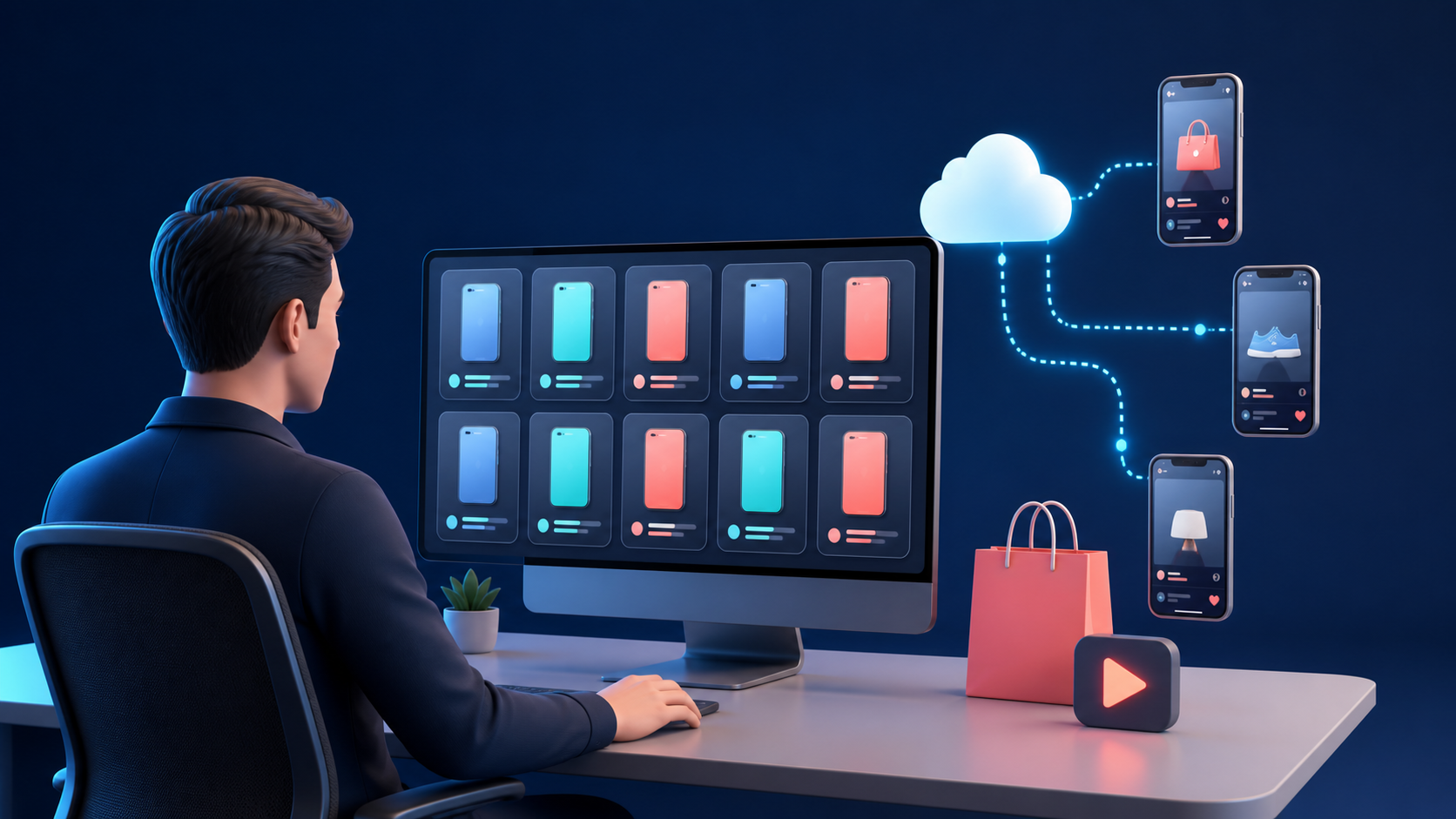
TikTok clipping turns part of a longer video into a short post that can stand on its own.
The source may be a podcast, interview, webinar, livestream, course, or product demonstration. The final video needs more than a vertical crop. It needs one complete idea and a clear reason to keep watching.
A usable clip should pass four tests:
The opening works without the original introduction
The viewer can understand the point without watching the full video
The edit fits the audience of the account
The ending feels complete
This is where many AI generated clips fail. The software finds an emotional sentence, but that sentence depends on context from an earlier part of the video. The exported clip looks finished, yet it does not tell a complete story.
AI should reduce the time spent searching through footage. It should not make the final editorial decision.
A clipping account needs a clear reason to exist.
Topic alone is not enough. Two accounts can both cover business podcasts while serving different viewers. One may extract practical operating lessons. Another may focus on founder psychology.
The source library can overlap. The editorial choices should not.
Create a short persona card for each account.
A persona card should guide clip selection. If it only changes the caption, it has entered the workflow too late.
Consider a founder interview that covers hiring, burnout, and raising capital. A management account may use the hiring section. A personal growth account may use the burnout section. A finance account may use the fundraising section.
The source is the same. The reason for choosing each moment is different.
A request to find viral clips usually produces generic results. The tool does not know which audience matters or why the account exists.
A better assignment includes:
The target viewer
The account persona
The subject to prioritize
The type of opening
The preferred length
The topics to exclude
The intended viewer response
For a founder account, the instruction might ask for moments that contain a clear mistake, its consequence, and a lesson. For an entertainment account, it might prioritize tension, surprise, or a change in emotion.
Let the tool produce a candidate list. Then judge each candidate with practical questions:
Does the first sentence create interest?
Can the setup be understood quickly?
Does the speaker finish the idea?
Is there a useful payoff?
Does the moment fit the assigned persona?
Would the edit misrepresent the speaker?
Is the source cleared for use?
A high score from the software is not evidence that a clip will work. It is only a faster way to find sections worth reviewing.
The first editing pass should make the video suitable for TikTok. The second should make it belong to the account.
TikTok recommends vertical 9:16 video, clear space for the interface, and a structure built around a hook, body, and close. These points appear in its official Creative Codes. The guidance is aimed at advertising, but the production basics also apply to organic clips.
Apply the platform basics first:
Reframe the video vertically
Keep faces and important text away from interface elements
Remove slow setup and unnecessary pauses
Correct transcript errors
Use subtitles that can be read on a phone
Finish on a complete sentence or reaction
Then apply the persona rules:
Opening text
Subtitle colors
Font treatment
Background footage
Sound style
Cover text
Caption format
Call to action
Consistency matters, but rigid templates can make a page look mechanical. Keep the visual identity stable while allowing the pacing and layout to suit the moment.
The opening should add information rather than repeat the speaker.
A weak opening might say:
Three Hiring Tips
A more useful opening would be:
This Hiring Mistake Cost Him Six Months
The second version sets up a consequence. The clip must then explain that consequence. If it does not, the hook is misleading.
Several accounts can use one source without publishing the same edit.
A founder interview could produce:
A hiring mistake for a management account
A moment of doubt for a personal growth account
A disputed opinion for a discussion account
A short framework for an educational account
These are real variations because the selected moment and editorial purpose change.
Changing the subtitle color or cover image is not enough. It may alter the appearance, but it does not give the second account a distinct point of view.
This distinction also matters under TikTok policy. The platform states that reproduced or unoriginal material without new creative changes may be ineligible for the For You feed. Its rules on unoriginal content include imported material with another creator's watermark or logo.
A clipping strategy should add genuine editorial value. That value may come from a new angle, added commentary, useful context, a clearer structure, or adaptation for a defined audience.
The most expensive clipping errors are usually easy to catch before publishing.
One person should approve the final video, caption, and cover as a set. The review can be brief, but it should not be skipped.
Check:
Names, numbers, and technical terms
Subtitle accuracy
Missing context
Misleading cuts
Persona fit
Source permission
Music rights
Cover and caption alignment
AI disclosure requirements
The final frame and audio ending
AI disclosure deserves particular attention when a tool changes what a real person appears to say or do. TikTok explains when creators should apply a label in its official AI generated content guidance.
Basic reframing, silence removal, and captioning differ from synthetic speech or face replacement. The team should still compare the final file with the current TikTok guidance before publishing it.
Approved clips need one clear route to publication.
A spreadsheet is often enough. The important point is that the editor, reviewer, and operator use the same record.
Track:
Name files so an operator can understand them without opening them.
founder-hiring-mistake-v2-0914.mp4
The file name, caption, cover, and account should all point to the same Clip ID. This small rule prevents more errors than another layer of complicated software.
Useful statuses include:
Draft
In review
Changes needed
Approved
Scheduled
Published
Failed
Avoid vague labels such as ready. Ready for editing and ready for publication are different states.
Once the content queue works, connect each account to a stable mobile environment.
A cloud phone is useful here because TikTok runs inside an Android environment that the team can access remotely. Its value is operational. It does not make an average clip perform better, and it should not be treated as an algorithm shortcut.
The cleaner setup is to give each account a fixed place in the system. The same principle applies when managing TikTok accounts with cloud phones. Phone names, groups, notes, and permissions make the account structure easier to follow as the team grows.
Use names that reveal the purpose of the phone:
Founder US 01
Founder US 02
Podcast UK 01
Product Education CA 01
The profile notes can record:
TikTok account
Persona
Target market
Assigned operator
Login status
Last successful post
Current issue
Keep the mapping stable. Moving accounts between phone environments to solve a short term scheduling problem usually creates more tracking work later.
TikTok and other required applications can be assigned through Cloud Phone App management. This removes the need to install the same applications separately on every new phone.
MoreLogin does not define the account persona. The persona card and content queue do that. The cloud phone keeps the assigned account, application, and publishing process connected to that persona.
When the video, caption, and cover are approved, the publishing task becomes predictable. This is where cloud phone automation starts to save time.
MoreLogin Automation includes Marketplace templates, custom RPA templates, and schedules. The Marketplace contains templates for supported TikTok, Instagram, Facebook, and YouTube tasks.
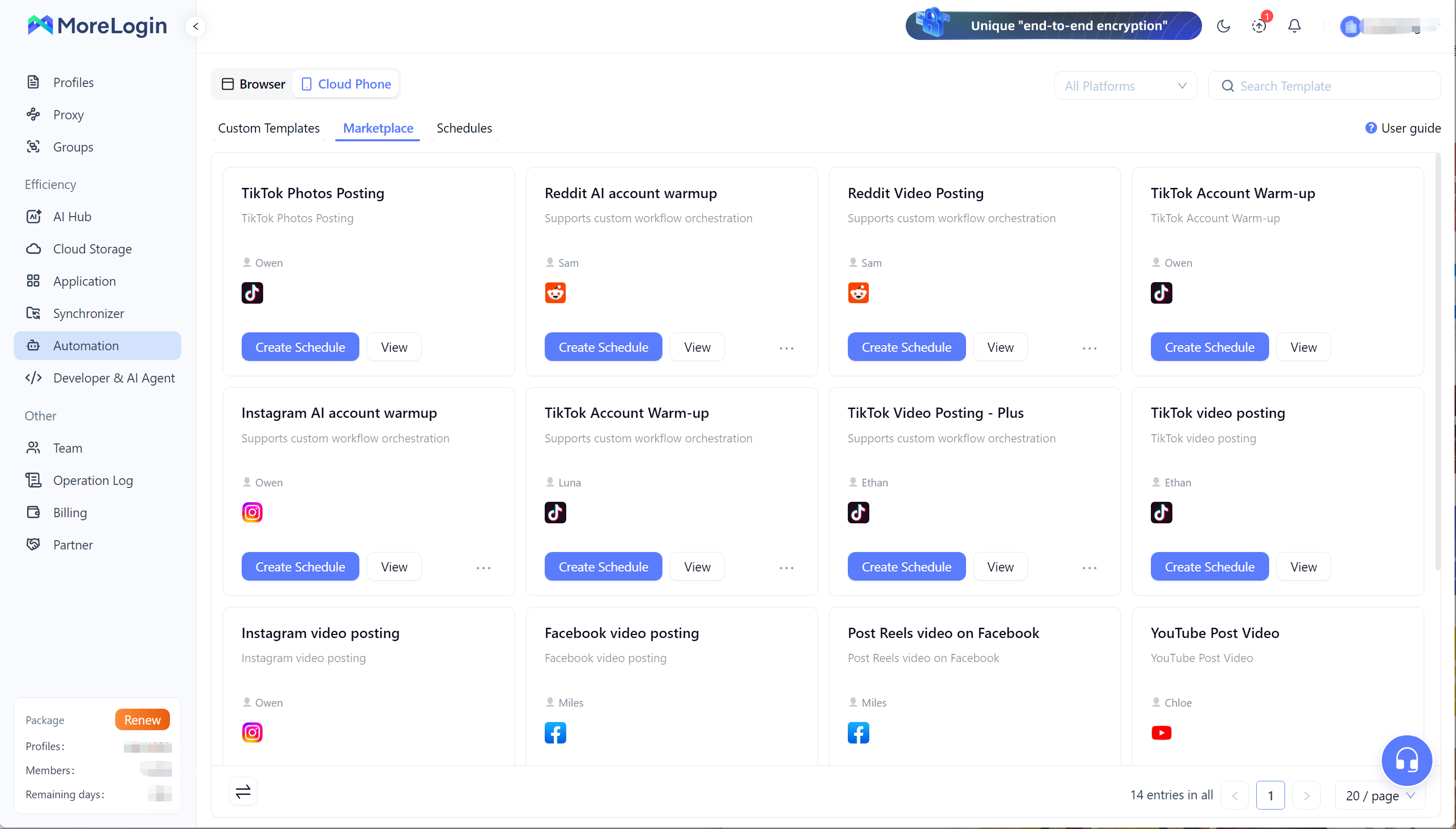
The TikTok Video Posting template can receive the content required for a scheduled post. Depending on the current version, this may include:
Video file
Caption
Cover image
Publishing time
AI content label
Optional comment
Optional product information
Do not build the operation around assumptions about the template. The current Template Market instructions list supported TikTok versions, Android versions, file types, app language, and the required phone state.
Run the first task on one cloud phone. Confirm that:
The correct account opened.
The correct video was selected.
The full caption appeared.
The cover was applied.
The scheduled time was correct.
The post completed successfully.
A successful single test is more useful than preparing fifty untested schedules.
Posting automation should only be used for accounts the team is authorized to manage and content it is allowed to publish. It should not be used to create spam, imitate engagement, or avoid platform enforcement. TikTok addresses these activities in its rules on deceptive behavior and fake engagement.
A standard template is the better choice when it covers the job. It is already structured, easier to inspect, and faster to test.
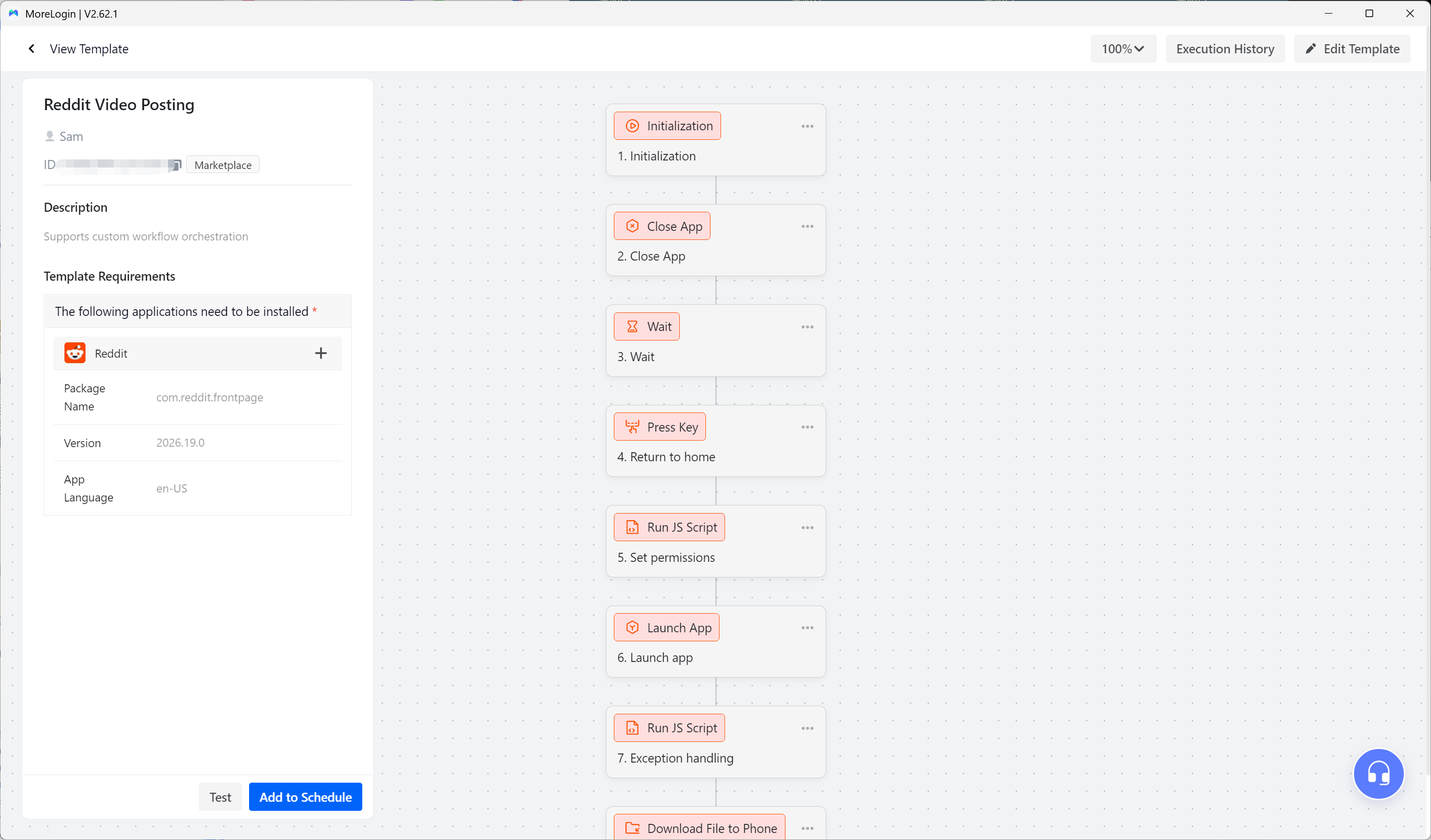
A custom workflow makes sense when the operation has a real difference, such as:
Account specific caption rules
An extra approval step
Data from an external content table
Different actions for different personas
A custom file assignment method
Conditions based on an app screen
Additional status recording
MoreLogin RPA can reproduce actions such as opening an app, tapping an element, entering text, waiting for a screen, and processing data. The MoreLogin Automation Guide covers Marketplace templates, custom templates, and schedules.
Build a custom workflow from a real manual run:
Complete the task manually on one phone.
Record each necessary action.
Remove actions that do not affect the result.
Rebuild the stable steps in RPA.
Add checks for pages that may load slowly.
Test individual steps.
Run the complete process on one phone.
Review the execution record.
Test a small phone group.
Schedule the proven version.
TikTok can change buttons, page layouts, and permission prompts. Test the workflow again after a major app update.
A small team can move approved content into MoreLogin manually. That is often the sensible starting point.
Once the process becomes repetitive, an approval in a spreadsheet or content tool can trigger the next action. The trigger can pass the file, caption, phone, and publishing time into a supported workflow.
Approved records can start tasks through Make automation with MoreLogin. This approach works when forms, spreadsheets, webhooks, or other business tools already control the approval process.
Technical teams can use the Cloud Phone API when they need direct control over files, applications, devices, groups, or schedules.
Integration should come after the content queue has clear fields and statuses. Software cannot repair an unclear approval process.
Assume a team receives one podcast every Monday and manages three TikTok personas.
The weekly operation could run like this:
Confirm that the source is approved for clipping.
Upload the podcast to the AI editing tool.
Generate a transcript and candidate moments.
Review the candidates against the three persona cards.
Select six moments.
Assign two clips to each persona.
Complete the vertical edits and persona treatment.
Prepare the captions and covers.
Review all six content packages.
Mark approved assets in the content queue.
Match each Clip ID with its MoreLogin Cloud Phone.
Create posting schedules with the tested template.
Check the first completed task.
Record the post links and results.
Use those results to guide the next selection brief.
This is enough structure for a team to see where work is slowing down. It is also simple enough to change.
The useful automation boundary is easy to recognize. Automate tasks that have a clear input and a predictable result.
Good candidates include:
Transcription
Initial moment detection
Silence removal
Vertical reframing
Subtitle drafts
File naming
File transfer
Repeated app navigation
Caption input
Scheduled posting
Task status collection
Keep human judgment around:
Source rights
Final clip selection
Context
Fact checking
Persona decisions
Sensitive claims
Final approval
Failed tasks
Unexpected app screens
Speed is valuable only when the output can still be trusted.
View count can identify a strong result, but it does not explain why the clip worked.
Track signals that can change the next production decision:
Viewer retention after the opening
The point where viewers leave
Saves and shares
Profile visits
Comments that reveal audience fit
Topics that work repeatedly
Hooks that earn attention without misleading viewers
Personas that attract the intended audience
Avoid changing the entire strategy after one successful clip. Look for patterns across several posts.
A strong opening with weak retention often means the hook promised more than the clip delivered. Good retention with few profile visits may mean the clip worked but the account proposition was unclear. High views from the wrong audience may point to a persona or topic problem.
The purpose of measurement is to write a better brief for the next batch.
Clipping is not permission to republish another creator's work.
TikTok advises users to post original material or obtain permission before using content that belongs to someone else. Its official copyright guidance also explains that copyright exceptions vary by jurisdiction.
Crediting the original creator does not automatically provide permission. Using only a short section does not automatically make the use lawful. Adding subtitles does not automatically make a repost original.
For a sustainable clipping operation:
Use content you own
Obtain clear permission from the owner
Record the allowed platforms and usage period
Confirm whether music rights are included
Keep proof of permission
Stop using an asset when permission expires
Seek legal advice when relying on a copyright exception
MoreLogin manages the workflow. It does not provide rights to the source material or change TikTok policy.
The hard part of TikTok clipping is not exporting more videos. It is keeping production, account identity, and distribution connected.
AI can shorten the search and editing cycle. Persona cards keep the accounts distinct. A shared content queue prevents assignment errors. MoreLogin Cloud Phones give each account a stable place in the publishing operation. Automation then handles the steps that no longer need a fresh decision.
Start with one source, one persona, and one tested posting template. Add volume only after the team can trace every clip from source to published account.
What is TikTok clipping?
TikTok clipping is the process of selecting a useful moment from a longer video and editing it into a short vertical post. The clip should contain a clear idea that makes sense without the full recording.
Can AI complete the entire clipping workflow?
AI can create transcripts, find candidate moments, reframe video, and draft subtitles. It should not make the final decisions about context, rights, accuracy, or persona fit.
Does MoreLogin edit long videos into clips?
A dedicated AI editing tool can handle the main clipping work. MoreLogin AI Hub can support visual content creation. MoreLogin Cloud Phone and Automation handle the mobile account and distribution stages.
How does MoreLogin help maintain an account persona?
MoreLogin does not define the persona. The persona card and content queue do that. MoreLogin keeps the assigned account, phone environment, media, caption, and publishing task connected.
Can the same source be used for several TikTok accounts?
Yes, when you have the necessary rights. Each account should use a relevant angle rather than receiving the same exported file. The selected moment, hook, edit, and caption should reflect the account persona.
Can MoreLogin schedule TikTok video posts?
MoreLogin provides a TikTok Video Posting template in its Automation Marketplace. Users can assign supported cloud phones, add the required media and text, and configure a publishing schedule.
Should I use a Marketplace template or custom RPA?
Use the Marketplace template when it already covers the task. Build a custom RPA workflow only when the publishing process contains necessary steps or data that the standard template does not support.
Does adding subtitles make a clip original?
Not by itself. TikTok distinguishes meaningful creative changes from reproduced content. A strong clipping workflow adds editorial purpose through selection, structure, commentary, context, or a distinct audience angle.
Is it legal to clip another person's video?
It depends on your rights and local law. Permission from the copyright owner is the clearest basis. Copyright exceptions differ between jurisdictions, so uncertain cases may require legal advice.
What should be tested before publishing at scale?
Test the full task on one cloud phone. Confirm the account, video, caption, cover, timing, app version, phone state, and execution result before adding more accounts.

 EN
EN