- Product

- Pricing
- Affiliate Program
- Developers
- Resource
 EN
EN
If you are searching how much does Zapier cost, you probably want a clear answer before spending time on setup. That makes sense. Most beginners want to know whether Zapier is affordable before they start building automations.
The short answer is simple. Zapier has a free plan, a paid plan for individuals, a team plan, and an enterprise option. But the real Zapier cost is not only the price you see on the plan page. It also depends on how often your automations run, how advanced they are, and whether you are using Zapier alone or with a team.
This guide explains Zapier cost in simple language. You will see the current pricing shown on the page, what each plan is for, and what the real cost of Zapier looks like once you start using it in daily work. If you are new to the platform, you can also read our guide on what Zapier is.

Zapier is a tool that connects apps and automates tasks between them. For example, when someone submits a form, Zapier can automatically send the data to your CRM, update a spreadsheet, and notify your team. That saves time and reduces repetitive work.
This is why so many people use Zapier. It helps turn manual actions into automatic workflows. But once those workflows become part of daily work, users start thinking more seriously about Zapier cost and whether the tool is still worth paying for.
Yes. If someone asks, does Zapier cost money, the answer is yes, although there is also a free plan.
The free plan costs $0 per month, so beginners can start without paying. It includes 100 tasks per month and basic automation features. That makes it useful for testing the platform and learning how simple workflows work.
But free access is limited. Once you need more tasks, more advanced workflows, or more powerful integrations, you will probably need a paid plan. That is when Zapier cost becomes a real part of your workflow decision.
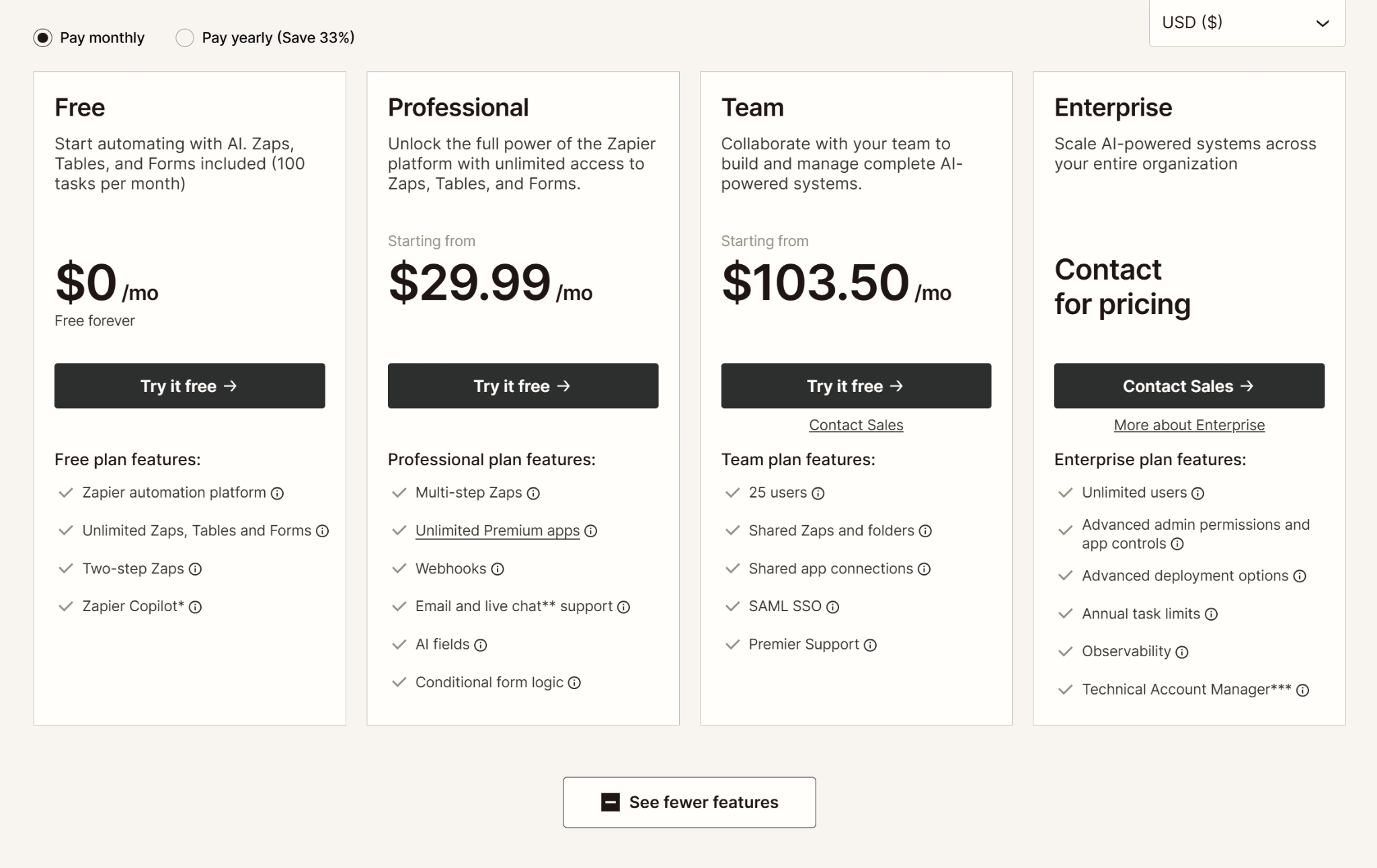
The Free plan is best for people who are just starting. It is useful if you want to try Zapier without paying and only need small automations. The biggest advantage is obvious: it is free. The biggest limit is also obvious: 100 tasks per month is not much if you start using automation regularly.
The Professional plan starts from $29.99 per month. This is the first plan that will feel practical for many solo users and small businesses. It includes multi-step Zaps, unlimited Premium apps, webhooks, and more flexibility. For beginners who become regular users, this is usually the point where the platform starts to feel much more powerful.
The Team plan starts from $103.50 per month. This plan is for businesses that need collaboration features, shared folders, shared app connections, and support for multiple users. If a company depends on automation across departments, this plan makes more sense than trying to manage everything from one personal setup.
The Enterprise plan does not show a fixed public price. It says contact for pricing. That usually means the final cost depends on the company’s size, usage, security needs, and deployment requirements.
The reason Zapier cost feels different from one user to another is simple: not everyone uses the platform in the same way.
The first factor is task volume. A beginner using a few automations each month may stay comfortable on the free plan for a while. But if your workflows run every day, 100 tasks can disappear very quickly. That is one reason many users move up from free sooner than they expected.
The second factor is workflow complexity. A simple automation with one trigger and one action is easy to manage. A more advanced setup with multiple steps, conditions, and connected tools usually needs stronger features. That is where the cost of Zapier becomes easier to notice.
The third factor is app usage. Some users only connect basic tools. Others depend on Premium apps, webhooks, or more advanced workflow logic. The more serious your system becomes, the more likely a paid plan becomes part of the cost.
Team size matters too. A single user may only want convenience. A real team needs shared access, better control, and smoother collaboration. That is why businesses often move from Professional to Team once automation becomes part of normal operations.
When people ask how much does Zapier cost, the answer depends on their use case.
For a beginner or solo user, the free plan may be enough at first. If you only want to test simple workflows, $0 per month is a good starting point. But if you use automation regularly, the Professional plan at $29.99 per month will usually make more sense because it gives you more room to build useful workflows.
For small businesses, the Professional plan is often the practical starting point. It is much easier to justify Zapier cost when the tool saves time every week and removes repeated manual work.
For teams, the Team plan at $103.50 per month is more realistic. That price is higher, but it also includes collaboration features that matter in real business use. A team needs more than automation alone. It also needs shared workflow management.
For larger organizations, pricing becomes custom. At that stage, the question is no longer just “what is the monthly fee?” The real question is whether the platform fits the company’s scale, control needs, and workflow structure.
This is the point many beginners miss. The real Zapier cost is not only the monthly fee.
For example, a free plan may look great at first, but it becomes less useful once your task volume grows. A paid plan may look more expensive on paper, but it may save enough time to be worth far more than the monthly cost.
That means the real cost of Zapier includes more than subscription pricing. It also includes how much time you save, how many manual steps you remove, and how smoothly your workflows run. If Zapier helps you avoid repetitive work every day, the value can be clear. If you barely use it, even a lower paid plan may feel unnecessary.
For many users, yes.
Zapier is often worth paying for because it helps automate repetitive work, reduce manual errors, and improve workflow speed. For solo users and small teams, even a modest amount of time saved each week can justify the monthly price.
The best way to judge Zapier cost is not to ask only whether $29.99 or $103.50 sounds high or low. The better question is whether the tool saves enough time and effort to make that price reasonable. In many business cases, it does.
Zapier is strong at app-to-app automation, but some businesses need more than that. Some teams also need cloud-based devices, larger execution environments, or support for more complex operational workflows.
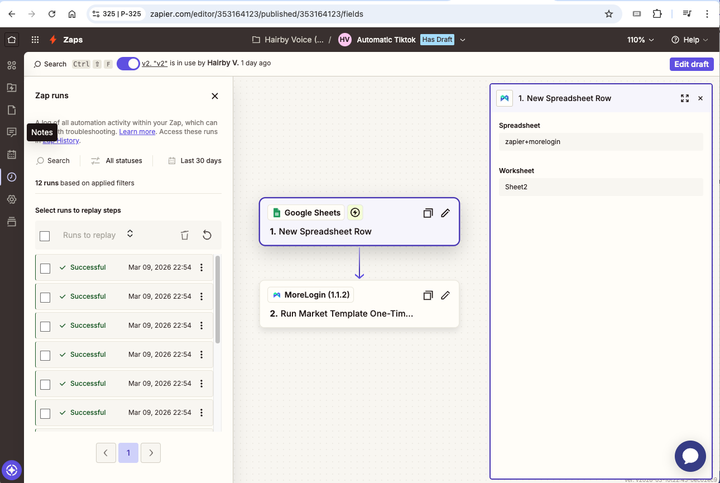
That is where MoreLogin Cloud Phone can help. If your business needs more than simple app connections, MoreLogin can support a broader workflow system and help improve execution efficiency.
MoreLogin Cloud Phone for scaling automation workflows
Zapier cost starts at $0 per month for the Free plan, goes to $29.99 per month for Professional, and starts from $103.50 per month for Team, while Enterprise uses custom pricing. For beginners, the free plan is a simple way to start. For more serious users, paid plans make more sense once automation becomes part of daily work.
The most important thing to remember is that the real cost of Zapier is not just the monthly price. It also depends on how many tasks you run, how advanced your workflows are, and how much time the tool saves you. If you want to go beyond simple app automation and build a broader workflow system, MoreLogin Cloud Phone can help you scale operations more efficiently.

 EN
EN