- Product

- Pricing
- Affiliate Program
- Developers
- Resource
 EN
EN
When people look up Zapier pricing, they are usually trying to answer a practical question rather than a theoretical one: which automation platform gives the best value once the workflows start growing?
That is why a simple price tag rarely tells the full story. Zapier, Make, and n8n all help teams automate repetitive work, connect apps, and reduce manual effort, but they do not charge in the same way. Zapier is built around tasks, Make uses credits, and n8n focuses on workflow executions. On paper, those pricing pages can look very different. In practice, the better option depends on how your workflows are structured, how technical your team is, and how quickly you expect automation volume to scale.
If you are still getting familiar with the platform itself, it may help to start with a quick overview of what Zapier is. Once that foundation is clear, the next step is comparing how Zapier stacks up against alternatives like Make and n8n from a pricing perspective.
To understand zapier pricing, it helps to start with the logic behind it. Zapier mainly charges based on the number of tasks you run each month, while also separating plans by feature access. In other words, users are paying for both volume and capability.
At the 10,000-task level on Zapier’s pricing page, the main monthly options are presented as follows:
Free: $0/month
Professional: $193.50/month
Team: $253.50/month
Enterprise: custom pricing
The free plan includes 100 tasks per month, which is enough to explore the platform or run a few lightweight automations. For most business use cases, though, that limit is easy to outgrow. The more meaningful zapier pricing plans start with Professional, where features such as multi-step Zaps, premium apps, and webhooks become available.
That is an important part of the value equation. Zapier is not only charging for usage. It is also packaging ease of use, a large app ecosystem, and a polished no-code experience that helps teams launch workflows quickly. For users who want something intuitive and reliable, that can justify the higher price. For teams focused heavily on cost efficiency, it can also make Zapier feel expensive compared with other tools.
This is why many people searching for “pricing zapier” are really asking a bigger question: not just what Zapier costs, but whether the convenience and ecosystem are worth paying more for.
Zapier, Make, and n8n all serve the same broad goal, but they approach automation from slightly different angles.
Zapier is often the most approachable option. It is widely used, easy to understand, and designed for teams that want to build automations quickly without a steep learning curve. Its pricing is centered on tasks and plan tiers.
Make takes a more visual and flexible approach. It uses credits rather than tasks and tends to present a lower starting cost, especially for individuals and smaller teams that want more room to experiment.
n8n is often the most appealing to technical users. It focuses on workflow executions and highlights flexibility, unlimited steps, and broader control over how workflows are built and run.
At a high level:
Zapier is strong on simplicity and broad adoption.
Make is strong on affordability and visual workflow building.
n8n is strong on flexibility and technical control.
That said, the real comparison begins once you look at how each platform measures usage.
This is where the pricing discussion becomes more useful. While all three tools support automation, they do not define usage in the same way. That is why comparing them by monthly price alone can be misleading.
Zapier uses a task-based model. A task is typically an action completed within an automated workflow. This makes the platform easy to understand, which is one of the reasons it appeals to non-technical users and busy teams that want quick setup without much interpretation.
The tradeoff is that task-based billing can become expensive as workflows scale. If your business runs many automations or processes a high volume of data, the monthly total can rise quickly. That is one of the main reasons zapier pricing often feels more premium than other options.
Make uses credits. At the 10,000-credit level, its pricing page shows the following monthly options:
Free: $0/month
Core: $10.59/month
Pro: $18.82/month
Teams: $34.12/month
Enterprise: custom pricing
At first glance, these prices look dramatically lower than Zapier’s. That is part of Make’s appeal. It presents itself as an affordable, highly capable automation platform with a visual builder and room to scale.
Still, credits are not the same as tasks. The actual value depends on how your workflows use those credits and how complex your automations become. So while Make may look cheaper upfront, the best comparison comes from matching its pricing model against your real usage patterns rather than comparing plan labels only.
n8n uses workflow executions. Its pricing page presents the following monthly options:
Starter: $24/month for 2.5k workflow executions
Pro: $60/month
Business: $960/month for 40k workflow executions
Enterprise: contact sales
n8n also emphasizes unlimited users, unlimited workflows, and pricing based on workflow executions rather than workflow complexity. That distinction matters. For teams running more complex, multi-step automations, n8n’s structure can be appealing because it does not frame usage in the same way task-based platforms do.
This is also why n8n tends to resonate more strongly with technical users and teams that want more control. Its pricing model may be more attractive in certain advanced scenarios, but the overall experience is not always as straightforward for beginners as Zapier.
The key takeaway here is simple: these platforms are measuring different things. A $193.50 Zapier plan, an $18.82 Make plan, and a $60 n8n plan are not direct equivalents, even if they all sit somewhere in the middle of each platform’s lineup.
Looking at the pricing side by side helps show how differently these platforms position themselves.
Zapier’s pricing at 10,000 tasks per month places its Professional plan at $193.50/month and Team at $253.50/month. This positions Zapier clearly as a premium automation tool for users who value convenience, strong integrations, and fast deployment.
Make’s pricing at 10,000 credits per month is much lower on the surface, with Core at $10.59/month, Pro at $18.82/month, and Teams at $34.12/month. For many buyers, especially smaller teams and solo users, that creates an immediate sense of affordability.
n8n sits in a different place. Starter begins at $24/month for 2.5k workflow executions, while Pro is $60/month and Business jumps to $960/month for 40k executions. The spread between plans reflects n8n’s broader range, from individual builders to organizations with more advanced needs.
Taken together, a few patterns stand out.
First, Zapier has the highest visible mid-range pricing among the three. Second, Make is the most aggressive in terms of entry and mid-tier affordability. Third, n8n covers a wider operational range and seems to speak more directly to technical teams and larger workflow environments.
What this does not mean is that one platform automatically wins. A lower displayed price does not always translate into lower long-term cost. The better fit depends on how the platform counts usage and how closely that matches your real workflow volume.
The monthly plan price is only part of the story. In real-world use, the total value of an automation platform also depends on what each tier includes and what kind of workflows you need to run.
With Zapier, the higher price is closely tied to convenience. The Professional plan includes multi-step Zaps, premium apps, webhooks, and other features that many teams will need fairly early. For users who want automation to work smoothly without much setup friction, that can be a strong advantage.
Make’s lower pricing is attractive, but the value depends on the plan level and the kinds of workflows being built. Higher tiers add scheduling control, stronger execution options, API access, custom variables, more advanced logs, and team-oriented features. For many users, Make offers a very good balance between cost and flexibility, especially if they are willing to spend a bit more time learning the platform.
n8n brings a different value profile. Its appeal often comes from flexibility, unlimited steps, and support for more customized workflow design. For technical teams, that can make a big difference. At the same time, flexibility has its own cost. A platform may look more efficient on paper, but if it requires more setup, maintenance, or technical oversight, that should be part of the buying decision too.
In other words, the true cost is not just the monthly fee. It is the monthly fee plus the features you need, the complexity you are willing to manage, and the speed at which your team needs to launch automation.
The best choice often comes down to the kind of team using the platform.
Zapier is usually the most comfortable starting point. Its interface is approachable, the setup process is smooth, and the learning curve is relatively light. Teams that care most about speed and simplicity often find Zapier the easiest platform to adopt.
Make is often a strong fit here. Its pricing feels more accessible, and its visual builder gives users flexibility without immediately pushing them into a high monthly cost. For smaller teams trying to automate without overspending, Make often stands out.
n8n is often the better match for this group. Teams that want more control, more flexibility, and a workflow structure that fits technical operations may find n8n much more appealing than a simpler no-code tool.
If speed matters more than optimization, Zapier still has a lot going for it. Make also works well for fast-moving teams, especially those willing to invest a little more time in setup in exchange for lower visible pricing.
One of the easiest mistakes in automation buying is comparing only the homepage numbers.
The first hidden factor is the billing unit. A task, a credit, and a workflow execution are not interchangeable. If that part is ignored, the comparison quickly becomes unreliable.
The second factor is workflow structure. A simple automation may stay affordable on almost any platform. A more advanced automation with multiple steps, conditions, and triggers can behave very differently depending on how usage is counted.
The third factor is feature access. Many users begin with a lower plan and then realize the tools they really need are available only at higher tiers. This is particularly relevant when evaluating zapier pricing plans, since core production features often begin at Professional.
The fourth factor is operating complexity. Zapier reduces technical overhead, which is part of what users are paying for. n8n may offer greater flexibility, but flexibility can come with additional setup and maintenance responsibilities. Make often sits somewhere in between.
The fifth factor is collaboration and support. Shared access, admin controls, logs, support levels, and deployment needs can all shape the total cost over time.
For readers who want a deeper look specifically at how Zapier costs add up over time, this Zapier cost guide is a useful companion resource.
A smaller secondary keyword worth noting is zapier nonprofit pricing. Some organizations may be researching that specifically, but for most readers the larger question is still the same: which pricing model best matches the way their automations actually run?
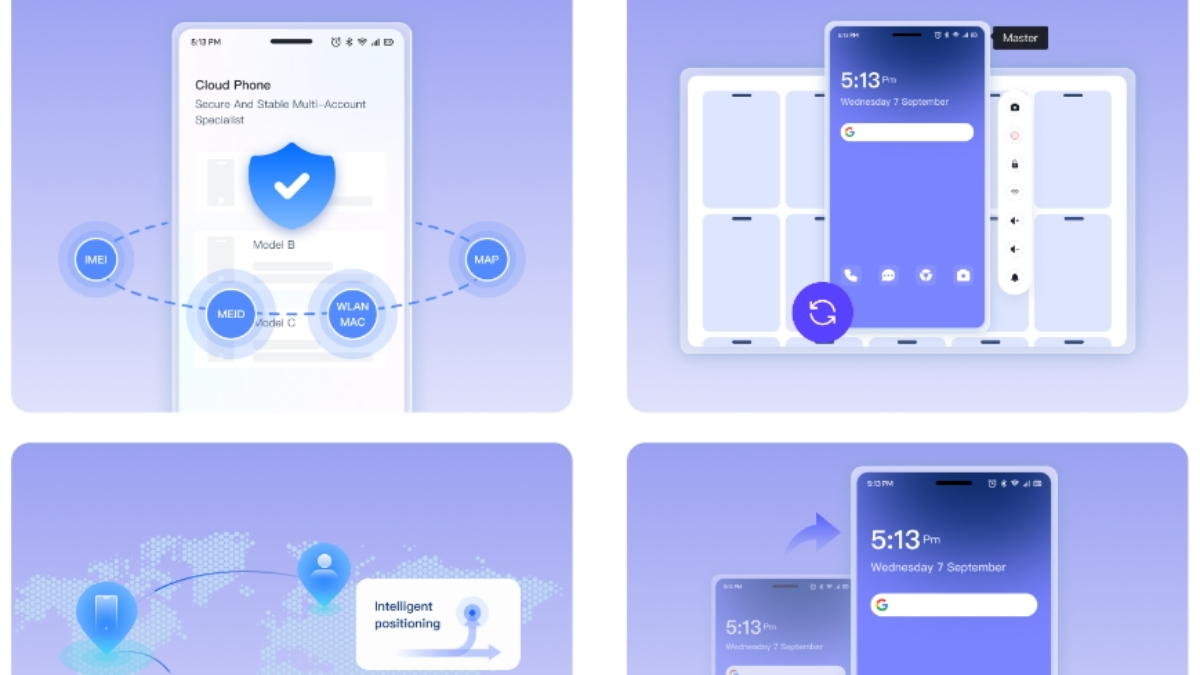
For teams producing content at scale, these workflow tools become even more powerful when they are combined with MoreLogin.
Zapier, Make, and n8n are great for connecting apps, moving data, triggering tasks, and organizing repeatable processes. MoreLogin adds another layer by helping teams manage browser environments, multi-account operations, and repetitive web-based actions more efficiently. When those two sides work together, the result can be a much smoother bulk content workflow.
For example, a content team might use Zapier or Make to collect topics, push prompts into AI writing tools, store drafts in Google Sheets or Airtable, and notify editors when new content is ready. MoreLogin can support the operational side of that process when content needs to be published, reviewed, uploaded, or distributed across different accounts and platforms in a more structured way.
The same applies to SEO and affiliate workflows. A team can use n8n to build more advanced logic for content generation, enrichment, and routing, while MoreLogin helps streamline the account-based execution layer. This is especially useful for teams handling multiple brands, regional sites, social accounts, or publishing environments at the same time.
In a practical setup, the stack may look something like this:
Zapier, Make, or n8n handles the workflow automation
AI tools generate or expand content drafts
Sheets, Notion, or Airtable organize the pipeline
MoreLogin helps manage the browser-based publishing and account operations side
This kind of combination is helpful for agencies, affiliate teams, SEO operators, e-commerce teams, and anyone trying to scale content without turning the process into manual busywork. Instead of treating automation and browser operations as separate systems, it often makes more sense to connect them into one repeatable workflow.
When you compare zapier pricing with Make and n8n, the most useful takeaway is not simply which plan looks cheapest. It is understanding what each platform is charging for and how that aligns with the way your team works.
Zapier remains a strong option for users who value simplicity, fast setup, and a mature ecosystem of integrations. Make offers a more budget-friendly entry point and often appeals to users who want flexibility without a heavy monthly commitment. n8n is especially compelling for technical teams that want deeper control and a workflow model better suited to more customized automation.
The best choice depends on your workflow design, feature needs, team skill level, and expected scale. And if your process also includes browser-based publishing, account operations, or repetitive web actions, MoreLogin can work alongside Zapier, Make, or n8n to help turn those automations into a more complete and scalable content workflow.

 EN
EN