- Product

- Pricing
- Affiliate Program
- Developers
- Resource
 EN
EN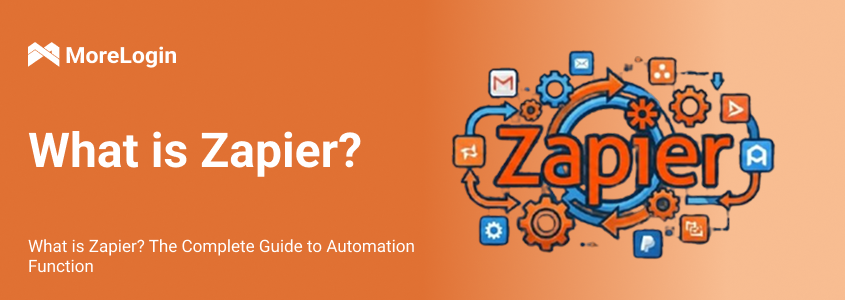
Zapier connects 7,000+ apps to automate tasks without coding. You create workflows called "Zaps" that trigger actions across applications — like automatically adding new Gmail emails to a spreadsheet.
For social media teams managing multiple accounts, Zapier automates content generation and workflow logic. MoreLogin handles the distribution: browser isolation technology prevents platform detection, enabling safe posting across 100+ accounts.
In this guide, you'll learn Zapier fundamentals, build AI-powered content workflows, and integrate with MoreLogin for scalable social media automation.

Zapier is an automation tool that helps you connect different apps to automate tasks without any coding. Zapier supports automations between 7,000+ apps, including Slack, Google Sheets, and Gmail. Zapier streamlines your workflows by connecting the tools and web applications you use daily to automate repetitive tasks.
To set up these automations, you create "Zaps," automated workflows that link two or more apps. Each Zap consists of a "Trigger" (an event that starts the automation) and one or more "Actions" (tasks that follow the trigger).
For example, when you receive a new email in Gmail (Trigger), Zapier can automatically add the email details to a Google Sheet (Action).
Zapier allows you to explain in simple terms, without coding, what automation you'd like to set up. Then you can easily modify its proposed process.
Massive No-Code Ecosystem: Connects 7,000+ apps via an intuitive visual interface. Users can easily build workflows from scratch or leverage thousands of pre-built templates without writing any code.
Advanced Workflow Logic: Capable of handling complex scenarios with multi-step workflows (up to 99 steps), conditional branching (Filters/Paths), and Webhooks for custom API connections.
AI-Powered Automation: Integrates seamlessly with platforms like OpenAI and Gemini for intelligent decision-making and batch content generation (e.g., converting one input into 25+ auto-formatted social posts).
Enterprise-Grade Reliability: A secure, highly scalable platform trusted by Fortune 500s. It features real-time data transfer, detailed execution logs, and built-in error handling with retry mechanisms.
Cost Prohibitive at Scale: The task-based pricing model becomes expensive quickly. The free tier is limited to 100 tasks/month, and complex workflows drain task quotas rapidly.
Inefficient Multi-Account Management: Lacks parallel execution. Managing multiple accounts requires duplicating workflows (e.g., 100 accounts require 100 individual Zaps), causing maintenance costs to skyrocket.
No Browser Automation or Anti-Detection: Cannot simulate human-like browser actions (clicking, scrolling) or isolate device fingerprints/IPs. This makes large-scale account operations highly vulnerable to platform anti-automation bans.
If you are hitting these exact bottlenecks—struggling with account bans, skyrocketing task costs, or the nightmare of duplicating workflows across hundreds of profiles—you need a platform built for safe scalability. This is exactly where MoreLogin steps in. By combining true fingerprint isolation, parallel multi-account execution, and human-like browser simulation, MoreLogin bridges the gap between powerful automation and bulletproof account security.
Zapier is commonly used to set up a range of automations, from simple email workflows to complex multi-step processes involving multiple apps and data transfers. Freelancers, growing businesses, and large corporations all use Zapier to streamline communication, reduce human error, and enhance efficiency.
Zapier can automate lead generation and follow-up processes. For example, you can create a Zap that captures new leads from Facebook Ads and automatically adds them to your CRM system, like HubSpot, while also sending a welcome email through Mailchimp.
Zapier streamlines data entry and reporting. A Zap could automatically update Google Sheets with transaction data from accounting software like QuickBooks, with no human intervention required.
A Zap can sync patient appointments from Google Calendar to a healthcare management tool, making sure all appointments are tracked and managed efficiently, and that both patients and providers are always up to speed.
You can even use Zapier to automate order processing and inventory management. A Zap can keep your inventory levels updated in real-time by connecting your e-commerce platform, like Shopify, with your inventory management system.
Businesses use MoreLogin to execute complex, multi-account operations safely at scale:
Social Media Matrix Operations: Automatically manage hundreds of accounts on platforms like TikTok, X, or Facebook to post content, like, comment, and grow followers simultaneously without triggering ban waves.
Mass Account Creation & Warm-up: Use RPA (Robotic Process Automation) to automatically register new profiles, browse organically, and build account trust across platforms that require strict browser fingerprints.
E-commerce Store Management: Manage multiple seller accounts on Amazon, eBay, or Shopee in completely isolated environments, automating product listings and order processing without the risk of cross-store suspension.
Automated Web Scraping & SEO Monitoring: Extract competitor pricing, track local SERP rankings, and gather extensive keyword data without getting blocked by Cloudflare or platform anti-bot mechanisms.
Crypto Airdrop Farming: Automate Web3 interactions, wallet connections, and daily on-chain tasks across thousands of secure profiles to maximize airdrop allocations.
Ad Account Scaling: Safely manage workflows across dozens of Meta, Google,
Let's look at how easy it is to set up your first Zap:
1. Sign Up for a Zapier Account
First, you need to create a free Zapier account on their website.
2. Create a New Zap
Click "Make a Zap" from the Zapier dashboard.
3. Choose a Trigger App
Select an app that will start the workflow. For example, choose Gmail if you want an email to trigger the automation.
4. Set Up the Trigger Event
Define the specific event that will trigger the Zap. For instance, you can set it to trigger when a new email arrives in your Gmail inbox.
5. Choose an Action App
Select the app that will perform the action once the trigger event occurs. For example, choose Google Sheets if you want to add the email details to a spreadsheet.
6. Set Up the Action Event
Define what action should be taken in the action app. For example, you can set it to create a new row in Google Sheets with the email details.
7. Test Your Zap
Run a test to make sure the Zap works properly. Zapier will simulate the trigger event and perform the action to confirm everything is set up properly.
8. Turn on Your Zap
Once the test is successful, turn on your Zap. It will now run automatically whenever the trigger event occurs.
Time required for first Zap: 15-20 minutes
Zapier excels at logic orchestration and content generation, but has significant limitations in large-scale multi-account execution and platform compliance. MoreLogin fills these gaps perfectly.
AI + Zapier solves content creation — but distribution at scale remains a bottleneck. Posting to 100 accounts requires 100 separate Zaps, manual management, and risks platform detection.
10 accounts: Manageable but time-consuming. Significant operational overhead.
50 accounts: Full-time job to maintain. Platforms start detecting automation patterns.
200 accounts: Nearly impossible. Operational costs skyrocket, platforms suspend accounts.
Browser Isolation Technology
• Each social media account operates in its own isolated browser environment
• Unique device fingerprints for every account
• Prevents platform detection of automation patterns
Residential IP Pool
• Rotating residential IPs from real locations
• Avoids data center IP flags that trigger anti-bot systems
• Geographically diverse IP addresses for global account management
Human Behavior Simulation
• Randomized mouse movements, scroll speeds, and click timing
• Natural delays between actions mimicking real user behavior
• Prevents identification as automation by platform algorithms
Centralized Management
• Single dashboard to manage hundreds of browser profiles
• Bulk operations for account setup and configuration
• Session persistence across multiple automation runs
┌─────────────────┐
│ Zapier │ ← Brain & Content Factory
│ │ AI generates content
│ - Logic │ Orchestrates workflows
│ - AI Content │ Triggers based on schedules
│ - Triggers │
└────────┬────────┘
│ Webhook Connection
↓
┌─────────────────┐
│ MoreLogin │ ← Hands & Execution Layer
│ │ Browser isolation
│ - Browser │ Anti-detection
│ - IPs │ Multi-account execution
│ - Fingerprints │
└─────────────────┘
1. Create a scheduled trigger in Zapier (e.g., daily at 8 AM)
2. Connect to AI (OpenAI or Gemini) to generate social media content
3. Format content with platform-specific hashtags and structure
4. Test content quality before connecting to MoreLogin
1. Sign up for MoreLogin and access the profile dashboard
2. Create a browser profile for each social media account
3. Configure profile settings:
◦ Select platform (Instagram, Twitter, LinkedIn, etc.)
◦ Choose geolocation matching account's expected location
◦ MoreLogin auto-generates unique device fingerprint and IP
4. Login to each account through its dedicated browser profile to establish session
1. Generate webhook URL in MoreLogin (available in API documentation)
2. Add webhook action in Zapier workflow after content generation
3. Configure request body to include:
◦ Content (from AI generation)
◦ Target account (profile ID)
◦ Post timing
4. Test connection to ensure data flows correctly from Zapier to MoreLogin
Account Targeting in Zapier: Use filtering logic to seamlessly determine which accounts receive specific content. For instance, you can set rules to route posts containing "finance" strictly to Accounts 1-20, while directing "lifestyle" content to Accounts 21-50.
Platform-Specific Formatting: Ensure your content automatically adapts to each platform's unique requirements, such as matching Instagram's image dimensions and hashtag limits, adhering to Twitter's thread structure and character constraints, or maintaining LinkedIn's professional tone and article formatting.
Scheduling with Randomization: To maintain a natural, human-like posting cadence, set your target posting times with a ±15-minute variance and distribute the posts across different time zones for optimal global reach.
Test Initial Setup: Begin by testing with just 3-5 accounts rather than launching your entire matrix immediately. Manually review the first 10-20 posts, monitor how the platforms respond, and carefully check the MoreLogin logs for any execution errors.
Scale Gradually: Once your test group has remained stable for 1-2 weeks with no issues, begin scaling by adding 20-30 accounts per batch until you reach your target of 50, 100, or 200+ profiles. As you scale, remember to adjust your Zapier task limits and MoreLogin concurrency settings, documenting any issues and solutions for future reference.
A marketing agency manages social media for 50 clients across 200+ social media accounts (multiple platforms per client).
Before automation:
• 3 full-time staff manually posting content
• Average 15 hours per day total posting time
• High risk of human error
• Inconsistent posting schedules
• Cost: $180,000/year in labor
Zapier + MoreLogin Workflow:
Weekly content creation (Monday 9 AM)
↓ (Trigger: Schedule by Zapier)
Send to ChatGPT API with brand guidelines
↓ (AI processes)
Generate 200 platform-specific posts (10 minutes)
↓ (Format and categorize)
Organize by client and platform
↓ (Webhook to MoreLogin)
Distribute to 200 accounts via isolated browsers
↓ (Execute with anti-detection)
Posts scheduled with randomized timing
Total time: 30 minutes setup + automation
Efficiency gains:
• Posting time: 15 hours/day → 30 minutes/week
• Labor cost: $180,000/year → $5,000/year (automation tools)
• Error rate: 15% → <1%
• Posting consistency: 60% → 100%
Business impact:
• Freed up staff for strategy and creative work
• Improved client satisfaction with consistent posting
• Scaled to 50 more clients without hiring
• Revenue increase: 300% in 6 months
1. Automate Prompts
Connect Zapier to OpenAI/Gemini APIs to generate content ideas when new products are added to your catalog
2. Batch Content Creation
Turn 1 blog post into 25+ social media posts via AI
3. Platform-Specific Formatting
Auto-tailor content for each platform (hashtags for Instagram, threads for Twitter, articles for LinkedIn)
A 30-minute setup generates 100 social media posts/month, saving 20+ hours of manual work weekly.
AI + Zapier solves content creation — but distribution at scale remains a bottleneck. Posting to 100 accounts requires:
• 100 separate Zaps
• Manual management of each workflow
• Constant monitoring and troubleshooting
• High risk of platform detection
Without MoreLogin: You can generate content in minutes, but distribution takes days or weeks.
With MoreLogin: Content generation and distribution both happen in minutes at any scale.
Zapier is the brain of your automation — it generates content, orchestrates workflows, and makes decisions. MoreLogin is the hands — it executes those workflows safely across hundreds of accounts with browser isolation technology.
Zapier alone = Great for content generation and logic, but hits bottlenecks at scale
MoreLogin alone = Excellent for safe multi-account management, but lacks content generation
Zapier + MoreLogin = Complete solution: AI-powered content factories with safe, large-scale distribution
Start with Zapier to understand automation basics, then integrate MoreLogin when you're ready to scale to multi-account operations. The combination allows you to automate content generation across 100+ social media accounts, eliminate manual posting bottlenecks, and maintain platform compliance — all without writing a single line of code.
No. Both Zapier and MoreLogin are no-code platforms. Zapier's visual workflow builder and MoreLogin's intuitive dashboard make complex automation accessible to everyone. Setup is guided and user-friendly.
Yes. Make (formerly Integromat) offers similar functionality to Zapier with a different visual workflow approach. If you're already using Make, it integrates seamlessly with MoreLogin through the same webhook and API connections.
Both platforms take security seriously:
• Zapier: SOC 2 Type II certified, GDPR compliant, encrypted data transmission
• MoreLogin: Browser isolation prevents data leakage between accounts, encrypted connections
Zapier provides:
• Automatic retry for failed tasks
• Detailed error logs
• Email notifications
MoreLogin provides:
• Session recovery if browser crashes
• Account health monitoring
• Alerts for suspicious activity

 EN
EN