- Product

- Pricing
- Affiliate Program
- Developers
- Resource
 EN
EN
How to get your image on Pinterest to go viral is one of the most frequently asked questions online. Is there a profitable way to create popular Pinterest images and get a sizable following? High-quality images and readable content are all necessary to make it. Besides, a well-designed pin can remain active and attract traffic for a long time because Pinterest's recommendation system favors content that appeals to audiences.
Here, we'll offer you some practical tips on how to maximize the long-term engagement of your pins by optimizing your images on Pinterest.
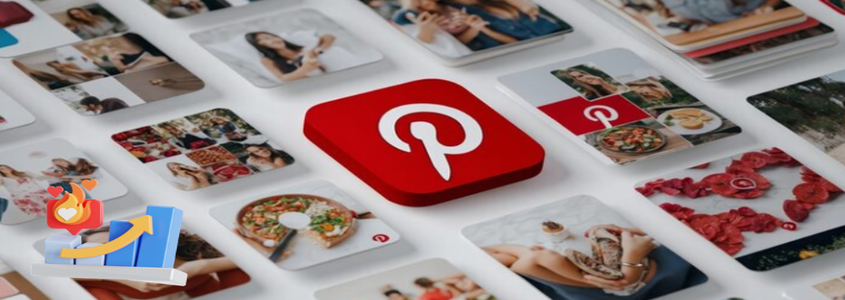
To create a pin that becomes viral, you first must ensure you have the correct size and quality of the image. One of the most commonly used sizes for the pins on Pinterest is 1000px by 1500px, which is also the ratio of 2:3. This will allow you to avoid cropping your image and ensure that it looks great on all devices. Do not use pixelated, watermarked, or blurry images, as these types of images will undermine the credibility of your image. Using a vertical image versus a horizontal image will be more successful because a vertical image is naturally suited to the Pinterest layout.
There are several ways to catch a user's eye right away. One of them is to use a variation in color, make your image clear, and create a focal area, so users can go directly to the image's main message.
Another effective way to communicate with Pinterest users through your image is to add text overlays to the image. This works well to ensure that users understand your message, particularly if it's being used to present your solutions and USPs.
When using images on Pinterest, it's crucial to maintain consistency in terms of logos, colors, fonts, and other elements so that users can quickly identify your brand.
It's also important to use proper titles, descriptions, and keywords as well for popular images in Pinterest. A good title will entice users to click on your pin. Using action verbs such as “Best”, “How To”, or “Ideas” in your titles can grab the user’s attention and get them to click more often.
You also need to create a clear description of what value the pin provides. For example, insert some relevant keywords into the description of the image. Be careful to avoid keyword overuse, as this results in keyword stuffing.
Pinterest trends and auto-suggestions are two resources you can use to find related keywords to maximize the potential of your images.
If you'd like to maximize the coverage of your Pinterest pins, please consistently pin at appropriate times. When you engage with your followers through Pinterest's peak hours, you will find that you receive more engagement on your pin. Generally, on quality pins, you'll see increased engagement during the evening hours of 7:00 p.m. through 10:00 p.m.
You should have between three and ten high-quality pins daily, instead of having many lower-quality pins that fill up your profile. Posting thoughtfully and repeatedly will keep your boards updated, and it will tell Pinterest's algorithm that it should promote your pins above others in the search results or “suggested” areas of the site.
To make your Pinterest imagery go viral, you need to create high-quality content that users will want to save and use as an engagement material. For example, you can post pins like "How to decorate a living room". The clearer and more actionable the content you create, the more likely those images will get clicks and also get saved, ultimately resulting in more shares of your pin.
Maintaining consistency between the pin and the landing page cannot be ignored. If a user finds something different from what they expected, they may get away from your site and have lower interactions with your brand as a result. Engagingly captioning your pin with relevant hashtags or additional calls-to-action is a practical method to encourage people to interact with you.
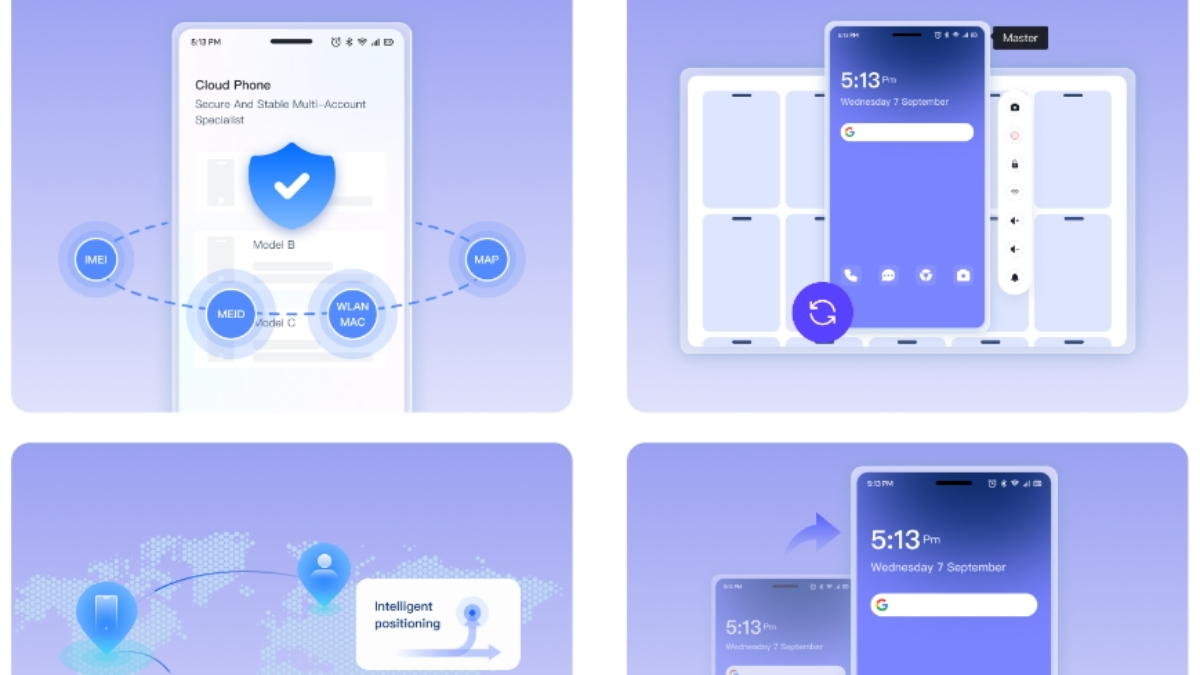
Creating a viral image in Pinterest often requires testing content across multiple accounts and different regional markets. MoreLogin Cloud Phone makes this process efficient by allowing marketers to configure IP addresses from various countries, simulating a local perspective. This helps you view trending keywords, recommendation feeds, and users' visual preferences in each market, improving the localization of your images in Pinterest.
For content teams and agencies, MoreLogin also offers role-based account management, enabling different members to handle specific client accounts safely and efficiently.
Also Read: Can You Have 2 Pinterest Accounts with the Same Email?
Please keep tabs on how well your pictures perform on Pinterest so that you can improve the amount of engagement they receive, as well as help them go viral. Begin with an evaluation of the type of visuals, colors, and formats of your content that resonate best with your target audience to get an idea of what to create more of. Next, take note of the keywords and phrases that bring in the highest number of saves/clicks/shares because they provide some insight into what your audience will find useful.
Pinterest Analytics gives users information about their pins' performance, such as total views, saves, clicks, and conversions or sales generated. To help you enhance your marketing strategy, use the data to identify which pinning styles and titles worked best and how you can implement them on future pins.
How to make an image on Pinterest go viral? In this post, we’ve shared some effective methods, such as using the right image dimensions, creating scroll-stopping visuals, optimizing titles and descriptions, etc. Besides, a practical online tool - MoreLogin is also recommended to enhance efficiency by managing multiple accounts, simulating local IPs, and improving content localization.

 EN
EN