EN
EN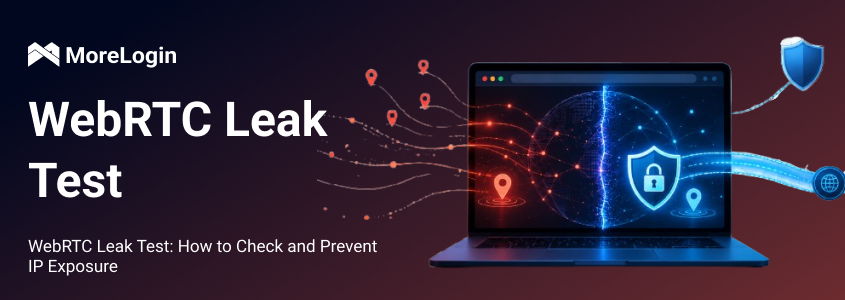
A VPN or proxy can hide your traffic route, but it does not automatically control every signal exposed by your browser. WebRTC is a browser-level feature that can reveal IP information if not configured properly.
A WebRTC leak test checks whether your browser exposes your real IP address via WebRTC requests. This matters for users who care about privacy, but it is even more important for people who manage multiple accounts, ad accounts, social media profiles, or e-commerce stores. If a browser profile uses one proxy but WebRTC reveals another IP, the whole environment becomes inconsistent.
This article explains how WebRTC leaks happen, how to test your browser, how to read the results, and how to reduce IP exposure without breaking normal browser functions.

A WebRTC leak happens when a browser exposes your real IP address through WebRTC-related connection data. WebRTC stands for Web Real-Time Communication. It is a browser technology used for video calls, voice chat, screen sharing, file transfer, and peer-to-peer data exchange.
WebRTC itself is not a malicious feature. It is used by many legitimate services, including browser-based meeting tools, live chat systems, and real-time collaboration platforms. The risk comes from the way WebRTC establishes connections.
To create real-time communication, browsers use technologies such as ICE, STUN, and TURN to find workable network paths between peers. WebRTC media and data traffic can be encrypted, but encryption does not automatically hide every connection candidate. If the browser exposes an IP address that should stay private, websites may see more network information than the user expected.
For example, a user may connect to a VPN and expect websites to see only the VPN IP. If WebRTC still reveals the original public IP or IPv6 address, that becomes a browser-level leak.
WebRTC is designed to reduce delay in real-time communication. Instead of forcing every video call or data exchange through a central server, it can help browsers find a direct or near-direct connection path.
To do that, the browser gathers connection candidates. These candidates may include different address types, depending on the network, browser, VPN, proxy, and device configuration. In a clean setup, websites should only see the expected VPN or proxy IP. In a poor setup, the browser may also reveal the user’s real public IP or IPv6 address.
This is why a WebRTC leak test sometimes shows an IP that does not match the VPN or proxy in use. The browser is not necessarily infected or compromised. It is exposing connection data through a normal feature that has not been properly controlled.
A VPN routes traffic through a VPN server. A proxy routes traffic through another server, usually for a specific browser, profile, or application. Both can be useful, but neither should be treated as a complete browser privacy solution by itself.
The issue is that WebRTC works at the browser layer. If the browser exposes IP data through WebRTC, a website may detect an address outside the expected VPN or proxy route. In some cases, this may look like a VPN IP leak, but the actual problem is browser-level exposure.
This is why IP routing and browser configuration need to work together. Proxy IP, WebRTC behavior, IPv6 handling, timezone, language, cookies, and fingerprint settings all affect whether an environment looks consistent.
The most direct risk is public IP exposure. An IP address can reveal approximate location, internet service provider, network type, and sometimes whether the user is on a residential, mobile, datacenter, or VPN connection.
For ordinary users, this weakens privacy. For account operators, the risk is more practical. A platform may see a proxy IP from one location while also detecting a real IP from another network. That mismatch can make a browser session look abnormal.
This does not automatically mean an account will be restricted. But it does create a weak signal, and weak signals can add up when combined with fingerprint, cookie, device, and behavior data.
Many users only check IPv4. That is not enough.
Some networks assign IPv6 addresses, and WebRTC test results may reveal IPv6 even when IPv4 appears protected. This is easy to miss because many users do not actively use or monitor IPv6.
A proper WebRTC leak test should check both IPv4 and IPv6. If either one shows the real network address, the browser environment is not clean.
IP address is only one part of browser identification. Websites can also evaluate WebRTC behavior, Canvas, WebGL, fonts, screen size, language, timezone, extensions, cookies, and device signals. Together, these details form a browser fingerprint.
For one personal account, this may simply be a privacy issue. For multi-account management, it can become an association risk. If several accounts use different proxies but expose the same real IP through WebRTC, those accounts may appear connected. If their browser fingerprints are also similar, the risk becomes stronger.
That is why WebRTC settings should be handled as part of the full browser profile, not as a separate checkbox.
A reliable test starts with a baseline. You first need to know your real IP address, then compare it with the result shown after turning on your VPN or proxy.
Follow this process:
Disconnect your VPN or proxy.
Check your current public IPv4 and IPv6 address.
Save the IP addresses for comparison.
Turn on your VPN or proxy.
Open a WebRTC leak test tool.
Compare the IP addresses shown on the test page.
If your real IP still appears, your browser may be exposing it through WebRTC.
Adjust the browser, VPN, proxy, or WebRTC settings, then test again.
Testing tools such as BrowserLeaks can show WebRTC-related exposure and other browser privacy signals. If you need a broader overview of what the tool checks, this guide to BrowserLeaks explains how it can be used to review browser data security.
Do not treat one clean test as permanent. Run another test after changing VPN servers, switching proxies, updating the browser, installing extensions, enabling IPv6, or creating a new browser profile.
If the test page shows only your VPN or proxy IP, and your real public IP does not appear, there is no obvious WebRTC-based IP exposure in that setup.
That does not mean the browser is permanently safe. Browser updates, extension changes, proxy replacement, VPN configuration, and operating system network settings can all change the result.
A practical rule: test again whenever the network route or browser profile changes.
If the test page shows the same IP address you recorded before turning on your VPN or proxy, your real public IP is exposed. This can happen through IPv4, IPv6, or both.
For personal browsing, the next step is to adjust browser settings, enable leak protection, or review the VPN configuration. For multi-account users, the issue should be treated more carefully. You need to check whether other profiles are exposing the same real IP. If they are, those profiles are not fully isolated.
Do not use a leaking profile for sensitive account activity until the issue is fixed and verified with another test.
Some browsers allow users to limit or disable WebRTC behavior. Firefox provides advanced preferences that can change how WebRTC works. Chrome-based browsers usually depend more on extensions, enterprise policies, or privacy-focused browser configurations. Safari behavior may vary by macOS and browser version, so users should verify the current settings and test the result instead of relying on old instructions.
Disabling WebRTC can reduce exposure, but it can also break useful features. Browser-based calls, online meetings, live voice chat, screen sharing, and some file transfer tools may stop working correctly.
For most users, the better approach is not always to disable WebRTC completely. The better approach is to control what IP information it can expose.
A WebRTC leak shield usually refers to a browser extension, VPN feature, or privacy setting designed to limit IP exposure from WebRTC. Some tools restrict local IP exposure, some route traffic more carefully, and some block WebRTC behavior more aggressively.
The key point is verification. Do not trust a tool just because it claims to protect against leaks. Enable it, configure it, and run another WebRTC leak test.
Be careful with unknown free tools, especially when using them for account management. Some are outdated, poorly maintained, or inconsistent across browsers. Before relying on free privacy tools for important workflows, it is worth understanding the free anti-detect browser risks.
Preventing WebRTC leaks is not a one-time setup. The result can change after switching VPN locations, replacing proxies, updating browsers, changing extensions, or moving to another device.
For normal browsing, periodic checks may be enough. For multi-account operations, testing should be part of the setup process. Before using a new proxy or profile, confirm that the browser shows the expected IP and that WebRTC does not expose the real network.
This matters most when profiles are assigned to different regions. A profile with a US proxy, a mismatched timezone, and a leaked local IP from another country creates an obvious environment conflict.
For ordinary users, leak prevention is mainly about privacy. For multi-account users, it is about profile consistency.
A clean browser profile should not rely only on the proxy. It should also have matching cookies, timezone, language, WebRTC behavior, user agent, and fingerprint details. If one setting exposes information from the real device or local network, the environment becomes less reliable.
This is where an anti-detect browser can help. MoreLogin allows users to create isolated browser profiles with separate proxy, cookie, fingerprint, timezone, and WebRTC-related settings. Instead of running different accounts in the same browser environment, each account can operate in a controlled profile.

This does not mean any tool can remove all risk. No browser tool can honestly guarantee that. But managing WebRTC together with proxy and fingerprint settings is more reliable than changing IP addresses while ignoring browser-level signals.
If you are comparing tools for long-term account management, this list of the best anti-detect browsers can help you review which features matter beyond basic profile creation.
The core principle is simple: IP protection and browser fingerprint control must match. If they do not, a protected proxy route can still be weakened by exposed browser signals.
A WebRTC leak can expose your real IP address even when you are using a VPN or proxy. The only reliable way to confirm your setup is to run a WebRTC leak test and compare the result with your real IP, VPN IP, and proxy IP.
To reduce exposure, check both IPv4 and IPv6, review browser settings, use reliable protection tools, and test again after changing VPNs, proxies, extensions, or browser profiles.
For multi-account users, WebRTC is part of a larger browser fingerprint problem. Proxy settings, cookies, timezone, language, WebRTC behavior, and fingerprint details need to stay consistent. MoreLogin helps manage these elements through isolated browser profiles, making it easier to reduce IP exposure and account association risks.
What is a WebRTC leak?
A WebRTC leak means a browser exposes your real IP address through WebRTC-related requests. This may happen even when you are using a VPN or proxy.
How do I check WebRTC leak?
First check your real IP without a VPN or proxy. Then turn on your VPN or proxy and run a WebRTC leak test. If the same real IP appears in the result, your browser may be leaking.
Can a VPN prevent WebRTC leaks?
Some VPNs include WebRTC leak protection, but this depends on the VPN, browser, operating system, and configuration. Since WebRTC is a browser-level feature, you should always test the result.
Should I disable WebRTC completely?
Only disable it if you do not need WebRTC-based services. Turning it off may affect video calls, voice chat, screen sharing, online meetings, and file-sharing features.
What is a WebRTC leak shield?
A WebRTC leak shield is usually a browser extension, VPN feature, or privacy setting designed to reduce IP exposure from WebRTC. After enabling it, you still need to run a test to confirm it works.
Why does WebRTC matter for multi-account management?
Because WebRTC can expose IP information that links accounts together. If several profiles use different proxies but reveal the same real IP, platforms may treat those accounts as related.
Is WebRTC always unsafe?
No. WebRTC is useful and widely used for real-time browser communication. The risk appears when it exposes IP information that should remain hidden.

 EN
EN