- Product

- Pricing
- Affiliate Program
- Developers
- Resource
 EN
EN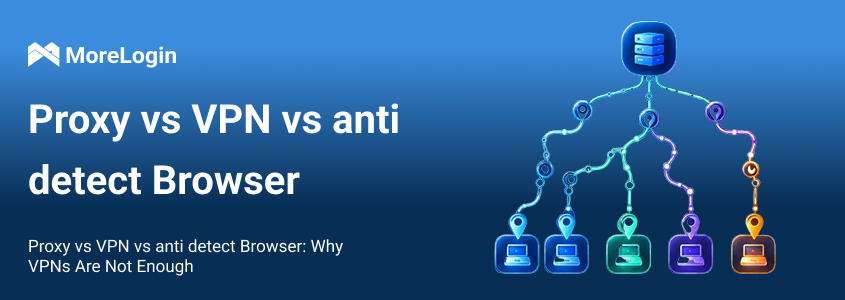
Many people still believe one thing: if an account gets restricted, just switch to a VPN.
That sounds simple, but it is not how modern platforms evaluate account risk. A VPN may change your IP address, but it does not change your browser environment. It does not separate cookies. It does not rebuild your browser fingerprint. It does not make several accounts on the same computer look like separate working environments. That is why the real question is not “Should I use a VPN?” The better question is proxy vs VPN vs anti detect browser: what are the key differences, and which tool controls which part of your digital identity and online privacy?
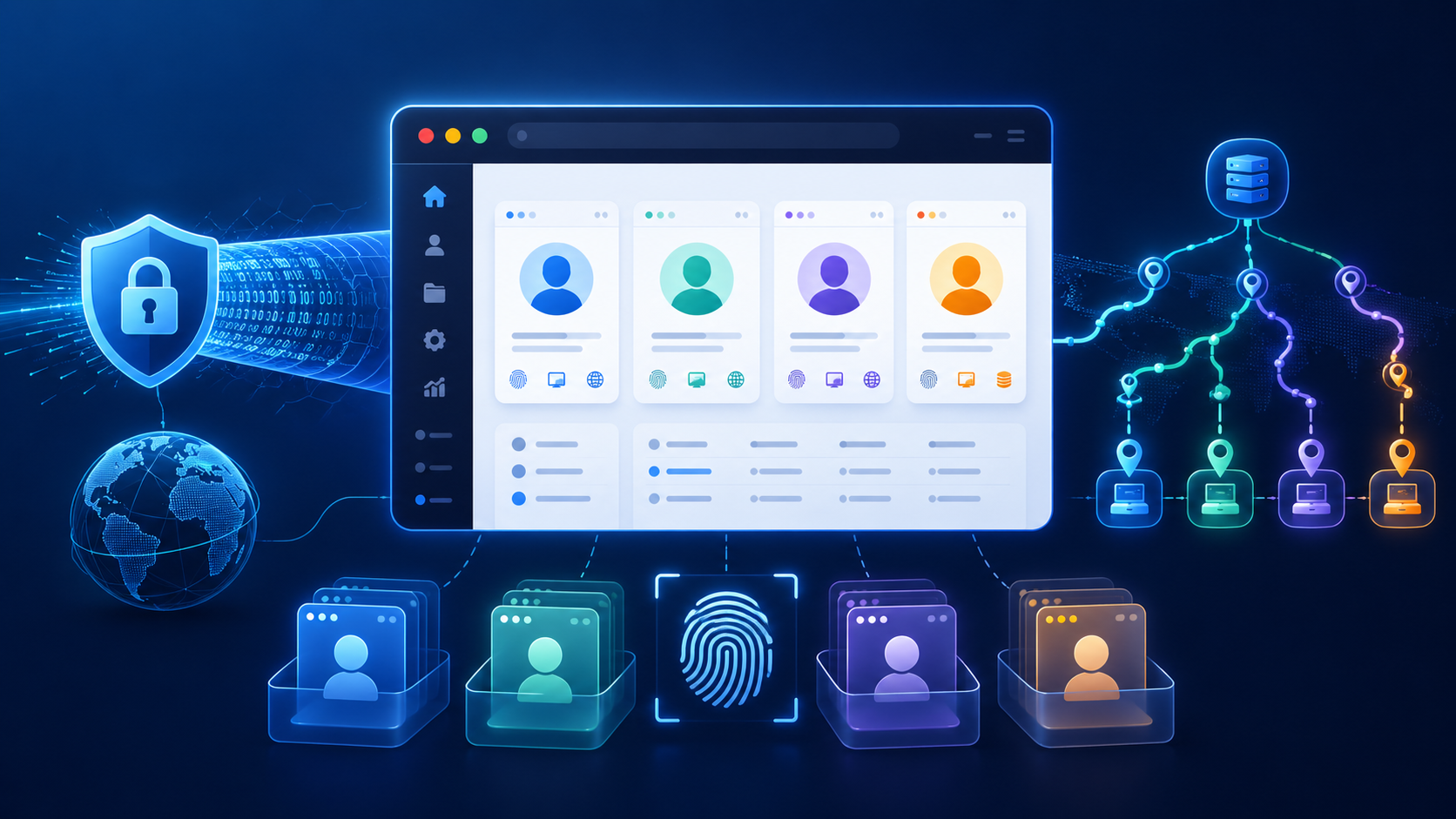
A VPN mainly works on encrypted traffic, masking your IP and encrypting your connection. A proxy mainly works on the network and IP layer, acting as an intermediary to hide your digital identity but offering limited encryption and fingerprint masking. An anti detect browser works on the browser identity layer, including fingerprints, cookies, cache, time zone, language, and profile separation, providing a comprehensive approach to managing your digital identity. These tools act as different layers of protection for your digital identity, each with unique strengths and limitations.
For basic privacy, a VPN can be useful. For multi-account work, affiliate marketing, ad verification, e-commerce, or long-term account management, and especially for digital marketing agencies that require anonymity tools to manage multiple accounts without detection risk, VPN alone is usually not enough.
A VPN (virtual private network) creates an encrypted tunnel between your device and a remote server operated by your VPN provider. Your internet traffic is routed through this remote server before reaching the website or app you visit, masking your real IP address and displaying the VPN server IP instead.
This setup is useful for basic privacy, as VPNs encrypt all your traffic, providing a secure connection that protects your data from ISPs (internet service providers), hackers, and anyone on public Wi-Fi. Reputable VPN providers help protect user data, reroute internet traffic, and prevent ISPs from tracking your online activity or abusing your data. VPNs can also help you bypass geo-blocking and network restrictions, making it possible to access content from different regions or circumvent policies imposed by networks. Additionally, VPNs are generally easy to set up, often requiring just one click to connect, making them accessible for users without technical skills.
But a VPN usually works at the device level. That means all browser activity on the same computer may still share the same local environment. If you log into many accounts from the same browser setup, the platform can still see repeated signals.
So in the proxy vs VPN vs anti detect browser discussion, VPN is the encryption tool. It is not a complete account isolation tool.
A VPN can change your network path, but it cannot fully hide or isolate your browser environment. Even after switching VPN locations, platforms may still see signals such as:
Browser fingerprint
Cookies and cache
Local storage
Browser extensions
WebRTC behavior
Fonts and screen size
Canvas, WebGL, and AudioContext data
Time zone and language settings
Device data, including fingerprints, cookies, and hardware or software information
Similar login patterns and session history
For example, imagine you manage five accounts. You use five VPN locations, but all accounts are opened in the same browser, on the same machine, with the same fingerprint and similar session history. From a platform’s point of view, those accounts may still look connected. Modern platforms can connect multiple accounts even if the IP address changes, by evaluating browser fingerprints and device data.
This is why many users misunderstand VPNs. A VPN changes the network path, but it does not create separate browser identities. If you want a deeper breakdown of this difference, this guide on proxy browser vs VPN browser explains why the browser layer matters as much as the network layer.
A VPN is best understood as an encryption and traffic-routing tool. It encrypts all your internet traffic, providing traffic encryption for all network traffic between your device and the VPN server. This encryption protects your data from ISPs, hackers, and anyone on public Wi-Fi.
It is useful when you want general privacy. It is also easy to set up because most VPN tools only require one click. But that same simplicity is also the limitation. A VPN does not give each account its own independent browser profile.
If you run multiple accounts through one VPN node, those accounts may share the same IP. If you keep changing VPN locations too often, the account activity may also look unstable.
In short, VPN is helpful, but it is not designed for structured multi-account management.
A proxy server acts as an intermediary between your device and the internet, routing your traffic through a different IP address. This enables both IP switching and IP masking, allowing you to appear as if you are connecting from a different location and hiding your real IP address. Proxies can be assigned at the account or profile level, so instead of sending the whole device through one VPN connection, you can assign different proxies to different browser profiles.
There are several proxy types, including residential proxies, mobile proxies, datacenter proxies, reverse proxies, and those that operate at the operating system level. Each proxy type has different use cases, costs, stability, and capabilities for handling traffic. For example, reverse proxies can impact speed and performance, while operating system level proxies reroute all system traffic for comprehensive privacy. If you are comparing providers, this list of best proxy sites can help you understand the common options.
While proxies are effective for IP switching and IP masking, and are widely used for social media operations, ad verification, local search checks, affiliate marketing, and e-commerce stores, they do not encrypt your traffic. This means proxies only mask your IP address without providing data protection, making them less secure than VPNs. Sensitive data can still be exposed to potential threats. Also, proxies control only the network layer and do not isolate browser fingerprints by themselves. This is the key point in proxy vs VPN vs anti detect browser: a proxy can separate IP addresses, but it cannot create separate browser identities.
An anti detect browser is specifically designed to mask your digital fingerprint and manipulate fingerprint parameters, making it difficult for platforms to easily detect or link accounts together. It creates separate browser profiles for different accounts, with each profile having its own cookies, cache, browser fingerprint, user agent, language, time zone, Canvas, WebGL, fonts, and other identity signals. This separation helps prevent account linking by ensuring each account operates in a distinct browser environment.
anti detect browsers are compatible with many platforms and are widely used by digital marketing agencies, e-commerce teams, and others who need to manage multiple accounts securely. Many influential websites and large IT companies use advanced systems to analyze digital fingerprints, so achieving complete anonymity is challenging, but anti detect browsers offer advanced privacy features to conceal most aspects of your digital identity.
Automated web scraping with anti detect browsers can also involve checking region-specific search results, further enhancing their utility for various online activities.
Note: While proxies are generally cheaper than VPNs and can be easily scaled for tasks like accessing blocked websites or data gathering, such services can have disadvantages, including high costs for advanced features and limited control over digital identity, hardware, and settings.
Changing IP is not the same as changing identity.
A browser gives websites many signals. These can include your operating system, screen resolution, installed fonts, browser version, graphics rendering, audio behavior, language, time zone, and hardware-related browser outputs.
This group of signals is often called a browser fingerprint. If many accounts use different IPs but show nearly identical browser fingerprints, the IP change may not be enough.
This is where many proxy users make mistakes. They buy proxies, assign different IPs, and think the job is done. But the browser environment remains the same.
Account environments are not built from IP alone. Cookies, cache, local storage, and session data can all carry history. WebRTC may reveal network-related details. Time zone and language settings can also create consistency problems.
For example, an account uses a United States proxy, but the browser time zone is set to another region and the browser language does not match the account’s usual behavior. That mismatch may not always cause a problem by itself, but it adds noise to the environment.
A stable account setup should avoid unnecessary contradictions. The IP, time zone, language, and browser profile should make sense together.
A better structure is simple:
One account should have one proxy and one isolated browser profile.
The proxy handles the IP layer. The browser profile handles the identity layer. Together, they create a cleaner setup than a VPN alone.
This is the practical answer behind proxy vs VPN vs anti detect browser. If you only change the IP, you leave the browser identity untouched. If you only isolate the browser but use the same poor network setup for every account, the structure is still incomplete.
A proxy gives each account its own network exit. This is useful when you need accounts to operate from different locations or when you want to avoid sending every profile through the same shared connection.
For affiliate marketing, ad verification, local testing, and e-commerce operations, proxy control is often more useful than a basic VPN. It gives you more precise account-level routing.
But proxy quality matters. Unstable or overused proxies can create more problems than they solve. A good proxy setup should be consistent, relevant to the account location, and not changed randomly without reason.
An anti detect browser handles what the proxy cannot. It separates browser environments.
Each profile can keep its own login state, cookies, cache, fingerprint settings, and session history. This makes it easier to maintain accounts over time without mixing their data in one shared browser.
This is especially important for teams. If several people use the same accounts or work on the same project, shared local browsers can become messy fast. Isolated profiles make the workflow cleaner and easier to manage.
VPN alone is too broad. It usually changes the connection for the whole device. It does not give each account a separate environment.
Proxy plus anti detect browser is more structured. The proxy controls the IP. The anti detect browser controls the browser identity. This setup is not a guarantee against restrictions, but it is more practical for serious multi-account work.
That is the main lesson of proxy vs VPN vs anti detect browser: account safety depends on more than hiding an IP. It depends on building a consistent and separated environment.
MoreLogin is not a VPN tool. It is an anti detect browser built for profile isolation and multi-account management.
With MoreLogin anti detect browser, each account can run inside its own browser profile. Each profile can keep separate cookies, cache, login status, and fingerprint settings. This makes it easier to manage accounts without mixing their environments.
For users who work with multiple accounts every day, this is more useful than constantly switching VPN locations.
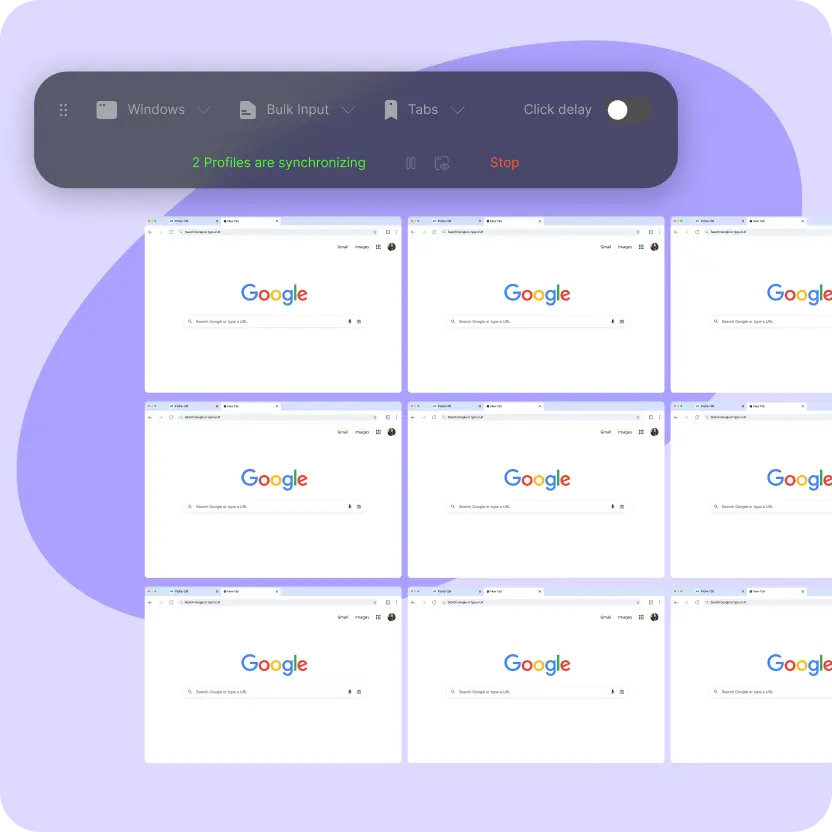
MoreLogin also lets users bind different proxies to different profiles. This is where the setup becomes more complete.
A profile can have its own IP, time zone, language, and browser environment. When these signals match, the account environment looks more consistent.
This is useful for social media operations, affiliate marketing, ad verification, e-commerce store management, and other workflows where one browser session is not enough.
Multi-account work becomes harder when a team grows. People need access to different accounts. Managers need control. Environments need to stay organized.
MoreLogin helps teams manage profiles in a more structured way. Instead of sharing raw passwords or opening everything on one browser, teams can assign profiles and keep account environments separated.
This is why “proxy plus MoreLogin” is a stronger setup than VPN alone. The proxy manages the network layer. MoreLogin manages the browser identity layer.
Using one VPN for many accounts creates a shared network signal. If all accounts use the same VPN IP, they may look connected from the network side.
Even if you switch VPN servers, the browser environment may still remain the same. That is why VPN switching is not a real multi-account strategy.
Some users think frequent IP changes make accounts safer. In many cases, the opposite is true.
A long-term account usually benefits from consistency. If the account jumps across locations too often, the environment may look unstable. A proxy should be chosen carefully and used in a steady way.
A good setup should make sense. If the IP is in one country, the time zone and language should not point somewhere completely unrelated without a clear reason.
This does not mean every setting must be perfect. But obvious mismatches should be avoided. Consistency is part of a clean account environment.
A proxy is not a full identity solution. It only changes the network exit.
If all accounts still use the same browser fingerprint, same cookies, same cache, and same local environment, they may still be linked. This is why the proxy vs VPN vs anti detect browser topic matters. The browser layer is not optional for serious account separation.
A good anti detect browser should create stable and reasonable fingerprints. Random changes are not always better. For long-term accounts, a consistent environment is usually safer than a profile that looks different every time it logs in.
If you need a deeper selection guide, this article on how to choose an anti detect browser covers the main factors to check before choosing a tool.
The browser should support common proxy types and allow proxy binding at the profile level. This is important because each account may need its own IP setup.
Proxy settings should also work together with time zone, language, and location-related profile settings.
For teams, permission control matters. Not every member should have the same access. A practical anti detect browser should help teams assign profiles, manage roles, and reduce account handover risks.
This is especially useful for agencies, affiliate teams, and e-commerce operators.
Profile isolation is the core feature. Each profile should keep its own cookies, cache, login state, and fingerprint settings.
Without profile isolation, the tool is not solving the main problem. It may only be a normal browser with extra proxy settings.
Long-term account work often includes repeated actions. Batch profile launch, profile management, and automation support can save time.
This does not mean automation should be careless. It should be controlled and consistent. If you are comparing different tools, this list of 11 best anti detect browsers can help you see how major options differ.
The key difference in proxy vs VPN vs anti detect browser is the layer each tool controls.
All three tools use IP masking as a core technique to enhance online privacy, protect user identity, and enable account separation. A VPN is useful for encryption and basic privacy—unlike proxies, VPNs encrypt your internet traffic and provide enhanced security across your device, making them safer for safeguarding online activity. A proxy is better for IP separation and network routing but does not offer encryption. An anti detect browser is built for browser identity, fingerprint control, and profile isolation.
For simple browsing, a VPN may be enough. For multi-account work, VPN alone is usually too limited. Changing IP does not separate cookies, cache, browser fingerprints, or account environments.
A stronger setup is proxy plus anti detect browser. The proxy handles the IP layer. MoreLogin handles the browser identity layer. Together, they create a cleaner and more manageable structure for long-term account operations.
No. A VPN can change your IP and encrypt traffic, but it does not isolate browser fingerprints, cookies, cache, or login environments. For multi-account work, VPN alone is usually not enough.
A VPN usually routes and encrypts traffic for the whole device. A proxy is often used at the account or browser profile level to assign different IP addresses to different sessions.
An anti detect browser creates isolated browser profiles. Each profile can have separate cookies, cache, login status, browser fingerprint, time zone, language, and other identity signals.
In most multi-account cases, yes. The anti detect browser handles browser identity isolation, while proxies handle IP separation. They work better together than either one alone.
VPN alone mainly changes the network connection. Proxy plus MoreLogin separates both the IP layer and the browser identity layer. This gives each account a more consistent and isolated environment.
It depends on the use case. Use VPN for basic privacy. Use proxy for IP separation. Use anti detect browser for account isolation. For long-term multi-account work, proxy plus anti detect browser is usually the stronger setup.

 EN
EN