EN
EN
If you are trying to learn how to choose anti detect browser tools in 2026, the biggest mistake is starting with the wrong criteria.
A lot of comparison pages still focus on interface design, profile quantity, or low headline pricing. Those things may matter later, but they should never come first. In real account operations, platforms do not care whether a browser looks polished on your screen. They care whether the environment behind that browser appears to be a real user.
That difference is exactly where many people get into trouble. A browser can look advanced and still fail in practice if its kernel is outdated, its fingerprints are unrealistic, or its proxy setup does not match the environment. That is why understanding how to choose anti detect browser software means looking past marketing language and checking the technical signals that actually affect account safety.
If you only need a basic definition first, it helps to start with a clear explanation of what an anti detect browser is. Once that part is clear, the next step is not asking which tool looks best. The next step is asking which tool stays believable under platform checks.

Browser fingerprinting is a sophisticated technique that websites and online platforms use to identify and track users based on the unique combination of their browser and device characteristics. Unlike cookies, which can be deleted or blocked, a digital fingerprint is created by collecting a wide range of data points every time you visit a site. These data points include your browser type and version, operating system, screen resolution, installed fonts, and even the plugins or extensions you have enabled.
Each browser profile you use can generate a distinct digital fingerprint, making it possible for websites to recognize you even if you change your IP address or clear your cookies. This process is often invisible to the user but can have significant privacy implications, especially when managing multiple accounts or online identities.
Anti detect browsers are specifically designed to counteract browser fingerprinting. By allowing users to create multiple, isolated browser profiles—each with its own set of browser parameters such as screen resolution, operating system, and installed fonts—these browsers make it much harder for websites to link your activities across sessions. The result is a more private and secure browsing experience, where your digital fingerprint can be customized or randomized for each profile, helping you avoid unwanted tracking and maintain the separation of multiple online identities.
An anti detect browser is not just a browser with proxy support. It is a system that builds an independent browser identity for each account. That identity includes browser fingerprint signals such as User-Agent, Canvas, WebGL, fonts, screen resolution, timezone, language, cookies, and local storage. These browser characteristics are used by websites to distinguish different users, and managing cookies within each profile is essential for maintaining account separation and preventing tracking.
In practice, this means each profile should behave like a different machine, not like ten tabs opened from the same computer. anti detect browsers work by creating isolated profiles that spoof browser fingerprints, allowing users to operate multiple accounts as different users without being detected or linked to the same device. These browsers generate unique digital fingerprints for each profile, including parameters like user agent, operating system, and installed plugins, making it difficult for websites to correlate accounts.
That is why people who are serious about multi-account work eventually stop asking which browser has the prettiest dashboard and start asking a more useful question: how to choose anti detect browser software that can stay consistent across browser, network, storage, and automation layers. Profiles in an anti detect browser must have complete separation of cookies, cache, and local storage to prevent data leakage between accounts.
A good tool is not only about hiding. It is about behaving normally.
Note: Pricing for anti detect browsers typically ranges from free plans with limited features to premium plans that can cost over $100 per month, depending on the number of profiles and features included. The starting price for many anti detect browsers is often around $15 to $29 per month, with higher tiers available for more advanced features and capabilities.
Many anti detect browsers offer free trials, free tiers, or a free version with limited profiles, allowing users to test the service before committing to a paid plan. It is recommended to test anti detect browsers using these free trials or free plans to assess usability before committing to a paid subscription.
Some anti detect browsers provide pricing models based on the number of profiles, with costs increasing as users require more profiles for their operations.
The first thing worth checking is the browser kernel.
Many anti detect browsers are based on Chromium, but not all of them keep pace with current releases. Some stay behind for too long. That delay creates a problem that many users do not notice until accounts start facing extra verification or abnormal behavior on websites.
Modern websites can detect browser version patterns. If your browser engine is too old compared with real user traffic, the mismatch itself becomes a signal. It may not trigger a ban on its own, but it increases the chance that the session gets treated as unusual. It also affects compatibility. Some sites load scripts differently, some features render differently, and certain anti-bot systems behave more aggressively when the browser core looks stale.
So when evaluating how to choose anti detect browser options, check whether the tool keeps its Chromium core current. Fast kernel updates are not just a nice extra. They are part of maintaining a believable environment.
A browser that updates slowly tends to fall behind in two places at once. First, it looks less like normal user traffic. Second, it becomes harder to keep stable across more complex websites.
2. A Real Browser Fingerprint Library Is Better Than Random Fingerprints
This is where many tools make impressive claims without delivering much substance.
Some browsers advertise fingerprint customization, but what they really offer is randomization. They can generate random Canvas values, random GPU information, or random combinations of fonts and screen parameters. However, hardware parameters must be configured properly to improve profile trustworthiness and evade detection. That sounds flexible, yet it often produces identities that do not resemble real hardware.
Real devices do not behave randomly. They behave consistently.
A stronger anti detect browser should rely on a more realistic fingerprint system. Fingerprint spoofing is a technique used to mask a user's digital fingerprint, which is a unique combination of data points collected by websites to identify users. That means Canvas rendering should reflect plausible hardware behavior. WebGL parameters should align with known device patterns. Font combinations should match the operating system being simulated. Resolution, language, and other details should not feel stitched together.
This matters because detection systems do not just check whether a parameter changed. They check whether the full combination makes sense.
When people search for how to choose anti detect browser tools, they often focus on how many parameters can be changed. That is the wrong question. The better question is whether those parameters still look like one believable device after they are changed.
Advanced anti detect browsers work by spoofing or randomizing digital fingerprints, including browser characteristics, operating system details, and other identifying factors, to prevent tracking and account linking.
A good fingerprint can still fail if the browser environment and the proxy environment do not match. Using residential proxies is for passing fingerprint and anti-bot checks, as they provide higher anonymity and stability for multi-account operations.
This is one of the most common operational mistakes. A user sets a U.S. residential proxy, but the browser language remains inconsistent. Or the timezone stays in another region. Or the geolocation does not align with the network exit. From the user’s side, everything may seem fine because the page loads. From the platform’s side, the mismatch is obvious. Proxy traffic quality and matching are key factors affecting performance, cost, and usability, especially for large-scale operations and automation workflows.
That is why one of the most practical answers to how to choose anti detect browser software is this: choose a tool that helps reduce configuration mistakes.
A stronger setup should automatically match key environment signals to the proxy region. That usually includes timezone, language, and location-related settings. When this process is handled well, the environment feels more natural and less patched together.
This is not a small convenience feature. It directly affects operational quality. Manual setup works for a few profiles, but error rates rise quickly when the number grows. Automatic alignment is one of the clearest signs that a tool is designed for real use instead of demo screenshots.
A browser that works only by hand is fine for testing. It is not enough for long-term operations. For managing thousands of accounts or complex workflows, robust automation capabilities and support for large scale automation are essential.
Sooner or later, serious users need to batch-create profiles, open sessions efficiently, assign proxies, refresh environments, or connect workflows to automation scripts. That is where API support stops being “advanced” and becomes basic infrastructure. Automation features in anti detect browsers often include APIs and RPA (Robotic Process Automation) capabilities, allowing users to create scripts for automation tasks without extensive coding knowledge.
When considering how to choose anti detect browser software, check whether the platform provides local API access and whether it can work with frameworks such as Selenium, Puppeteer, or Playwright. These integrations do not only matter for engineers.
This is one reason many people comparing the best anti detect browser for marketing quickly move past superficial feature lists and focus on workflow control. Advanced anti detect browsers often support integration with popular automation frameworks like Selenium, Puppeteer, and Playwright, enhancing their automation capabilities for developers and marketers.
A lot of users begin alone and choose tools as if they will always work alone. That assumption usually breaks. Once one more operator joins, account management changes. It is no longer only about creating isolated profiles. It becomes about deciding who can open them, who can edit them, who can move them, and who should lose access immediately when roles change.
This is why team permission management deserves a place in any serious guide on how to choose anti detect browser software.
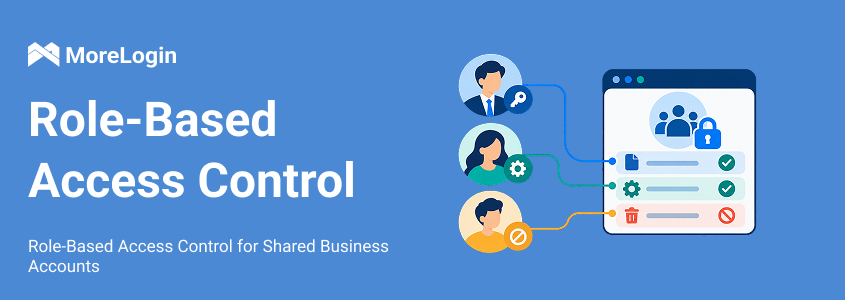
A useful team system should allow role-based control, profile-level access management, and fast permission revocation. In practical terms, that means an administrator should be able to decide who can view environments, who can operate them, and who can manage sensitive settings. It should also be possible to transfer environments securely across team members without exposing raw account data. Collaboration features are essential for effective team management, scalability, and seamless integration with automation tools, especially as operations grow.
Sharing accounts through copied cookies, loose credentials, or unmanaged handovers creates avoidable risk. A stronger browser should make controlled collaboration possible instead of forcing informal workarounds.
Choosing an effective anti detect browser requires prioritizing high-quality fingerprint spoofing technologies, reliable proxy integration, and team collaboration features. The software must encrypt data both in transit and at rest to ensure user privacy.
Browser environments store sensitive assets such as cookies, extension data, session tokens, and local profile files. If those files can be copied and reused on another machine, the environment is vulnerable even when the account password is strong.
A more complete answer to how to choose anti detect browser must therefore include data protection.
At minimum, a serious browser should protect local data with encryption. A stronger setup goes further by tying sensitive data to the original environment or device, so stolen files cannot simply be imported elsewhere. Optional end-to-end encryption is even better, especially for teams that care about keeping profile data inaccessible to third parties, including the service provider itself.
anti detect browser should encrypt local browser data, including extensions and cookie-related files, so that even if these files are taken from the computer, they cannot be reused in another browser. It also supports end-to-end encryption based on a local key generated from the user profile.
When considering the use of anti detect browsers, it’s important to understand the legal and safety implications. anti detect browsers themselves are legal tools, widely used by businesses and individuals for legitimate purposes such as managing multiple online identities, conducting market research, or protecting privacy. However, the legality of their use depends on how they are employed. Using an anti detect browser to violate website terms of service, commit fraud, or engage in other unlawful activities can lead to legal consequences.
To minimize these risks, always choose anti detect browsers from reputable providers, keep your software updated, and follow best practices for account and data management. Staying informed about the latest developments in browser fingerprinting and anti detect technologies will help you use these legal tools responsibly and effectively, ensuring your privacy and security while managing multiple online identities.
If you apply the six factors above, MoreLogin works well as a practical benchmark for what a more complete anti detect browser should offer: The best anti detect browsers in 2026 are chosen based on workflow needs, with different anti detect browsers offering varying capabilities in fingerprint spoofing, automation, and team collaboration.
Chromium update logic: It is built for modern browser compatibility and supports both Chrome and Firefox environments, which helps reduce outdated browser signals.
Fingerprint realism: Its canvas fingerprint technology and large-scale fingerprint generation are designed around realistic combinations rather than obvious random values.
Proxy matching: During profile creation, it can automatically align timezone, language, and related settings with the proxy region, which reduces manual mistakes.
API capability: It supports local API workflows and integrates with Selenium, Puppeteer, and Playwright for opening, closing, refreshing, and managing environments.
Team control: It supports remote team collaboration, flexible permission assignment, and fast access recovery when a member leaves.
Data security: It includes local data encryption and optional end-to-end encryption, with protection aimed at preventing stolen browser files from being reused elsewhere.
You can see these capabilities more directly on its anti detect browser page for multi-account management, especially if you want to compare technical positioning rather than just homepage claims. Compared to other browsers, MoreLogin provides a strong balance of features.
Start by clearly defining your objectives—whether you need to manage multiple accounts, prevent browser fingerprinting, or automate repetitive online tasks. Once your goals are set, select an anti detect browser that offers the advanced features and automation support you require, such as robust proxy management, multiple browser profiles, and compatibility with automation tools.
Proper configuration is key to effective use. Set up separate browser profiles for each account or identity, ensuring that each profile has unique browser parameters and proxy IPs. Manage cookies carefully to prevent cross-contamination between profiles, and take advantage of built-in proxy management features to streamline your workflow. Many anti detect browsers also offer automation support, allowing you to automate routine tasks and manage multiple accounts more efficiently.
Regularly review your setup, update your software, and adapt your strategies as new features and threats emerge. By following these guidelines, you can leverage the full power of anti detect browsers to manage multiple online identities, protect your privacy, and automate complex workflows with confidence.
Cost matters, but cost without context can mislead.
Low-cost tools often look attractive because they reduce the barrier to entry. The problem is that pricing alone does not tell you where the compromises are hidden. Sometimes the trade-off is a slower Chromium update cycle. Some tools focus on simple multi account management and user friendly interfaces, making them especially appealing for beginners or small-scale users. Sometimes it is weaker fingerprint quality. Sometimes it is the absence of usable team controls or API access.
That does not mean cheaper tools are automatically bad. It means the right way to compare them is through performance and structure, not just monthly cost. If budget is a major part of the decision, it helps to review cheapest anti detect browser options with the six factors in mind instead of treating low price as the primary filter. Some anti detect browsers provide pricing models based on the number of profiles, with costs increasing as more profiles are needed.
In other words, the real question is not whether a tool is cheap. It is whether it remains usable after the first few weeks of real operation.
The right way to approach how to choose anti detect browser software is to stop thinking like a shopper comparing surface features and start thinking like an operator evaluating stability.
A reliable anti detect browser should keep its Chromium core current, generate believable fingerprints, align the browser environment with proxy conditions, support automation, provide structured team permissions, and protect local data with real encryption.
Those are not advanced extras. They are the foundation.
If a tool performs well in all six areas, it has a much better chance of supporting stable multi-account work over time. If it fails in several of them, the weaknesses usually appear sooner than expected.
So if you are still deciding how to choose anti detect browser software in 2026, begin with these six factors. They reveal far more than any polished dashboard or low entry price ever will.
1. What is the first thing to check when learning how to choose anti detect browser software?
Start with the browser core and fingerprint quality. If the Chromium version is old or the fingerprint combinations look artificial, the rest of the setup becomes less reliable.
2. Is changing the IP enough for multi-account safety?
No. A proxy changes the network exit, but it does not rebuild the browser fingerprint. Platforms can still link accounts through Canvas, WebGL, fonts, timezone, storage behavior, and other browser signals.
3. Why is a real fingerprint library better than simple randomization?
Because real devices follow patterns. Random combinations may look different, but they often do not look real. Detection systems care more about plausibility than variety.
4. Do beginners really need API support?
Not always on day one, but it matters earlier than many people expect. Once the number of profiles grows, manual operations become repetitive and error-prone.
5. Why does team permission control matter so much?
Because unmanaged sharing creates risk. A browser used by multiple people should support structured access, profile-level control, and quick permission removal.
6. Can local encryption really protect browser files?
It helps a lot when it is implemented properly. If cookies, extension data, and session files are encrypted and tied to the original environment, stolen files become much harder to reuse.

 EN
EN