- Product

- Pricing
- Affiliate Program
- Developers
- Resource
 EN
EN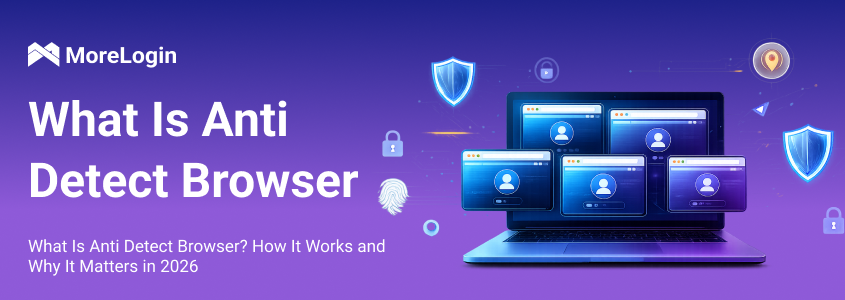
If you have tried running multiple accounts in recent years, you have likely noticed something: things that used to work no longer work.
Accounts get flagged faster. Sessions become unstable. Sometimes everything looks normal, but the platform still detects something unusual. This is not accidental. Platforms like TikTok, Meta, and Google are no longer relying only on account data. They are analyzing your device environment and behavior patterns.
That is exactly why more users are searching what is anti detect browser. It is no longer a niche topic. It is becoming a basic requirement for anyone managing multiple accounts.
The core issue is simple. Even if you change your IP address, your browser and device still leave behind a consistent “signature.” Platforms use that signature to identify and link accounts. Without solving that layer, most setups will eventually fail.

An anti detect browser is a tool that allows you to create multiple independent browser environments, each with its own unique digital fingerprint. These environments behave like separate real devices, even when they are running on the same computer.
Instead of one device representing one identity, you can create multiple identities that appear unrelated to each other. This is the core idea behind what is anti detect browser.
It is important to understand that this is not about hiding activity. It is about simulating different users in a controlled and consistent way.
For example, a normal browser setup means:
One device
One fingerprint
One identifiable user
An anti detect browser changes that model into:
One device
Multiple fingerprints
Multiple independent users
That difference is what makes multi-account operations possible at scale.
To understand how these tools work, you first need to understand browser fingerprinting.
When you visit a website, your browser automatically exposes information such as your User-Agent, screen resolution, fonts, timezone, language, and hardware-related data like WebGL and Canvas rendering. These values are combined to generate a unique fingerprint that identifies your device.
Even if you clear cookies or use private browsing, this fingerprint often remains stable. That is why traditional privacy methods are no longer sufficient.
Anti detect browsers solve this by controlling and modifying these parameters in a structured way.
Canvas fingerprinting works by rendering an invisible image and generating a hash from it. Each device produces slightly different results. Anti detect browsers introduce controlled variations in this process, so each browser profile produces a different, but still realistic, output.
WebGL works in a similar way. It reveals GPU-related information. Anti detect browsers simulate different GPU profiles so that each environment appears to come from a different device.
User-Agent defines your browser and operating system. But changing it alone is not enough. A mismatch between your User-Agent, IP location, timezone, and language can easily trigger detection.
A well-configured environment ensures that all these elements match logically. For example, if your IP is located in France, your timezone, language, and system settings should align with that region. This consistency is what makes the environment believable.
A common mistake is assuming that randomizing values is enough. It is not.
Random combinations often create unrealistic setups, which are easier to detect. What actually works is coherent fingerprinting, where all parameters align in a way that reflects a real device.
Anti detect browsers are widely used in scenarios where multiple accounts need to operate independently without being linked.
Managing multiple TikTok, Instagram, or Reddit accounts is one of the most common use cases. Without proper isolation, platforms can easily link accounts based on shared fingerprints. Once linked, a restriction on one account can affect all others.
With isolated browser environments, each account behaves as if it is operated from a separate device.
Affiliate marketers often run multiple ad accounts to test creatives and targeting strategies. Without proper separation, these accounts are at high risk of being flagged.
If you want to explore real-world setups, looking into the best anti detect browsers for marketing workflows can help you understand how professionals structure these environments effectively.
Platforms like Amazon and Shopee enforce strict rules against account linking. If multiple stores are connected through the same environment, all of them can be suspended.
Using separate browser profiles ensures that each store operates independently.
Anti detect browsers are also used for automation and web scraping. They allow scripts to operate across multiple environments while mimicking real user behavior, reducing the likelihood of detection.
Many users assume that incognito mode or a VPN is enough to stay undetected. This is incorrect.
Incognito mode only prevents your browser from storing history and cookies locally. It does not change your fingerprint. From the platform’s perspective, you are still the same user.
A VPN changes your IP address, but your browser fingerprint remains unchanged. This creates an inconsistency: the location changes, but the device does not. That inconsistency itself can trigger detection.
The key concept here is:
Privacy is not the same as isolation.
Anti detect browsers focus on isolation. They create fully separate environments, not just temporary privacy layers.
Not all anti detect browsers are equally effective. The difference lies in how well they simulate real environments.
A strong solution should provide realistic fingerprint generation, stable profile isolation, and consistent environment matching. It should also support batch operations and automation, especially for users managing large numbers of accounts.
More importantly, it should focus on quality rather than quantity. Creating many accounts is easy. Keeping them stable over time is much harder.
Relying on a single layer of protection is rarely enough.
Using only proxies, emulators, or basic tools often leads to unstable setups. These methods solve part of the problem but fail to address the full identity layer.
A more reliable approach combines:
Unique browser fingerprints
Dedicated proxy configurations
Fully isolated environments
This is why many users turn to advanced antidetect browser solutions for account isolation, where each profile is built as a fully independent environment rather than just a modified browser instance.
For example, some tools integrate fingerprint control, proxy matching, and automation into one system. This allows users to manage multiple accounts from a single interface while maintaining clear separation between each environment.
If you already understand what is anti detect browser, the next step is choosing a tool that actually delivers stable results, not just theoretical features.
MoreLogin focuses on one core idea: making each browser profile look like a real, consistent user environment. Instead of random fingerprint changes, it generates independent fingerprints and keeps them aligned with proxy location, timezone, and language. This kind of consistency is what reduces detection risk in real scenarios.
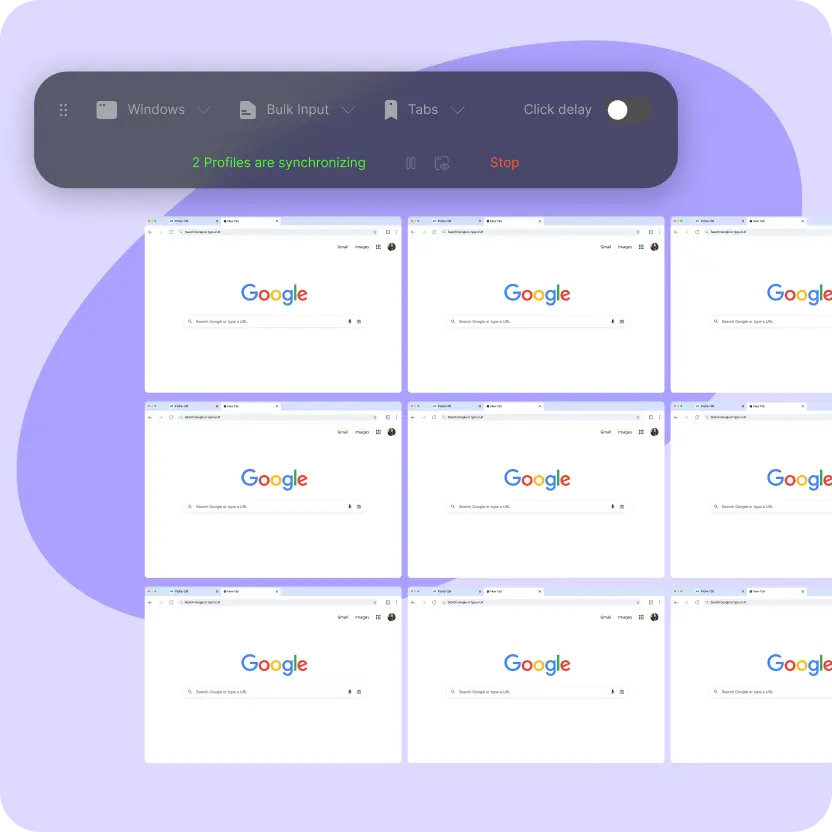
It also goes beyond basic fingerprint control. Features like batch profile management, synchronization, and automation APIs make it easier to operate multiple accounts at scale without losing control. For teams, permission management and remote collaboration help keep workflows organized and secure.
Another important detail is data protection. With multi-layer encryption and local key control, browser data stays isolated and accessible only to the user, which matters when handling multiple sensitive accounts.
If you are building a long-term setup, using a reliable antidetect browser for multi-account management helps ensure both environment consistency and operational efficiency without adding unnecessary complexity.
So, what is anti detect browser?
It is a tool designed to create independent, realistic browser environments that prevent accounts from being linked. It allows users to operate multiple accounts safely by controlling the identity layer that platforms rely on.
As detection systems continue to evolve, this approach is becoming essential rather than optional. Traditional methods like VPNs or private browsing no longer provide sufficient protection.
Understanding what is anti detect browser is not just about learning a new tool. It is about understanding how modern platforms identify users, and how to work within that system without triggering risk signals.
Q1: What is anti detect browser in simple terms?
It is a browser that creates separate environments with unique fingerprints, so each account appears to be operated by a different user.
Q2: Is an anti detect browser the same as a VPN?
No. A VPN only changes your IP address, while an anti detect browser changes your entire device identity.
Q3: Can I use incognito mode instead?
No. Incognito mode does not change your fingerprint or prevent tracking by platforms.
Q4: Are anti detect browsers safe?
They are safe when configured correctly. The key is maintaining consistency across fingerprint, IP, and behavior.
Q5: Do they completely prevent bans?
No tool can guarantee that. They reduce detection risk, but user behavior still matters.
Q6: How many accounts can I manage?
This depends on your setup, but scalable environments can handle dozens or even hundreds of accounts.
Q7: What is anti-detect?
Anti-detect refers to techniques used to prevent platforms from identifying or linking accounts by modifying browser fingerprints and environments.

 EN
EN