EN
EN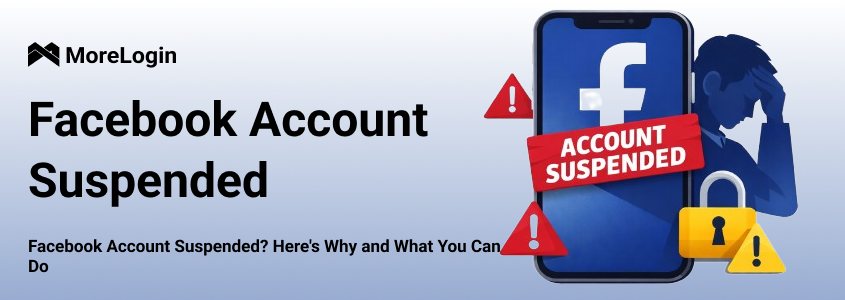
Receiving a notification that your Facebook account has been suspended can be stressful, especially if you rely on it for business, advertising, or daily communication. A suspension usually means Facebook has detected activity that may violate its Community Standards or account integrity policies, but this can happen suddenly and without detailed explanations, leaving users unsure of what went wrong or how to regain access.
So why did Facebook suspend my account? Suspensions are often triggered by issues like unusual login behavior, policy-violating content, rapid account actions, or connections to previously restricted accounts. However, a suspension doesn't always mean a permanent ban. In most cases, you can appeal the decision, secure your account, and take steps to avoid future issues. This article will explore common reasons for account suspensions, offer solutions to regain access, and explain how anti-ban tools can help manage accounts safely and efficiently moving forward.
To better understand “why did Facebook suspend my account, it’s important to note that bans generally refer to two categories: temporary restrictions and permanent suspensions. While some blocks can be resolved through verification, others result in irreversible account loss. Below are the most common reasons:
1. Violating Community Guidelines
Posting content related to hate speech, violence, misinformation, or copyrighted material can quickly trigger enforcement actions, especially if violations are repeated.
2. Frequently Changing Devices or IP Addresses
Logging in from multiple devices, locations, or IPs within a short time frame can appear suspicious. Facebook’s security systems may regard this behavior as account sharing or hacking activity.
3. Using False Identity Information or Pseudonyms
Facebook enforces a real-name policy. So accounts using fake names, stolen photos, or inconsistent profile details are at higher risk of suspension during routine reviews.
4. Abnormal Activity Patterns (Spam-Like Behavior)
Rapidly adding friends, joining groups in bulk, sending mass messages, or posting promotional links excessively can also be flagged as automated or abusive behavior.
5. Violating Advertising Policies
Besides, running ads that promote prohibited products, misleading claims, or unauthorized landing pages often leads to account or Business Manager bans.
6. Using Third-Party Automated Tools
The use of plugins, scripts, bots, emulators, or unauthorized automation tools is one of the fastest ways to trigger detection and account blocking.
Once you realize your Facebook account has been blocked and after clearing the “why did Facebook suspend my account” issue, it’s important to act quickly rather than in panic.
Step 1: Identify the Ban Type
Log in to Facebook and carefully read the notification. Determine whether it’s a temporary restriction or a permanent suspension, as this will affect your next steps.
Step 2: Submit an Appeal If Available
Use Facebook’s official appeal form to verify your identity and explain your situation clearly. Avoid emotional language and provide accurate information only.
Step 3: Stop Risky Behavior Immediately
Do not repeatedly log in, change devices, or switch IPs during this period. Multiple abnormal actions can worsen the situation and reduce the chance of account recovery.
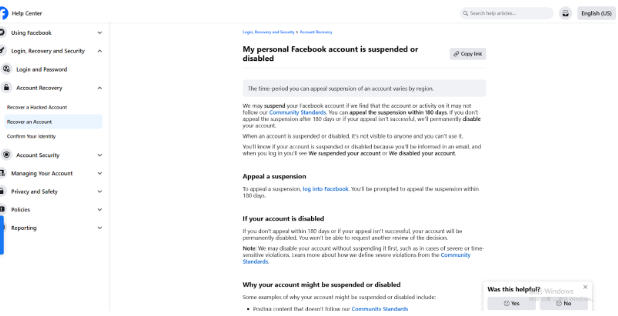
If your account has been blocked and you know the reason for “why did Facebook suspend my account for 180 days, submitting an appeal correctly can significantly improve your chances of recovery. Follow these steps carefully to avoid unnecessary delays or additional risks.
Step 1: Open the Official Appeal Page
Go to Facebook’s official account appeal page through the Help Center. Make sure you are logged in with the blocked account to ensure the appeal is correctly linked.
Step 2: Fill in the Required Information Clearly
Carefully read the instructions on the appeal form and provide accurate details, such as your full name, email address, and a brief explanation of why you believe the block was a mistake. Keep your message factual, calm, and concise.
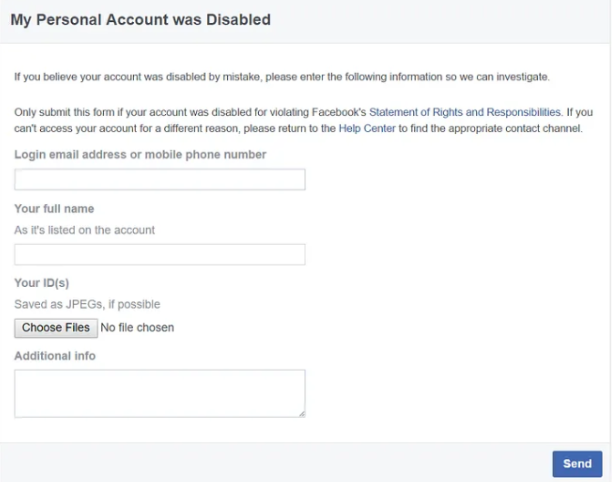
Step 3: Submit Necessary Documents
Upload the required identification documents if requested. Ensure images are clear and unedited.
The review process usually takes 3–7 business days, but timelines may vary. Please avoid submitting multiple appeals or changing documents repeatedly, as this can increase review risk and slow down the process.
Avoiding another Facebook account block requires more than short-term solutions, since it demands long-term compliance and stable usage habits. By aligning your content, behavior, and account environment with Facebook’s expectations, you can significantly reduce detection risks and maintain account health over time.
To reduce risk, you can review Facebook’s Community Standards and Advertising Policies regularly, as enforcement rules change over time. Ensure ad creatives, targeting settings, and landing pages are consistent and transparent. For daily use, keep posting frequency reasonable and maintain authentic interactions. Accounts that behave like real users, not automated systems, are far less likely to be flagged or restricted.
Many Facebook account blocks can be traced back to unsafe third-party tools. These tools may send excessive requests, perform actions at unnatural speeds, or access restricted APIs without proper authorization. Therefore, instead of experimenting with unverified software, you need to rely on trusted and transparent solutions that clearly explain how they operate and comply with platform rules. Choosing tools with a solid reputation and predictable behavior helps maintain account stability and avoids unnecessary interruptions to your workflow.
Facebook closely monitors login patterns, including device type, browser configuration, IP address, and location. Frequent changes in these factors can trigger security alerts and increase the likelihood of account restrictions being imposed. To avoid this, try to log in from the same device and network whenever possible, and avoid switching between multiple browsers or operating systems in a short period of time. If you need to manage more than one account, using isolated and consistent login setups is essential. A stable environment helps Facebook recognize your activity as normal user behavior rather than suspicious automation or account abuse.
Besides, strengthening account security is equally important. Enabling Two-Factor Authentication (2FA) adds an extra verification step when logging in, making it much harder for unauthorized users or automated systems to access your account. Even if your password is compromised, 2FA can effectively block suspicious login attempts. Facebook supports several 2FA methods, including SMS codes and authentication apps, which are easy to set up and manage. From Facebook’s perspective, accounts with 2FA enabled are generally considered more trustworthy, as they demonstrate proactive security behavior. This simple measure not only protects your account from hacking but also helps reduce the likelihood of security-related blocks.
If you want to manage multiple Facebook accounts with long-term stability, account isolation is required. Logging in to several accounts from the same device, browser, or network can easily trigger Facebook’s risk controls. This is where anti-ban tools become highly effective. Instead of relying on basic browser separation, advanced solutions create independent, isolated environments for each account.
Morelogin Cloud Phone is a powerful anti-ban tool specifically designed to address this issue. Each cloud phone runs on a separate virtual device with unique system parameters, network configurations, and fingerprint profiles, ensuring there is no cross-account association. With this tool, you can not only improve operational efficiency but also safeguard your accounts from unnecessary suspensions.
In addition to security, MoreLogin also supports efficient team collaboration, so administrators can synchronize account content across devices, assign roles, and flexibly grant or revoke permissions based on team responsibilities, allowing teams to manage multiple accounts collaboratively while maintaining strict access control, operational transparency, and account safety at scale.
The newly released RPA feature can automate the management of your operational content. Give it a try!
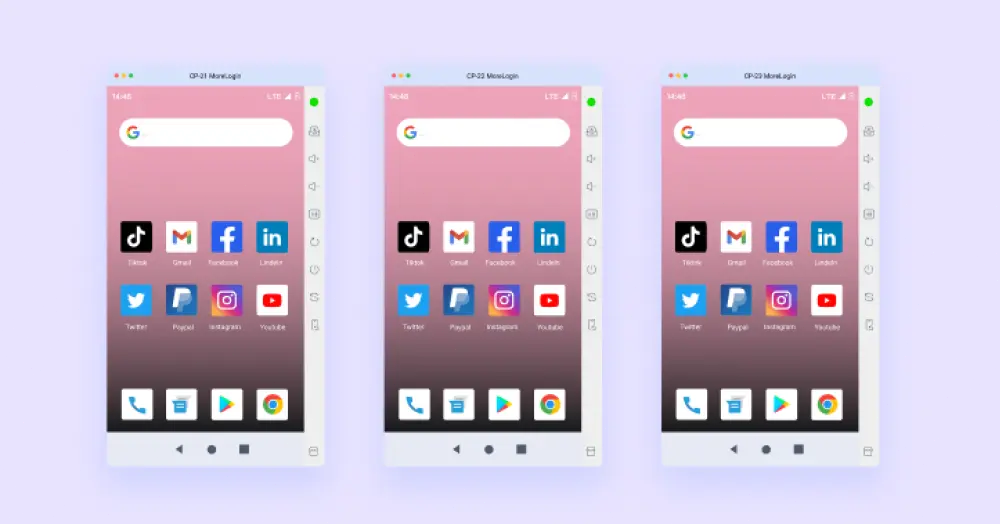
Why did Facebook suspend my account? Policy violations, unstable login environments, or risky automation behaviors frequently lead to Facebook account suspensions. As explained above, understanding the root causes, taking appropriate recovery steps, and adopting long-term prevention strategies can help protect your Facebook account. For users managing multiple profiles or running marketing operations, relying on manual setups is inefficient and risky.
This is where Morelogin cloud phones provide a practical advantage. By isolating accounts, stabilizing fingerprints, and providing real mobile environments, MoreLogin helps reduce detection risks while improving workflow efficiency. For Facebook users, these features are crucial in preventing account suspensions caused by suspicious activities like unusual logins or device changes.

 EN
EN