- Product

- Pricing
- Affiliate Program
- Developers
- Resource
 EN
EN
A remote phone is a phone that can be accessed and controlled from another location over a network. The device is somewhere else, but the user can still operate it through the internet or another remote connection, allowing them to remotely control the device as if they were physically present. Remote access allows employees to access corporate resources from anywhere, making it essential for modern business operations.
The value of a remote phone is not just remote access. Remote devices allow users to access computers or networks from anywhere, making them useful for both short and long distances. It is also about separating device access from physical hardware location. This makes it useful for testing, support, team workflows, and other mobile tasks that do not require the phone to stay in the user’s hand. In this article, we will explain the remote phone meaning, how it works, its main benefits, and how it compares with physical phones and cloud phones.
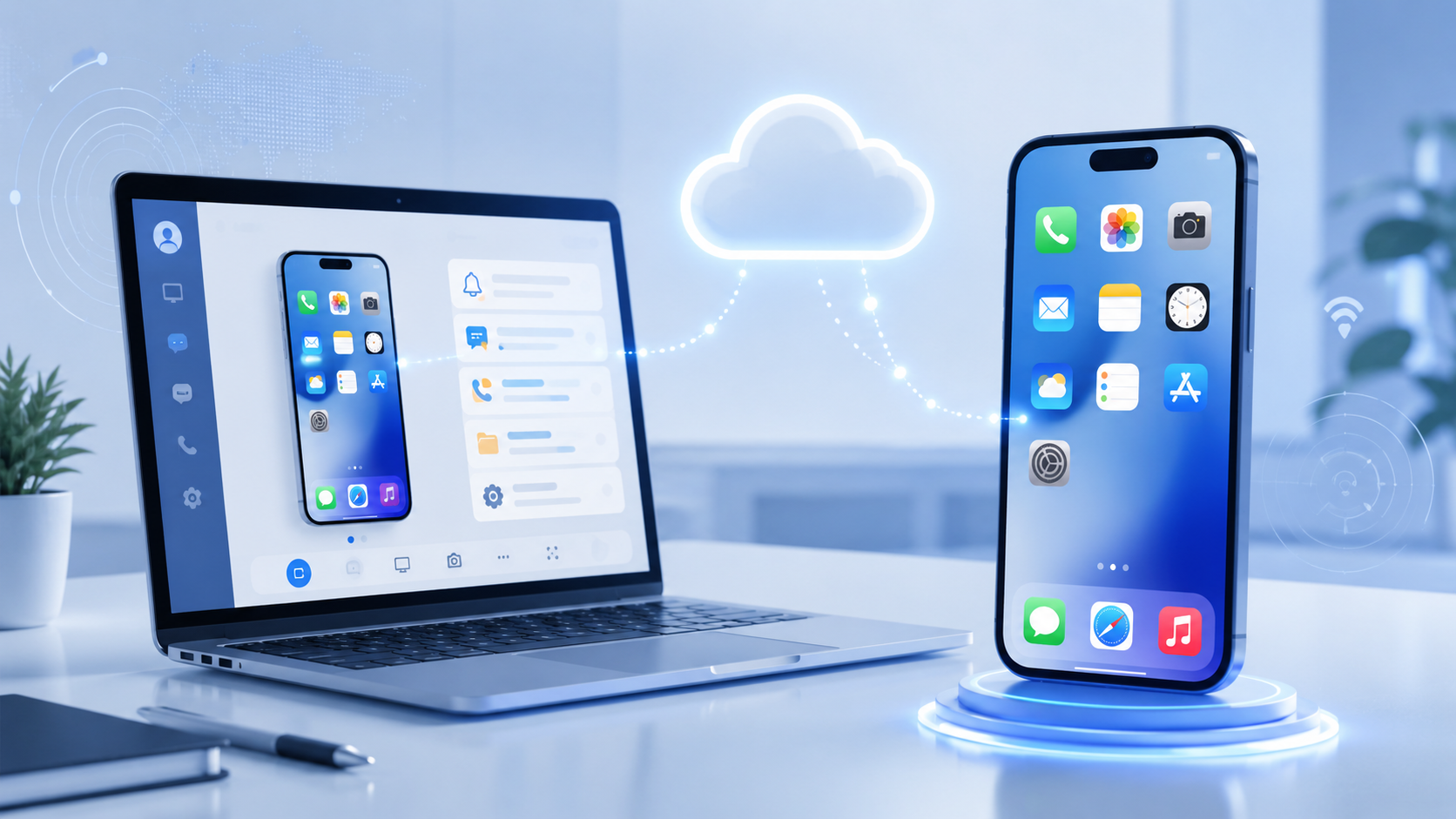
A remote phone is a mobile device environment that you can access from somewhere else.
The most important part of the definition is not the word “phone.” It is the access model. The device is remote, and the user connects to it through a network. That is why a remote phone should be understood as a phone that can be reached and used without being physically nearby.
This is also why a remote phone is more than screen sharing. Screen sharing only shows the display. A remote phone setup gives the user actual remote control over the device environment, allowing you to interact with an Android device as if you were physically present. You are not just viewing a phone; you are operating it remotely.
Remote access enables users to manage apps, access files, provide support, and troubleshoot issues on Android devices as if they were physically present, making remote control an essential tool for efficient device management and support.
In practice, a remote phone can take different forms. It may be a real device located elsewhere. It may be part of a hosted mobile service. It may also be tied to a larger management system with permissions, device access controls, and workflow tools.
What stays the same is simple: the phone is not with the user, but the user can still use it.
That is the clearest explanation of the remote phone meaning. It is phone access without physical proximity.
A remote phone works by separating the device from the user.
The user connects through a browser, desktop app, web panel, or remote access tool. Commands are sent over the network, and with cloud-based management, administrators can configure features, add lines, or update settings through a web portal—no on-site technicians or hardware installations required. The phone receives those commands and executes them in its own environment. The result is then shown back to the user through the same connection.
From the user side, the process looks simple. You log in, connect, and use the phone. But the main point is what happens underneath. Your computer is not becoming the phone. It is only the access point. The phone still runs as its own device environment somewhere else.
That separation is what makes the model useful. A person in one city can access a phone in another. Remote sessions are encrypted to ensure security. A team can work across locations without moving devices by hand. A business can give staff access to mobile environments without keeping every device on-site.
Of course, a remote phone is only useful when the setup is stable enough for real work. Connection quality matters. Latency matters. Session reliability matters. Permissions also matter once more than one person needs access. Regularly updating settings and software is important for maintaining secure and stable remote sessions.
A remote phone reduces the need to tie mobile work to local hardware.
Main benefits include:
Flexible accessYou do not need to keep the phone nearby to use it. This makes it easy for employees to work from anywhere and maintain focus on their tasks, supporting remote work, hybrid teams, and cross-location access.
Lower hardware burdenPhysical phones need to be bought, charged, stored, updated, repaired, and replaced. A remote setup can save money for businesses over the longer term, and investing in remote solutions pays off by reducing these costs.
Better continuityA remote phone can stay available in a fixed environment instead of moving between desks, people, or offices.
Cleaner team workflowsShared device access is easier to organize when phones are managed remotely instead of being passed around manually.
Better support for repeated mobile tasksIf a workflow needs regular access to a phone environment, remote access is often easier to manage than local device handling.
A softphone application allows users to turn their device into a business phone using the company's central phone number instead of their personal number.
These are practical gains. The model matters because it removes part of the friction around phone-based work.
One common use case is app testing. Teams may need access to mobile environments from different locations. A remote phone allows teams to test app performance and functionality across different devices, making it easier than moving physical devices between testers.
Another use case is account access and verification. Some tasks depend on a specific device environment, but they do not require the user to physically hold that device all day. Remote access is often enough.
A third use case is distributed team operations. Once people work across cities or time zones, local-only device access becomes less practical. Remote devices can connect to and control various types of equipment, including laptops, tablets, mobile phones, TVs, and DVD players, primarily through wireless connections. A remote phone helps separate access from location.
There is also a simpler case: temporary device access. Sometimes a person needs a phone environment for a limited task, not a long-term group of physical devices. In that case, a remote setup may be the cleaner option. Remote phones are also used for training, demos, and tracking support activities, helping teams improve performance and operational efficiency.
This is also close to what many users mean when they search for a virtual Android phone online. In many cases, they want access to an Android environment through the internet instead of depending on a physical phone beside them.
The three terms below are related, but they describe different setups.
This table matters because “remote phone” describes the access model, while “cloud phone” usually describes a more complete service built around that access. Cloud phones are designed to allow easy onboarding of new users and devices, streamlining team setup and management. With remote control features, users can interact with apps by tapping, swiping, and using the onscreen keyboard, allowing intuitive remote management.
A physical phone stays with the user. You pick it up and use it directly.
A remote phone works differently. The device may be somewhere else, but you still access it through a network. That is the main difference. One model is local. The other is remote.
With a physical phone, the user or company usually handles the full hardware cycle. That includes purchase, charging, storage, updates, repairs, and replacement.
A remote phone changes that model. It does not always remove hardware work completely, but it reduces how much of that work falls on the end user.
A physical phone is still the most direct option for normal personal use.
A remote phone becomes more useful when access needs to happen across locations, across team members, or across multiple devices. That is where local hardware becomes harder to manage cleanly.
Remote phone is the broader term. It describes a phone that can be accessed remotely.
It does not automatically tell you how the system is built, how scalable it is, or what management tools are included. Two very different solutions can both be described as remote phones.
A cloud phone is usually a more organized form of remote phone access. It is not just a phone you can connect to. It is often a hosted service with clearer infrastructure, device management, and scaling.
If you want to understand that category first, it helps to read what is a cloud phone. That concept is closely related, but it is narrower and more product-shaped.
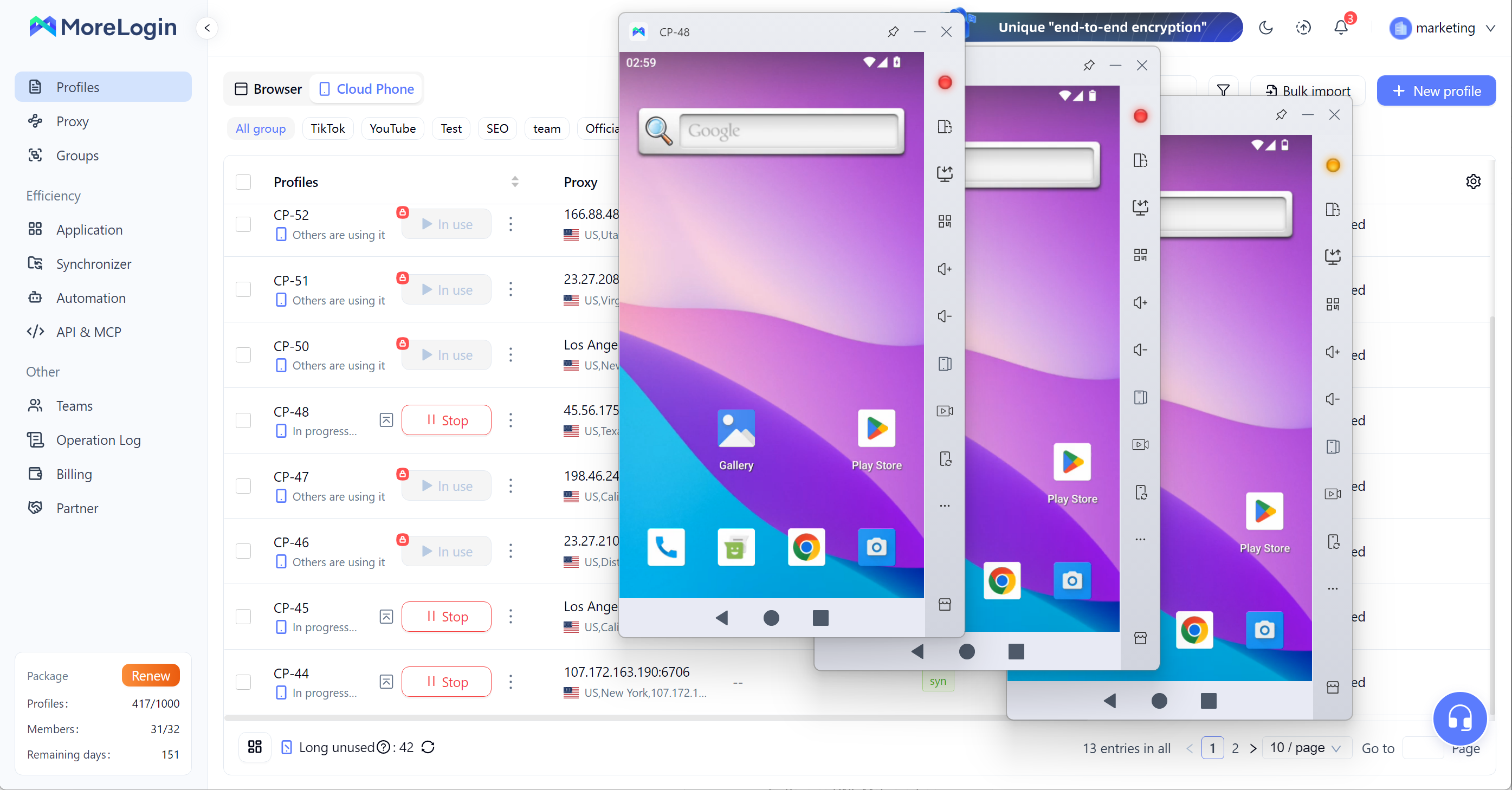
If you only need occasional access to one remote device, the broader remote-phone idea may be enough.
If you need a phone environment for long-term use, repeatable workflows, team access, or larger operations, the service model matters more. That is where a cloud phone becomes a more practical category.
So the two terms are related, but they are not interchangeable.
Not every remote phone setup is good enough for real work. Before choosing one, check these points:
Device type: Know what kind of phone environment you are actually accessing.
Connection quality: High delay and unstable sessions will quickly become a problem.
Hardware independence: The phone environment should run independently, not just imitate separation.
Uptime and reliability: Repeated tasks need stable access.
Permissions and access control: Shared use needs clear control over who can access what.
Scalability: A setup that works for one device may not work for ten or more.
Workflow fit: Different tasks need different levels of stability, management, and automation.
Choosing the wrong remote phone setup can lead to support and security issues, making it important to avoid cost-saving shortcuts that compromise reliability. These checks are basic, but they make the difference between a simple remote connection and a usable working system.
So, what is a remote phone? It is a phone that can be accessed and controlled from another location over a network.
That is the basic definition. The real value is that it separates device access from device location. This makes mobile work more flexible and reduces the need to keep every phone physically nearby.
It does not replace every physical phone. It is also not always the same as a cloud phone. A remote phone is the broader concept. A cloud phone is a more structured version built for stronger management, continuity, and scale.
That is the clearest way to understand the term.
A remote phone is a phone you can access and control over a network without physically holding the device.
No. A remote phone is the broader concept. A cloud phone is usually a more structured hosted service built around remote phone access.
A physical phone is used locally. A remote phone is accessed from another location through a network.
In business use, it usually means remote access to mobile environments for testing, verification, support, and distributed team workflows.
Yes, in some cases. Some remote phone solutions can provide a virtual Android phone online experience, depending on how the service is built.

 EN
EN