- Product

- Pricing
- Affiliate Program
- Developers
- Resource
 EN
EN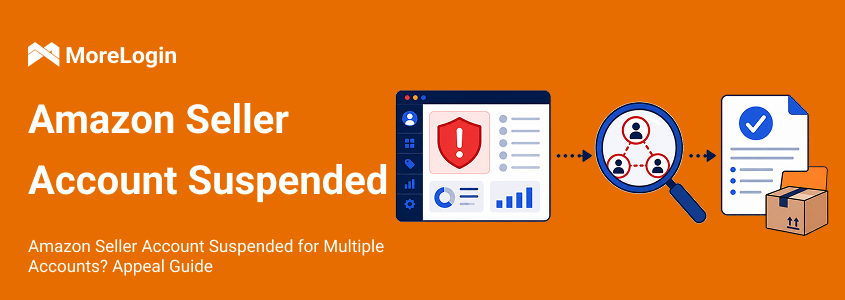
An Amazon seller account suspended for multiple accounts means Amazon has restricted your selling access because it detected a link to another seller account, and fixing it usually depends on identifying which account triggered the action, how the connection was made, and what evidence supports your explanation.
A multiple account suspension can stop sales without telling you the full story. The notice may show only a few letters from another store. That is often the only useful clue.
Do not start with an appeal template. Start with the relationship Amazon believes it found.
This is written for Amazon sellers, teams managing more than one store, and digital marketing agencies handling account access across people, devices, and locations. It walks through how to read the suspension notice, map the accounts and access points involved, assemble claims and evidence, choose the right appeal path, write and submit an effective appeal, respond if Amazon rejects it, and tighten your access process after reinstatement so the same risk does not return.

Amazon often calls this an account deactivation. Sellers commonly call it a suspension. The practical issue is the same. Your selling access is restricted until Amazon accepts the required explanation or evidence.
Read the notice line by line. Record:
The visible part of the related store name
The marketplace where the notice appeared
The date of the action
The policy or verification issue mentioned
The exact documents Amazon requests
The suspension notice or performance notification contains the instructions provided for the appeal, so follow those instructions exactly when you submit.
Then open Performance Notifications in every marketplace listed in Seller Central. An unfinished registration in another region can look like a separate related account. A store name you do not recognize may be your own incomplete regional setup.
Amazon generally permits one Seller Central account per region. Another account may be allowed for a legitimate business need, such as a separate brand or company. All related accounts should remain in good standing. Amazon explains the current process in its guidance for multiple seller accounts.
Do not create a new store while this case is open. That can add another account to the investigation.
The fastest way to waste an appeal is to guess. Build a one page account map instead.
List every Amazon store connected to your business. Include active stores, closed stores, failed registrations, and regional accounts. Add the people who have accessed each one.
Check these groups:
Owners and directors
Current and former employees
Virtual assistants
Agencies and consultants
Family members involved in the business
Partners from a former company
Add the dates when access started and ended. Note who controlled the email, phone number, bank account, and payment card.
Next, review how the stores were accessed. Shared devices, browser sessions, cookies, and networks may create operational overlap. Amazon does not publish its full linkage system, so do not claim that one IP address caused the suspension unless you have evidence. Treat technical overlap as one part of the review.
For legitimate stores, a clear process for multi account login without IP linkage can also reduce accidental session mixing. It does not change ownership facts or Amazon policy.
Your account map should lead to one of three appeal paths.
Before writing the appeal, reduce the case to a simple claim and evidence sheet. Use three columns: claim, proof, and missing information.
A few rows may look like this:
Claim: The source account belongs to our company.
Proof: Business registration and Seller Central account details.
Missing information: The source account is still deactivated.
Claim: Agency access ended on May 12.
Proof: Contract termination notice and User Permissions record.
Missing information: Confirmation from the agency that stored credentials were deleted.
Claim: We have never owned the named store.
Proof: Company ownership records, bank records, and an internal access audit.
Missing information: Review of a former virtual assistant's client access.
Read each row as if you were the reviewer. Can the document prove the claim without a long explanation? If not, the evidence is weak or the claim is too broad. Keep a clear case log so each claim, document, and timeline detail stays aligned.
This exercise also shows when you are not ready to submit. If the source account is still deactivated, work on that account. If an agency has not confirmed the end of access, obtain the record. If your dates conflict, resolve them before writing.
A clean evidence sheet keeps the appeal consistent. If Amazon's concern involves authenticity or sourcing, the missing-information column may point to additional evidence such as supplier invoices or authorization letters. It also makes a later request for more information easier to answer.
This is usually the most direct case. It is not always the quickest.
Find the account that received the original policy action. Resolve each policy violation there first. Check every regional marketplace connected to it.
After Amazon restores the original account, appeal the store affected by the relationship so your selling privileges can be reviewed. Include the restored storefront name and the reinstatement date.
Trying to close a deactivated source account may not resolve the issue. Amazon usually wants the underlying violation handled first.
Past access still needs an explanation. This often applies after a business sale, an agency contract, a job change, or a partnership ending.
State what the relationship was. Give the start date and end date. Explain when access was removed.
Useful evidence may include:
A business sale agreement
A contract termination notice
Employment separation records
A share transfer document
A record showing that user access was revoked
Do not simply state that the account is not yours. Amazon may have records showing that you accessed it. Explain the old connection and prove why it is no longer active.
Start by checking whether an employee or agency accessed another client account. Review old regional registrations too.
If the account is still unknown, state that you have not owned, controlled, or authorized it. Support that statement with business and access records.
Amazon may need more than an identity document. Show who owns your company, who controls the store, and who had permission to log in. The goal is not to prove that two store names are different. The goal is to show that the businesses and account control are independent.
A large file dump can hide the useful evidence. Submit documents that provide the requested information and answer the issue in the notice.
Common documents include:
Government issued identification
Business registration records
A recent utility bill
Bank or payment account statements
Brand ownership records
Employee and agency contracts
Contract termination documents
Access removal records
Proof that the source account was reinstated
If Amazon raises authenticity or intellectual property rights concerns, relevant documentation can include supplier invoices, authorization letters, or records showing your right to use the product or brand.
Check every name, address, and company number. They should match Seller Central. Make sure scans are complete and readable.
Create a short evidence index. Name each file by what it proves. For example, Agency Termination May 12 is clearer than Document 4.
If a document does not support your chosen appeal path, leave it out.
A useful appeal letter is short enough to review and detailed enough to verify. Treat it as a plan of action poa—an action plan built around root cause, completed correction, and prevention—and make sure your plan of action outlines corrective actions for the violation. A clear, evidence-backed POA can significantly improve your chances of reinstatement.
Name the real connection. Avoid vague phrases such as a technical issue occurred.
Use this level of detail:
Our review found that a former agency accessed our Seller Central account and stores belonging to other clients. We had not limited the agency to a dedicated account access process.
If the related account is yours, say so. If you do not recognize it, explain the checks you completed before reaching that conclusion.
Amazon needs actions, not intentions.
This part of the POA should list the corrective actions already completed.
A clear correction may read:
On May 12, we removed the agency from User Permissions. We reset account credentials. We reviewed every authorized user and documented the stores each person can access.
Dates help. Named actions help. General promises do not.
Prevention should match the root cause and show how your new control process will prevent future issues.
If shared agency access caused the issue, describe new agency controls. If an unfinished marketplace registration caused it, explain how regional registrations are now reviewed. If staff used the wrong session, explain the new access workflow.
Do not add unrelated promises about inventory, customer service, or listing quality. They make the appeal longer without answering the suspension. Keep the preventive steps specific enough to reduce the risk of future suspensions.
Open Account Health and find the deactivation record. Use Reactivate your account or View appeal. Follow the request shown there. If Amazon gives a submission window, treat the first performance notification as time-sensitive and start the appeal process by aiming to submit your Plan of Action within 3 days of suspension.
If you own the account that caused the original action, appeal that account first. Once it is active, appeal the related store.
Save a copy of the submission, every attachment, and the Case ID. Monitor your email and Seller Central for Amazon's response during the reinstatement process. If Amazon asks for more information, compare the request with your evidence index. Add what is missing.
Avoid sending several rewrites in one day. Different versions can introduce conflicting dates and explanations.
A rejection does not always mean the writing was poor. Many sellers fail because they use generic templates instead of specific business details, facts, and evidence. It often means Amazon could not verify one part of the story.
Read the rejection carefully. A request for more information is not the same as a final decision. It often points to the part Amazon could not verify. Look for references to ownership, access, documents, or the status of another account.
If the first submission is rejected, the next appeal should address only the unsupported point and keep the case log consistent across follow ups.
Change only the part that needs support. Replacing a consistent appeal with a new theory can create a credibility problem.
Check these questions:
Did you identify the source account?
Is the source account still deactivated?
Did you explain past access?
Do the documents match Seller Central?
Did you prove that a former relationship ended?
Did you provide completed actions rather than future plans?
Did your later appeal change the original explanation?
Multiple appeals can hurt when they introduce contradictions, but a disciplined revision can still help get the account reinstated.
An amazon seller account suspended appeal may also fail when it focuses only on shared IP addresses. Amazon may be looking at ownership, payment data, company records, or user access.
Call Account Health Support if that option is available. Ask which part of the required information is incomplete. Do not ask for a guarantee. Ask for the gap. Amazon decides whether the evidence is enough, often within a few days; for some sellers the account is reinstated in 24–48 hours, while others wait up to 30 days.
Reinstatement removes the immediate block. It does not fix the process that created the risk or protect the broader amazon business from future account suspensions.
Start with access ownership. One person should maintain the list of users, roles, stores, and removal dates. Staff should receive only the access needed for their work.
Avoid sharing the main login through chat or spreadsheets. Remove access when a contract ends. Review permissions each month. Monitor seller performance and key performance metrics in the account health page, including Order Defect Rate, and keep ODR below 1% to avoid suspension. Excessive negative feedback and slow replies can weaken customer feedback signals, so teams should respond promptly to buyer messages within 24 hours.
Teams that operate several legitimate stores can use an antidetect browser to separate cookies, local storage, and sessions. A multi account browser also gives each authorized store a named workspace. This can reduce wrong store logins and session crossover.
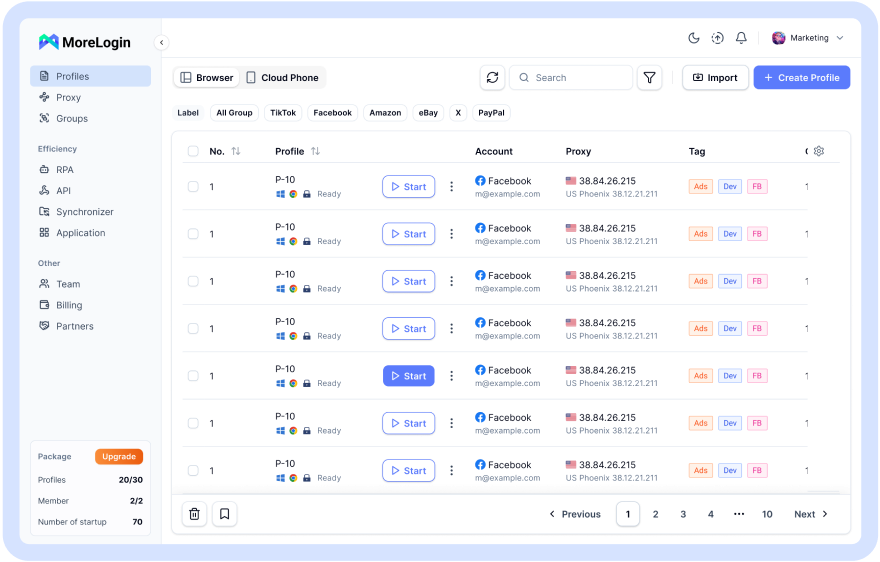
The browser is only one control. Keep business records accurate. Maintain stable, authorized access. Review operation logs. Check the account health dashboard in Seller Central every day.
Keep a simple incident record too. Record unusual login alerts, permission changes, and agency access. If another account issue appears, the team can work from dates and records instead of memory.
Advertising access needs the same discipline. If several staff members manage ads, document the account assigned to each person. MoreLogin has a separate workflow for multiple Amazon advertising accounts.
No browser tool can make a noncompliant account structure acceptable. The purpose is cleaner access management for stores that have a legitimate reason to operate.
Amazon may view a new account as an attempt to avoid the current action. Amazon’s policies generally prohibit opening a new seller account while the original suspended account is still unresolved, and many sellers make the situation worse by trying this instead of appealing through Account Health first.
There is no fixed review time for every case. Ownership questions, missing documents, and unresolved source accounts can extend the process. In many cases, an amazon suspension review moves within a few days, but the exact timing of an amazon seller suspension depends on the quality of the Plan of Action, the information Amazon requests, and whether the account was suspended for a straightforward issue or a more complex one.
No. An amazon account suspension tied to counterfeit products usually needs sourcing and authenticity evidence. Selling counterfeit products can lead to immediate suspension, and inauthentic complaints often arise from selling items that do not match their description. A multiple account case focuses on account ownership, access, and the status of related stores, while counterfeit cases may also involve intellectual property violations such as trademark, copyright, or patent infringement and related intellectual property disputes.
MoreLogin cannot get a suspended amazon account or selling account reinstated on its own. MoreLogin can help organize legitimate account sessions, staff permissions, and operating records after the issue is understood, but Amazon decides whether the amazon account reinstated outcome happens and whether the seller’s selling privileges return.
An amazon seller account suspension can also stem from performance and compliance problems beyond related accounts. Find the source account. Map the relationship. Choose one appeal path. Common causes of account suspensions include high order defect rates, inauthentic product claims, listing inaccuracies, repeated delivery-window violations, and Amazon's Account Health dashboard shows policy violations affecting the account. Then submit evidence that supports every claim.
After reinstatement, MoreLogin can help legitimate sellers separate working environments and manage team access. That supports a cleaner process, but policy compliance still comes first. Follow Amazon's policies by monitoring customer complaints, product safety issues, and regular listing reviews, and avoid restricted products such as drugs or weapons to reduce the risk that Amazon suspend the account again.

 EN
EN