- Product

- Pricing
- Affiliate Program
- Use Cases
- Resource
 EN
EN
Checkpoints are a common issue for users managing accounts on platforms such as Facebook, TikTok, Google, Shopee, and Amazon. They are security mechanisms designed to verify identity when the system detects unusual activity. However, for those operating multiple accounts for selling or advertising, checkpoints disrupt workflows and can even lead to account lockouts. This article explains why checkpoints occur and how to reduce risks using MoreLogin’s optimized solution.
A checkpoint is a state in which a platform requires users to verify their identity or login activity to ensure the account hasn’t been compromised or involved in suspicious behavior. Major platforms like Facebook, TikTok, Shopee, and Amazon rely on checkpoints to prevent fraud and unauthorized automation.
Depending on the system, checkpoints may appear in several forms, including:
Verification of a new device or login location
IP checks and detection of abnormal login signals
Cross-checking cookies, sessions, and activity history for consistency
Requests to upload documents, images, or identity confirmations
Temporary locks or feature restrictions until verification is completed
While checkpoints are designed to protect legitimate users, they become a major obstacle for multi-account operators. When platforms detect overlapping signals or unnatural login environments, checkpoints occur frequently, disrupting operations and increasing the risk of mass account bans.
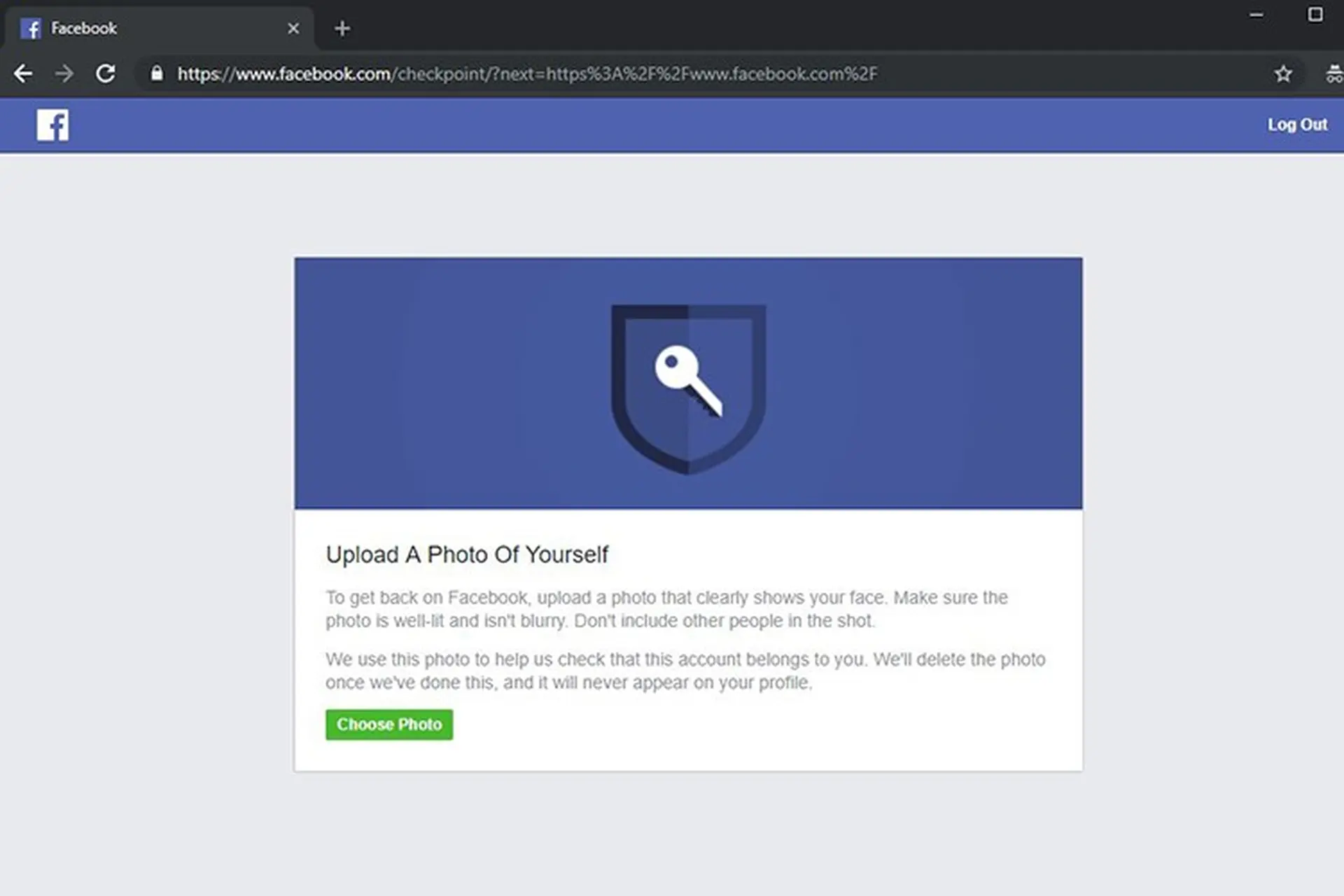
Before an account is officially checkpointed or locked, platforms usually send warning signals. If you manage multiple accounts, recognizing these signs early is critical to adjusting operations in time.
Common warning signs include:
Frequent OTP or verification code requests, even when logging in from a familiar device
Login failures despite correct passwords, indicating suspected abnormal activity
Alerts such as “Suspicious Login Attempt” appearing after access attempts
Automatic logouts followed by security verification or temporary protection modes
Restricted features, such as messaging, posting, product uploads, or ad delivery
When these signs appear, it means the system has started monitoring your account. At this point, you should immediately review your login environment, IPs, fingerprints, and cookies to prevent widespread checkpoints across your entire setup.
Checkpoints do not happen randomly. Modern e-commerce platforms and social networks use multi-layer anti-fraud systems that continuously monitor IPs, fingerprints, user behavior, and login environments. Once abnormal signals are detected, accounts are quickly flagged for verification.
Below are the most common reasons accounts fall into checkpoints.
This is the most common cause. When multiple accounts log in from the same IP address, platforms consider it unnatural and assume one person or organization is controlling many accounts at once.
A browser fingerprint is a digital identity that includes WebGL, Canvas, screen resolution, fonts, user agent, operating system, and more. If multiple accounts operate with identical fingerprints, platforms immediately detect the connection and trigger checkpoints. This is why a standard browser cannot safely manage multiple accounts.
Cookies store login session data. Logging into multiple accounts within the same browser causes cookie contamination, leading to overlapping access data, abnormal login traces, and inconsistent device identification. As a result, accounts are quickly marked as high risk.
If an account logs in from Vietnam and then from the US or Singapore within hours, the system may assume the account is compromised or shared. This is why unstable proxies often lead to frequent checkpoints.
Many virtual machines or unverified browsers generate unnatural fingerprints that lack realistic hardware parameters. This can push accounts directly into checkpoints upon login. Suspicious extensions or browser-modifying software also distort fingerprints and raise red flags.
Platforms closely track user behavior. Actions commonly flagged as risky include:
Frequent logins and logouts
Constant device or IP changes
Logging into many accounts following identical time patterns
Extremely fast actions that resemble bot behavior
Any one of these signals can easily trigger a checkpoint.
Major platforms such as Shopee, TikTok, Meta, and Amazon are tightening multi-account policies. Anti-fraud AI systems are constantly upgraded, leading to more frequent checkpoints, earlier detection of suspicious behavior, and outdated account “warming” methods becoming ineffective.
Checkpoints are not just inconvenient—they directly impact business operations. For those managing multiple Shopee, Amazon, TikTok, or Meta accounts, checkpoints can become serious risks if not handled properly.
Common consequences include:
Loss of account access, interrupting sales or advertising
Loss of data, chat history, ad audiences, and order records
Accounts being suspended, restricted, or permanently banned
Entire account ecosystems being affected due to linkage
For online sellers, MMO teams, and advertising agencies, checkpoints represent not only technical risks but also financial and operational risks that must be tightly controlled.
MoreLogin is a multi-account management tool that creates isolated browser environments. This allows you to log into many accounts without sharing IPs, fingerprints, or cookies.
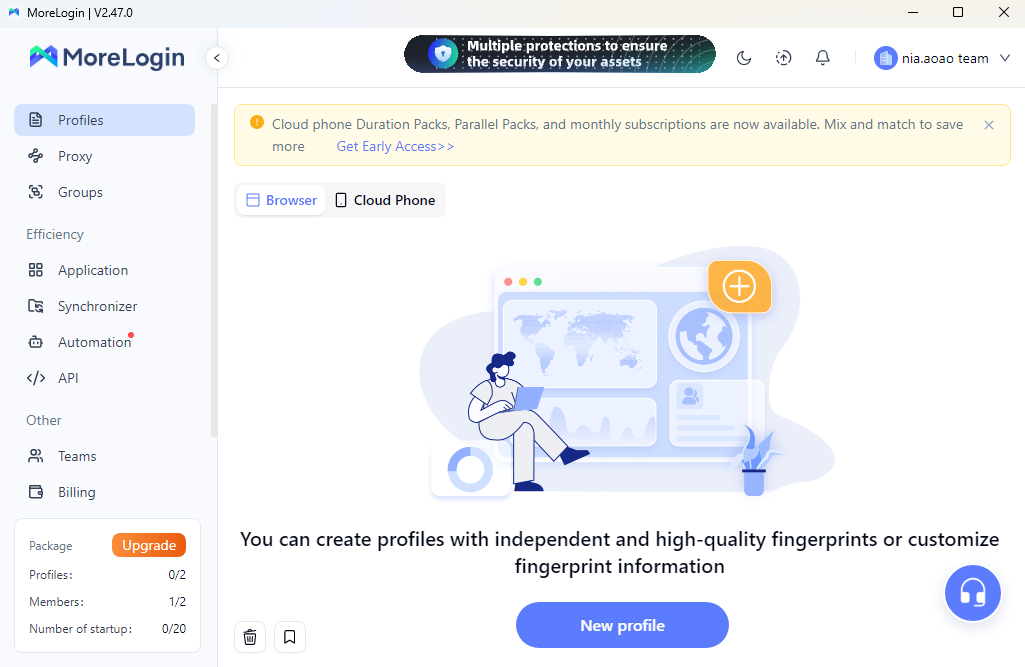
Each MoreLogin profile functions as a separate device with its own fingerprint, browser instance, and isolated environment. This prevents platforms from identifying accounts as being operated on the same device.
Each profile can be assigned a unique IP or proxy, enabling you to operate dozens or hundreds of accounts without IP overlap.
Cookies are stored separately in each profile and never mixed, unlike standard browsers. This ensures stable logins and significantly reduces checkpoint occurrences.
MoreLogin simulates realistic browser fingerprints that closely match real user environments, reducing suspicion from platform detection systems.
You can share browser profiles with team members without sharing passwords, minimizing risks associated with logins from unknown devices.
All profiles are stored and managed in a single dashboard, making it easier to monitor, organize, and optimize operational workflows.
To minimize checkpoint risks and ensure each account runs in a secure, isolated environment, proper setup is essential. Below is a standard workflow used by professional multi-account teams.
Each Shopee, Amazon, or TikTok account should have its own dedicated profile. Every profile represents a virtual device with independent fingerprints and data.
Each profile must use a different IP to avoid being flagged as multi-account activity. Recommended options include residential proxies, mobile 4G/5G proxies, or high-quality static IPs. The more stable the IP, the higher the account trust.
When logging in:
MoreLogin automatically saves cookies and sessions
Repeated logins are no longer required
CAPTCHA and excessive verification are reduced
Separate cookies per profile completely eliminate cross-account contamination.
When operating many accounts, grouping by domain, project, or staff member is essential. MoreLogin supports notes and categorization to help you track account status, avoid mistakes, and improve team efficiency.
Operational rules include:
Never logging into the same account from multiple IPs
Never opening the wrong account in another profile
Maintaining natural user behavior
Avoiding fast, repetitive, bot-like actions
Following these rules dramatically reduces checkpoint rates and ensures long-term system stability.
In addition to using MoreLogin and isolated environments, apply these operational best practices to minimize risk:
Use one stable IP per account
Do not log into accounts from different devices
Avoid low-quality VPNs or untrusted software
Do not open too many accounts at once
Minimize repetitive, automated actions
If you manage multiple accounts for MMO, affiliate marketing, advertising agencies, or e-commerce, now is the time to standardize your workflow with MoreLogin and protect your entire account system.
Checkpoint issues arise when platforms detect abnormalities in IPs, fingerprints, cookies, or login behavior. Understanding these causes and setting up a secure operating environment is the most effective way to protect accounts. MoreLogin provides browser, IP, and login data isolation to significantly reduce checkpoints, helping you operate multiple accounts safely and sustainably.

 EN
EN