- Product

- Pricing
- Affiliate Program
- Developers
- Resource
 EN
EN
Proxies are no longer tools used by a narrow group of specialists. Today, they are part of everyday workflows for teams working with automation, APIs, large volumes of requests, region-based traffic, and distributed tasks. At the same time, the concept of “proxies” often remains unclear: some talk about residential proxies, others about ISP or datacenter ones, but the practical difference is not always obvious.
In this article, we explain how MangoProxy works, what proxy types it offers, and how they are typically used in real working scenarios. We also show how proxies are configured in the MoreLogin browser - without complex terminology or unnecessary theory.
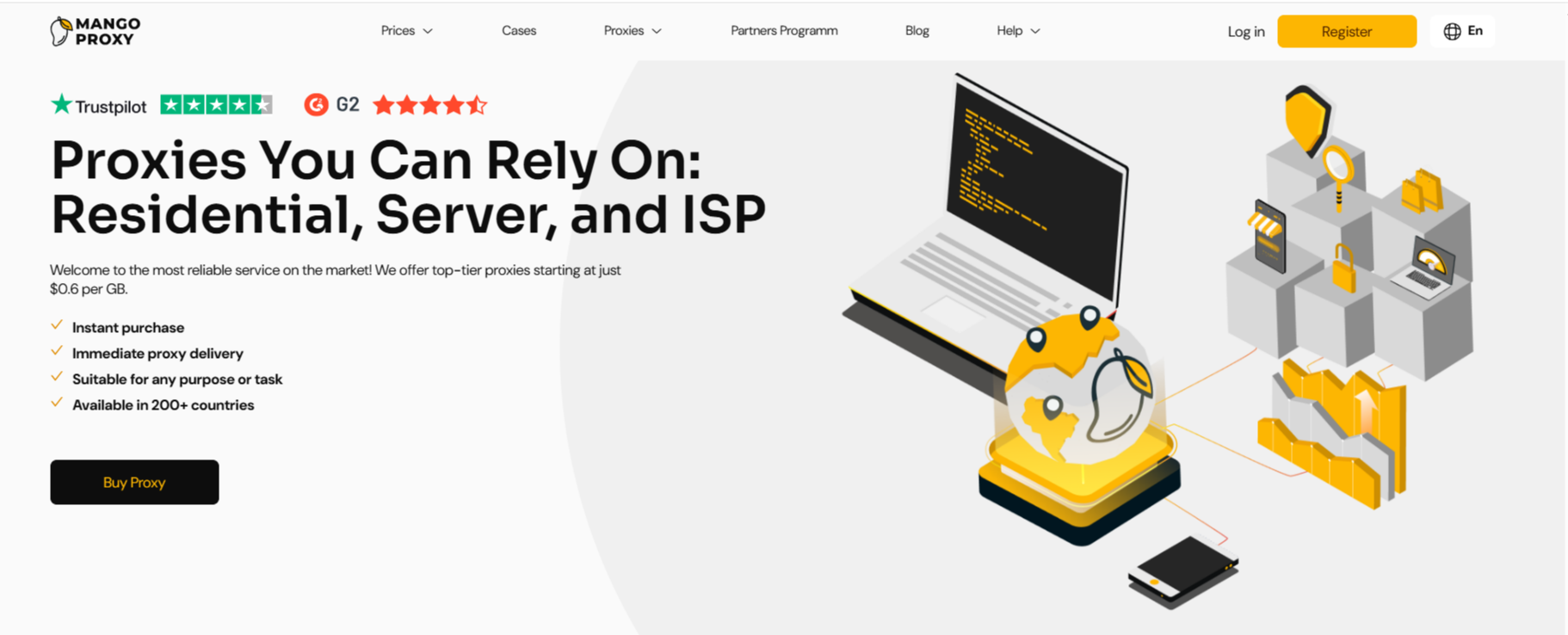
MangoProxy is a service that provides residential, ISP, and datacenter proxies for tasks where a stable connection and the ability to manage connection parameters are important.
The service gives access to a large pool of IP addresses and allows users to choose a connection format depending on how they work - via a browser, scripts, APIs, or automated systems. Proxies are managed through a dashboard and an API, and both HTTP and SOCKS5 protocols are supported.
In everyday use, this does not feel like a complex system. Instead, it works as a clear and practical tool: you select a proxy type, receive connection details, and use them as part of your normal workflow.
MangoProxy offers several proxy types. Each format is designed for specific tasks.

Residential proxies use IP addresses associated with real user devices. They are typically chosen when working with distributed traffic and a large number of regions. These proxies operate in a dynamic mode and are suitable for tasks where requests are spread across multiple IP addresses.
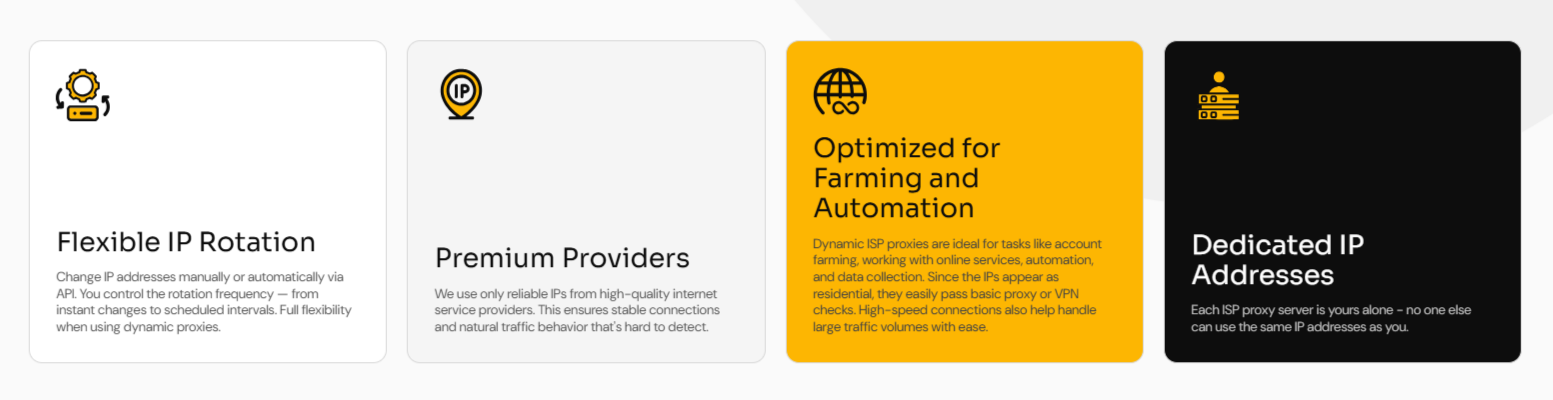
ISP proxies sit between residential and datacenter proxies.
The service offers:
dynamic ISP proxies
static ISP proxies
They are often used when a more stable IP is required, while still keeping a connection pattern similar to a regular user network.

Datacenter proxies are IP addresses from server networks.
They can be:
dynamic
static
This format is usually selected for API access, services, and automation tasks where response speed and connection stability are important.
Key terms and technologies explained
Dynamic proxies - the IP address can change between sessions or requests. This is useful when traffic is distributed and there is no strict need to stick to a single IP.
Static proxies - a specific IP address is assigned and used continuously. This option works well for long sessions and persistent connections.
HTTP and SOCKS5 - connection protocols. HTTP is commonly used for browsers and simple tasks, while SOCKS5 is chosen for more flexible scenarios, including applications and scripts.
MangoProxy uses different payment models depending on the proxy type:
Residential — from $2.00 per GB
ISP Dynamic — from $0.80 per GB
Datacenter Dynamic — from $0.60 per GB
ISP Static — from $2.10 per IP
Datacenter Static — from $2.10 per IP
Traffic-based pricing works well for dynamic tasks, while per-IP pricing is better suited for stable connections with a fixed address.
In tasks that involve multiple browser profiles, proxies are usually assigned per profile. This helps separate sessions and avoid mixing network settings.
In such scenarios, proxies are often used together with browsers like MoreLogin, where each working environment is configured independently.
For APIs and automated requests, datacenter or ISP proxies are commonly chosen. They provide a stable response and are suitable for scaling requests without sharp load spikes.
When a service or project operates across different regions, dynamic proxies with wide geographic coverage are convenient. MangoProxy provides access to more than 200 countries for dynamic proxies and over 30 countries for static ones.
In MoreLogin, proxies are configured at the profile level. This allows each profile to operate with its own connection.
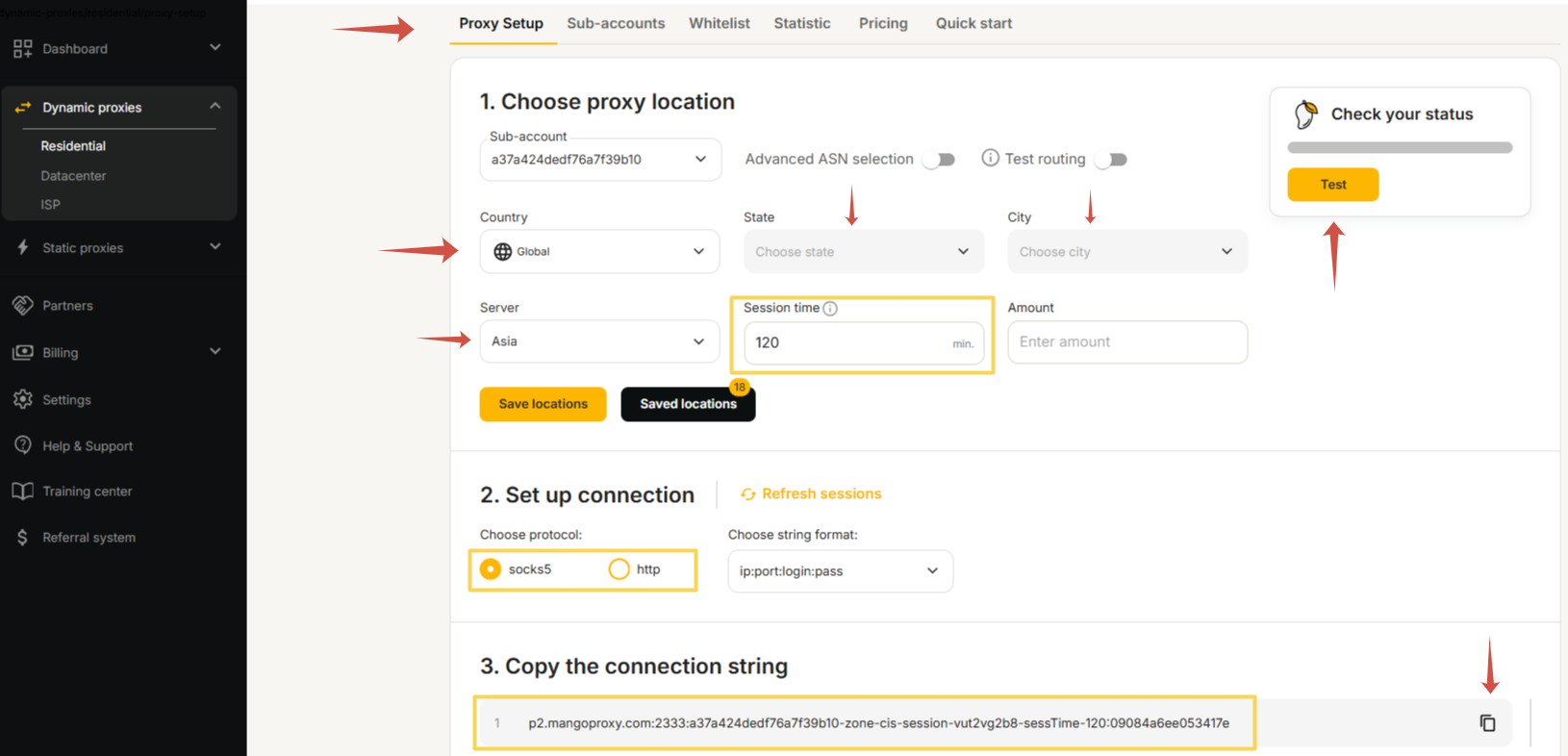
Start by logging in to the MangoProxy dashboard and selecting the proxy type that best fits your task.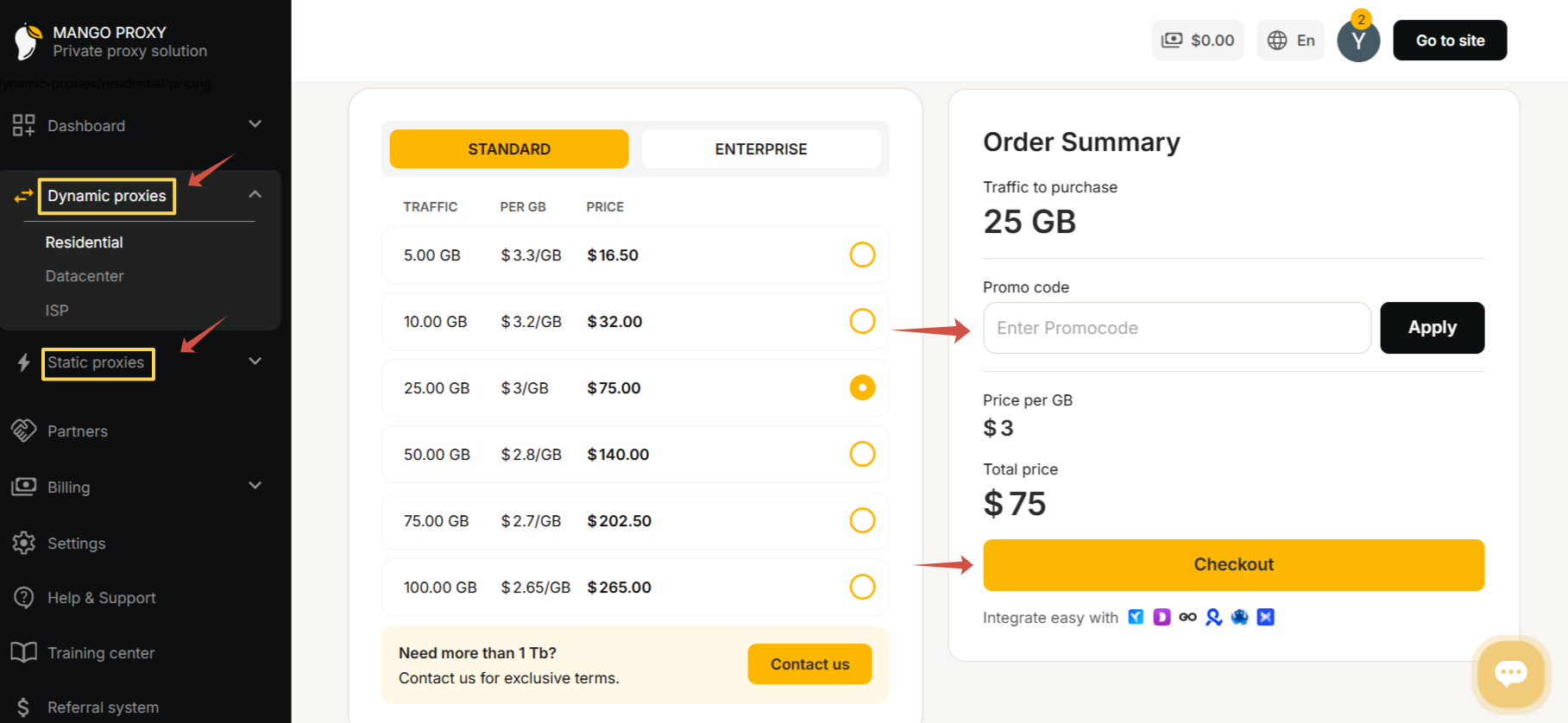
Next, configure the basic connection parameters: country or region, city if needed, server, and session format. For dynamic proxies, you can also set the IP rotation interval and the number of simultaneous connections. After validation, the system generates ready-to-use connection details.
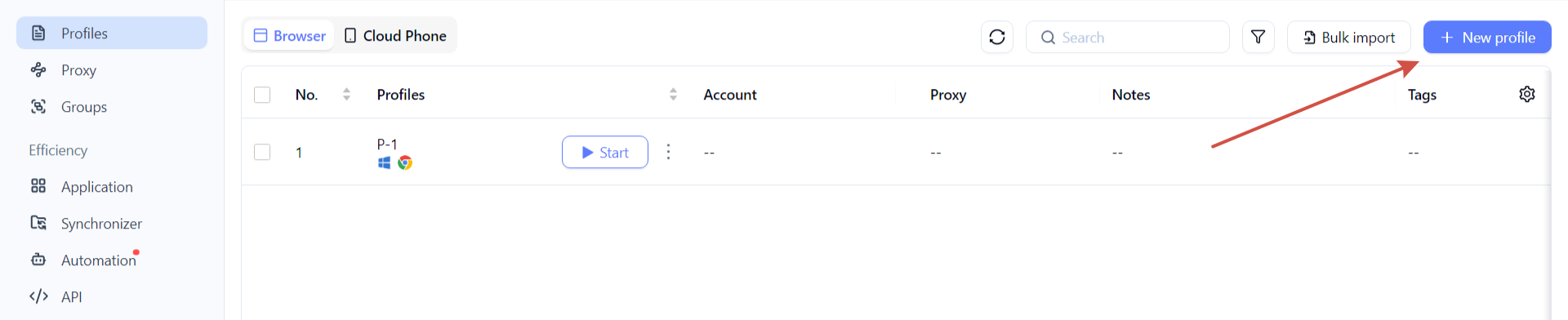
In MoreLogin, create a new profile and open its settings.
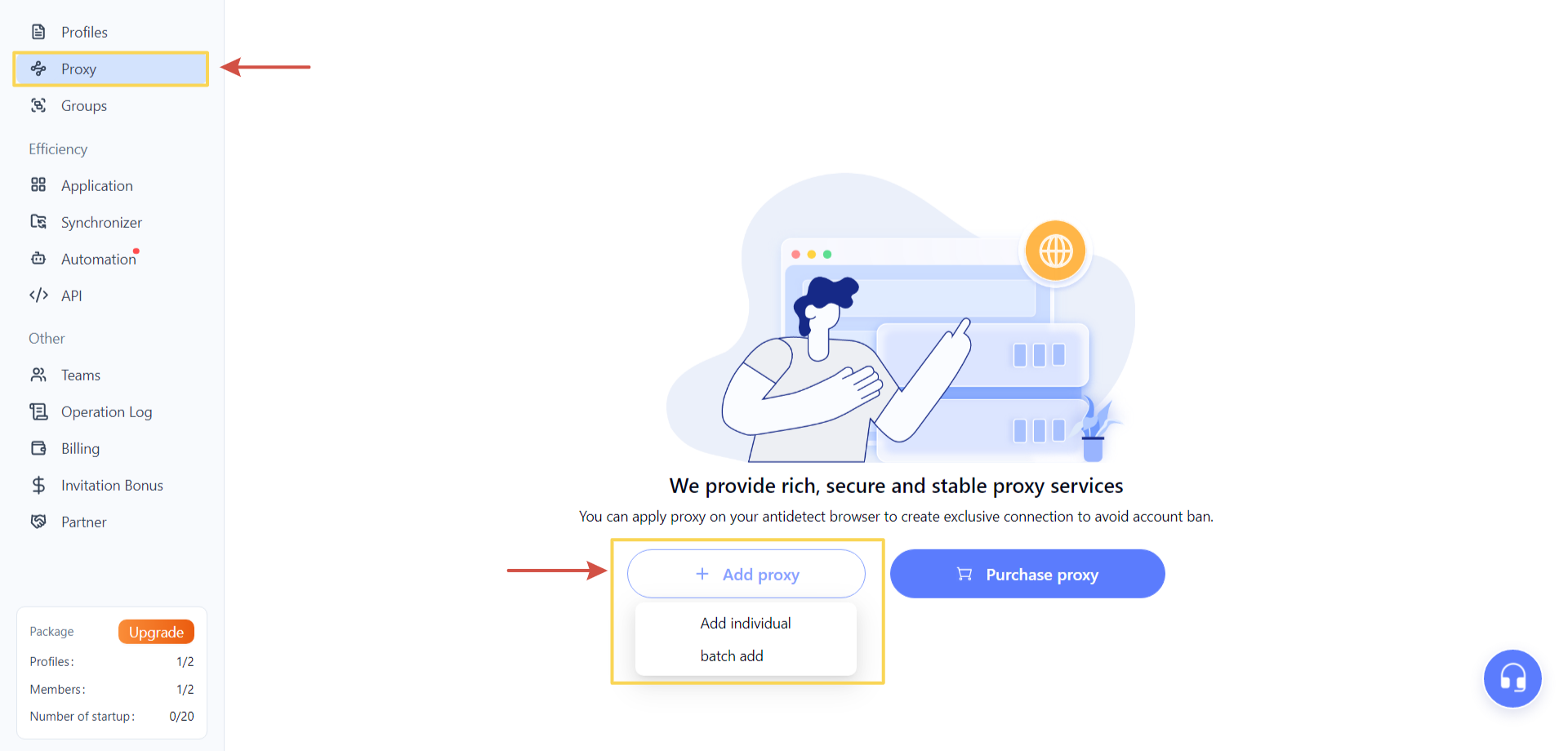
In the Proxy section, select Add proxy. From the dropdown menu, you can choose single addition or bulk import - for manual setup, the single option is sufficient.
In the configuration window, specify the main connection parameters. In the Proxy type field, select HTTP or SOCKS5. Then choose the IP request channel - in most cases, the default option is used.
Enter the proxy IP address in the Proxy server field, followed by the username and password provided in the MangoProxy dashboard.
If you are using dynamic proxies, you can also add an IP change link, which allows the address to be updated without recreating the profile. If needed, enable IP change monitoring to track address updates within the profile.
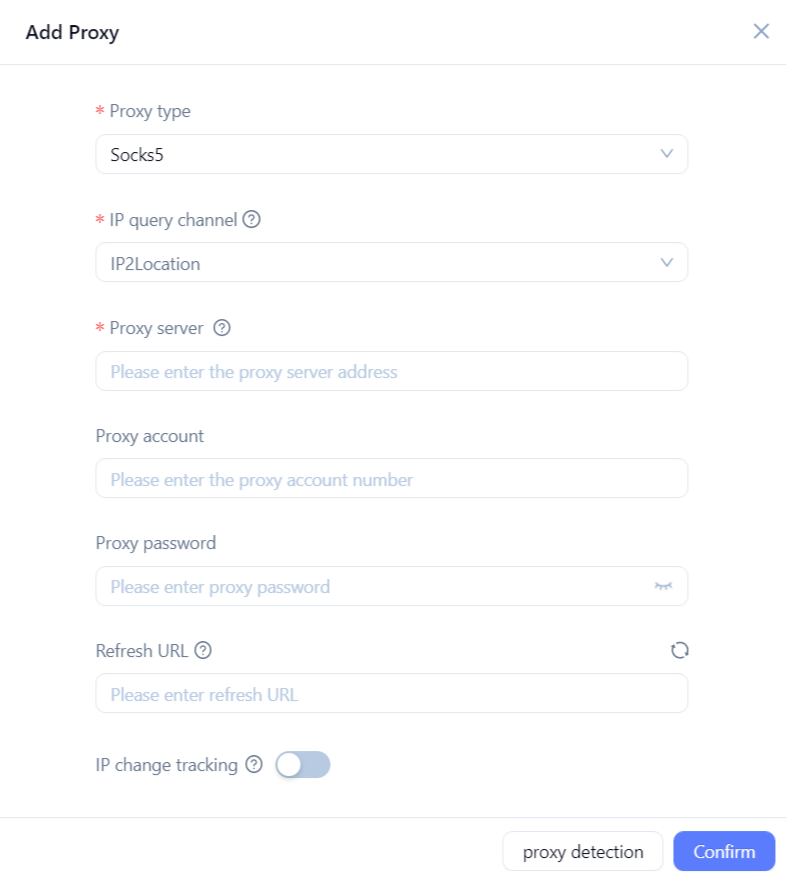
After filling in all fields, click Check proxy. If the connection is available and the data is correct, the system will confirm a successful check. Click Confirm, and the proxy will be added and ready to use in browser profiles.
Save the profile and launch it. The browser will start working with the specified network settings.
In a common workflow, proxies handle how requests are routed through the network, while browsers like MoreLogin manage profiles and the browser environment. Proxies complement this setup by allowing connection settings to be adjusted for different tasks without changing the overall workflow.
Proxies are tools that require understanding the task at hand. Choosing the wrong proxy type or payment model can complicate work, even if the service itself is reliable. It is important to consider in advance:
whether a fixed IP is required
how long sessions last
how much traffic is used
Can MangoProxy be used with antidetect browsers?
Yes, proxies can be easily configured in browsers like MoreLogin.
Which proxy type is suitable for APIs?
Datacenter or ISP proxies are most commonly used.
Are different protocols supported?
Yes, HTTP and SOCKS5 are available.
Is wide geographic coverage available?
Dynamic proxies are available in 200+ countries.
Can proxies be managed via API?
Yes, the service provides both an API and a control panel.
MangoProxy is a clear and flexible proxy service suitable for different working tasks - from browser profiles to automation and APIs. With the right proxy type and proper configuration, it fits naturally into daily workflows without requiring deep technical expertise.

 EN
EN