- Môi trường tài khoản
 Multi-Account Browser
 Điện thoại đám mâyTự động hóa
 RPA không cần mã
 Trình đồng bộ
 Tích hợp
 Tác nhân AI
 - Bảng giá
- Nhà phát triển
 VN
VN
Nhiều người tìm android emulator for windows vì muốn chạy Android apps trên máy tính Windows. Nhưng cùng một truy vấn đó có thể đại diện cho những nhu cầu rất khác nhau.
Một user có thể chỉ muốn mở banking app hoặc messaging app trên laptop Windows. Một user khác cần keyboard controls tốt hơn để chơi Android games. Developer có thể cần test APK trên nhiều Android versions. Một team có thể cần separate Android environments cho các accounts khác nhau.
Những nhóm user này không nên chọn cùng một setup.
Guide này không lặp lại một danh sách dài các Android emulator tools. Thay vào đó, bài viết so sánh các lựa chọn chính theo use case: cloud Android emulator, local emulator, performance-focused emulator, developer virtual device và native Android options trên Windows 11. Mỗi phần giải thích option đó phù hợp ở đâu, giới hạn ở đâu và tool nào hợp với use case đó.
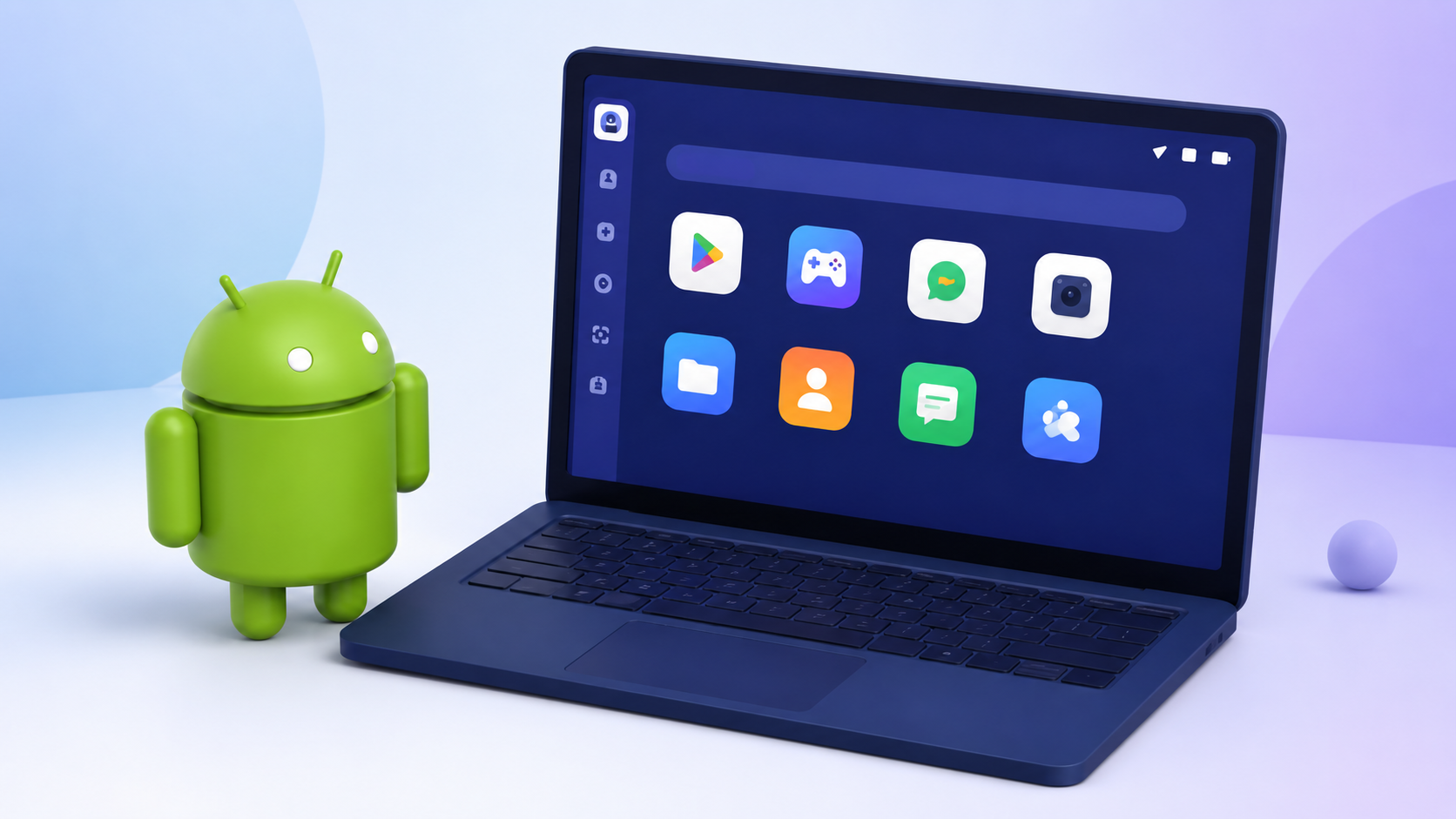
Câu trả lời ngắn gọn là: hãy chọn theo task, không phải theo brand name.
Nếu bạn chỉ chạy một Android app, local emulator thường là đủ. Nếu bạn chơi mobile games trên PC, hãy chọn gaming-focused emulator. Nếu bạn build Android apps, hãy dùng developer virtual device. Nếu bạn manage nhiều Android environments, cloud Android emulator thường phù hợp hơn việc mở thêm nhiều local emulator windows.
Một android emulator for windows tốt cần khớp với công việc thật sự bạn cần làm. Một tool có thể có nhiều features nhưng vẫn là lựa chọn sai nếu dùng quá nhiều memory, hiển thị quá nhiều ads, crash trong long sessions hoặc không chạy được app bạn cần.
Trước khi chọn, hãy kiểm tra các điểm sau:
Tool có hoạt động tốt trên Windows 10 hoặc Windows 11 không?
Tool dùng bao nhiêu CPU, RAM và GPU?
Tool ảnh hưởng đến overall system resources nặng đến mức nào?
PC của bạn có chịu được more than one instance không?
Tool có hỗ trợ Android version mà app của bạn cần không?
Setup đơn giản hay quá technical?
Tool có stable trong long sessions không?
Tool có hỗ trợ keyboard mapping, file transfer và APK installation không?
Tool có thể tách Android environments cho different accounts không?
Tool có hỗ trợ proxy, network hoặc team controls nếu cần không?
Có ads, bundled apps hoặc unnecessary prompts không?
Developer-focused Android emulators thường cần ít nhất 8 GB RAM và 4 GB disk space. Intel VT-x hoặc AMD-V nên được bật để có performance tốt hơn. Larger screen virtual devices cũng có thể cần cấu hình cao hơn.
Với casual users, setup và compatibility quan trọng nhất. Với gamers, FPS và keyboard mapping quan trọng hơn. Với developers, debugging và Android version testing là các điểm chính. Với multi-account work, vấn đề lớn hơn là mỗi Android environment có thể giữ separate và stable hay không.
Đó là lý do bài viết này chia emulator options theo workflow, thay vì xem mọi tool là cùng một loại software.
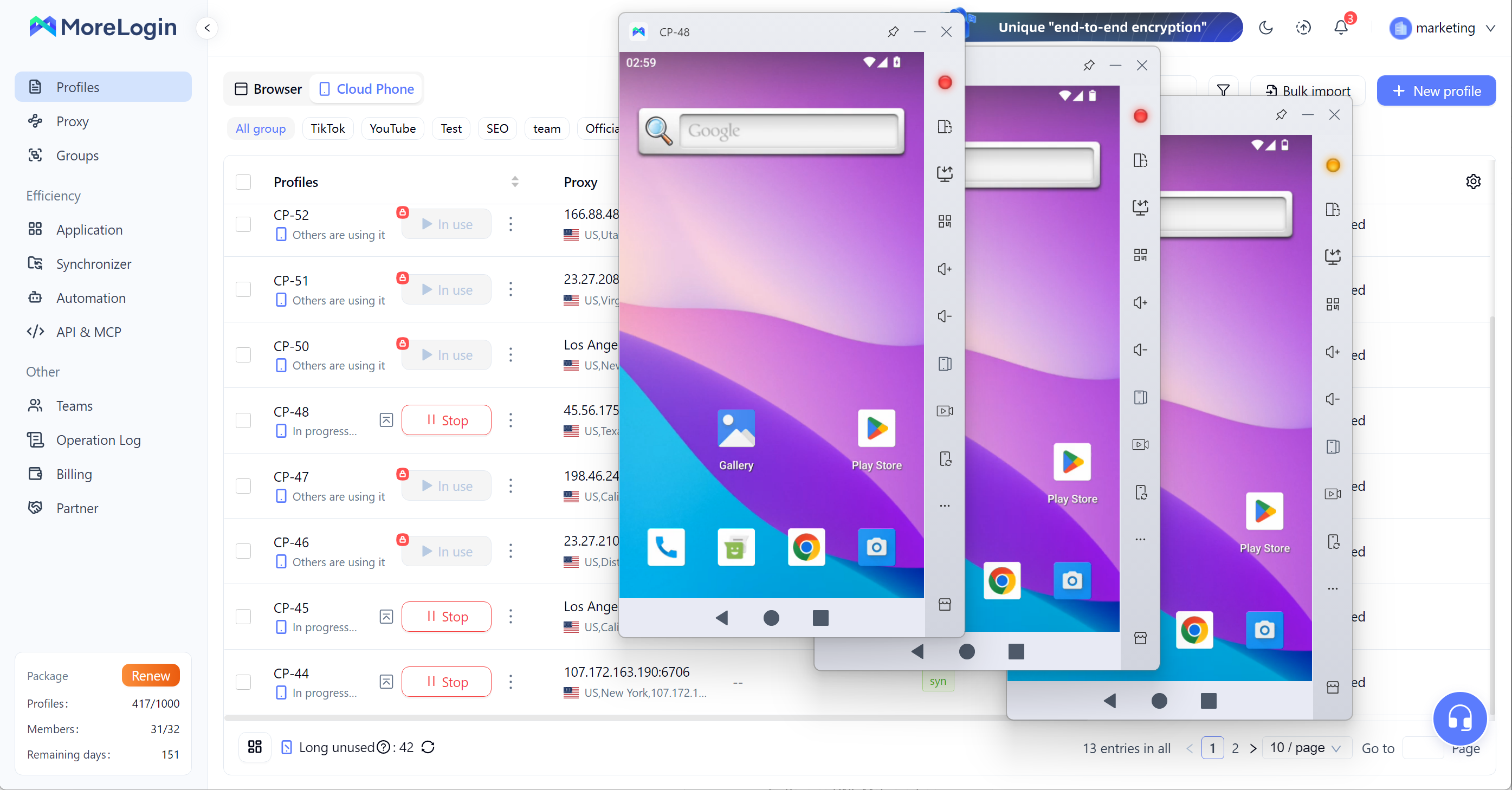
Cloud Android emulator không chủ yếu dành cho người chỉ muốn mở một Android app trên PC. Nó phù hợp hơn với users cần nhiều Android environments mà không muốn dồn toàn bộ áp lực lên một Windows device.
Local emulator chạy trên chính computer của bạn. Điều đó có nghĩa là mỗi Android instance sẽ dùng local CPU, RAM, GPU và disk space. Một instance có thể chạy ổn. Ba hoặc năm instances có thể làm máy chậm đi. Nhiều hơn nữa sẽ khó manage, đặc biệt nếu bạn cần long sessions.
Cloud Android emulator đưa Android environment ra khỏi local PC. Điều này hợp lý hơn khi công việc liên quan đến multiple accounts, mobile-side checks, team access hoặc repeated Android workflows. Vấn đề không chỉ là “running Android on Windows”. Vấn đề là quản lý separate Android environments mà không biến Windows computer thành bottleneck.
Đây cũng là điểm cloud Android emulator khác với normal emulator. Nó gần với một managed Android environment hơn là một simple app player. Nếu bạn chưa chắc hướng này có phù hợp với công việc của mình không, bài so sánh cloud phone vs emulator giải thích rõ sự khác biệt giữa local emulators và cloud-based Android environments.
Multi-account Android workflows
Separate mobile environments
Long-running Android sessions
Team-based Android operations
Users không muốn mọi instance đều chạy trên local Windows PC
Account tasks cần cleaner environment separation
Không phải lựa chọn tốt nhất cho casual Android gaming
Không cần thiết nếu bạn chỉ cần một Android app đơn giản
Cần cloud access
Có thể vượt quá nhu cầu của personal light use
MoreLogin
MoreLogin phù hợp với users cần cloud-based Android environments, account separation và mobile workflows từ Windows computer. Nó không chỉ dùng để mở một Android app. Nó hoạt động tốt hơn khi user cần manage several Android environments, keep work separated hoặc để team xử lý mobile tasks từ một platform.
Nếu bạn cần một workspace rộng hơn cho Android và browser-based workflows, có thể bắt đầu với MoreLogin.
Local Android emulator chạy Android apps trực tiếp trên Windows computer của bạn. Đây là lựa chọn quen thuộc nhất. Bạn install emulator, mở nó, sign in và chạy apps bên trong một virtual Android environment.
Với users tìm android emulator for windows 10, local emulator vẫn có thể đủ. Nó hoạt động tốt khi task đơn giản và PC có đủ resources. Nếu bạn chỉ muốn mở một hoặc hai apps, test một basic APK hoặc dùng Android apps casually, không cần làm setup phức tạp.
Ưu điểm chính là convenience. Phần lớn local emulators dễ cài đặt. Nhiều tool hỗ trợ Google Play, APK installation, keyboard mapping, screen rotation và basic file transfer. Với personal use, như vậy có thể đã đủ.
Điểm yếu là resource usage. Local emulators dùng CPU, RAM, GPU và storage của chính máy bạn. Nếu Windows PC cũ hoặc đã chạy heavy software, emulator có thể lag. Multi-instance use có thể làm tình trạng này nặng hơn. Một số users cũng không thích ads, app suggestions hoặc bundled content trong một số emulators.
Local emulator là câu trả lời tốt cho light use. Nhưng nó không phải câu trả lời cho mọi workflow.
Casual Android apps
Simple Android app access trên Windows
Personal use với một hoặc hai instances
Users muốn quick setup
Basic APK testing
Dùng local CPU, RAM, GPU và disk space
Có thể chậm khi chạy multiple instances
Không lý tưởng cho long-term multi-account workflows
Environment separation còn giới hạn
User experience phụ thuộc vào ads, updates và bundled apps
BlueStacks
BlueStacks, ra mắt năm 2011, là một trong những Android emulators lâu đời nhất và là practical local android emulator for windows cho users muốn quick setup và basic Android app access trên PC. Tool này cũng có wide compatibility cho casual app use. Với supported games, nó có thể đạt 60+ FPS, dù performance vẫn phụ thuộc vào PC của bạn. MSI App Player là một BlueStacks-based alternative với ít ads hơn. Đây là lựa chọn tốt hơn cho casual users, không phải cho teams hoặc heavy multi-account workflows.
Nếu bạn cần một danh sách traditional tools riêng, có thể xem bài review best Android emulator.
Performance-focused Android emulator vẫn là local emulator, nhưng được xây nhiều hơn quanh speed, FPS, keyboard controls và game settings.
Lựa chọn này chủ yếu dành cho users muốn chơi Android games trên Windows PC. Một normal app user có thể không quan tâm nhiều đến frame rate, key mapping hoặc gamepad support. Nhưng gamer thì có. Nếu controls bị delay hoặc emulator drops frames, trải nghiệm sẽ rất kém.
Một performance-focused android emulator for windows thường cho phép kiểm soát nhiều hơn với CPU allocation, RAM allocation, resolution, FPS, keyboard shortcuts và multi-instance settings. Với GPU acceleration, một số emulators có thể deliver better performance, trong khi software rendering thường là fallback trên systems không được hỗ trợ. Một số tool cũng có gaming features phục vụ play và capture hơn là everyday app use. Các additional features này có thể gồm screen recording, và một số setups cũng hỗ trợ running multiple apps khi users multitasking.
Giới hạn rất rõ: nó vẫn chạy trên local hardware. Nếu Windows PC có weak specs, emulator sẽ không tự nhiên perform well chỉ vì nó gaming-focused. Chạy several windows at the same time vẫn có thể làm system chậm. Loại emulator này cũng không được xây cho strong account separation hoặc team workflows.
Android gaming trên Windows
Users cần keyboard mapping
Users quan tâm đến FPS và control settings
Games chạy tốt hơn với custom performance settings
Light app use khi speed là yếu tố quan trọng
Vẫn phụ thuộc vào local hardware
Multiple instances có thể dùng nhiều resources
Không được xây cho account isolation
Không lý tưởng cho team operations
Performance thay đổi theo PC specs và app type
LDPlayer
LDPlayer phù hợp với users chủ yếu quan tâm đến Android gaming hoặc smoother app performance trên Windows. Được phát hành lần đầu vào năm 2018, tool này được xây với trọng tâm là gaming performance. Nó có solid compatibility cho nhiều games khác nhau trên lower-end hardware và có thể chạy mượt khi settings khớp với PC. Nên xem LDPlayer là gaming-focused local emulator, không phải full account management environment.
Developer Android virtual device không giống consumer emulator. Nó được xây cho app development, debugging và testing.
Lựa chọn này dành cho developers cần kiểm tra app hoạt động thế nào trên nhiều Android versions, screen sizes, device types và system settings khác nhau, bao gồm app running across different android devices, varied cpu cores và changing network conditions mà không cần physical hardware. Developers cũng có thể simulate incoming calls và text messages. Điều này hữu ích khi cần reproduce bugs, test layouts, inspect performance hoặc check an app before release.
Nếu bạn cần hiểu concept nền tảng trước, guide what is an Android emulator giải thích virtual Android environments được dùng cho testing như thế nào.
Điểm mạnh của developer virtual device là control. Developers có thể create different virtual devices, test Android versions, simulate screens và connect emulator với development tools. Nó cũng hữu ích cho automated testing và manual checks. Mức control này phù hợp với software work.
Điểm yếu là usability với normal users. Setup mất nhiều thời gian hơn. Interface technical. Nó không được xây cho người chỉ muốn run an Android app trên Windows PC. Nó cũng không designed for account operations, gaming comfort hoặc non-developer workflows.
Android app development
APK testing
Android version testing
Debugging
Screen size simulation
Device profile testing
Setup technical hơn
Higher learning curve
Không lý tưởng cho casual app users
Không được xây cho multi-account operations
Không phải lựa chọn tốt nhất cho gaming
Android Studio Emulator
Android Studio Emulator là official emulator cho Android app development. Nó mạnh về debugging và app testing, và virtual checks giúp giảm reliance on physical hardware. Tuy nhiên, một số validation vẫn cần physical device hoặc real device. Tool này vẫn quá technical với users chỉ muốn run Android apps trên Windows.
Một số Windows 11 users không muốn dùng full emulator. Họ muốn Android apps có cảm giác native hơn trên PC. Đây là lúc Windows-native hoặc subsystem-based Android options xuất hiện. Nếu bạn chủ yếu muốn chơi games trên Windows, Google Play Games là official option nên cân nhắc.
Cách này có thể dùng cho light app usage. Nó có thể đơn giản hơn việc cài full emulator, đặc biệt nếu user chỉ muốn mở một vài apps. Google Play Games for PC ra mắt năm 2022 và hiện hỗ trợ khoảng một nghìn titles. Nó cũng có save syncing across multiple devices và display support up to quad HD at 175hz. Với những người tìm android emulator for windows 11, option này có thể hấp dẫn vì nghe gần với built-in Android support hơn.
Nhưng category này cần thận trọng. Support status, installation method, app availability và compatibility có thể thay đổi. Một số apps có thể không chạy đúng. Một số setups có thể phụ thuộc vào community builds hoặc extra configuration. Điều đó khiến nó rủi ro cho important workflows.
Native Android app option có thể ổn để testing light app access. Nó không phải lựa chọn mạnh cho multi-account work, team operations hoặc long-term Android environment management.
Windows 11 users
Light Android app usage
Users không muốn full emulator
Simple app access trên Windows PC
Compatibility có thể thay đổi
App availability có thể bị giới hạn
Cần kiểm tra support status trước khi dùng
Không phù hợp cho advanced multi-account management
Không thay thế hoàn toàn cloud Android emulator hoặc dedicated local emulator
Windows Subsystem-based Android option
Windows Subsystem-based Android option có thể hoạt động cho light Android app usage trên Windows 11, nhưng không nên xem là lựa chọn an toàn cho important workflows nếu chưa kiểm tra current support status và app compatibility. Với app access, subsystem-based options có thể đủ, nhưng users chủ yếu muốn cách thân thiện hơn để chơi game trên màn hình lớn có thể thích Google Play Games for PC hơn.
Bảng dưới đây cho thấy option nào phù hợp với task nào.
Với readers vẫn muốn một traditional tool list, bài best Android emulator review covers more emulator options. Nếu bạn cần broader explanation về emulator use cases, guide Android emulator cũng hữu ích.
Với nhiều Windows users, quyết định thật sự không phải là BlueStacks hay LDPlayer. Quyết định thật sự là local emulator hay cloud Android emulator.
Local emulator phù hợp khi task nhỏ. Nó dễ cài đặt và quen thuộc. Với gaming, basic app usage hoặc one-time testing, nó thường hợp lý. Vấn đề bắt đầu khi user cần more than a few instances hoặc cần every environment to stay separate.
Cloud Android emulator phù hợp hơn khi workflow lặp lại, liên quan đến accounts hoặc team-based. Nó giảm áp lực lên local Windows PC và cho users cách manage several Android environments tốt hơn.
Điều này không có nghĩa mọi user đều cần cloud Android emulator. Nếu bạn chỉ muốn play one game hoặc open one app, local emulator là đủ. Nhưng nếu bạn cần several Android environments, cloud setup dễ manage hơn việc stacking more emulator windows trên một PC.
Nếu bạn cần product page riêng cho hướng này, có thể xem trang Android Emulator.
Best android emulator for windows phụ thuộc vào việc bạn cần làm gì. Local emulator đủ cho casual apps. Performance-focused emulator phù hợp hơn với Android games. Android Studio Emulator phù hợp hơn với developers. Native Windows 11 Android options có thể dùng cho light use, nhưng support và compatibility nên được kiểm tra trước.
Với users cần separated Android environments, multi-account operations và repeated mobile workflows, cloud Android emulator thường là setup phù hợp hơn. Nó tránh việc đặt mọi Android instance lên local Windows PC và cho teams cách manage Android work rõ ràng hơn.
Với users cần browser profiles, cloud Android environments và account management trong một platform, MoreLogin provides a more scalable way to manage Android and web-based workflows from one place.
Android emulator for windows nào tốt nhất?
Android emulator for windows tốt nhất phụ thuộc vào task. Với casual app use, BlueStacks có thể phù hợp. Với gaming, LDPlayer là lựa chọn tốt hơn. Với development, Android Studio Emulator phù hợp hơn. Với multi-account workflows và separated Android environments, MoreLogin thường là lựa chọn mạnh hơn.
Android emulator for windows 10 nào tốt nhất?
Với basic use, local emulator có thể dùng như android emulator for windows 10. BlueStacks là lựa chọn phổ biến cho simple Android app access. Nếu Windows 10 PC có limited RAM hoặc CPU, hãy tránh chạy nhiều instances cùng lúc. Với account workflows nặng hơn, cloud Android emulator dễ manage hơn.
Android emulator for windows 11 nào tốt nhất?
Android emulator for windows 11 tốt nhất phụ thuộc vào workflow. Windows Subsystem-based Android option có thể dùng cho light app usage, nhưng cần kiểm tra compatibility. Với gaming, performance-focused emulator thường tốt hơn. Với separate Android environments và account workflows, cloud Android emulator hợp lý hơn.
Cloud Android emulator có tốt hơn local Android emulator không?
Cloud Android emulator tốt hơn cho multi-account workflows, separated Android environments, remote access và team operations. Local emulator tốt hơn cho simple personal use, gaming và basic app access. Cloud option không tự động tốt hơn cho mọi user. Nó tốt hơn khi scale và environment separation quan trọng.
Có thể dùng Android emulator cho multi-account management không?
Có, nhưng normal local emulator có thể trở nên nặng nếu bạn chạy nhiều instances. Nó cũng có environment separation giới hạn hơn so với cloud-based Android environments. Với small personal use, local emulator có thể đủ. Với larger multi-account workflows, cloud Android emulator thường dễ control hơn.
Windows emulator for android có giống Android emulator for Windows không?
Không. Nhiều users search “windows emulator for android”, nhưng thường họ muốn nói Android emulator for Windows. Android emulator for Windows cho phép bạn chạy Android apps hoặc Android-like environments trên Windows PC. Windows emulator for Android nghĩa là chạy Windows trên Android device, đó là use case khác.

 VN
VN