- Sản phẩm

- Bảng giá
- Chương Trình Liên Kết
- Nhà phát triển
- Tài nguyên
 VN
VN
What is an Android Emulator? Đây là một ứng dụng phần mềm cho phép máy tính chạy Android app mà không cần dùng điện thoại Android vật lý. Thay vì mở app trên phần cứng di động thật, emulator tạo ra một virtual Android device trên PC hoặc Mac.
Local setup này hữu ích cho app testing, debugging, truy cập mobile game và các Android workflow ngắn hạn. Developer có thể test nhiều Android version, screen size và device setting khác nhau mà không cần mua từng mẫu điện thoại. Tester có thể nhanh chóng cài APK file, kiểm tra app behavior và tái hiện bug trong một môi trường có kiểm soát.
Tuy nhiên, native Android environment chạy trực tiếp trên hardware thật thường mang lại trải nghiệm liền mạch hơn và hiệu năng tốt hơn so với emulator. Đó là lý do nhiều người bắt đầu so sánh local emulator với cloud-based Android environment. Nếu mục tiêu là testing đơn giản, emulator vẫn rất thực tế. Nhưng nếu mục tiêu là persistent mobile operation, multi-account workflow, team access hoặc cloud automation, MoreLogin Cloud Phone có thể phù hợp hơn. Nếu bạn muốn xem sự khác biệt kỹ hơn, bài Cloud Phone vs Emulator sẽ giúp giải thích rõ khoảng cách giữa local virtual Android device và cloud-based mobile environment.
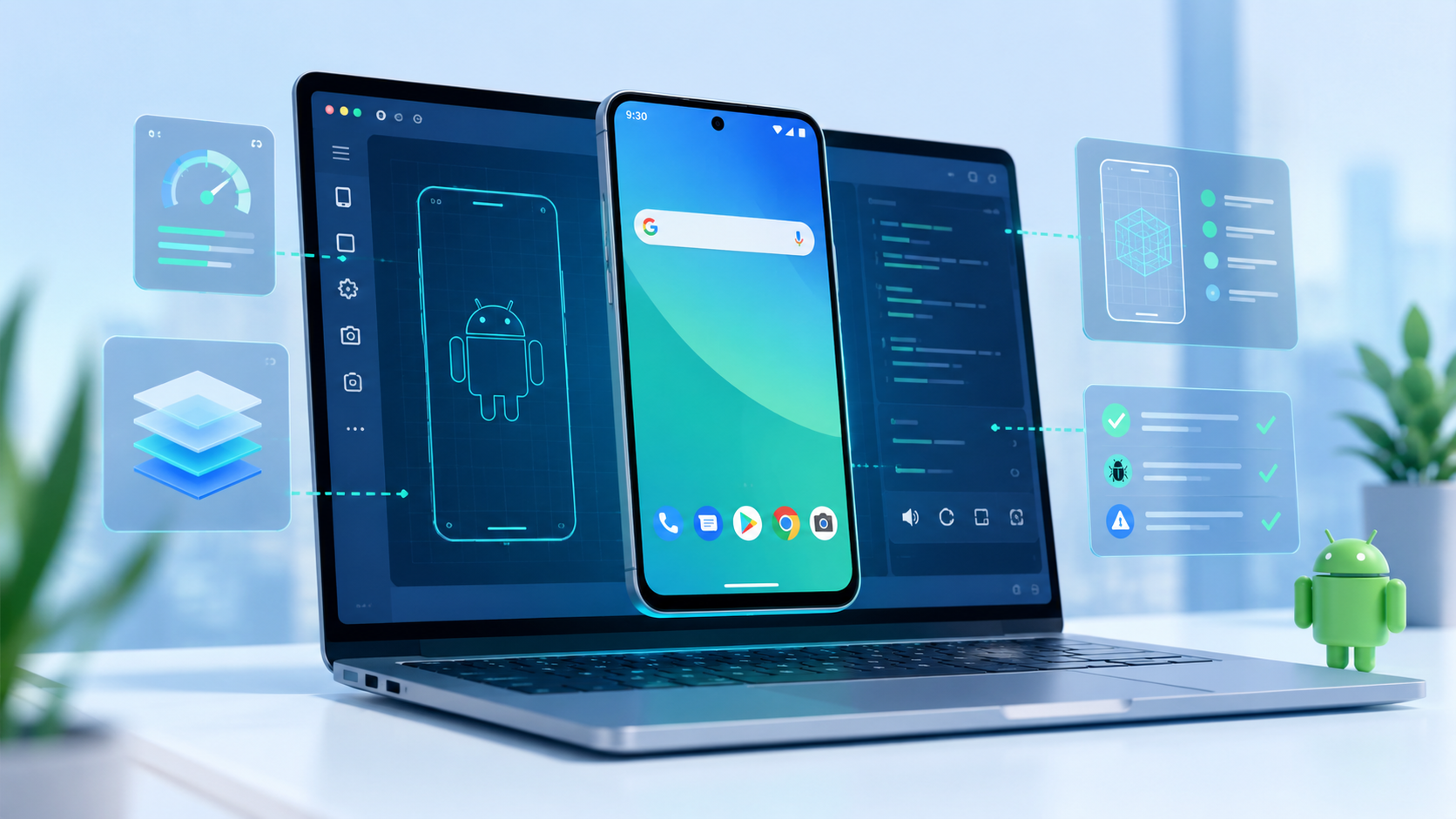
What is an Android Emulator theo cách đơn giản nhất? Đó là một virtual mobile device emulator, tức phần mềm tái tạo một thiết bị di động ảo bên trong máy tính cho mục đích phát triển và testing. Nó cung cấp virtual Android operating system, virtual storage, screen controls, app installation và simulated device settings.
Android emulator meaning không phải là “một chiếc điện thoại thật nằm trong máy tính”. Nó gần hơn với một Android test environment có kiểm soát. Nó mô phỏng nhiều phần của mobile device, nhưng vẫn chạy trên desktop hardware.
Một Android emulator thông thường có thể cho phép người dùng chạy và test Android applications, cũng như:
Cài đặt và chạy Android apps
Test APK files
Chọn Android versions hoặc API levels
Cấu hình screen size và resolution
Mô phỏng basic location hoặc sensor behavior
Dùng keyboard và mouse input
Debug app behavior trong quá trình development
Các key features của nó gồm khả năng mô phỏng hardware và software environment, hỗ trợ nhiều Android versions, cùng các tool cho debugging và automation.
Android Studio Emulator chính thức sử dụng Android Virtual Device, hay AVD, configurations. AVD cho phép developer xác định virtual device profile, ví dụ như phone type, screen size, Android version, system image, storage và startup settings.
Emulator tái tạo Android system stack, bao gồm Linux kernel, native libraries, Dalvik VM và core Android packages, để cung cấp một môi trường khá đầy đủ cho việc chạy và tùy chỉnh virtual Android devices.
Điều này khiến Android emulators hữu ích cho testing. Developer có thể kiểm tra app có hoạt động trên Android 12, Android 13 hoặc Android 14 hay không mà không cần đổi điện thoại vật lý. QA tester có thể tái hiện bug trong một virtual device sạch. Gamer có thể mở mobile game trên màn hình lớn với keyboard mapping.
Tuy vậy, emulator không giống physical Android device. Nó có thể mô phỏng nhiều device behavior, nhưng không thể tái tạo hoàn toàn real hardware signals, battery behavior, touch response, mobile network conditions hoặc manufacturer-specific system details.
Để hiểu how does android emulator work, hãy xem nó như một lớp trung gian giữa Android apps và phần cứng máy tính. Android emulators hoạt động bằng cách virtualize cả hardware và software environment, cho phép máy tính mô phỏng một mobile device platform hoàn chỉnh.
Khi bạn khởi động emulator, nó tạo ra một virtual Android device. Virtual device này có Android system image, storage space, screen settings, app data và simulated hardware features. System images cung cấp phần code cần thiết cho nhiều Android OS versions và hardware architectures khác nhau, giúp emulator tái tạo nhiều device environment chính xác hơn.
Khi một Android app chạy bên trong đó, emulator sẽ chuyển các request của app để host computer có thể xử lý.
Trên thực tế:
Emulator dùng CPU của máy tính để xử lý Android system và app tasks.
Emulator dùng local RAM để giữ virtual device hoạt động.
Emulator lưu app data, cache và system files trên disk của máy tính.
Emulator render Android screen thông qua graphics resources của máy tính.
Emulator route network access qua connection của host computer.
Emulator map mouse và keyboard actions thành touch, swipe và typing actions.
Nhiều Android emulators được xây quanh QEMU, viết tắt của Quick Emulator. QEMU có thể mô phỏng guest device hardware và chạy guest operating system trên host machine, cho phép emulator tái tạo nhiều OS và processor architecture khác nhau.
Trong Android emulation, điều này có nghĩa là emulator có thể chạy Android system image trên PC hoặc Mac.
Phần khó nằm ở CPU architecture. Nhiều Android devices dùng ARM-based processors, trong khi phần lớn desktop computers dùng x86 hoặc x86-64 architecture. Emulator dùng dynamic binary translation để chuyển device machine code thành code tương thích với host processor architecture. Việc này giúp đảm bảo khả năng simulation và compatibility giữa các hardware environment khác nhau, nhưng nếu emulator phải dịch instruction giữa nhiều architecture, performance sẽ chậm hơn.
Đó là nơi hardware-assisted virtualization bắt đầu quan trọng.
Virtualization technology cho phép emulator dùng host CPU trực tiếp hơn khi virtual Android system và computer architecture tương thích với nhau. Android emulators cũng có thể chạy bên trong virtual machines để cải thiện performance và flexibility.
Trên Windows, điều này có thể liên quan đến Hyper-V, Windows Hypervisor Platform hoặc các Intel HAXM setup cũ hơn, thường yêu cầu Intel CPU có virtualization support. Trên Linux, KVM, tức kernel-based virtual machine solution, thường được dùng để bật hardware-accelerated virtualization. Trên Mac OS, Apple hypervisor framework hoặc một số kernel extension như Intel HAXM có thể cần thiết để đạt VM acceleration và compatibility.
Khi hardware acceleration được bật, emulator không cần dịch mọi instruction theo cách chậm nhất. Nó có thể chạy virtual device gần với native CPU speed hơn, đặc biệt khi development machine được cấu hình đúng như host environment để chạy và test Android emulators.
Đó là lý do nhiều emulator setup guide yêu cầu người dùng bật VT-x, AMD-V hoặc hardware acceleration, đồng thời kiểm tra system compatibility và BIOS settings cho virtualization extensions. Nếu không có phần này, việc boot và chạy emulator có thể rất chậm.
Bạn cũng cần match API level của emulator, ví dụ Android 4.0.3 API Level 15 hoặc cao hơn, để đảm bảo compatibility với graphics acceleration và virtualization features. Một virtual Android device vẫn cần RAM, storage, CPU time và graphics resources. GPU đóng vai trò quan trọng trong việc cải thiện screen rendering performance của emulator. Khi người dùng chạy nhiều emulator instances cùng lúc, tất cả chúng sẽ cạnh tranh tài nguyên trên cùng một local machine.
Đây là giới hạn cốt lõi của local emulation: nó linh hoạt cho testing, nhưng không được xây để scale không giới hạn.
Android emulator hữu ích khi task mang tính local, controlled và temporary. Nó cho người dùng quyền truy cập nhanh vào Android apps mà không cần chuẩn bị physical device.
Các use case phổ biến gồm:
App testing trong quá trình development
APK installation và debugging
Kiểm tra UI layout trên nhiều screen size
Test nhiều Android versions
Truy cập mobile game trên màn hình lớn
Basic Android automation tests
Training và product demos
Temporary app access từ desktop
Light multi-account testing
Testing app running và behavior trong nhiều scenario
Emulators có thể mô phỏng physical sensors và touch screen interactions, giúp app testing toàn diện hơn cho những feature phụ thuộc vào accelerometer hoặc device sensors khác. Chúng cũng có thể mô phỏng physical conditions như GPS location, device rotation, battery levels và nhiều network speeds khác nhau để testing thực tế hơn.
Với developer, giá trị chính là tốc độ. Họ có thể build app, chạy trong emulator, kiểm tra logs, sửa code rồi test lại. Cách này nhanh hơn nhiều so với việc phải cài app lên nhiều physical phones mỗi lần.
Với QA teams, emulators hỗ trợ repeatable testing. Một virtual device có thể được reset, duplicate hoặc cấu hình với setting cụ thể. Điều này hữu ích cho early-stage checks trước khi test trên real devices.
Với người dùng thông thường, emulators thường được dùng để chơi game, đặc biệt là Android games, trên máy tính. Màn hình lớn và keyboard controls có thể khiến một số apps và games dễ dùng hơn. Gaming emulators như BlueStacks và Nox được tối ưu cho performance và user experience, cho phép players chơi mobile games trên màn hình lớn với keyboard và mouse controls.
Vấn đề bắt đầu khi người dùng kỳ vọng emulator hoạt động như một mobile infrastructure đầy đủ. Khi đó, performance, hardware simulation và scaling limits sẽ lộ rõ.
Cài đặt applications trên Android emulator khá đơn giản và linh hoạt, hỗ trợ nhiều workflow khác nhau cho developer và tester.
ADB utility, được bao gồm trong android sdk tools, cho phép bạn cài APK files trực tiếp vào một running emulator instance từ command line. Cách này đặc biệt hữu ích cho rapid app deployment trong development hoặc automated testing.
Phần lớn emulators, bao gồm Android Studio Emulator, hỗ trợ cài app bằng cách kéo thả APK files vào emulator window. Đây là cách nhanh, phù hợp cho manual testing hoặc thử build mới.
Emulator giữ installed applications và state data của chúng qua các lần restart bằng cách lưu trong user-data disk partition. Nếu bạn cần reset emulator về clean state, bạn có thể khởi động với tùy chọn -wipe-data. Tùy chọn này xóa user-data partition và đảm bảo app hoạt động như trên một fresh device.
Những phương pháp cài đặt linh hoạt này giúp việc test, debug và update Android apps trong controlled virtual environment trở nên dễ hơn, vừa mô phỏng trải nghiệm real device, vừa giữ được sự tiện lợi của desktop workflow.
Lợi ích lớn nhất của Android emulator là đây là một cost-effective solution cho developers. Nó cho phép test applications trên nhiều simulated hardware configurations mà không cần mua nhiều physical devices.
Nó cũng tiết kiệm thời gian. Developer có thể tạo virtual device, chọn Android OS version, cài app và bắt đầu testing ngay trong một workstation. Với nhiều early development tasks, như vậy là đủ. Emulators cũng hỗ trợ multiple Android OS versions để đảm bảo app compatibility trên nhiều devices và system updates khác nhau.
Các lợi ích chính gồm:
Không cần mua physical phones cho basic testing
Dễ truy cập nhiều Android OS versions
Cấu hình được screen sizes và device profiles
Cài APK nhanh
Hữu ích cho debugging và log inspection
Controlled testing environment
Reset nhanh hơn so với physical device
Tiện cho developers, testers và gamers
Chi phí thấp hơn cho short-term workflows
Có thể phù hợp với nhu cầu của target market như developers, testers và gamers
Một lợi ích khác là consistency. Nếu tester cần tái hiện cùng một condition, virtual device có thể được cấu hình và reset dễ hơn real phone. Điều này hỗ trợ debugging và QA workflows.
Emulators cũng có thể mô phỏng một số conditions như screen rotation, location, network latency hoặc basic sensor input. Điều này không thay thế real-device testing, nhưng giúp team phát hiện những vấn đề rõ ràng sớm hơn.
Android emulators ngày càng nặng vì apps và environments mà chúng cần chạy cũng ngày càng nặng hơn.
Các Android apps cũ thường đơn giản hơn. Ngày nay, nhiều apps có video feeds, push notifications, background sync, advanced animations, embedded browsers, location behavior, anti-fraud checks và media assets lớn. Những tính năng này cần nhiều CPU, memory, graphics và storage hơn.
Bản thân Android system cũng đã lớn hơn. Các Android versions mới cần nhiều tài nguyên hơn bản cũ. Một modern virtual device có thể cần vài GB disk space và một lượng RAM đáng kể chỉ để chạy mượt.
Multi-instance use khiến vấn đề nặng hơn. Chạy một emulator giống như chạy một virtual Android device. Chạy năm emulator nghĩa là máy tính đang gánh năm Android environments riêng biệt. Mỗi môi trường có system files, app data, cache, memory usage và screen rendering riêng.
Ngoài ra còn có vấn đề device-signal. Một số apps dựa vào hardware, sensor, network hoặc system-level signals. Emulator càng cố mô phỏng nhiều thứ, overhead càng tăng. Dù vậy, một số behavior vẫn không thể khớp với real mobile hardware.
Vì vậy, vấn đề không chỉ là “emulators tối ưu kém”. Vấn đề sâu hơn là local desktops không được thiết kế để chạy nhiều persistent Android environments cùng lúc. Đây là một số emulator limitations chính ảnh hưởng đến performance, compatibility và scalability.
Android emulators là công cụ thực tế, nhưng vẫn có giới hạn. Những giới hạn này trở nên rõ hơn khi task chuyển từ testing sang daily operation.
Một Android emulator có thể chạy ổn trên máy tính mạnh. Nhưng multiple instances là câu chuyện khác.
Mỗi instance tiêu tốn CPU, RAM, storage và graphics resources. Khi nhiều virtual devices chạy cùng lúc, người dùng có thể gặp slow startup, app lag, frozen screens, high disk usage hoặc crashes.
Điều này khiến scaling khó hơn. Càng thêm nhiều virtual devices, local computer càng trở thành bottleneck.
Android emulator có thể mô phỏng device behavior, nhưng không thể tái tạo hoàn toàn real phone.
Một số gaps gồm:
Battery behavior
Real mobile network changes
GPS movement accuracy
Camera behavior
Fingerprint hoặc biometric hardware
NFC và một số device-specific sensors
Touch pressure và gesture response
Manufacturer-specific system behavior
Với app development, một số gaps này có thể chấp nhận được. Nhưng với mobile account operations hoặc long-running workflows, chúng có thể tạo instability hoặc inaccurate results.
Local emulators không lý tưởng cho long-term multi-account operations vì chúng phụ thuộc quá nhiều vào một local machine.
Nếu computer tắt, workflow dừng lại. Nếu system hết storage, emulator có thể không khởi động được. Nếu chạy quá nhiều instances cùng lúc, toàn bộ environments đều chậm. Nếu local network không ổn định, mọi session đều bị ảnh hưởng.
Điều này trở nên khó quản lý khi người dùng cần persistent sessions, isolated environments, team access hoặc scheduled automation. Local emulator có thể xử lý experiments. Nhưng nó kém phù hợp hơn nếu dùng làm core infrastructure cho ongoing mobile workflows.
Android emulator và Cloud Phone đều cho người dùng quyền truy cập Android environments, nhưng chúng được xây quanh các operating model khác nhau.
Android emulator chạy local trên computer. Cloud Phone chạy trong cloud-based Android environment và được truy cập từ xa. Sự khác biệt này ảnh hưởng đến resource usage, scalability, stability và workflow design.
Để so sánh sâu hơn, bài cloud phone vs emulator giải thích rõ khác biệt thực tế giữa local virtual Android devices và cloud-based mobile environments.
Điểm quan trọng không phải là một lựa chọn luôn tốt hơn lựa chọn còn lại. Lựa chọn tốt hơn phụ thuộc vào công việc.
Hãy dùng local emulator khi bạn cần testing nhanh, debugging hoặc short-term Android access. Hãy dùng Cloud Phone khi workflow cần duy trì sẵn sàng, scale qua nhiều environments hơn và tránh local hardware limits.
Bạn nên dùng Android emulator khi task nhỏ, kỹ thuật và local.
Đây là lựa chọn tốt khi:
Bạn đang phát triển Android app.
Bạn cần test APK installation.
Bạn muốn kiểm tra app behavior trên nhiều Android versions.
Bạn cần debugging environment nhanh.
Bạn chỉ cần một hoặc hai virtual devices.
Bạn đang test UI layout hoặc screen sizes.
Bạn làm short-term app experiments.
Với các use case này, emulator hiệu quả. Nó cho developer và tester một cách nhanh để kiểm tra functionality mà không cần chuẩn bị physical devices.
Nếu bạn muốn một phần giải thích tập trung hơn về emulator use cases, bài Android emulator có thể giúp người đọc hiểu rõ emulators phù hợp ở đâu trong Android workflows.
Bạn nên cân nhắc MoreLogin Cloud Phone khi công việc không còn chỉ là “mở một Android app trên máy tính”.
MoreLogin Cloud Phone được thiết kế cho cloud-based Android workflows. Thay vì chạy mọi Android environment trên một local computer, người dùng có thể quản lý Android cloud phones thông qua một centralized workspace.
Điều này quan trọng khi người dùng cần persistent environments. Local emulator phụ thuộc vào local computer. Nếu computer tắt, mất kết nối hoặc quá tải, task sẽ bị ảnh hưởng. Với MoreLogin Cloud Phone, Android environment không bị ràng buộc vào một local desktop session.
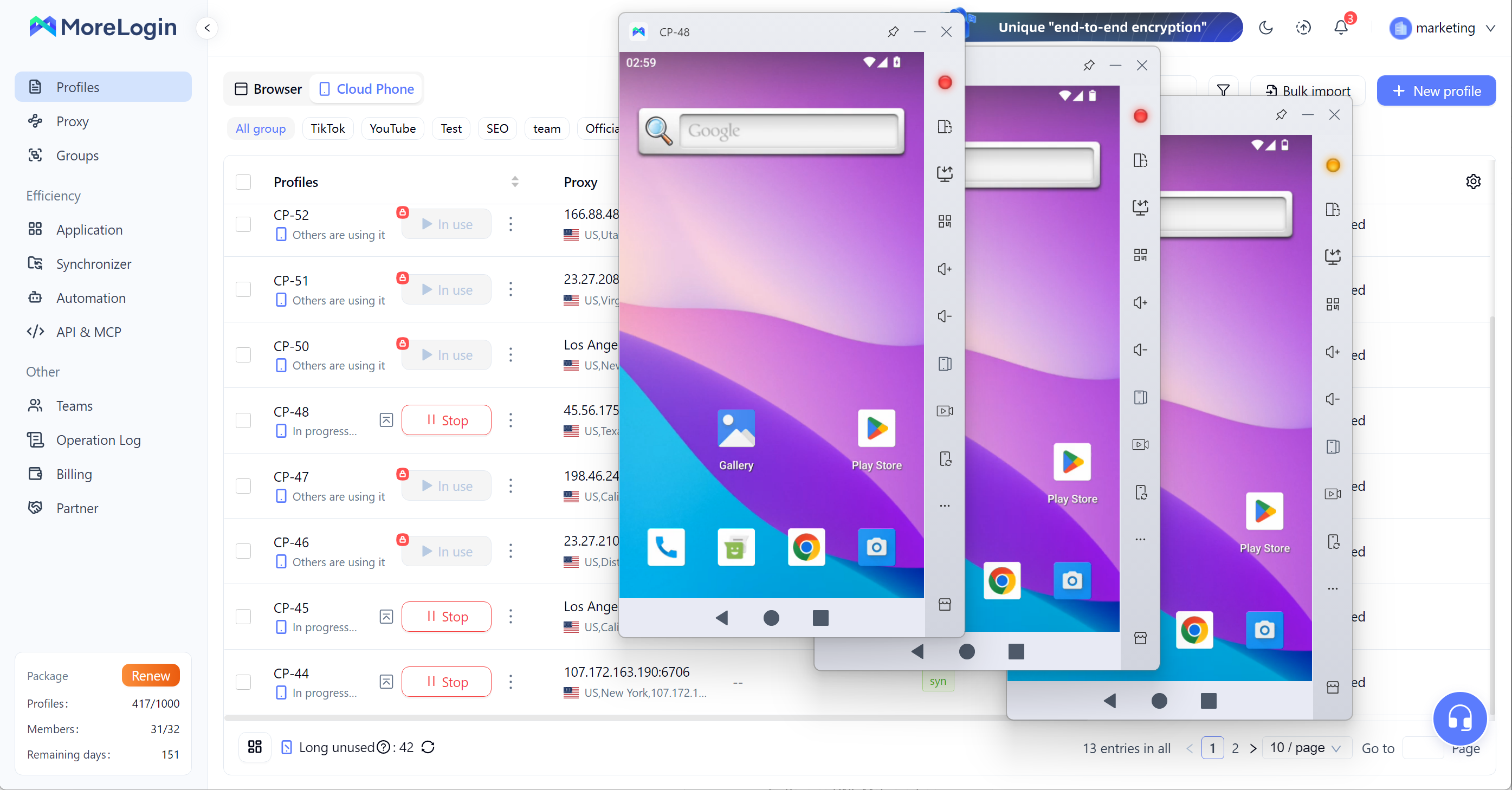
Nó cũng quan trọng với multi-account workflows. Quản lý nhiều local emulator windows có thể trở nên rất lộn xộn. Người dùng phải xử lý local storage, resource pressure, window switching, environment resets và unstable long sessions. MoreLogin Cloud Phone cho người dùng một cách sạch hơn để quản lý nhiều mobile environments từ cloud.
MoreLogin Cloud Phone phù hợp hơn khi:
Bạn cần persistent Android environments.
Bạn muốn tránh local hardware bottlenecks.
Bạn quản lý multiple mobile accounts.
Bạn cần cloud-based automation.
Bạn cần team members truy cập mobile environments từ xa.
Bạn muốn mobile workflows tiếp tục mà không phụ thuộc vào một PC.
Bạn cần một cách có tổ chức hơn để scale Android operations.
Với người dùng đã vượt khỏi local testing, MoreLogin Cloud Phone phù hợp hơn cho long-term mobile operations, multi-account management và automation-ready cloud environments.
Một nguyên tắc đơn giản là: dùng emulator để test; dùng MoreLogin Cloud Phone khi workflow cần run, persist và scale.
What is an Android Emulator? Đó là một local virtual Android environment cho phép người dùng chạy Android apps trên computer. Nó vẫn hữu ích cho development, debugging, app testing, mobile game access và short-term Android workflows.
Nhưng nó có giới hạn rõ ràng. Nó phụ thuộc vào local hardware, ngày càng nặng với modern apps, gặp khó khi chạy multiple instances và không thể hoàn toàn tái tạo real mobile behavior.
Với small-scale testing, Android emulator vẫn đáng dùng. Với long-term mobile operations, multi-account workflows, team access và cloud automation, MoreLogin Cloud Phone là hướng thực tế hơn.
Android emulator là software tạo ra một virtual Android device trên computer. Nó cho phép người dùng chạy Android apps mà không cần physical Android phone.
Android emulator hoạt động bằng cách tạo một virtual Android system dùng CPU, RAM, storage, graphics và network connection của computer. Hardware acceleration có thể cải thiện tốc độ nếu host computer hỗ trợ.
Không. Emulator có thể mô phỏng Android software và một phần hardware behavior, nhưng nó không phải real phone. Battery behavior, sensors, camera, network conditions và device-specific signals có thể khác.
Emulator có thể chậm vì nó dùng local computer resources. CPU yếu, RAM ít, storage chậm, VT bị tắt hoặc quá nhiều running instances đều có thể làm giảm performance.
Bạn có thể dùng emulator cho light multi-account testing, nhưng nó không lý tưởng cho long-term multi-account operations. Multiple instances tiêu tốn local resources và có thể trở nên unstable.
Android emulator chạy local trên computer. Cloud Phone chạy trong cloud-based Android environment. Emulators phù hợp hơn với local testing, còn Cloud Phones phù hợp hơn với persistent và scalable mobile workflows.

 VN
VN