- Product

- Pricing
- Affiliate Program
- Use Cases
- Resource
 EN
EN
If you’re finding great clips on Facebook but can’t save them, then a Facebook video downloader is exactly what you need. These online tools let you grab videos directly from Facebook, so you can keep them for offline viewing, save important content, or back up marketing materials without any fuss. The best part? A great Facebook video downloader online is fast, completely free, and doesn’t require you to install any software or browser extensions.
In this guide, we’ll introduce the 5 best online options with which you can download Facebook videos quickly and safely in just a few clicks.

Online Facebook video downloaders make it quite easy to save Facebook clips without installing any extra software. Below are 5 trusted options that work right in your browser, so you can download Facebook videos whenever you want.
SnapSave.app is a dedicated Facebook downloader for video built for high-quality video saving. It works entirely online, letting you paste a Facebook link and download the video in resolutions up to full HD, 2K, and even 4K when available. You can use it on desktop or mobile, and it supports common browsers on Windows, macOS, Android, and iOS. There’s no sign-up required, and no software to install - everything happens in your browser.

SnapSave is especially handy if you often save long videos, live streams, or marketing assets and want them to look sharp on bigger screens. It processes the video on its own servers, then lets you choose the quality you prefer before downloading, which makes it feel fast and pretty smooth to use for most people.
Pros:
Supports high resolutions (Full HD, 2K, 4K).
Fully online, no installation or registration needed.
Works across phones, tablets, and computers with the most modern browsers.
Cons:
Rendering high-quality videos (like 4K with audio) can take a bit longer.
Interface includes ads, which may bother some users.
FBdown.net is one of the longest-running tools for downloading Facebook videos online. It’s a simple website where you can paste a Facebook video URL, hit download, and then choose from different quality options. It works in any modern browser and doesn’t ask you to create an account or install extra software, which makes it a convenient option for quick downloads. Regular updates keep it compatible with Facebook’s layout changes, which is a big deal if you rely on a Facebook video downloader often.
Pros:
Easy to use in a clear interface.
Works in most browsers on desktop and Android, no registration needed.
Cons:
Occasionally affected when Facebook changes its video system, until the site updates again.
SaveFrom.net is a versatile Facebook video downloader online that supports a wide range of platforms, including Facebook, YouTube, Instagram, and more. Simply paste the Facebook video link into the input box, and the site quickly processes it and offers several download options. You can usually choose between different formats and resolutions, from standard definition to HD, which is handy whether you’re saving quick memes or higher-quality marketing clips for offline use.
For frequent downloaders, SaveFrom.net also provides browser extensions that add a download button directly under videos on supported sites, so you don’t have to copy and paste URLs every time. It works on most major operating systems and browsers, making it a flexible choice if you regularly use Facebook with video downloader tools to back up content, tutorials, or ads you want to review later.
Pros:
Simple web interface and optional browser extensions for faster video downloads.
Supports multiple formats and resolutions.
Works with many sites beyond Facebook, YouTube, TikTok, etc.
Cons:
Ads and occasional pop-ups can be distracting.
Some regions may see mirror domains or redirects, which can be confusing.
Video quality and speed still depend on the source and your Internet connection.
Getfvid is another popular Facebook video-saving tool that focuses on being fast, simple, and flexible. It’s a web-based Facebook video downloader that lets you paste any public Facebook video URL and quickly save it as an MP4 video or an MP3 audio. So it’s great whether you want to watch clips offline or extract audio from live streams, tutorials, or music videos. The service works across desktop and mobile browsers and doesn’t require you to create an account or install extra software.
On top of the main website, Getfvid also offers extensions and mobile options that make the process even smoother. With one click, you can send a video from Facebook to the downloader page, pick your quality, and save it. For people who use Facebook with video downloader tools regularly, this can speed up content saving a lot.
Pros:
Clean and straightforward interface for quick Facebook downloads.
Supports both video (MP4) and audio (MP3) saving from Facebook.
Works on most devices and browsers without registration or software.
Cons:
Private content has more limitations.
Website and extensions may change domains or URLs over time.
Ads and redirects can appear, which some users may find annoying.
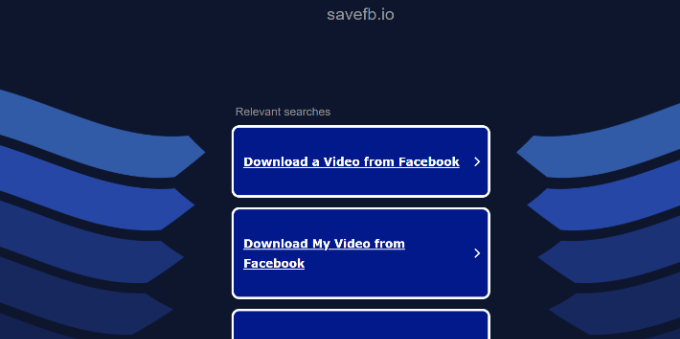
SaveFB.io is a modern online tool designed specifically for Facebook videos, Reels, and Stories. It lets you paste any public Facebook link and quickly save the content in MP4, often in HD or higher quality when available. The tool runs entirely in your browser, so there’s nothing to install, and it works on desktops, laptops, and mobile devices. For anyone who frequently uses a Facebook video downloader to save clips for offline viewing, editing, or backup, SaveFB.io offers a clean and straightforward experience.
Pros:
Supports downloading Facebook videos, Reels, and Stories in MP4.
Web-based and free to use, with no software installation required.
Works on most modern browsers and devices.
Cons:
Focused only on Facebook content, not other social platforms.
Download quality still depends on the original Facebook upload.
Even the best Facebook video downloading tools come with some important limits and rules that you shouldn’t ignore. Most tools can’t download truly private or heavily encrypted videos, such as those locked inside private groups or shared with very limited audiences. In many cases, only public or “shareable” posts work reliably.
On the legal side, anything you download is still protected by copyright. That means you generally shouldn’t use others’ videos for commercial purposes, ads, or redistribution without permission from the owner. These tools are mainly intended for personal use, offline viewing, or backing up content you own or have rights to. You are fully responsible for how you use the downloaded video files.
For security, steer clear of shady websites, pop-ups, and tools that ask for your Facebook login or password. Legitimate Facebook video downloader online tools never need your account credentials to work.
For marketers and social media managers, frequent downloads, cross-account operations, and using external parsing tools can trigger security warnings on platforms like Facebook. These activities often appear as unusual behavior, risking temporary blocks or account restrictions. Additionally, many download tools carry ad scripts, trackers, or hidden code that may pollute your browser environment, affecting your main business accounts’ security.
This is where Morelogin Cloud Phone comes in, a real Android phone hosted in the cloud. By providing a real device environment, it keeps your primary accounts not being reconglized as emulators and ensures a clean browsing setup, free from harmful scripts. The platform also allows teams to collaborate efficiently, distributing tasks across accounts without overlapping sessions or risking bans.
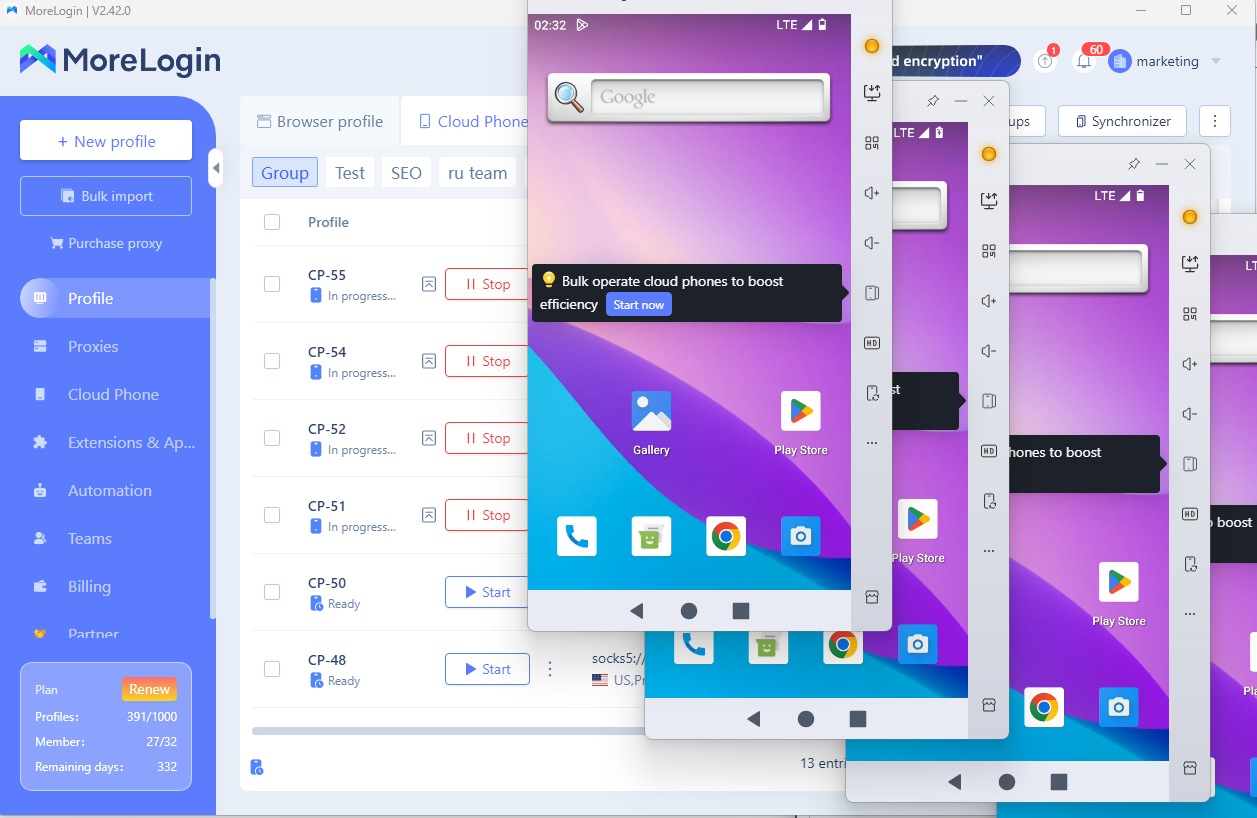
As one of the top 10 cloud phones, the Morelogin cloud phone not only protects your accounts but also improves download success rates. Each operation is performed in a secure, separate container, reducing errors caused by browser interference or cross-account conflicts.
In summary, using a reliable Facebook video downloader can make saving Facebook videos, Reels, and Stories fast and hassle-free. Tools like SnapSave.app, FBdown.net, SaveFrom.net, Getfvid.com, and SaveFB.io each offer unique features to meet different needs, from high-quality downloads to audio extraction. However, please always consider legal and security limitations, avoiding private or copyrighted content and suspicious websites.
Besides, for businesses or frequent downloaders, combining these tools with Morelogin Cloud Phone ensures a clean, secure environment, protects your accounts, and improves efficiency. Start downloading smarter while keeping your main accounts safe today.

 EN
EN

.png)