- Product

- Pricing
- Affiliate Program
- Use Cases
- Resource
 EN
EN
Imagine this situation: you invest time and effort into creating an account, and the next day you see the message “Account blocked.” This is a classic and very common scenario on many platforms such as Instagram, TikTok, and others. Algorithms are becoming increasingly strict—logging in from a new device, matching IP addresses, or managing multiple profiles without proper protection is often flagged as suspicious activity.
That is why account farming has become a critical starting stage for marketers, entrepreneurs, and freelancers. The goal is to create and maintain stable accounts that do not get banned by automated filters.
Account farming refers to the creation and long-term maintenance of multiple accounts on different online platforms. For example, when creating Google accounts, each account must be unique in every aspect—from browser fingerprints to geographic location. These accounts are often used to bypass limitations, optimize interaction with platform algorithms, or gain access to features that are not available when using a single profile.
This practice is widespread across social networks, marketplaces, and even gaming services. Properly farmed accounts allow users to scale operations: promote content, test strategies, bypass limits, and reduce the risk of mass bans.
In short, farming is the organized management of multiple accounts—created manually or with automated tools—that are used for tasks often going beyond standard platform rules, ranging from activity boosting and advertising to bypassing filters and sanctions.
Account farming enables systematic work and significantly reduces the risk of losing accounts that directly affect sales, traffic, and communication.
Multiple interconnected profiles can support posts, generate engagement, and help content reach recommendation algorithms. This is especially important in marketing campaigns where response speed and stable reach are critical.
In advertising and promotion, farming becomes a stability tool. It allows traffic to be segmented, different audiences to be tested, and campaigns to continue operating even if individual profiles or payment methods are blocked.
Managing a large number of profiles requires not only technical knowledge but also a clear understanding of the risks caused by mistakes.
The main threat is account bans. Identical devices, repetitive actions, or suspicious login patterns are clear signals for automated moderation systems. As a result, accounts may not only be lost but can also trigger sanctions on related profiles or advertising accounts.
The second major risk is cost. Safe account farming requires infrastructure: unique devices, dedicated IPs, reliable proxies, anti-detect browsers, and constant data updates. All of this requires investment, time, and proper organization. Poor process management leads to fast resource burnout—some accounts get banned, others become unstable, and overall farming efficiency drops significantly.
On the left side of the interface is the navigation panel, which serves as the main workspace menu. From here, users can manage profiles, purchase proxies, grant team access, change subscription plans, track expenses, and top up their balance. All core features are centralized, saving time and simplifying daily operations.
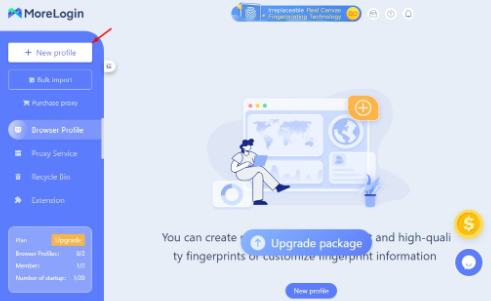
At the top of the interface, there is a profile type switcher between browser profiles and cloud phone profiles. In the top-right corner, users can access personal account settings, notifications, and security options.
This section displays all created browser profiles along with their current status. Profiles can be launched, fingerprints refreshed, settings edited, data exported, IDs copied, or profiles deleted.
Displayed fields can be customized according to user needs via the settings (gear) icon.
MoreLogin does not provide free built-in proxies. In the “Proxy Servers” section, users can add their own proxies or purchase new ones directly through the interface.
This approach ensures flexible connection management and reliable isolation between working profiles.
Custom proxies can be added individually or in bulk by filling in the required connection parameters. After adding proxies, it is recommended to test each one using built-in or external checkers to ensure connection stability and correct profile operation.
The system supports individual proxies using HTTP, HTTPS, SOCKS5, and other common protocols. IPv4 and IPv6 formats are supported for bulk imports.
Proxies can also be purchased directly from the MoreLogin marketplace. All purchased proxies are static, meaning their IP addresses do not change during use. When placing an order, users must select the proxy type, region, provider, and required quantity. Up to 99 proxies can be purchased in a single order.
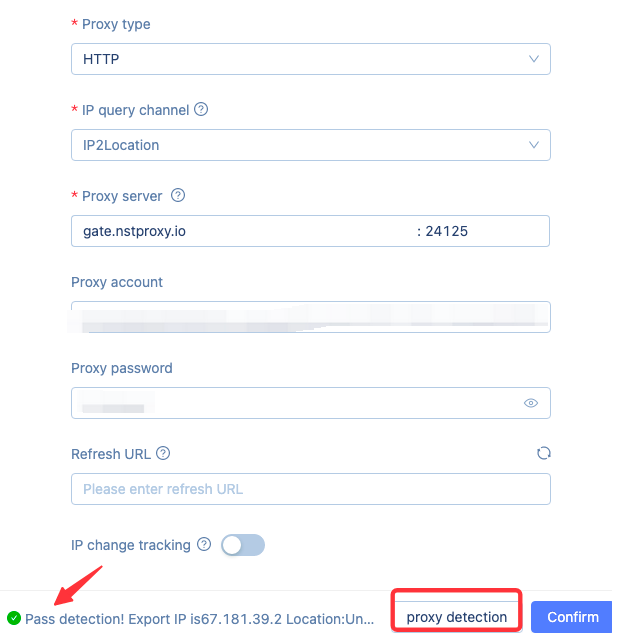
The resource center offers three main proxy types:
Cloud proxies operate through distributed infrastructure and are not tied to a single physical server. They provide strong isolation and are suitable for individual users or small teams.
Residential proxies use IP addresses from real devices and real networks, making traffic appear highly natural. They are often used for regional targeting and arbitrage.
ISP proxies are provided directly by internet service providers and offer high speed and stability.
All proxies are organized into two categories: “Custom Proxies” added manually and “Platform Proxies” purchased through MoreLogin.
This section shows profiles deleted within the last seven days. They are temporarily stored and can be restored if needed.
The recovery feature is available only to users on the “Custom” plan and is limited to seven days after deletion. After that period, profiles are permanently removed.
This section allows users to install extensions available in the MoreLogin store or from external sources.
Once added, selected extensions are automatically applied to all browser profiles, ensuring consistent settings and functionality across the entire working environment.
The automation tool is designed for mass task scheduling and management on platforms such as TikTok, Instagram, Facebook Video, Facebook Reels, and YouTube.
Automation is also available in cloud phone mode, enabling actions to be performed without direct user involvement.
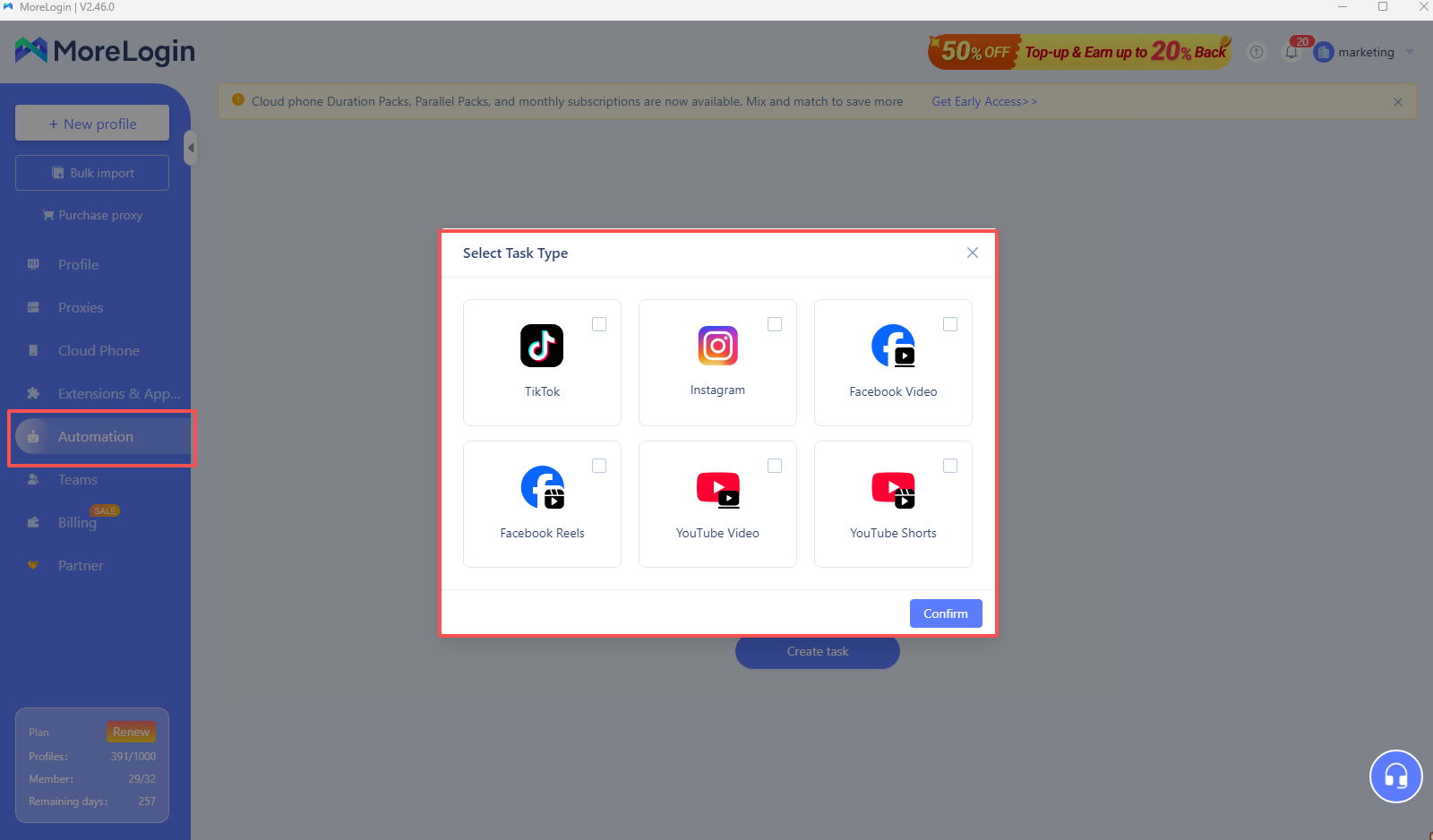
With automation, users can schedule multiple video posts per account, set exact publishing times, edit captions, synchronize content across profiles, and control publishing order. This simplifies campaign management and ensures a stable activity flow without manual effort.
This section is intended for managing work teams and assigning roles. Users can add team members, assign access rights to profiles, proxies, and other resources, and monitor team activity.
This feature enables secure and efficient collaboration, ensuring each participant has only the permissions required for their tasks.
Here, users can view all financial transactions and the current balance. The section allows tracking spending history, checking the active subscription plan, changing plans, and paying for additional services such as cloud phones and proxies.
This helps maintain budget control and ensures uninterrupted access to essential services.
MoreLogin offers three ways to create a new profile.
Quick creation is ideal for beginners or users who need to register multiple accounts quickly. Users select the browser type, operating system, and number of profiles, then click “OK.”
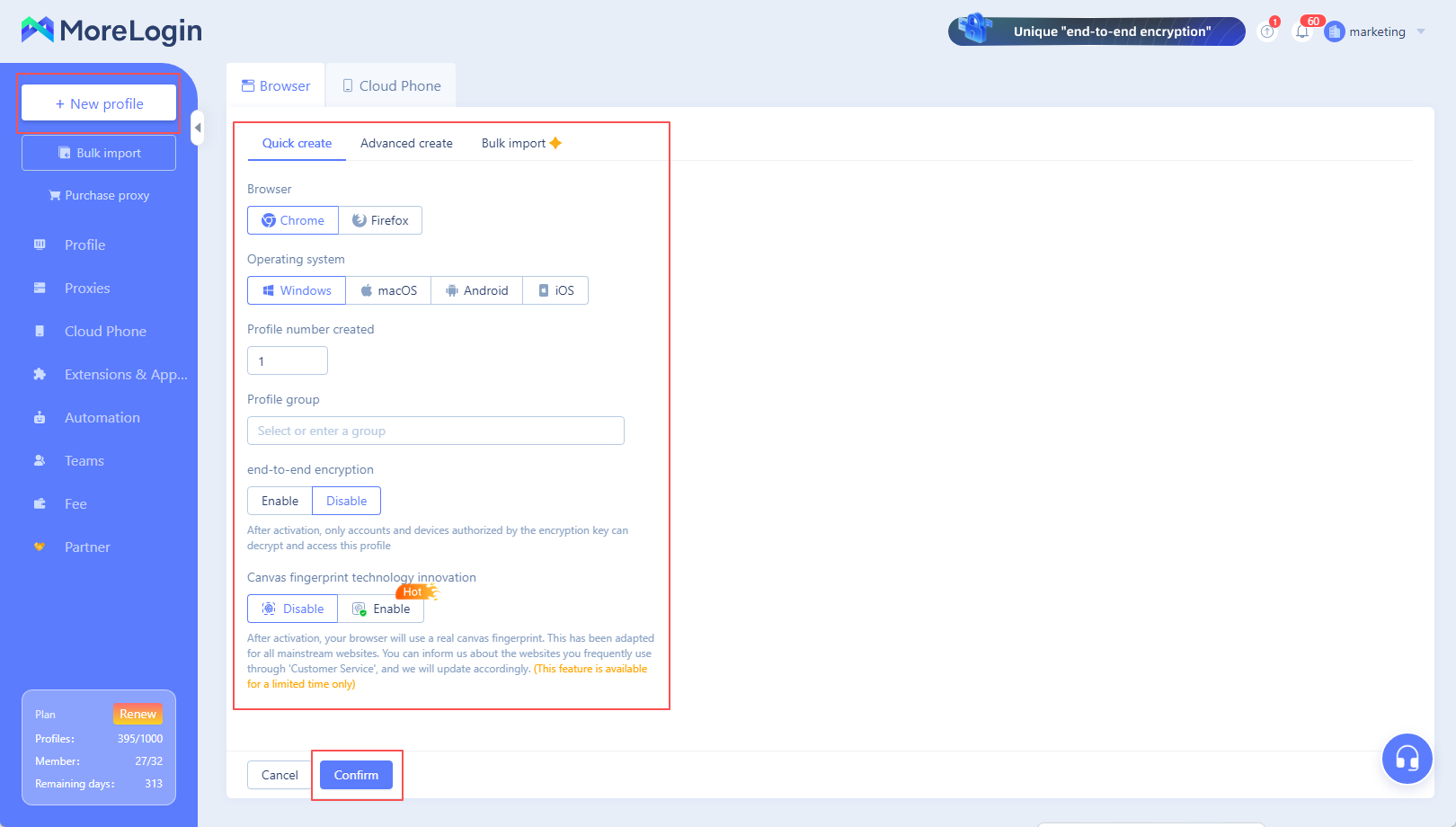
All main fingerprint parameters are generated automatically, speeding up the process. However, proxies are not used and the user IP address is not changed, so this method is recommended only for testing or auxiliary tasks.
Advanced creation is designed for users who require full control over profile parameters. In this mode, users can manually configure key settings such as user-agent, time zone, media device characteristics, proxy type, and other technical parameters.
A fingerprint summary is displayed on the right panel, allowing users to preview the configuration. Parameters can be edited before saving, which is especially useful for arbitrage or testing tasks.
Bulk import is used to upload large numbers of profiles simultaneously and supports two main methods.
The first method is template import. Users download an Excel template, fill it with profile data, account details, and proxy settings, then upload it back to the system. Up to 100 rows can be imported at once, and each profile can include up to 50 linked accounts. This method is ideal for structured, large-scale operations.
The second method is importing from other browsers. This allows transferring profiles from other anti-detect solutions or standard browsers into MoreLogin. Instructions must be followed carefully, as import compatibility may vary depending on the source and browser version.
MoreLogin provides access to cloud-based Android devices, allowing arbitrage specialists to manage traffic, create mobile profiles, and interact safely with platforms without using physical devices.
Cloud profile creation has specific requirements. Proxy usage is mandatory—HTTP, HTTPS, or SOCKS5 (SOCKS5 is recommended for stable anonymity). A maximum of 10 profiles can be created per session. Two modes are available: quick creation, similar to browser profiles, and custom creation, which allows manual parameter configuration. Once a cloud profile is activated, balance deductions begin.
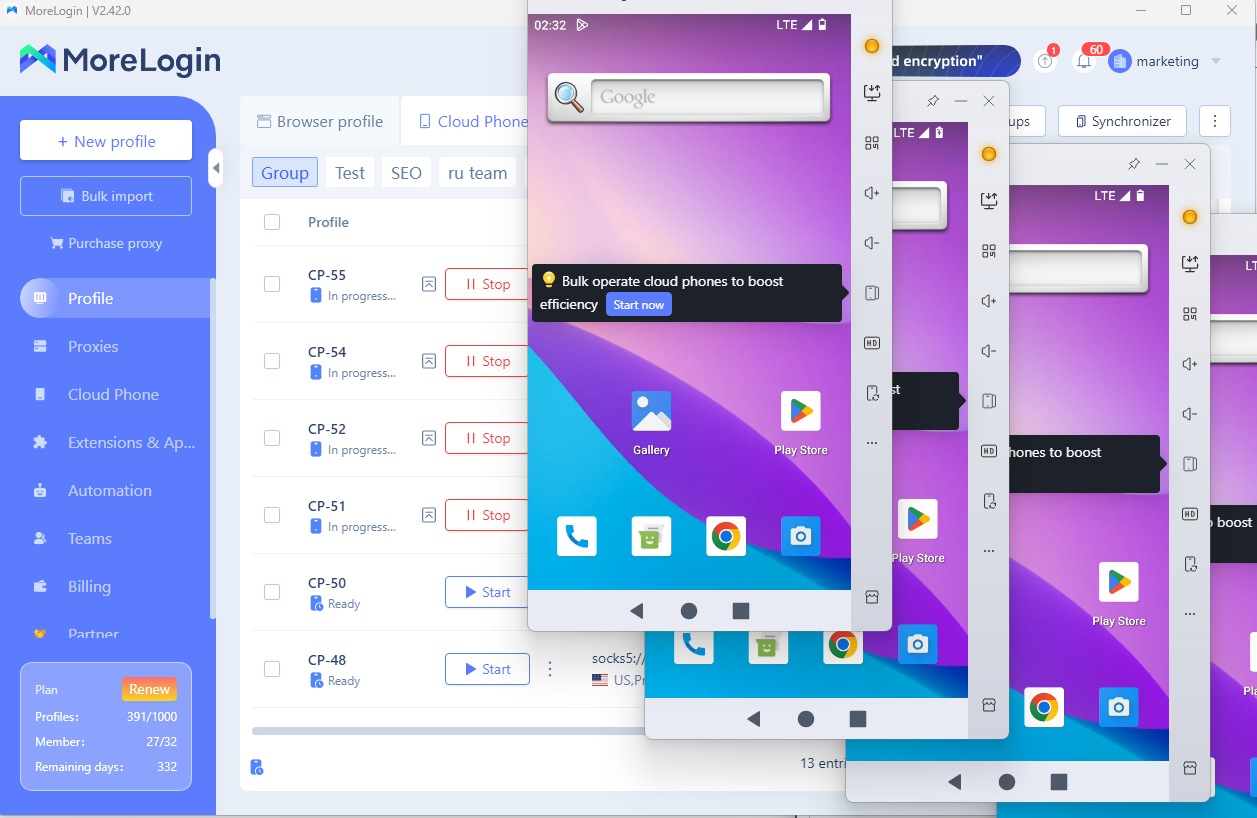
The MoreLogin platform is suitable for a wide range of use cases, including e-commerce, affiliate marketing, trading, SMM, and team-based projects. Its key advantage is a user-friendly interface that makes daily work comfortable for both beginners and experienced professionals.

 EN
EN


.png)