- Sản phẩm

- Bảng giá
- Chương Trình Liên Kết
- Nhà phát triển
- Tài nguyên
 VN
VN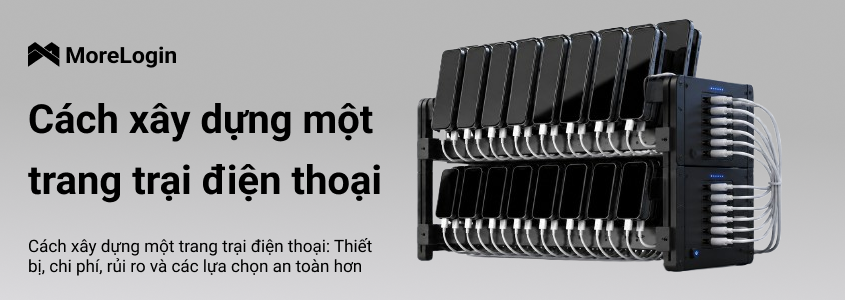
Nhiều người tìm cách xây dựng Phone Farm vì ý tưởng này ban đầu trông khá đơn giản: mua một nhóm used phones, kết nối chúng với nguồn điện, cài các app cần dùng và quản lý tất cả từ một nơi. Phone Farm là một setup dùng nhiều physical phones để chạy các mobile tasks lặp lại ở quy mô lớn.
Trước khi đi sâu hơn, cần tách rõ hardware concept khỏi các use case rủi ro hoặc bất hợp pháp. Phone farms thường bị gắn với fake clicks, fake installs, ad fraud và các hoạt động vi phạm platform rules. Bài viết này chỉ nói về device setup, chi phí thật, áp lực maintenance và những lựa chọn an toàn hơn cho legitimate mobile workflows.
Nếu bạn mới tìm hiểu chủ đề này, trước tiên có thể đọc bài Phone Farm là gì. Như vậy bạn sẽ hiểu rõ hơn vì sao phone farms tồn tại, chúng hoạt động ra sao và vì sao nhiều team hiện nay đang rời khỏi mô hình physical devices.

Một phone farm setup cơ bản không chỉ là một đống điện thoại đặt trên bàn. Khi bạn muốn hệ thống chạy nhiều giờ mỗi ngày, từng phụ kiện nhỏ đều bắt đầu quan trọng.
Phần lớn người dùng bắt đầu với second-hand Android phones vì chúng rẻ hơn và dễ mua số lượng lớn. Android 6.0 trở lên thường đủ cho basic tasks, nhưng hệ điều hành mới hơn sẽ dễ support hơn. Nếu có thể, nên chọn cùng một model theo batch. Mixed models sẽ tạo ra khác biệt về screen size, system version, charging behavior và maintenance problems.
USB hub kết nối nhiều điện thoại với host computer hoặc control system. Một số phone farm boards hỗ trợ khoảng 20 ports. Cheap hubs có thể disconnect, overheat hoặc fail khi nhiều devices được cắm trong thời gian dài. Đây là một trong những điểm đầu tiên khiến low-budget DIY phone farm bắt đầu gặp lỗi.
Cables trông có vẻ rẻ, nhưng chúng hỏng khá thường xuyên. Một large setup cần nhiều short, stable data cables và đủ power adapters. Poor cables có thể gây unstable charging, loose connections và random offline devices.
Một nhóm lớn phones cần stable power. Một số hardware boxes dùng high-output power adapters, nhưng điều đó cũng có nghĩa là power planning trở thành vấn đề nghiêm túc. Đừng xem nó giống như sạc một hoặc hai chiếc điện thoại ở nhà. Quá nhiều devices trên weak power strips có thể tạo heat và safety risks.
Home router có thể hoạt động với vài chiếc phones, nhưng không được thiết kế cho dozens of devices online cả ngày. Với larger phone farm, thường cần industrial router hoặc network setup mạnh hơn.
Một số teams tách network environments cho các devices khác nhau. Việc này tạo thêm recurring cost và configuration work. Nó cũng cần được dùng trong giới hạn platform rules, không phải để tạo fake traffic, spam hoặc fraud.
Racks giúp giữ phones gọn gàng và cooling dễ hơn. Nếu không có racks, phones thường bị xếp chồng lên nhau, giữ nhiệt và khiến việc checking devices khó hơn.
Heat là vấn đề thật. Vài chiếc phones ấm lên vẫn có thể kiểm soát. Nhưng fifty warm phones trong cùng một góc là chuyện khác. Fans, spacing và ventilation là cần thiết nếu devices phải chạy trong long running hours.
Nhiều physical phone farms cần computer để control devices, mirror screens, install apps hoặc run scripts. Computer cũng cần đủ ports, RAM và storage để xử lý workload.
Cable labels, surge protection, đủ spacing và regular inspection không phải là optional khi scale. Messy setup khó sửa hơn và dễ overheat hơn.
Vì vậy, khi người dùng hỏi cách xây dựng Phone Farm, câu trả lời thực tế là: bạn cần phones, power, network, control software, cooling, racks và một workspace đủ an toàn để chịu được toàn bộ hệ thống.
Cost of building a phone farm phụ thuộc vào device quality, device count, location, electricity price và mức độ control bạn cần. Bản thân chiếc phone chỉ là phần dễ nhìn thấy nhất của budget.
Một small setup với 10–20 phones có thể dùng cho testing, app access, QA tasks hoặc simple mobile workflows. Một số beginners cũng dùng multiple smartphones cho passive income thông qua reward apps liên quan đến watching ads, completing surveys hoặc playing games. Ở quy mô này, chi phí thường gồm:
second-hand Android phones
USB hubs
data cables
chargers hoặc power adapters
router
phone rack
basic cooling fans
host computer nếu cần screen control
Ban đầu, setup này có vẻ affordable. Nhưng chất lượng used phones rất quan trọng. Một chiếc phone rẻ hơn nhưng có weak battery, bad charging port, cracked screen hoặc old system có thể tốn nhiều chi phí hơn về sau vì nó fail nhanh hơn.
Với small phone farm setup, sai lầm lớn nhất là chỉ mua theo price. Nếu cứ vài ngày lại có một device ngừng charging hoặc một cable disconnects, hệ thống sẽ rất khó chịu khi maintenance.
Ở mức 50–100 devices, việc xây dựng Phone Farm không còn là simple desk setup nữa. Nó trở thành một hardware operation. How many devices you need phụ thuộc vào intended usage, vì setup để automate tasks across multiple mobile devices sẽ được planning khác với một small testing setup.
Bạn cần nhiều racks hơn, power planning tốt hơn, network capacity lớn hơn, airflow tốt hơn, spare devices nhiều hơn và nhiều thời gian hơn để checking problems. Nếu ten phones go offline trong small setup, bạn có thể fix manually. Nếu ten phones go offline every day trong 100-device setup, đó đã là maintenance routine. Larger operators có thể cần systems để monitor devices và manage dozens efficiently khi farm phát triển.
Đây là lúc real cost bắt đầu lộ rõ. Mỗi new batch of phones cần được purchase, test, charge, connect, label và add to the system. Nếu devices không cùng model, management work sẽ nặng hơn.
Một larger phone farm setup cũng có thể cần dedicated room, better wiring, stronger cooling và một người regularly checks the devices. Setup cost không phải one-time payment. Nó tiếp tục quay lại qua repairs, replacements và labor.
Hidden costs thường là lý do khiến nhiều người hối hận vì scale quá nhanh.
Used phones có thể có aging batteries, loose charging ports, unstable Wi-Fi, weak screens hoặc slow systems. Dù used devices thường trông rẻ hơn upfront, chúng có thể làm giảm performance vì worn batteries, ports và thermals gây nhiều failures hơn. USB hubs và charging cables cũng là consumables. Từng cái có thể không đắt, nhưng khi mua bulk, chúng trở thành real maintenance cost.
Power cũng là một issue. Single phone không dùng nhiều electricity. Nhưng dozens of phones, cooling fans, routers và host computers chạy every day sẽ xuất hiện rõ trên bill.
Hidden cost lớn nhất là labor. Ai đó phải kiểm tra device nào offline, cable nào loose, phone nào overheating, app nào crashed và device nào cần replace. Keeping everything running smoothly thường cũng đồng nghĩa với regular cleaning, port checks và cooling checks, đặc biệt khi devices được lắp trong phone farm box hoặc rack.
Cách tính đơn giản là:
Total cost = phones + accessories + network + power + replacements + maintenance time
Đó là lý do câu hỏi cách xây dựng Phone Farm không nên chỉ được trả lời bằng shopping list. Nó cũng phải bao gồm những gì xảy ra sau khi devices được bật lên.
Physical phone farm không phải lúc nào cũng là ý tưởng tệ. Nó phụ thuộc vào scale, workload, budget và risk tolerance. Vấn đề là nhiều beginners chỉ nhìn vào device count và bỏ qua operating cost.
Physical phone farm vẫn có thể hợp lý khi device count nhỏ và workflow đơn giản. Trong bối cảnh này, Phone Farm là một centralized network of smartphones dùng cho automated tasks, và ví dụ legitimate nhất vẫn là internal app testing.
Ví dụ, nếu team chỉ cần vài real devices cho internal testing, app checking, screen comparison, controlled manual work hoặc light social media account workflows, physical phones có thể thực tế. Team có thể cầm phones, kiểm tra screens, thay cables và fix issues trực tiếp.
Nó cũng có thể hoạt động khi team đã có hardware, đủ space và có người hiểu Android device maintenance. Trong trường hợp đó, Phone Farm không phải quick side project. Nó được xem như equipment cần regular care. Running one phone for occasional tasks khác với building a real farm, vì scale bắt đầu khi bạn coordinate multiple smartphones.
Điểm quan trọng là legality and control. Nếu setup được dùng cho fraud, fake engagement, fake installs hoặc platform abuse, risk không chỉ là technical. Nó còn có thể tạo account, payment, legal và brand problems.
Cost bắt đầu vượt quá benefit khi daily maintenance trở thành một phần của workflow. Nếu không có automation scripts, teams cuối cùng sẽ manually logging in, opening different apps và restarting tasks across devices.
Các dấu hiệu rất dễ nhận ra:
phones disconnect often
batteries heat up hoặc degrade
USB ports become loose
cables need frequent replacement
router cannot handle the load
devices need manual checking every day
team spends more time maintaining phones than doing actual work
APIs hoặc synchronizers thường được dùng để automate repetitive work và reduce constant supervision, nhưng chúng cũng thêm setup complexity.
Ngoài ra còn có safety problem. Nhiều phones charging trong cùng một space sẽ tạo heat. Messy cables khiến inspection khó hơn. Weak power strips hoặc poor planning có thể tạo fire hazards. Đây không phải chuyện nên bỏ qua, nhất là khi devices chạy long hours.
Một small DIY phone farm có thể là learning project. Một setup lớn hơn sẽ trở thành hardware management problem.
Ten phones rất dễ hiểu. Bạn có thể nhìn chúng, đếm chúng và fix them one by one.
One hundred phones thì khác. Bạn cần device groups, naming rules, network planning, remote access, task tracking, thường đi cùng centralized device management để track status và battery levels in real time khi farm phát triển, cùng permission control plus account management. Bạn cũng cần biết ai có thể dùng device nào và chuyện gì xảy ra khi một team member leaves.
Đây là lý do nhiều teams không còn chỉ hỏi cách xây dựng Phone Farm. Họ bắt đầu hỏi câu tốt hơn: làm sao chạy nhiều Android environments mà không cần mua và maintenance từng physical phone?
Câu hỏi đó dẫn đến cloud phone.
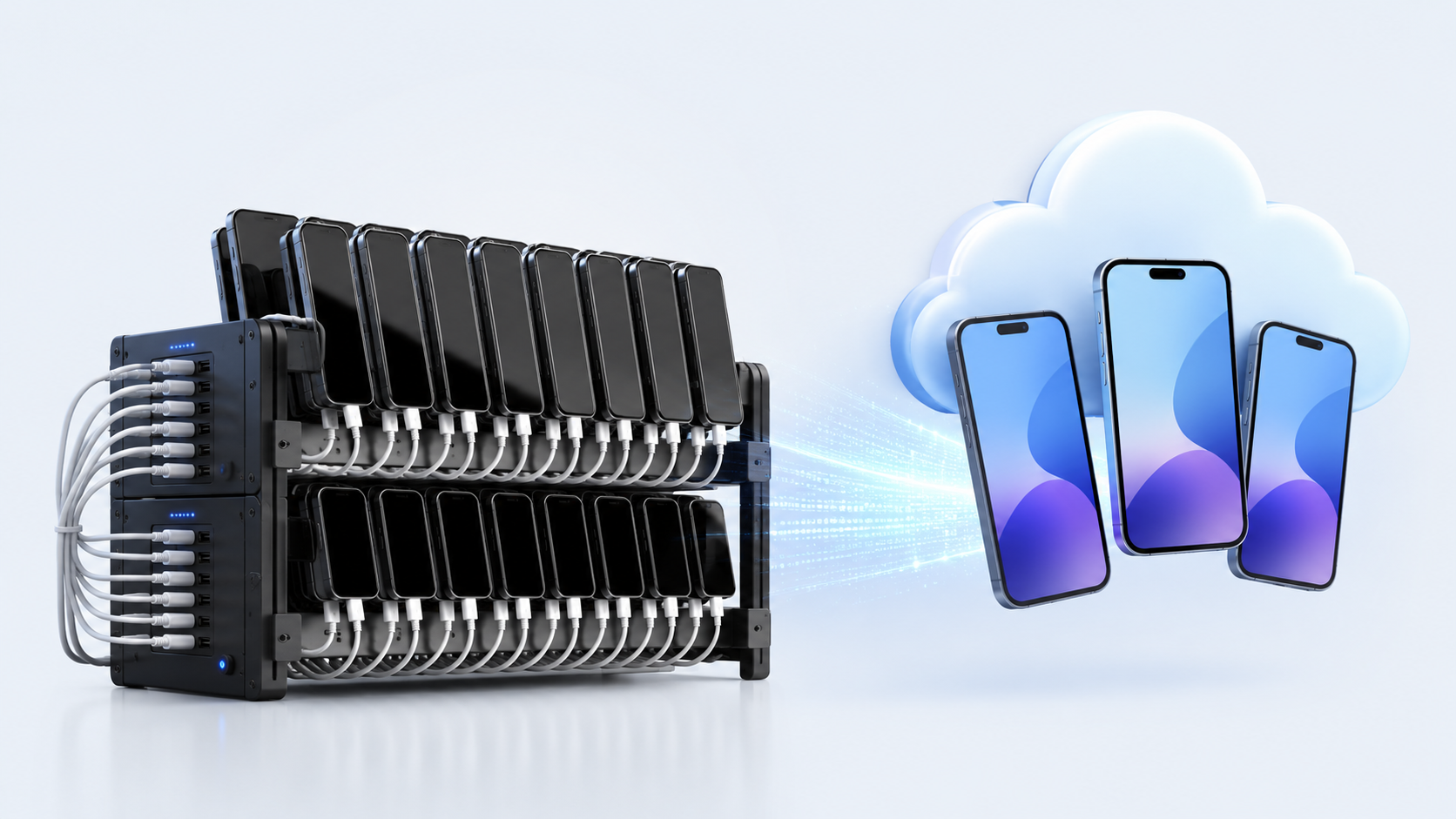
Cloud Phone là lựa chọn thực tế hơn cho teams cần scalable Android workflows nhưng không muốn manage racks of physical devices. Thay vì buying second-hand phones, setting up USB hubs, planning power và checking cables every day, teams có thể tạo cloud-based Android devices từ dashboard.
Với Cloud Phone, teams không cần mua phones one by one. Họ có thể tạo Android environments in the cloud và start working faster. Những cloud phones này chạy genuine Android systems với real hardware identifiers, khiến chúng gần hơn với physical devices từ platform-detection standpoint, giống Samsung phone hơn là basic emulator.
Điều này thay đổi starting point. Traditional phone farm bắt đầu bằng hardware purchase. Cloud phone workflow bắt đầu bằng device creation. Không cần chờ second-hand phones, kiểm tra batteries, testing charging ports hoặc arrange racks.
Với teams cần launch many mobile environments quickly, đây là khác biệt lớn.
Scaling physical phone farm nghĩa là buying more phones, more hubs, more cables, more power tools và more space.
Scaling cloud phones sạch hơn nhiều. Devices có thể được tạo và manage from one dashboard. Modern phone farms thường remote-managed thay vì kept in the same location, nên dashboard-based scaling hấp dẫn hơn. Teams có thể open, organize và control multiple Android environments mà không cần touching physical hardware.
Đây là nơi MoreLogin Cloud Phone xuất hiện rất tự nhiên trong workflow. Nó cho teams một cách centralized để manage cloud-based Android environments thay vì rải phones trên desks, racks và rooms.
Cloud Phone không cần local charging cables, phone racks hoặc battery checks. Điều đó không có nghĩa mọi operational problem biến mất, nhưng nó loại bỏ một phần lớn physical maintenance burden.
Không còn pile of phones heating up in the corner. Không còn loose cable khiến một device drop offline. Không còn battery swelling issue từ old second-hand devices. Không cần replace broken screen chỉ để giữ workflow tiếp tục chạy.
Với long-term work, giảm những small problems này quan trọng hơn vẻ ngoài của nó.
MoreLogin Cloud Phone chạy Android environments in the cloud, powered by ARM-based infrastructure. Nhưng real Android environments một mình không giải quyết privacy hoặc compliance issues khi teams manage multiple accounts trên sensitive platforms. Điều này khác với relying only on local PC emulators vốn consume CPU, memory và graphics resources của computer.
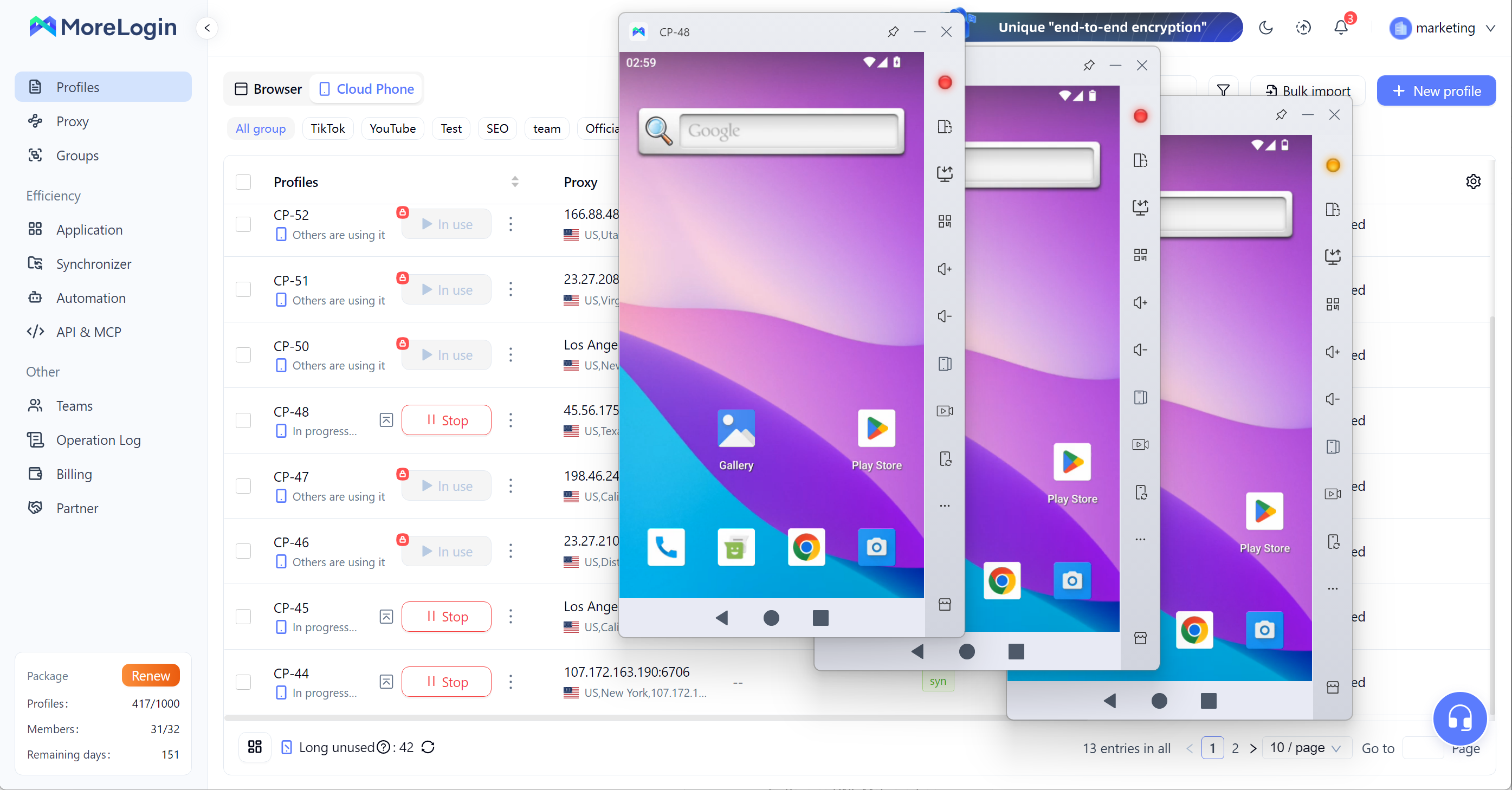
Với teams cần mobile workflows, ARM-based cloud Android environments gần với real mobile use hơn lightweight desktop emulator. Chúng cũng dễ centralize, assign và manage hơn. Strong privacy controls thường có nghĩa là dedicated residential proxies, location-matched IPs và anti-detect tooling để reduce account bans. Operators cũng có thể kiểm tra IP status bằng tools như WhoerIP để confirm mỗi environment khớp với intended setup và digital identity.
Điều này khiến cloud phone phù hợp hơn cho work cần stable Android access, repeatable setup và long running sessions trong digital world hiện nay.
Physical phone farm vẫn cần nhiều repeated work. Bạn có thể phải install apps, change settings, enter text, check screens hoặc repeat same steps across many devices.
MoreLogin Cloud Phone được xây cho kiểu công việc này. Teams có thể dùng batch operations, synchronized actions và automation workflows như right tools khi cần automate tasks across many environments và keep repeated work organized.
Mục tiêu không phải là tạo fake behavior. Mục tiêu là reduce waste khi team có legitimate repeated mobile tasks như app testing, account environment setup, file upload, APK installation hoặc internal workflow checks. Điều này có thể improve earning potential trong legitimate high-volume mobile workflows bằng cách giảm wasted manual time.
Physical phones rất khó share cleanly. Ai đó phải hold the device, connect it hoặc access local machine. Nếu multiple people cần dùng same device group, management sẽ messy.
Cloud Phone dễ dùng hơn cho teams. Devices có thể được accessed remotely. Admins có thể assign permissions, control who can use which environment và remove access when needed. Teams handling multiple accounts cũng cần proper account separation và controlled access để reduce bans hoặc restrictions. Điều này đặc biệt quan trọng với clients running e-commerce storefronts across different platforms, nơi mỗi store cần own device identity và signature để compliant account management.
Với growing teams, điều này quan trọng hơn bản thân device. Một scalable mobile workflow không chỉ cần devices, mà còn cần access control và team management.
Để so sánh sâu hơn, bạn có thể đọc bài cloudphone vs phone farm.
Việc hiểu cách xây dựng Phone Farm là hữu ích, vì nhiều người muốn earn money hoặc make money with phones. Nhưng real results thường phụ thuộc vào scale, ongoing management và legitimate workflows, chứ không phải những lời hứa đơn giản. Phones, USB hubs, power supply, routers, racks, cooling, software và daily maintenance đều là một phần của hệ thống thật.
Nhưng câu hỏi chính không chỉ là bạn có thể xây một Phone Farm hay không. Câu hỏi thật là nó có đáng để maintain at scale hay không.
Với small setups, physical phones vẫn có thể hoạt động. Với larger teams, more devices có thể đồng nghĩa với more money, nhưng chúng cũng tăng labor, risk và cost. Cost of repairs, power, heat, cables, device failure và manual checking có thể trở nên quá nặng. Đó là lý do cloud phone đang trở thành cleaner option cho scalable Android workflows.
Thay vì manage racks of aging devices, teams có thể tạo cloud-based Android environments, run batch work, control access và manage devices from one dashboard.
Xây dựng Phone Farm tốn bao nhiêu chi phí?
Cost phụ thuộc vào number of phones, device quality, network setup, accessories, electricity, cooling và labor. Small setup với 10–20 devices có thể trông affordable, nhưng cost tăng nhanh khi bạn thêm spare devices, cables, power tools, racks, routers và maintenance time.
Cần những thiết bị nào cho Phone Farm?
Basic phone farm thường cần used Android phones, USB hubs, data cables, charging adapters, strong router, phone racks, cooling fans, host computer và safe power tools. Nếu device count tăng, bạn cũng cần better workspace planning và regular hardware checks. Một số setups để running reward apps hoặc testing farming apps cũng phụ thuộc vào stable internet, còn advanced setups có thể cần technical knowledge vì tools như Playwright Android có thể giúp control interaction across devices.
DIY Phone Farm có dễ maintenance không?
DIY phone farm có thể manage ở small scale, nhưng sẽ khó hơn khi number of devices tăng. Phần khó không chỉ là setting up the phones. Khó là keeping them charged, connected, cooled, updated và working every day.
Những rủi ro chính của Phone Farm là gì?
Main risks gồm hardware failure, overheating, aging batteries, loose charging ports, cable clutter, unstable network connections, power pressure và fire hazards. Ngoài ra còn có platform và legal risks nếu setup được dùng cho fake clicks, fake installs, spam hoặc fraud. Một số mobile phone farms cũng được dùng cho crypto airdrop farming với multiple wallets và accounts, nhưng điều đó thêm platform, security và compliance risks cho users và farmers.
Cloud Phone có tốt hơn physical phone farm không?
Cloud Phone thường tốt hơn cho teams cần scale, remote access, batch operations và lower hardware maintenance. Physical phone farm vẫn có thể hoạt động cho small local testing, nhưng khó manage hơn khi device count tăng.
MoreLogin Cloud Phone có thể thay thế Phone Farm không?
MoreLogin Cloud Phone có thể thay thế nhiều physical phone farm workflows bằng cách cung cấp cloud-based Android environments, real ARM Android access, batch operations, remote control, team permissions và scalable device management from one dashboard.

 VN
VN