- Sản phẩm

- Bảng giá
- Chương Trình Liên Kết
- Nhà phát triển
- Tài nguyên
 VN
VN
Free Antidetect Browser nghe có vẻ hấp dẫn, đặc biệt khi bạn mới bắt đầu làm multi-account management, affiliate marketing, ecommerce, social media operations hoặc browser-based testing. Bạn có thể chưa muốn trả phí trước khi biết tool có phù hợp với workflow của mình hay không.
Điều đó hoàn toàn hợp lý.
Vấn đề thật sự không nằm ở việc một tool có miễn phí hay không. Vấn đề nằm ở nguồn tải, việc tool đó có còn được cập nhật hay không, và account data của bạn có an toàn bên trong nó hay không.
Nhiều người tìm Free Antidetect Browser cũng có thể gặp cracked versions, modified installers, old builds hoặc unknown download links. Những tools này có thể hứa hẹn unlimited profiles hoặc unlocked paid features, nhưng cũng có thể mang theo rủi ro nghiêm trọng: malware, backdoors, data leaks, outdated browser fingerprints, unstable profiles và không có official support.
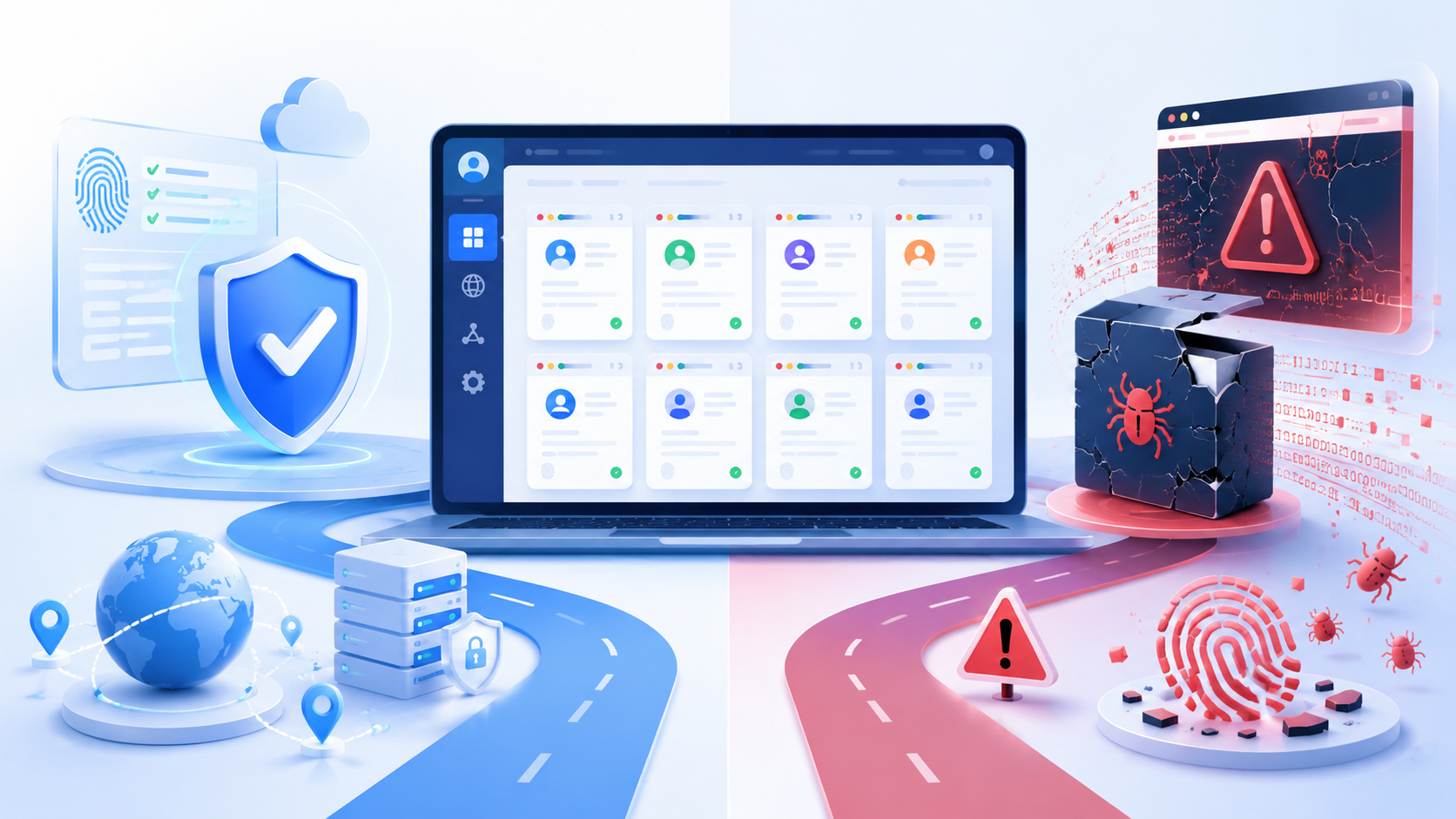
Bài viết này giải thích “free” thật sự có nghĩa gì trong thị trường antidetect browser, vì sao antidetect browser crack nguy hiểm và cách chọn một free option an toàn hơn. Nếu mục tiêu của bạn chỉ là test trước khi trả phí, một official free plan như 2 free browser profiles của MoreLogin thường là điểm bắt đầu tốt hơn so với việc tải một crack không rõ nguồn gốc. Nếu bạn muốn hiểu rõ hơn về loại công cụ này trước, có thể xem trang MoreLogin antidetect browser.
Không phải tool miễn phí nào cũng giống nhau. Trước khi chọn Free Antidetect Browser, bạn cần hiểu mình đang nhìn vào loại “free” nào.
Official free plan được cung cấp trực tiếp bởi software company. Nó có thể bao gồm số lượng browser profiles giới hạn, basic fingerprint settings hoặc một free usage quota nhỏ.
Loại free plan này thường là cách an toàn nhất để test antidetect browser, vì software đến từ official website hoặc official client. Bạn có thể kiểm tra company, product updates, documentation, support channels và privacy policy trước khi sử dụng.
Với beginners, một official free plan thường đủ để test profile creation, proxy setup, fingerprint settings và basic account isolation.
Một số antidetect browsers cung cấp free trial version thay vì forever-free plan. Trial có thể kéo dài 3 ngày, 7 ngày hoặc lâu hơn. Một số trials mở hầu hết features, trong khi một số khác giới hạn profile numbers, automation, team features hoặc API access. Trong nhiều trường hợp, advanced features vẫn bị giới hạn hơn so với paid use.
Free trial không nhất thiết là xấu. Thực tế, nó có thể hữu ích nếu bạn muốn test full product trước khi trả phí. Điểm quan trọng vẫn giống nhau: trial nên đến từ official provider, không phải third-party download source.
Cracked antidetect browser là một chuyện khác.
Antidetect browser crack thường là modified version của paid software. Nó có thể đến từ forums, Telegram groups, file-sharing websites, unknown blogs hoặc unofficial download pages. Vấn đề chính là bạn không thể xác minh bên trong installer đã bị thay đổi những gì.
Crack có thể trông giống một shortcut để tiết kiệm tiền, nhưng nó tạo ra rủi ro cao hơn nhiều. Bạn có thể đang cho một unknown tool quyền truy cập vào cookies, proxy information, login sessions, local files, browser profiles và account data.
Đó không phải là một trade-off thông minh.
Free Antidetect Browser từ official provider rất khác với antidetect browser crack.
Official free plan thường có limits rõ ràng. Ví dụ, nó có thể cung cấp một số lượng nhỏ browser profiles, limited features hoặc free trial period. Nhưng software đến từ official source, nhận updates và cho users một cách an toàn hơn để test product.
Cracked antidetect browser thì khác. Nó thường đến từ unknown download links, forums, file-sharing sites hoặc unofficial groups. Users không thể xác nhận installer có bị modified hay không, có chứa hidden code hay không, hoặc fingerprint data có còn được cập nhật hay không.
Vấn đề thật sự không phải là “free”. Vấn đề thật sự là trust.
Nếu bạn chỉ muốn test antidetect browser, official free plan thường là lựa chọn an toàn hơn. Crack có thể trông như một shortcut, nhưng nó có thể khiến accounts, cookies, proxy data, browser profiles và IP address của bạn gặp rủi ro không rõ nguồn gốc.
Rủi ro của cracked antidetect browser không chỉ nằm ở malware. Nó còn liên quan đến browser fingerprints, account stability và long-term environment quality.
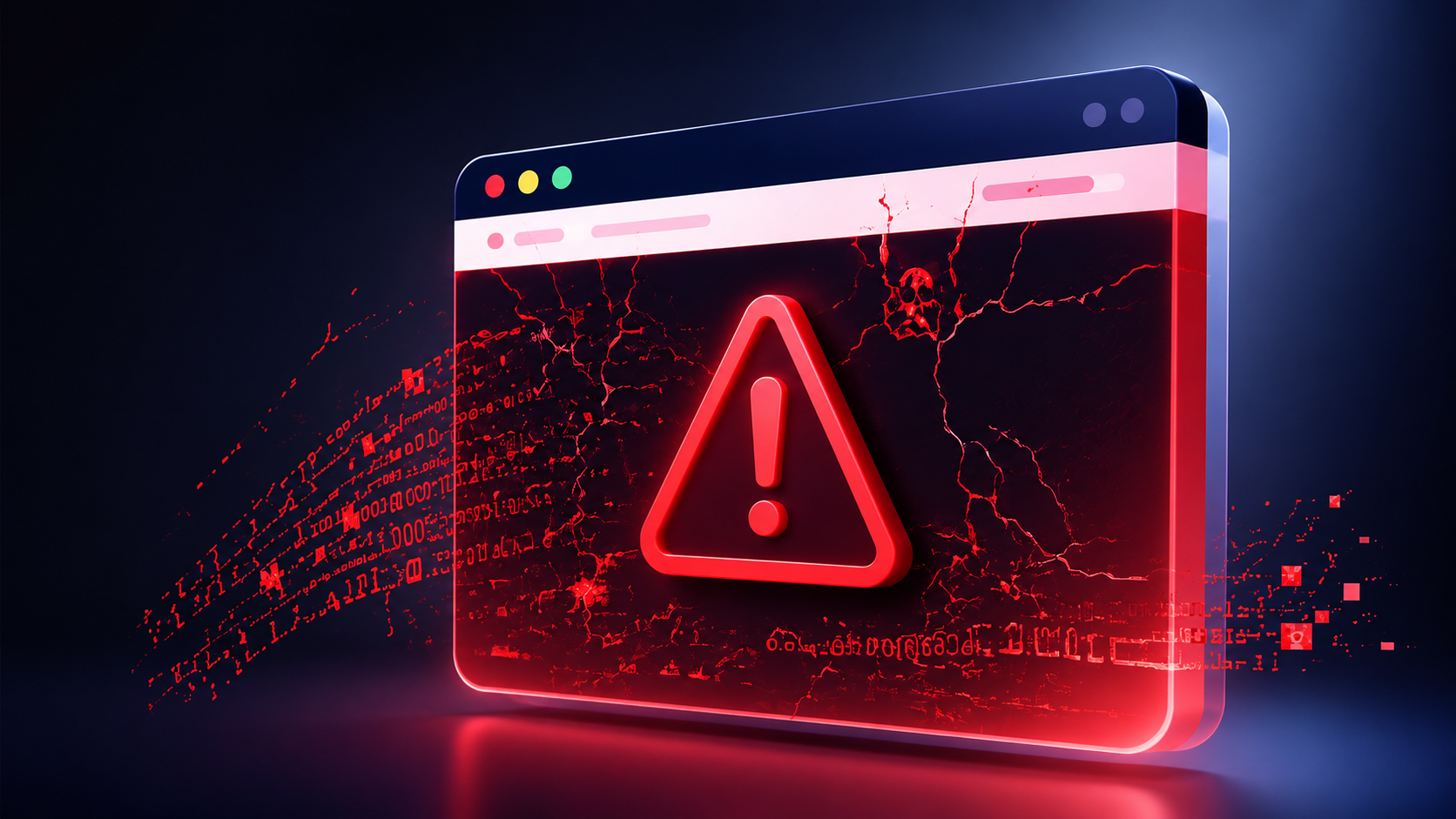
Cracked installer có thể đã được repackaged bởi một người bạn không biết. Nó có thể chứa backdoors, malware, tracking scripts hoặc hidden data collection.
Điều này đặc biệt nguy hiểm với antidetect browsers, vì software không chỉ mở websites. Nó có thể quản lý account sessions, cookies, proxies và profile storage.
Nếu bản thân software không đáng tin, mọi profile bên trong nó đều trở thành rủi ro.
Cookies và login sessions rất có giá trị. Chúng cũng có thể làm lộ local storage và các identifying factors khác, vì vậy mỗi profile cần được giữ independent để giảm detection risk và tránh làm lộ cấu trúc accounts của bạn.
Proxy data cũng rất nhạy cảm. Nếu proxy credentials bị lộ, người khác có thể abuse chúng hoặc liên kết activity ngược lại với setup của bạn. Shared browser fingerprints hoặc cùng một IP address across profiles cũng có thể dẫn đến account bans.
Với teams hoặc agencies, điều này còn nghiêm trọng hơn. Một unsafe browser environment có thể ảnh hưởng đến multiple accounts, clients hoặc campaigns.
Giá trị cốt lõi của antidetect browser không chỉ là đổi IP. Nó hoạt động thông qua fingerprint spoofing, thay real digital fingerprint của bạn bằng custom one để mỗi isolated profile trông như một user khác nhau. Nhưng một profile tốt vẫn cần consistent browser fingerprint.
Browser fingerprint có thể bao gồm User-Agent, WebRTC, timezone, geolocation, language, screen resolution, installed fonts, Canvas, WebGL, hardware data, browser core, browser version, browser parameters và nhiều signals khác. Nếu bạn muốn hiểu sâu hơn về phần này, bài browser fingerprint sẽ là điểm tham khảo phù hợp.
Nếu cracked tool dùng old fingerprint logic, profile có thể trông inconsistent. Ví dụ, User-Agent có thể không khớp với browser core, timezone có thể không khớp với proxy location, hoặc WebRTC có thể làm lộ unexpected information.
Những small mismatches này có thể làm giảm account stability.
Browser environment nên trông natural và consistent, vì websites không chỉ so sánh fingerprint signals mà còn so sánh cookies, IP addresses và behavioral patterns khi quyết định accounts có liên quan với nhau hay không. Nếu IP location, timezone, language, WebRTC, screen size, fonts, Canvas, WebGL và device information không khớp với nhau, profile có thể trông abnormal.
Đó là lý do cracked antidetect browser vẫn có thể rủi ro ngay cả khi nó mở bình thường. Interface có thể trông ổn, nhưng fingerprint signals phía sau có thể outdated hoặc inconsistent. Separate profiles cũng cần hiển thị different browser fingerprints để tránh bị nhìn như linked.
User có thể không nhận ra vấn đề cho đến khi accounts bắt đầu gặp verification, login problems hoặc unstable sessions.
Detection methods, browser versions và website checks thay đổi theo thời gian. Một tool không được maintained sẽ yếu dần.
Official provider có thể phát hành updates, fix issues, cải thiện profile logic và cung cấp support. Cracked version thường không có những thứ này.
Điều đó có nghĩa là bạn dùng crack càng lâu, risk càng lớn.
Đây là phần quan trọng nhất. Mục tiêu không phải là nói mọi Free Antidetect Browser đều không an toàn. Điểm thật sự là bạn cần biết cách đánh giá một tool trước khi dùng nó cho real accounts.
Nếu bạn muốn Free Antidetect Browser, hãy bắt đầu với official free plan. Đừng tải unknown installers chỉ vì chúng hứa “unlimited profiles” hoặc “paid features unlocked”.
Một official free plan thật sự có thể có limits, nhưng những limits đó rõ ràng. Ngay cả free version hoặc basic plan từ official provider vẫn an toàn hơn crack, vì source và restrictions minh bạch. Bạn biết software đến từ đâu, features nào được bao gồm và product có còn được maintained hay không.
Crack có thể trông hào phóng hơn, nhưng risks lại bị giấu đi.
Một antidetect browser an toàn hơn nên tạo independent browser profiles và hỗ trợ multiple browser profiles at scale.
Mỗi profile nên có cookies, cache, local storage, proxy settings, fingerprint configuration và login environment riêng. Sự separation này giúp teams manage multiple accounts trên các platforms như Facebook, Amazon hoặc LinkedIn an toàn hơn. Nó giúp giảm profile overlap và giữ các accounts tách biệt.
Nếu một free tool không hỗ trợ profile isolation rõ ràng, nó có thể không phù hợp với multi-account work.
Trước khi dùng Free Antidetect Browser cho real accounts, đừng chỉ dựa vào product page. Hãy tạo một test profile trước và kiểm tra browser environment có consistent hay không.
Bạn có thể dùng tools như CreepJS, BrowserLeaks, PixelScan và IPhey để review basic fingerprint signals như User-Agent, WebRTC, timezone, language, fonts, Canvas, WebGL, screen resolution và hardware-related data. Nếu cần hiểu thêm về kiểm tra privacy signals, bài viết về BrowserLeaks cũng là một điểm tham khảo tốt.
Mục tiêu không phải là ẩn mọi signal. Một normal browser luôn để lộ một phần fingerprint data. Điều quan trọng là các signals đó có khớp với nhau hay không.
Ví dụ, bạn có thể kiểm tra:
timezone có khớp với proxy location không;
selected IP address có khớp với profile location không;
WebRTC có làm lộ unexpected IP information không;
User-Agent có khớp với browser core không;
language, fonts, screen size và location settings có tạo thành một digital identity coherent cho selected environment không.
Nếu free tool tạo profiles có obvious fingerprint conflicts, nó có thể chưa đủ reliable cho long-term account work.
Một free antidetect browser an toàn hơn vẫn cần được maintained.
Browser engines thay đổi. Websites cập nhật detection logic. Fingerprint signals cũng thay đổi theo thời gian. Updates cũng quan trọng với API integrations cùng các automation frameworks phổ biến như Selenium, Puppeteer và Playwright. Nếu tool đã lâu không được cập nhật, profiles có thể bắt đầu trông outdated hoặc unusual.
Đây là một trong những vấn đề lớn nhất của crack versions. Ngay cả khi software mở bình thường, fingerprint logic có thể đã cũ. Advanced users dựa vào API access và automation frameworks như Selenium, Puppeteer hoặc Playwright cần actively maintained software.
Một tool đáng tin nên cho users đánh giá proxy support và proxy integration một cách rõ ràng. Nó cũng nên có WebRTC control để tránh basic environment mismatches.
Một setup tốt nên giữ IP, timezone, language, WebRTC và geolocation signals consistent, vì proxies mask IP address của user và nên được gán per profile để prevent account linking. Khi review proxy management, users cũng nên kiểm tra proxy traffic được routed như thế nào và mỗi profile có giữ cùng network identity hay không.
Nếu các signals này conflict với nhau, profile có thể trông suspicious hoặc unstable.
Một số tools có built-in proxies hoặc free proxies, trong khi một số khác cho phép bạn kết nối own proxies. Residential hoặc mobile options chất lượng cao thường an toàn hơn low-quality ones.
Điều này không có nghĩa tool có thể loại bỏ mọi risk. Nhưng nó nên giúp users tránh obvious configuration mistakes.
Trước khi import important accounts, hãy kiểm tra provider xử lý data như thế nào.
Hãy tìm các thông tin cơ bản như:
browser profiles được lưu trữ như thế nào;
cookies và sessions có được bảo vệ không;
platform có giải thích privacy policy không;
có encryption không;
có team permissions không;
có official support không.
Nếu một tool không đưa ra thông tin rõ ràng về security hoặc privacy, đừng dùng nó cho valuable accounts.
Ngay cả khi một tool trông như best free antidetect browser hoặc best free anti detect, đừng bắt đầu ngay với important accounts.
Hãy tạo vài low-risk profiles trước. Test profile isolation, proxy setup, fingerprint consistency, WebRTC behavior và browser stability. Chỉ nên cân nhắc scaling sau khi environment hoạt động ổn định.
Small free anti detect setup hữu ích cho validation, nhưng scaling nên đợi đến khi environment chứng minh được độ ổn định.
Nếu bạn đang tìm cách an toàn hơn để test Free Antidetect Browser, MoreLogin cung cấp một official free starting point.
MoreLogin cung cấp free tier với 2 browser profiles forever. Điều này hữu ích cho users muốn test antidetect browser features mà không cần tải cracked tools hoặc trả phí trước khi hiểu workflow. Nó cũng cho phép users thử small marketing campaigns hoặc simple automation workflows trước khi upgrade.
Bạn có thể tạo profiles, configure environments và test xem product có phù hợp với basic needs hay không.
Với MoreLogin Antidetect Browser, mỗi profile chạy như một isolated anti detect browser environment. Setup này hỗ trợ multi accounting và giúp users chạy multiple accounts an toàn hơn. Với API access, users có thể programmatically manage profiles cho các tasks như account creation hoặc data extraction.
Điều này giúp tách cookies, sessions, fingerprint settings và account workflows.
Với small-scale testing, đây là approach an toàn và thực tế hơn so với việc dùng unknown crack.
Free plan của MoreLogin không cố trở thành cracked version của paid product. Nó là official free quota.
Sự khác biệt này rất quan trọng. Với phần lớn users, official tools là lựa chọn phù hợp hơn, còn cracks không phải advanced solution cho serious work.
Bạn biết software đến từ đâu. Bạn có thể xem official product information. Bạn có thể test workflow mà không cần cài unknown packages. Với users chỉ muốn low-cost start, bao gồm affiliate marketers, đây là lựa chọn hợp lý hơn.
Nếu bạn muốn xem product overview rộng hơn trước khi test, có thể đọc review MoreLogin. Bài này cung cấp thêm context về platform, features, use cases và việc nó có phù hợp với workflow của bạn hay không.
Free Antidetect Browser không tự động unsafe, và free anti detect browser cũng không inherently risky. Risk thật sự đến từ unknown sources, cracked installers, outdated fingerprint libraries và tools không giải thích cách chúng bảo vệ user data.
Nếu bạn chỉ muốn test antidetect browser features, đừng bắt đầu bằng crack. Hãy bắt đầu với official free plan. Trong thực tế, anti detect browsers hoạt động tốt nhất khi profiles không share IP addresses, cookies hoặc browser fingerprints. Vì vậy, hãy verify proxy và fingerprint consistency, test với tools như CreepJS và BrowserLeaks, review proxy và WebRTC settings, đồng thời đảm bảo product vẫn được maintained.
Với users cần một entry point an toàn hơn, 2 free browser profiles của MoreLogin là cách thực tế để test antidetect browser workflows mà không phụ thuộc vào risky cracked software. Điều này hữu ích cho small multi-account hoặc testing workflows trước khi chuyển sang more advanced features.
Free Antidetect Browser có an toàn không?
Free Antidetect Browser có thể an toàn nếu đến từ official provider và có clear updates, privacy policies cùng profile isolation. Phần rủi ro nằm ở unknown downloads, modified installers hoặc cracked versions.
Antidetect browser crack có nguy hiểm không?
Có. Antidetect browser crack có thể nguy hiểm vì nó có thể chứa malware, backdoors, data collection scripts, outdated fingerprint logic hoặc unstable browser components. Nó cũng thường không có official updates hoặc support.
Best free antidetect browser nào phù hợp để testing?
Trong nhóm best antidetect browsers, lựa chọn tốt cho testing nên đến từ official source, hỗ trợ independent profiles, có clear fingerprint settings, nhận updates và cung cấp transparent security information. MoreLogin có thể là một option vì cung cấp 2 free browser profiles forever. Tuy nhiên, với phần lớn anti detect browsers, free access chủ yếu phù hợp cho small-scale validation vì advanced features thường bị giới hạn.
Làm sao kiểm tra browser fingerprints trước khi dùng tool?
Bạn có thể dùng tools như CreepJS và BrowserLeaks để review browser fingerprint signals. Các signals này có thể gồm User-Agent, Canvas, WebGL, fonts, timezone, screen size, WebRTC, hardware data và các browser characteristics khác.
Có thể dùng Free Antidetect Browser cho multiple accounts không?
Có, users có thể dùng free antidetect browser để manage multiple accounts ở small scale. Websites vẫn có thể link accounts thông qua anti detection checks dựa trên IPs, fingerprints, cookies và behavior, vì vậy profile separation rất quan trọng. Free plans thường có profile limits, còn workflows như Google Ads hoặc ecommerce platforms thường cần paid plan khi scale tăng.
MoreLogin có miễn phí không?
Có. MoreLogin cung cấp 2 browser profiles forever miễn phí. Điều này phù hợp với users muốn test anti detect browser features trong một official antidetect browser trước khi chuyển sang paid plan có more advanced features.

 VN
VN