- Среда аккаунтов
 Multi-Account Browser
 Облачный телефонАвтоматизация
 RPA без кода
 Синхронизатор
 Интеграции
 ИИ-агенты
- Тарифы
- Разработчики
 RU
A proxy can connect successfully and still be unsuitable for your work. It may disconnect during a session, change its exit IP unexpectedly, transfer files slowly, or fail on a website you need to access.
Checking proxy quality means evaluating the connection against a specific task. A single reputation score or successful page load is not enough.
This guide explains how to test connectivity, exit IP, location, session persistence, performance, and destination access—and how to repeat those checks inside a MoreLogin browser profile.
Start by defining what the connection needs to support.
A regional website check may require an exit IP associated with a particular country. A browser-based reporting session may need a persistent connection. A media workflow may depend more on upload performance and traffic costs.
Use these dimensions to structure the evaluation:
No single result establishes that a proxy is universally “clean,” anonymous, or safe from account restrictions.
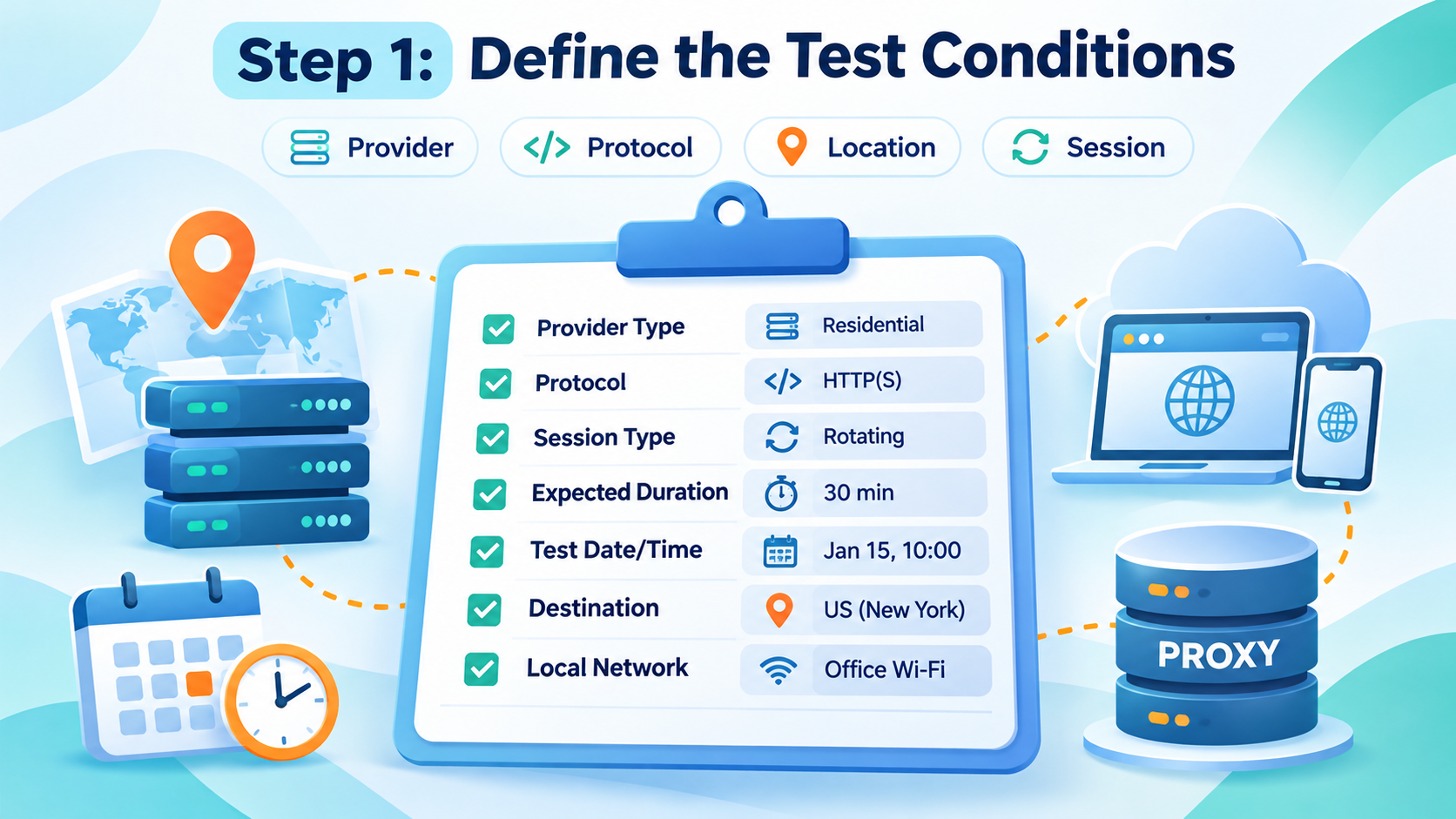
Before testing, record:
Proxy provider and product type.
Protocol and authentication method.
Requested location.
Whether the connection is static, rotating, or session-based.
Expected session duration.
Your access location and local network.
Test date, time, and destination.
Browser or cloud phone configuration.
Keep credentials out of shared reports and screenshots.
When comparing providers, use similar locations, workloads, and testing periods. A lightweight page loaded through one provider is not a fair comparison with a large upload through another.
If a baseline connection is permitted for the task, measure it as well. A slow local network can affect every proxy you test.
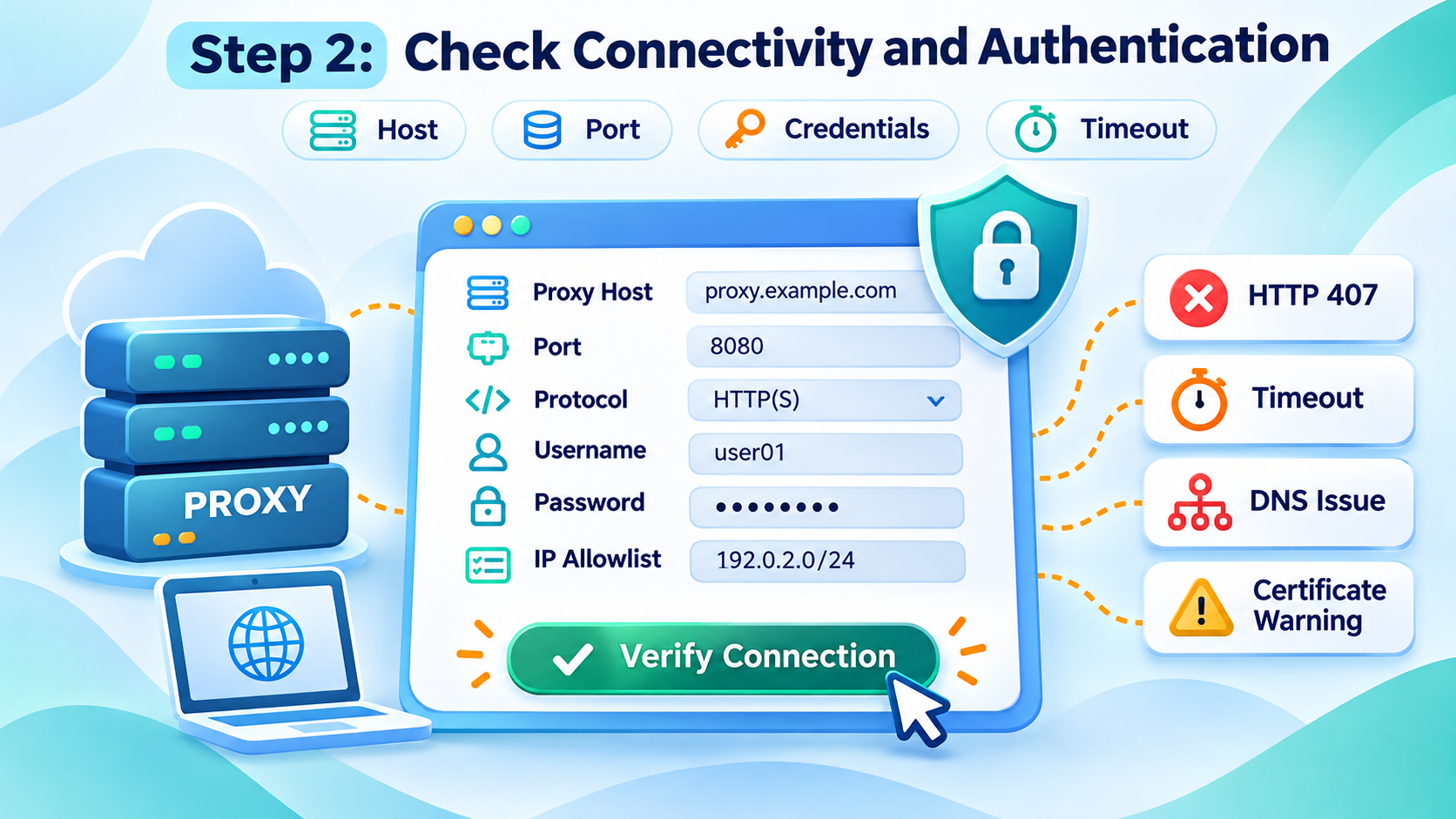
Enter the host, port, protocol, and credentials exactly as supplied by the provider.
For services using IP allowlisting, confirm that the authorized source address is current. Also check subscription status and available traffic.
If the connection fails, record the error before changing settings.
Do not classify every failure as a poor-reputation IP. A wrong password and a destination restriction are different problems.
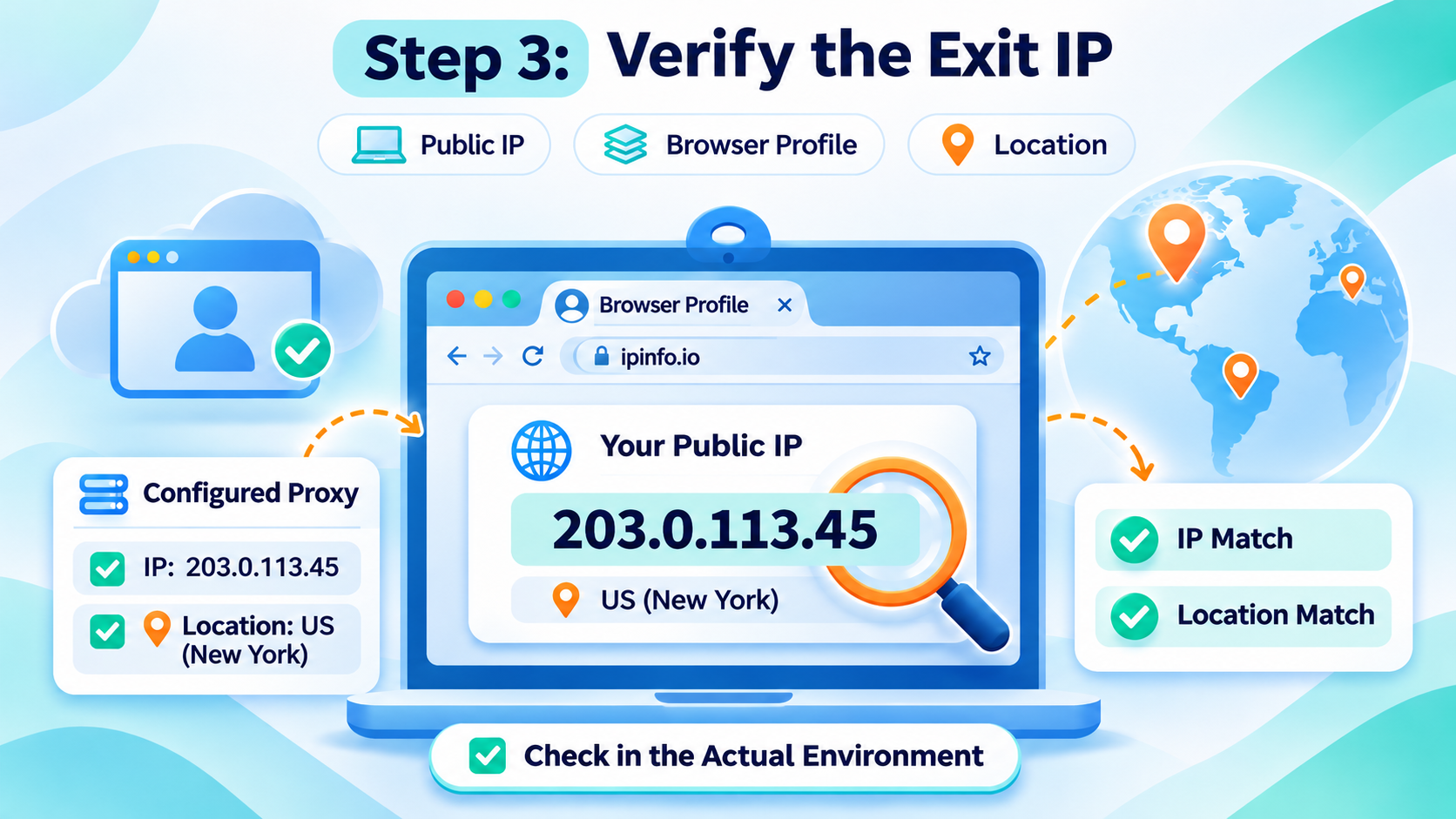
Open an IP-information page through the configured browser profile and record the public address it reports.
Check from the environment you intend to use. A lookup in your ordinary browser does not verify a proxy assigned to a separate profile.
Compare the observed exit with the provider’s stated behavior. Some services use a gateway hostname that differs from the public exit address, so those two values do not necessarily need to match.
If an unexpected address appears, investigate the configuration and routing before continuing the workflow.
IP-location databases estimate location. They can disagree, especially at city level, and their records change over time.
If geography matters, compare more than one source and ask the provider to clarify discrepancies. Do not treat a city label as proof of an exact physical location.
MaxMind’s documentation describes geolocation results in terms of an area and an accuracy radius, rather than a precise address.
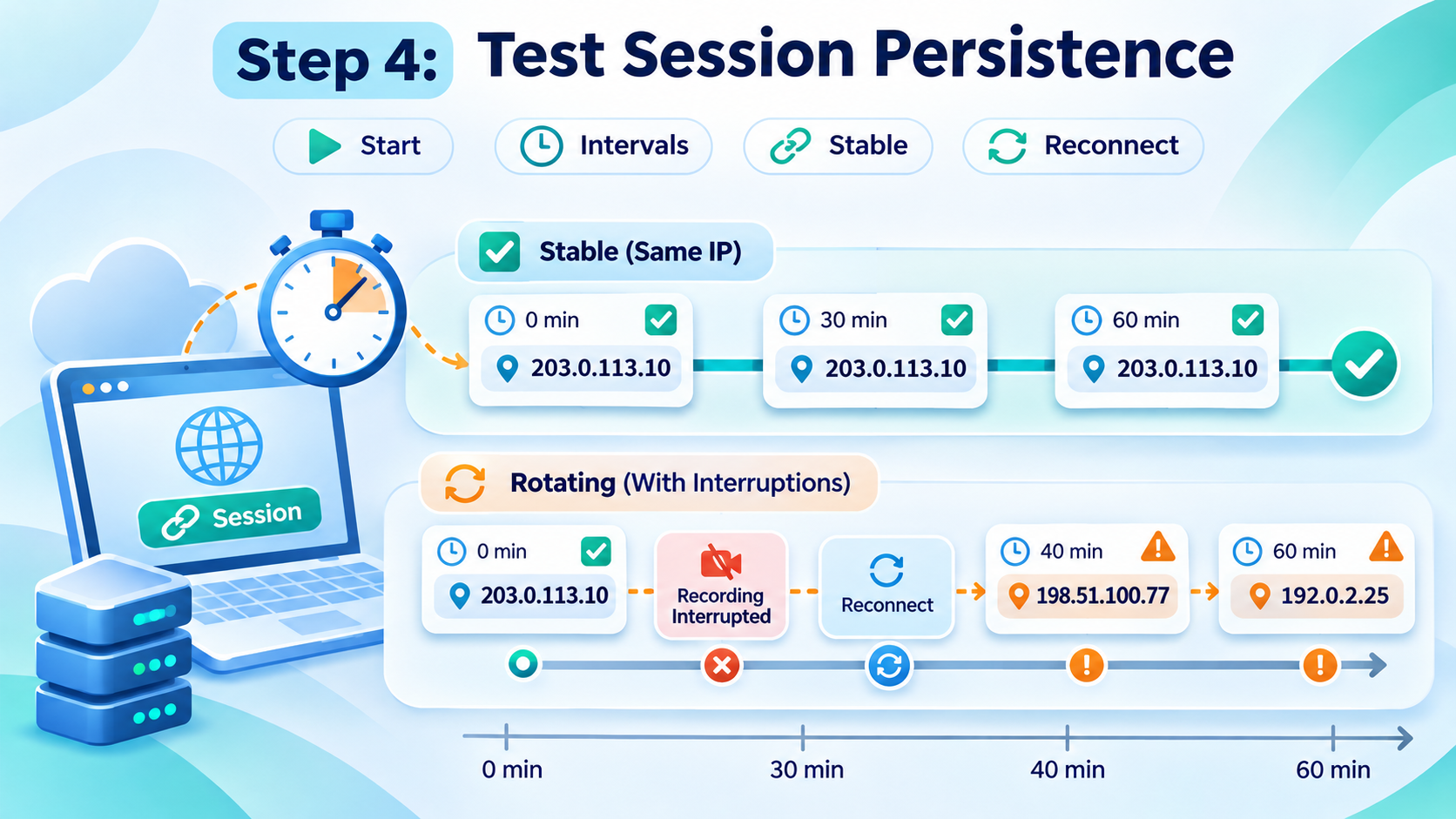
A proxy that works for a minute may behave differently during a longer task.
Run a session that resembles your normal work. For example:
Record the exit IP at the start.
Complete a representative browsing task.
Check the exit again at planned intervals.
Record interruptions, reconnects, and unexpected changes.
Repeat during another working period.
Choose a duration relevant to your workflow. A short check cannot demonstrate that a provider’s advertised long session will remain stable for the entire period.
For a rotating product, expected IP changes are not automatically a defect. For a task requiring a persistent exit, those same changes may make the configuration unsuitable.
A session setting should be tested rather than treated as a guarantee.
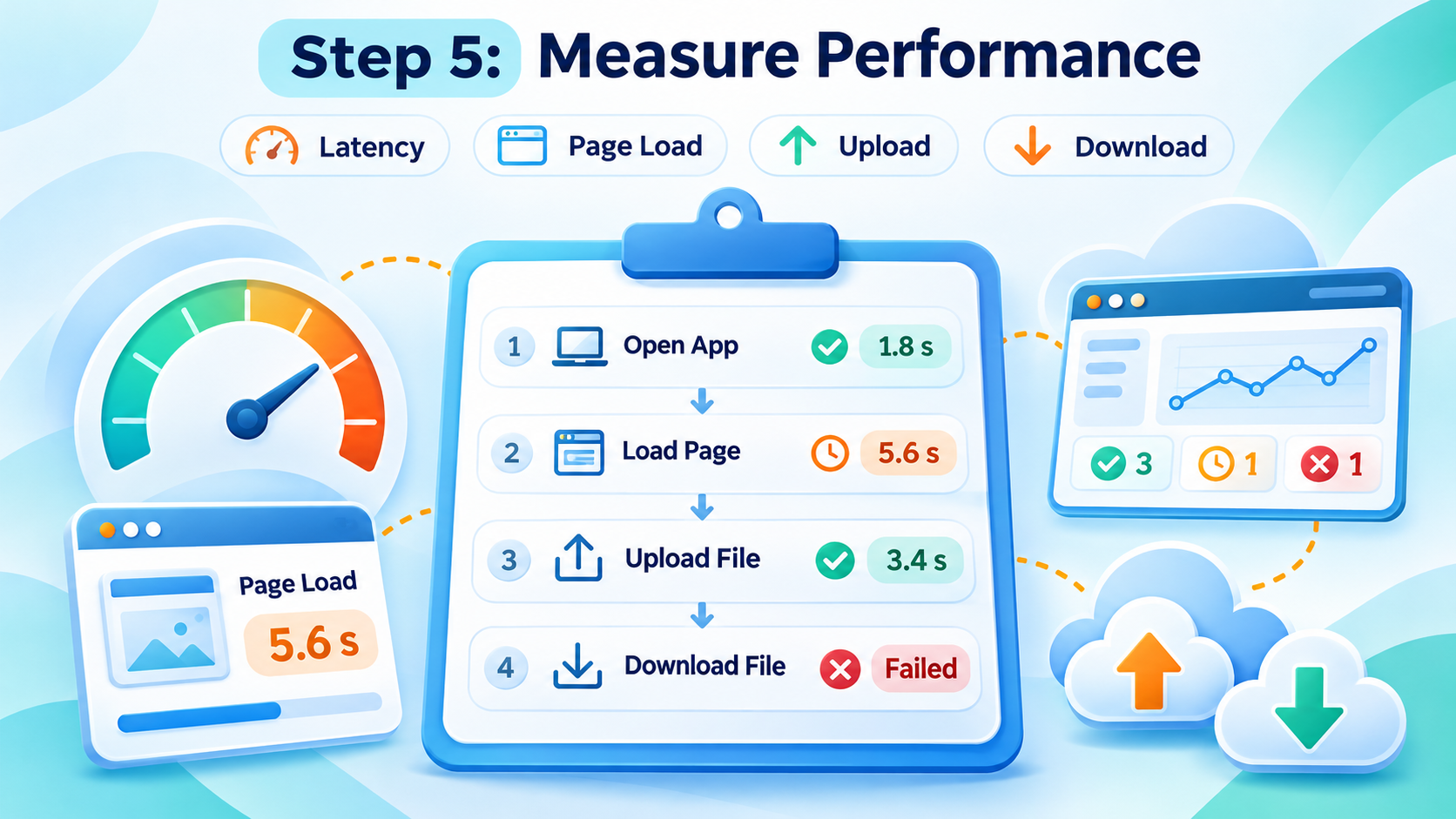
Evaluate the operations your team actually performs.
Useful tests include:
Opening a business dashboard.
Loading several pages in a normal sequence.
Uploading an approved image or video.
Downloading an authorized report.
Completing a task that requires several minutes of interaction.
Repeat a small number of tests at a reasonable frequency. Record typical performance, slower attempts, and failures.
Avoid describing every timing measurement as “latency.” Connection time, time to first response, full page-load time, and file-transfer time measure different things.
For comparisons, use the same task and measurement method. Report both the typical result and the range rather than selecting only the fastest attempt.
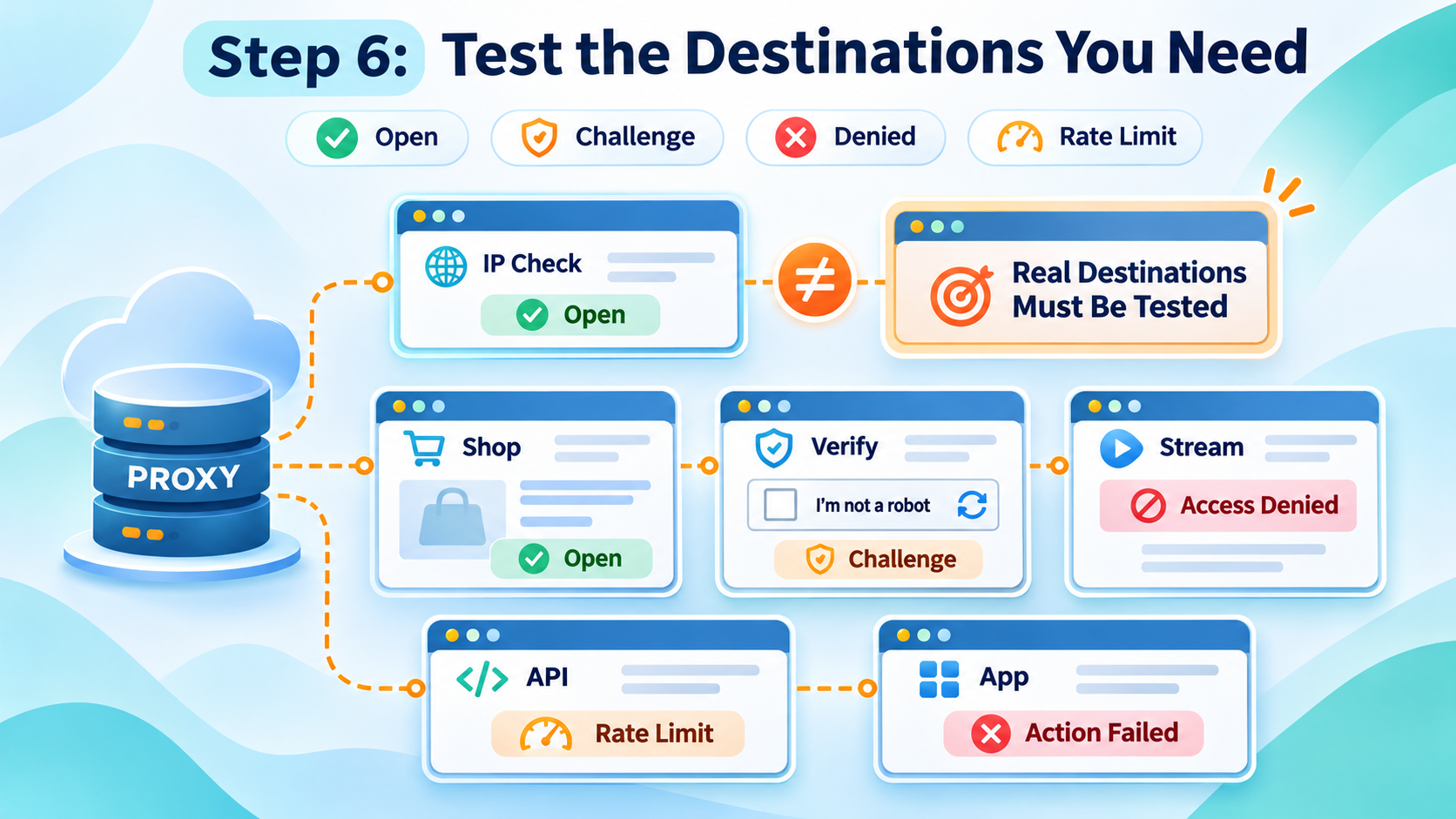
A successful request to an IP-checking page proves only that the request succeeded. It does not establish compatibility with every destination.
Test the websites relevant to your authorized workflow and record what happened:
The page opened normally.
Authentication was required.
A verification challenge appeared.
Access was denied.
A rate-limit response appeared.
The page loaded, but a required action failed.
An access-denied response does not, by itself, prove that a website has classified the IP as “low quality.”
Likewise, successfully loading a search engine does not show that the provider has been approved by that platform or that an account will avoid restrictions.
If you encounter a request limit, pause and follow the service’s instructions. Do not use testing as a reason to continue restricted activity through replacement addresses.
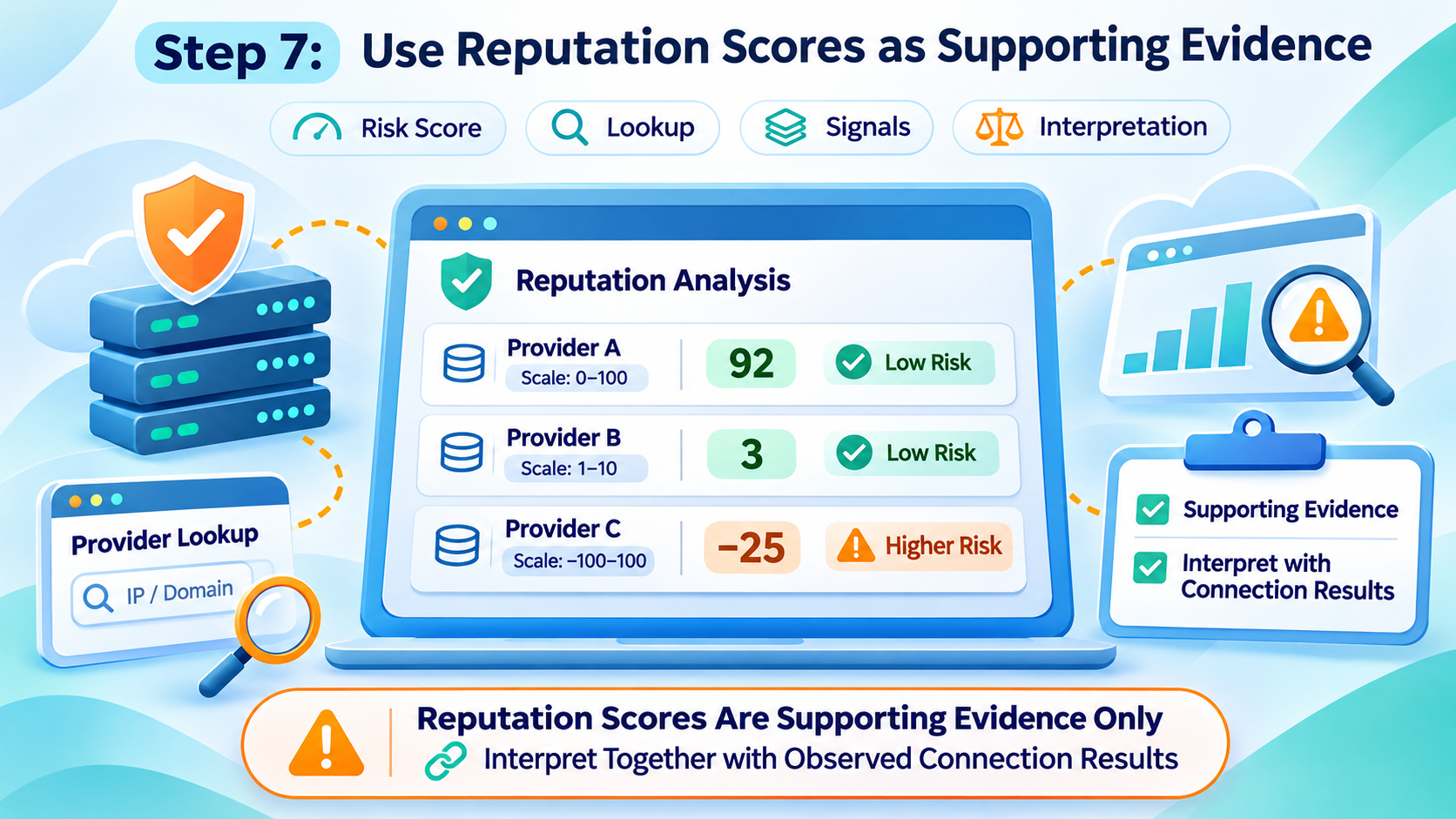
IP-reputation services may report proxy status, network type, recent abuse signals, or a numerical risk score.
These results can help identify connections that deserve further investigation, but the interpretation depends on the service.
Record:
The lookup provider.
The date of the check.
The exact score and field name.
Relevant settings, if configurable.
Any accompanying explanation or abuse indicators.
Do not combine different providers’ scores as though they use one universal scale.
A Fraud Score of 80 does not mean an 80% probability that a social account will be banned. A low score also does not guarantee access, security, or account availability.
Read the scoring service’s documentation and compare reputation information with your observed connection results.
Testing inside MoreLogin helps confirm that the proxy works in the browser environment where the task will take place.
Use a dedicated test profile before changing an active client workspace.
Enter the proxy type, host, port, and authentication details according to the provider’s instructions. Refer to the MoreLogin setup guide for the configuration process.
Use the proxy-check function provided in the interface.
A successful result is an initial connectivity check. It is not a complete assessment of reputation, long-term stability, or compatibility with every website.
Check the public IP and relevant location information from inside the launched profile.
Then perform a representative authorized task and observe whether the connection remains usable.
Keep the profile identifier, provider, test date, observed exit behavior, and task outcome together.
Avoid changing several active client profiles at once. Validate the configuration first, then document any rollout.
If you also use the proxy with a cloud phone, test that environment separately. A successful desktop-browser test does not prove that every Android app will behave the same way.
MoreLogin provides the environment in which you configure and use the connection. It does not turn an unsuitable proxy into a reliable one or override a destination’s access rules.
The following is a reporting template, not a set of measured results.
Keep endpoint count, distinct exit-IP count, and request count separate. A rotating endpoint can produce several exit IPs, while repeated checks may reuse one address.
Always show the denominator behind a percentage.
For example, 48 successful requests out of 50 attempts equals a 96% request success rate. That does not mean 96% of a provider’s entire IP pool is high quality. This is an arithmetic example, not a benchmark result.
The lowest price per gigabyte may not produce the lowest operating cost.
Check traffic expiry, minimum purchases, concurrency limits, session options, dedicated-address fees, and the billing treatment of failed requests.
Repeated uploads, retries, and large media files can increase consumption. Measure traffic during the same representative task used for performance testing.
A useful purchase decision combines task completion, connection consistency, support quality, and total cost. It should not depend on a single “clean IP” claim.
Combine connectivity checks, exit-IP verification, session testing, actual destination tasks, and reputation information. Evaluate the result against your workload.
No. It is one service’s risk indicator. It does not guarantee platform access or predict account-enforcement outcomes.
No. Suitability depends on the task, destination requirements, performance, sourcing, session behavior, and cost. The product label alone is not a quality test.
The checker and website may use different destinations, protocols, or access conditions. Investigate the specific failure rather than treating the checker result as universal approval.
Use a sample that reflects the locations, product types, and operating periods you intend to use. Describe the sample honestly and avoid generalizing a small test to an entire provider.
Recheck when the provider, configuration, location, or workload changes, and when connection problems appear. Schedule periodic reviews for business-critical workflows.
A useful quality check answers a concrete question: can this connection support the intended task, under the required conditions, at an acceptable cost?
For MoreLogin users, start with a test profile, verify the actual exit, complete the workflow, and record the result before wider deployment. That provides a stronger basis for selection than a supplier ranking or a single reputation score.
White pages: для чего нужны в Арбитраже трафика
ПредыдущийEverything about How MoreLogin Protects Your Privacy and Boosts Your Business
Далее
 RU